







Trusted by Security Teams at:





















What to do if you’re hit by ransomware?
Do NOT attempt any self-remediation, as it can trigger further encryption and destroy recovery points. Instead, follow these steps:
Contact us now for urgent ransomware response assistance, 24/7
Get Help Now
How UnderDefense ransomware data recovery services work

Ransomware response
Our ransomware recovery team immediately responds to contain the incident and stop the encryption.


Ransomware recovery
We recover your data from the safest source available—offline backups, snapshots, or cloud versions.


Investigation
The result of the investigation is an actionable report on the security gaps to prevent re-infection.
Experts. Finalists. Winners.

Momentum Leader in MDR

Best Support in MDR & IR

Managed Detection and Response (MDR)

Top Cybersecurity Company 2025

Best Managed Detection and Response Service
#4 of 184 teams Splunk Boss of the SOC

Best Of Cybersecurity Awards for Q1 2025

AWS Partner

Splunk Manage Premier Partner
Why choose UnderDefense for ransomware recovery
10 reasons why you should choose the UnderDefense ransomware recovery consulting services:
Get Help Now


Our customers say it best



Common ransomware types
Here’s a list of known ransomware and RaaS groups that are actively targeting organizations today:
Other ransomware types we can assist with:
Frequently asked questions
What is ransomware?
Ransomware is a type of malware that encrypts your data or locks access to your systems and then demands payment (usually in cryptocurrency) for a decryption key or for not leaking the stolen data. Unlike other malware (such as adware, trojans, or worms), modern ransomware is built primarily for extortion and often combines encryption with data theft (“double extortion”).
What are some common ransomware examples?
Well-known ransomware families include WannaCry and NotPetya (2017), Ryuk (2018–2020), REvil/Sodinokibi and Maze (around 2020–2021), and more recent groups such as LockBit, BlackCat/ALPHV, Black Basta, Royal, and Clop. Many of these operate as Ransomware-as-a-Service (RaaS), where core operators provide the malware and affiliates carry out attacks for a share of the profits.
What were the biggest ransomware attacks in history?
Some of the most impactful ransomware incidents include:
- WannaCry (2017): Infected around 200,000 computers across 150+ countries, disrupting healthcare, telecom, and manufacturing.
- NotPetya (2017): Posed as ransomware but acted more like a wiper, with global economic damage estimated at around $10 billion.
- Colonial Pipeline (2021): A DarkSide ransomware attack that forced the shutdown of a major U.S. fuel pipeline, disrupting East Coast fuel distribution.
- Change Healthcare/UnitedHealth Group (2024): A BlackCat/ALPHV attack that disrupted healthcare payments across the U.S.; public testimony and blockchain analysis indicate a ransom of roughly $22 million was paid, while reports suggest attackers or affiliates may still retain stolen data.
What do current ransomware statistics tell us?
Recent industry reports show that ransomware remains one of the most damaging cyber threats:
- 59% of organizations still report being hit at least once in the last year.
- For victims that do pay, the average ransom payment has dropped by 50%, falling from $2.0 million in 2024 to approximately $1.0 million in 2025, while the number of attacks increased by 34%.
- The average ransomware recovery cost has dropped by 44% in 2025, costing victims $1.53 million on average compared to $2.73 million in 2024.
Overall, the picture is: fewer victims are paying, but attacks are frequent and still extremely costly when you factor in downtime, remediation, legal, and reputational damage.
What are the latest ransomware trends?
Today, the 2025 ransomware trends are unfortunate and include:
- Double and triple extortion: Attackers not only encrypt data but also steal it and threaten leaks or regulatory complaints.
- Living-off-the-land: Threat actors use legitimate tools (RDP, PowerShell, PsExec, remote management agents) to evade detection until just before detonation.
What should I do first if I’ve been hit by ransomware?
Here’s the emergency plan:
- Immediately isolate affected systems. Disconnect infected endpoints and servers from the network and internet.
- Gather evidence. Don’t wipe everything yet; logs and artifacts are critical for forensics.
- Notify internal stakeholders. Escalate to CISO, CTO, Chief of Security, legal, and leadership.
- Contact an incident response team. Contact an incident response team on standby, such as UnderDefense, which can help you rapidly contain the attack, scope the damage, and plan recovery safely.
This aligns with best-practice response guidance from CISA and law enforcement bodies.
How do you get rid of ransomware?
A proper ransomware response process usually looks like this:
- Containment: Isolate infected systems, disable compromised accounts, and stop lateral movement.
- Eradication: Remove ransomware binaries, loaders, backdoors, and persistence mechanisms across endpoints, servers, and domain controllers.
- Recovery: Restore systems from verified clean backups or snapshots, or rebuild from trusted baseline images, then carefully bring them back online.
- Root-cause analysis: Identify how the attackers got in (exploited vulnerability, stolen credentials, exposed RDP/VPN, etc.) and close those gaps.
For most modern strains (LockBit, BlackCat, Black Basta, etc.), public decryptors are not available, so safe recovery usually depends on backups and structured IR, not “download a free decryptor and hope for the best.”
Can ransomware be deleted?
Yes, you can remove ransomware and related malware from your systems using IR procedures and security tools, but that does not decrypt your data. At underDefense, we follow the best-practice data recovery process. We restore data from clean, uncompromised backups or snapshots, or, in some cases, using a valid decryption key (from authorities, a vendor, or, as a last resort, the criminals, which carries a major risk and is not guaranteed to work).
The critical part is to ensure all persistence mechanisms and backdoors are removed before putting systems back into production.
How long do ransomware attacks last?
There is no way to determine how long a ransomware attack will last in your specific environment, since it also depends on which phase you look at:
- Encryption can last minutes on small networks and a few hours on larger environments.
- Intrusion and staging can go for days or weeks of undetected activity where attackers move laterally, steal data, and disable security controls and backups before encryption.
- Recovery and negotiation (if any) often last days to weeks, depending on the environment size, regulatory obligations, and whether you have usable backups.
So, while encryption might feel instant, the full incident lifecycle can easily span multiple weeks from initial compromise to full recovery.
What happens when you get ransomware?
In a typical ransomware incident, attackers gain access through phishing, exploiting vulnerabilities, exposed RDP/VPN, or compromised credentials. They escalate privileges and move laterally to reach domain controllers, file servers, hypervisors, and backups to exfiltrate sensitive data (contracts, financials, patient/consumer data, IP) to their own infrastructure.
The second stage of a typical attack is deploying ransomware at scale, encrypting files and sometimes virtual machines and backups. You will usually see a ransom note appear with payment instructions and threats to leak or sell the stolen data if you don’t comply.
Modern ransomware groups often use multi-stage extortion: encryption + data leak + regulatory/press pressure.
Should I pay the ransom?
Paying a ransom is always risky since there is no guarantee you’ll receive working decryption keys or that stolen data will actually be deleted. Some threat actors have taken payment and still leaked or resold data.
In some jurisdictions and scenarios, payment can create sanctions and compliance risks if the group is on a restricted list.
Best practice is to engage incident response experts and legal counsel, assess whether you can recover from backups, and consider regulatory and insurance guidance before deciding.
UnderDefense’s stance is to prioritize containment, safe recovery, and long-term resilience over paying criminals.
What is the best protection against ransomware?
Effective ransomware protection is always layered and typically includes:
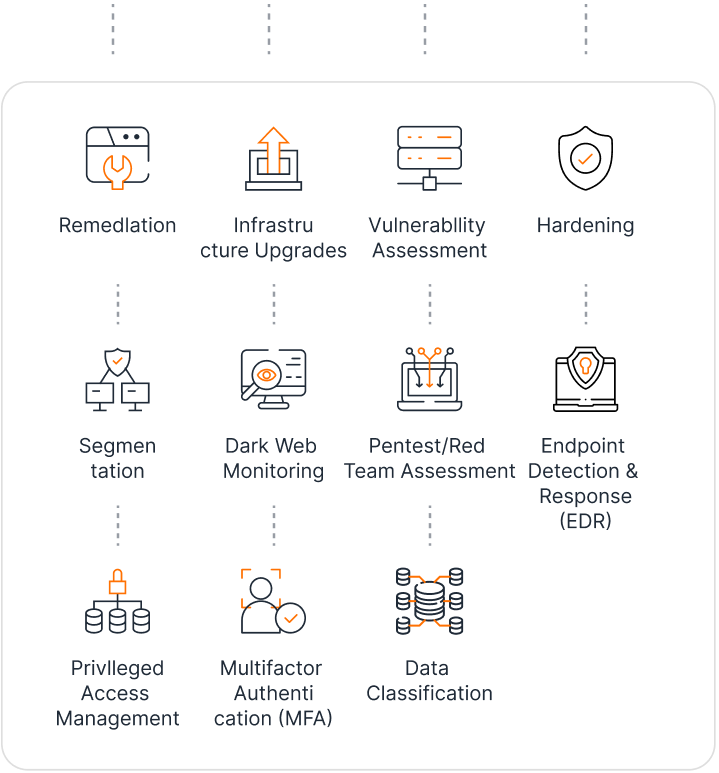
- Hardened identities and access (MFA, privileged-access management, strong IAM hygiene)
- Timely patching of internet-facing systems and high-risk software
- Email and web filtering to block phishing and malware delivery
- EDR + SIEM with 24/7 monitoring, threat hunting, and incident response (MDR/XDR)
- Network segmentation and least-privilege access
- Regular, tested backups with offline or immutable copies
At UnderDefense, we always recommend our clients to combine MDR, UnderDefense MAXI for visibility, and IR to detect and contain ransomware before it reaches your most critical assets whenever possible.
Can you help if we don’t have good backups?
Yes, a ransomware removal company like UnderDefense can help, but expectations must be realistic. If there are no backups (or clean backups), we focus first on containment and eradication to stop further damage. Then, we identify any remaining data sources (partial backups, cloud copies, mailboxes, exports, archives) that can be used to rebuild the compromised systems.
We perform forensics and root-cause analysis, help you meet regulatory and insurance requirements, and design a hardened backup and recovery strategy going forward. Recovery may be more limited and slower without clean backups, but incident response is still critical to reduce risk and prevent re-infection.
How does AWS help with ransomware?
AWS ransomware defenses include S3 Object Lock for immutable backups, AWS Backup vault lock to ensure recovery points cannot be altered, GuardDuty threat detection to identify malicious activity early, and IAM least‑privilege policies to minimize attack surfaces.