What to do if you're hit by ransomware?

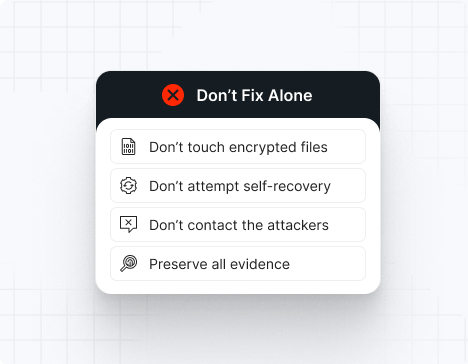
Do NOT attempt any self-remediation, as it can trigger further encryption and destroy recovery points. Instead, follow these steps:

1
Do NOT fix it yourself
2
Disconnect affected systems
3
Call us +1 332 331 8700

Contact us now for urgent ransomware response assistance, 24/7

Get Help Now
Frame

Experts. Finalists. Winners.

Accomplishments and recognitions, demonstrating our commitment to excellence and innovation.

Momentum Leader in MDR

Best Support in MDR & IR

Managed Detection and Response (MDR)

Top Cybersecurity Company 
2025

Best Managed Detection and Response Service

#4 of 184 teams Splunk Boss of the SOC

Best Of Cybersecurity Awards for Q1 2025

AWS Partner

Splunk Manage Premier Partner

Image (11) (1)

Why you shouldn’t attempt 
to fix it alone

Like a crime scene, a ransomware attack must be preserved — tampering with encrypted files, attempting self-recovery, or engaging with attackers can destroy critical evidence and reduce your chances of recovery.

Taking the right steps in the first moments after a Meow attack can make a huge difference and help you make a full recovery. Request 24/7 Meow ransomware recovery services to decrypt your data and maximize your chances of restoring operations.

Contact us now for urgent ransomware recovery assistance

Under attack?

Get Help Now

Meow ransomware statistics & facts

Meow decryptor
Meow IOCs
Meow attack vectors
Case outcomes
How to remove Meow ransomware?
How to recover from Meow ransomware?
Ransom amounts
Meow decryptor

No public decryptor exists for current Meow variants, as the malware does not preserve encryption keys and primarily focuses on data destruction rather than traditional file encryption. Any claimed decryption solutions are scams.

Meow IOCs
Meow attack vectors

Attack vector

% of Meow incidents

Notes

Unsecured Elasticsearch with default credentials

40%

Internet-facing with no authentication enabled

Misconfigured MongoDB with open 27017 port

35%

Default port exposure with weak/missing auth

Redis cache server exposure

15%

Unprotected data stores, often missed in inventories

Exposed Docker registries / K8s clusters

8%

Database backups and container registries

Cloud provider misconfiguration

2%

AWS S3, Azure Cosmos DB with public access

Powered By WP Table Builder
Case outcomes

Victims typically discover Meow attacks only after data is already destroyed. Organizations report complete loss of databases in 2-6 hours after reconnaissance begins. Unlike traditional ransomware, there is no negotiation phase—the damage is permanent. Recovery depends entirely on backup solutions that were not indexed by the attacker. Many victims pay “ransoms” to non-existent operators, losing additional money with no recovery benefit. Regulatory fines and business interruption costs often exceed $500,000 for healthcare and financial entities.

How to remove Meow ransomware?

1. Isolate all affected database servers immediately from the network (pull network cable if necessary) to prevent further data deletion.
2. Obtain forensic disk images of compromised systems before any remediation to preserve evidence for incident response and regulatory investigations.
3. Restore clean database snapshots or backups that were created before the attack window (verify backup integrity and air-gap protection).
4. Rebuild database infrastructure on new hardware with hardened authentication, strong credentials, and firewall rules restricting access to internal networks only.
5. Scan all network segments with updated vulnerability scanners to identify other exposed database instances.
6. Implement monitoring on MongoDB port 27017, Elasticsearch port 9200, and Redis port 6379 to detect unauthorized access attempts.

How to recover from Meow ransomware?

1. Assess the extent of data loss by comparing current database state against recent backups or transaction logs.
2. Restore from the most recent clean backup created before the attack (test restore process in isolated environment first).
3. If no backups exist, consult specialized database recovery firms—some data may be recoverable from disk sectors if the wiper did not perform cryptographic overwriting.
4. Validate restored data integrity through checksums, row counts, and application-layer consistency checks.
5. Re-implement access controls: enforce strong passwords (min. 16 characters), enable authentication on all database services, and require TLS encryption for all connections.
6. Set up continuous incremental backups with immutable storage (write-once, read-many backups) to prevent future data loss.
7. Document the incident timeline for regulatory reporting and cyber insurance claims.

Ransom amounts

Meow operators historically did not demand ransoms; rather, victims who contact them are directed to pay “recovery fees” ($5,000–$50,000) for keys that do not exist. Organizations that lost data typically incur recovery costs of $100,000–$2,000,000 depending on database size and criticality.

Our customers say it best

Contact us now for urgent ransomware recovery assistance

Under attack?

Get Help Now

Frequently asked questions

What is Meow ransomware?

Meow is a destructive malware that targets unsecured, internet-facing databases (primarily Elasticsearch, MongoDB, and Redis) by automatically scanning for exposed instances with default or missing credentials. Rather than encrypting files for recovery negotiation, Meow either deletes or overwrites database contents entirely, making data loss permanent. The malware evolved from leaked Conti v2 ransomware source code and operates with both automated scanning infrastructure and a human-operated extortion model, though the latter involves fraudulent offers of “recovery keys” that do not actually exist.

Where is Meow gang located?

Attribution remains uncertain, but operational patterns suggest the Meow operators are based in Eastern Europe or the CIS region. The group uses Russian-language job postings on dark web forums and demonstrates timezone-correlated activity during Eastern European business hours. No definitive nation-state attribution has been published.

How does Meow ransomware work?

Meow uses fully automated reconnaissance scanning (likely via Shodan API or similar) to identify internet-facing database instances running Elasticsearch, MongoDB, or Redis. Once a vulnerable instance is found (often with default credentials or no authentication), the malware connects directly to the database management interface and executes deletion or overwrite operations using native database commands (e.g., MongoDB’s deleteMany() or Elasticsearch’s bulk delete API). No traditional executable file is deployed to the victim’s system; instead, the attack occurs via remote database protocol exploitation.

How long do Meow attacks last?

From initial reconnaissance to complete data destruction, Meow attacks typically complete in 2–6 hours. The automated scanning and exploitation phases are extremely fast, giving organizations minimal window for detection and response once internet-facing databases are exposed.

Can Meow ransomware be deleted or decrypted?

No decryption is possible for Meow attacks. The malware does not encrypt data in a recoverable way; instead, it permanently deletes or overwrites database contents using native database operations. Even if you identify and remove the malware, the deleted data cannot be recovered without an existing backup. Paying any ransom is ineffective, as the operators do not possess keys and do not provide recovery solutions.

What happens when infected?

Upon infection, your database contents are systematically deleted or overwritten. You will discover this when application queries begin returning empty result sets or errors. A ransom note (typically readme.txt) may appear on the system, directing victims to contact operators. However, paying the requested fee will not restore data—the operators have no means to do so.

How can it be prevented?

Prevent Meow attacks by: (1) never exposing database services directly to the internet; (2) enforcing strong authentication on all database services (minimum 16-character passwords, certificate-based auth preferred); (3) implementing network-level access controls and firewall rules to restrict database port access to internal networks only; (4) disabling default accounts and credentials; (5) regularly scanning your external IP ranges for exposed database ports using tools like Shodan, Censys, or nmap; (6) enabling TLS encryption for all database connections; and (7) maintaining immutable backups in a separate, air-gapped location.

What is a ransomware prevention checklist?

– Inventory all databases and verify that none are accessible from the public internet
– Enable strong authentication (minimum 16-character passwords, preferably certificate-based) on all database services
– Disable default accounts and change all default credentials
– Implement network firewalls restricting database ports (27017, 9200, 6379) to internal access only
– Enable TLS/SSL encryption for all database connections
– Deploy continuous automated backups with immutable (write-once) storage
– Test backup restoration monthly to ensure recovery capability
– Monitor and alert on unusual database query patterns and bulk deletion operations
– Conduct a public IP scan weekly using Shodan/Censys to detect accidentally exposed services
– Require multi-factor authentication for database administrative accounts
– Implement database activity monitoring and audit logging
– Maintain offline copies of critical database schemas and configuration files

What makes Meow different from traditional ransomware?

Meow is not a traditional file-encrypting ransomware; it is a database-destructive wiper that does not preserve encryption keys for negotiation. Victims cannot pay a ransom to recover files because the operators do not have decryption keys and do not offer recovery services. This makes Meow far more damaging and faster-moving than typical ransomware, as organizations have minimal opportunity to negotiate or recover through payment.

How are Meow victims identified?

Victims are identified through automated internet-wide scanning (Shodan, Censys, or custom scanning tools) that fingerprints Elasticsearch and MongoDB banners. Once exposed databases are found, the malware immediately attempts login with default credentials, escalating to wiper operations if access is successful. Victims typically learn of the attack only after discovering their databases are empty.