BianLian decryptor
Unfortunately, there is no publicly available decryptor for BianLian attacks that occurred after early 2023. While Avast released a decryptor in early 2023, BianLian responded by abandoning encryption entirely and shifting to pure data extortion. The good news — UnderDefense’s incident response team is on standby to contain the attack, eliminate the malware, prevent reinfection, and restore your systems using verified, uncompromised backups so you can safely resume operations.
BianLian IOCs
Important note: IOCs often change because BianLian constantly updates its tools. This list includes recurring, widely confirmed indicators based on FBI, CISA, ASD’s ACSC, Unit 42, and IR case data.
File extensions
BianLian originally used the .bianlian extension for encrypted files prior to January 2023. Since shifting to extortion-only operations in early 2023, the group no longer encrypts files.
Ransom note filenames
BianLian ransom notes typically appear as:
Look at this instruction.txt
README.txt (in various directories)
*The exact filenames may vary by incident.
BianLian hashes
These are SHA256 hashes used for BianLian backdoor payloads in known attacks:
7b15f570a23a5c5ce8ff942da60834a9d0549ea3ea9f34f900a09331325df893
c775e6d87a3bcc5e94cd055fee859bdb6350af033114fe8588d2d4d4f6d2a3ae
df51b7b031ecc7c7fa899e17cce98b005576a20a199be670569d5e408d21048c
These encryptor variants were used before the group shifted to extortion-only:
1fd07b8d1728e416f897bef4f1471126f9b18ef108eb952f4b75050da22e8e43
af46356eb70f0fbb0799f8a8d5c0f7513d2f6ade4f16d4869f2690029b511d4f
3a2f6e614ff030804aa18cb03fcc3bc357f6226786efb4a734cbe2a3a1984b6f
BianLian tools
For EDR disabling:
PowerShell scripts (AMSI bypass)
Registry modifications (Sophos tamper protection)
For credential dumping:
Impacket (secretsdump.py portable executable)
LSASS memory dumping via comsvcs.dll
SAM registry hive extraction
SessionGopher (RAT session extraction)
For reconnaissance:
Advanced Port Scanner (Famatech)
SoftPerfect Network Scanner (netscan.exe)
SharpShares (network share enumeration)
PingCastle (Active Directory mapping)
For data exfiltration:
Rclone
FTP
Mega file-sharing service
Custom Go-based backdoor
For lateral movement:
PsExec
RDP with compromised credentials
SMB/Windows Admin Shares
Impacket tools
Malware:
Custom Go-based backdoor (multiple variants)
Custom .NET enumeration tool
exp.exe (possible NetLogon CVE-2020-1472 exploit)
Most common red flag
BianLian almost always runs credential harvesting commands:
cmd.exe /Q /c for /f “tokens=1,2 delims= ” %A in (‘”tasklist /fi “Imagename eq lsass.exe” | find “lsass””‘) do rundll32.exe C:\windows\System32\comsvcs.dll, MiniDump %B \Windows\Temp\<file>.csv full
*If you detect LSASS dumping or SAM registry extraction, data exfiltration is imminent.
BianLian vectors
| | |
| | Stolen credentials from initial access brokers |
Exploited vulnerabilities | | ProxyShell (CVE-2021-34473, CVE-2021-34523, CVE-2021-31207) |
| | Credential harvesting campaigns |
| | Targeting VPN providers with weak authentication |
| | Deployed on Exchange servers for persistence |
Case outcomes
BianLian is unpredictable and extremely dangerous, especially after their operational shift.
Since January 2023, BianLian stopped encrypting files entirely and moved to pure extortion. They steal massive amounts of data and threaten to publish it within 3–10 days if payment isn’t made. The group follows through on threats — they regularly update their leak site with victim data and have been known to contact employees, partners, and clients directly via phone and email to increase pressure.
Unlike traditional ransomware groups, there is no decryptor to negotiate for. Once data is stolen, you’re entirely dependent on their word that they’ll delete it after payment. Many victims report continued extortion attempts even after paying.
BianLian also escalates pressure through physical mail, phone calls to employees, and printing ransom notes on compromised network printers.
How to remove BianLian ransomware?
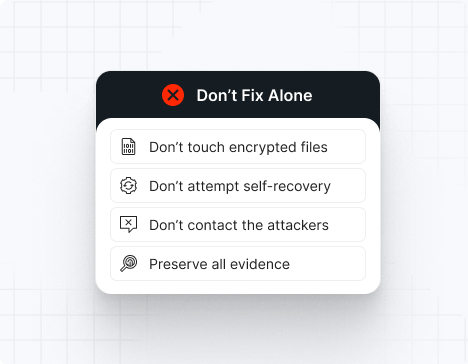
Note: Attempting to remove BianLian malware and self-remedy may lead to greater data loss and continued unauthorized access.
To remove BianLian, immediately engage BianLian ransomware removal experts to guide your response and ensure no critical steps are missed. Then, begin by isolating all affected systems: disconnect compromised machines from the network (disable Wi-Fi, unplug Ethernet cables, and block their IPs at the firewall).
Next, perform a comprehensive forensic analysis to uncover the depth of the breach. Use endpoint detection and response (EDR) tools to trace the attacker’s path. Collect and review indicators of compromise (IOCs), including the custom Go-based backdoor, scheduled tasks running as SYSTEM, registry modifications, SAM/LSASS dumps, and any Advanced Port Scanner or Rclone installations. After mapping the intrusion, reimage all infected devices using clean, verified system images.
Finally, rely on BianLian ransomware removal and recovery experts to validate the cleanup, conducting rootkit scans, reviewing system configurations, rotating all compromised credentials (especially RDP, VPN, and domain admin accounts), removing unauthorized accounts (local, domain, and Azure AD), and reinforcing your security posture. Their specialized knowledge ensures thorough removal and helps prevent future incidents through strategic hardening and lessons learned.
How to recover from BianLian ransomware?
To recover from BianLian ransomware, follow these essential steps:
Immediately isolate affected machines to stop data exfiltration and lateral movement, then only reintroduce them into production once you’ve verified clean restorations and confirmed there’s no lingering malware or backdoors.
Recover your data exclusively from offline, write-protected backups, and validate their integrity by checking checksums and performing test restores in a controlled environment before full restoration.
Perform a thorough post-incident review to map the complete attack chain from initial access through exfiltration, then harden or rotate all credentials (especially RDP, VPN, domain admin, and service accounts) and remove any unauthorized accounts created by the attackers.
Bring in external IR specialists to audit your environment, ensure complete BianLian eradication, assess the scope of data stolen, and help update your incident-response and business-continuity plans to address extortion-without-encryption scenarios.
Ransom amounts
BianLian ransom demands typically range from $100,000 to $350,000, with larger enterprises facing demands up to $500,000 or more, depending on the size of the victim organization and the amount of data stolen. Ransoms are almost always demanded in Bitcoin.
Because BianLian conducts pure data extortion (no encryption since early 2023), victims face a single but severe financial threat:
The cost of leaked, stolen, or destroyed data
Regulatory penalties for data breach violations
Reputational damage from public disclosure
Organizations should never attempt ransom negotiation alone — BianLian is known to escalate threats within 3–10 days, publish data when provoked, contact employees and clients directly, and may continue extortion even after payment if communication is mishandled.
Average ransom:
Small business: $100,000 – $200,000
Medium business: $200,000 – $350,000
Large enterprise: $350,000 – $500,000+
 Platform
 UnderDefense Secures Top Honor at the 2025 Global Infosec Awards
Read More
UnderDefense Secures Top Honor at the 2025 Global Infosec Awards
Read More Our AI
 Anti-Phishing Playbook
Download the Playbook
Anti-Phishing Playbook
Download the Playbook Calculate your MDR price
Estimate MDR Cost
Calculate your MDR price
Estimate MDR Cost Company
 UnderDefense is an AWS Partner
Read More
UnderDefense is an AWS Partner
Read More