









A large customer’s security questionnaire asks, “Who reviews security alerts outside business hours, and how fast?”, and your open source SIEM (security information and event management) tool was set up by one engineer who logs off at six. The license cost nothing, but no free tool comes with someone to watch alerts at night, and the contract waits until you can say who does.
Here is how nine free SIEM tools compare, and how to get their alerts answered at night.
TL;DR
- Nine open source SIEM tools and source-available options, each read on its own repository or site in November 2026.
- Which licenses are open source under the Open Source Initiative’s definition, and which are source-available.
- Seven criteria for choosing one: license, log sources, detection content, scale, response, support, and project health.
- What each tool leaves your team to maintain, where a free stack breaks at 24/7, and three ways to cover nights and weekends.
Table of contents
- Where UnderDefense Fits Next to an Open Source SIEM
- What an Open Source SIEM Still Asks of Your Team
- Seven Criteria for Choosing an Open Source SIEM
- Open Source SIEM Tools Compared Side by Side
- The 9 Best Open Source SIEM Tools for 2027
- Which Free SIEM Fits Your Team
- Where a Free SIEM Breaks After Go-Live, and How to Cover Nights
- Frequently Asked Questions
This guide compares nine open source SIEM tools for IT leaders and security teams running a free stack next to Microsoft 365, Entra ID or Okta, an endpoint detection and response (EDR) tool, and AWS or Azure. Each tool was read on its own repository, license file, and documentation in November 2026, and the comparison table dates every release.
Free covers the license. Parsers, rules, and upgrades still take someone’s evenings and weekends.
Every entry carries the same fields, including what you maintain yourself once the installer finishes. Archived projects such as Apache Metron and MozDef were left out, and so was Logging Made Easy (LME), which the Cybersecurity and Infrastructure Security Agency (CISA) retired on May 22, 2026.
Disclosure: UnderDefense publishes this guide and sells no SIEM. It operates the SIEMs its clients already own, so it is not ranked, scored, or listed in the table.
Pick a free SIEM and get its alerts answered at night
Where UnderDefense Fits Next to an Open Source SIEM
The UnderDefense Agentic AI SOC investigates every alert from the open source SIEM you already run, 24/7, so the questionnaire’s night-shift line gets a named owner and a 15-minute escalation service-level agreement (SLA) for critical incidents.
UnderDefense is rated 5.0 out of 5 from 83 reviews on G2 as of November 2026.
The Agentic AI SOC runs on top of Wazuh, OpenSearch, Security Onion, Graylog, Elastic, and the other open source and source-available SIEMs teams already run. No SIEM replacement is required, so there is no lock-in if your plans change.
You keep your logs in the SIEM you own, and there is no training on client data. The Agentic AI SOC runs as SaaS on Azure with tenant isolation, as a hybrid with agents in your own tenant, or fully on-premises and air-gapped for teams whose logs cannot leave their network.
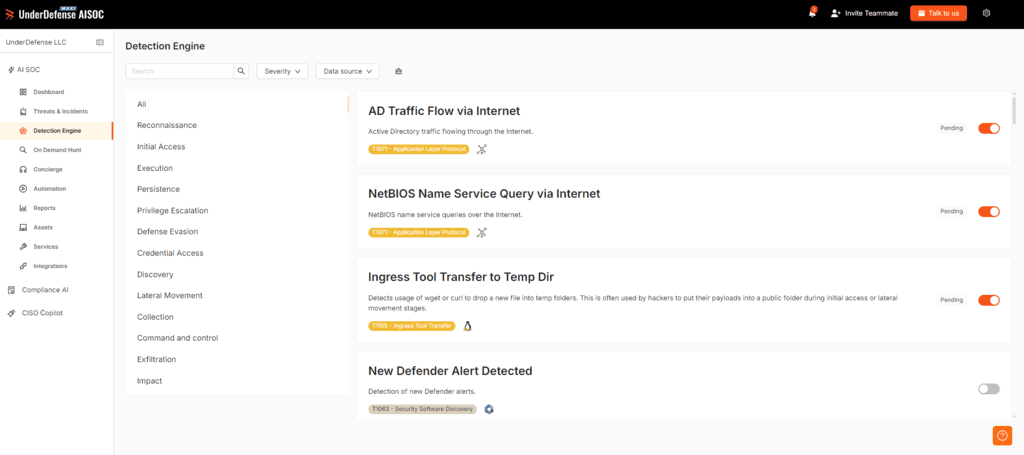
Four things change for your on-shift team once this layer runs on top of its SIEM:
- The midnight alert gets the same AI investigation as the midday one, and analysts decide on escalation and containment.
- A second agent checks each conclusion against the evidence, and doubtful cases go to an analyst with an explanation.
- Analysts confirm suspicious activity with the affected user over Slack, Microsoft Teams, email, or SMS before anyone escalates.
- Every investigative step is visible and auditable.
The questionnaire’s “how fast” has two answers: triage takes about 2 minutes from alert, and a critical alert on a Saturday night is escalated within the 15-minute SLA.
The case of a licensed iGaming operator shows the same gap many teams on a free stack have. Before UnderDefense, its monitoring covered “only the production environment, and only during business hours of 8 hours a day, 5 days a week”, and the corporate segment had “one internal engineer responsible for it alongside other duties.”
In a recent production attack, the case study reports the first alert “10 minutes from first attacker move.” It also reports “4,500+ alerts processed per month, with 94.5% triaged or filtered upstream before reaching the customer’s team.”
Night coverage came without hiring: “Adding 24×7 monitoring on the corporate segment, on top of production, required zero new internal headcount at the iGaming company.”
One founder described the result:
“We no longer have to worry about missing a critical issue outside of work hours. Escalations come to us fully explained, including what happened, what was ruled out, and what actually needs our input.” “On top of that, filling out complex security questionnaires for new enterprise clients is much easier now because we have proof of 24/7 monitoring.” Bohdan P., Founder & CEO, Information Technology and Services, Small-Business (50 or fewer emp.), G2, August 7, 2026
UnderDefense goes live within 10 days; full onboarding with customized detections takes 30 days. The published pricing starts at $11 per asset per month on annual plans, and co-managed SIEM (you and the provider share the work) sits in the Professional tier, which is quoted for your environment.
From the Standard tier, a 40-hour incident response retainer is included, backed by a team of 40 incident response professionals.
Unsure who answers your SIEM at 2 a.m.? Talk to an expert
What an Open Source SIEM Still Asks of Your Team
An open source SIEM takes the license line out of the budget. Four jobs stay with your team from the first install:
- Infrastructure and storage that grow with log volume and retention
- Detection content: importing, writing, and tuning rules
- Upgrades, including breaking changes between major versions
- Someone watching alerts at night and on weekends
The joint event-logging guidance from Australia’s cyber security agency (ACSC), CISA, the FBI, and the NSA (August 21, 2024) warns that “Default log retention periods are often insufficient,” so retention and monitoring become a written decision before the SIEM goes live.
Detection content is the second job. Many tools in this list can import Sigma, a shared format for detection rules. The free SigmaHQ rules have their own license (DRL 1.1), so check its attribution terms before copying rules.
⚠️ The license is the first filter in this list, ahead of features. “Free to download” and “open source” mean different things in a contract, and three well-known options here are source-available.
Open Source Versus Source-Available: What Each License Allows
For a company that runs a SIEM on its own logs, both kinds of license usually allow that use, and your legal team should confirm it. The difference matters only if a provider would host the SIEM for others, or if you plan to fork the code.
Open source means a license approved by the Open Source Initiative (OSI). Its Open Source Definition (version 1.9, last changed in 2007) lets anyone run, change, and share the code for any purpose: the license “must not restrict anyone from making use of the program in a specific field of endeavor.”
Source-available licenses also publish the code, but restrict offering it to others as a hosted or managed service. The Elastic License 2.0 (ELv2) says “You may not provide the software to third parties as a hosted or managed service”, and the Server Side Public License (SSPL) attaches obligations to the same use. Elastic’s own licensing FAQ calls SSPL and ELv2 “non-OSI approved software licenses.”
Seven Criteria for Choosing an Open Source SIEM
Score every tool on the same seven criteria, in this order, and write the answers into one sheet before anyone installs anything. The table and entries answer these seven, and the how to choose a SIEM guide covers the commercial side of the same decision.
1. License Type: Open Source or Source-Available
Read the LICENSE file before the feature list. An OSI-approved license such as the GNU General Public License (GPL), the GNU Affero General Public License (AGPL), or Apache 2.0 allows any use, while ELv2 and SSPL add conditions about offering the software to others. Note which parts of a project carry which license, because some split it.
2. Log Sources and Agents
List the sources that matter on day one: Windows and Linux hosts, Microsoft 365, Entra ID or Okta, firewalls, your EDR, and AWS or Azure. Then check whether each tool ships its own agent, relies on Elastic Agent, or expects you to forward syslog, because every gap becomes a parser your team writes.
3. Detection Content and Rule Format
Count the rules that ship with the tool and check their format, because a rule in a shared format such as Sigma can be reused across several SIEMs. Well-written SIEM correlation rules are what turn stored logs into alerts.
4. Scale and Retention
Look for the sizing guidance the project itself publishes, and plan from that. Storage grows with log volume and with how long you keep the data, so set retention by your customers’ and auditors’ requirements first, then size the cluster to it.
5. Case Management and Response
Check what happens after an alert fires. Some tools include cases, notes, and response actions such as blocking an IP address; others stop at the alert and expect a separate ticketing or automation tool. If nobody on your team owns a ticket queue, pick a tool with cases built in.
6. Paid Tier or Commercial Support
Find out who you can call when an upgrade breaks late at night. Most SIEM open source projects in this list have a commercial owner that sells support, a hosted edition, or a paid tier, and some features sit only in that tier.
A paid tier’s “24/7 support” covers the software when it breaks, and alert investigation at night is a separate service, so ask which one the contract covers.
7. Project Health: Releases and Maintainer
Check the date of the latest release, the release cadence, and who maintains the code. A project with a commercial owner, a foundation, or a steady stream of releases is safer to build on than a quiet repository, as the archived projects left out of this list show.
Open Source SIEM Tools Compared Side by Side
The table answers the seven criteria in short form. Every cell comes from the tool’s own repository, license file, or site, read on November 23, 2026.
| Tool | Maintainer | License (open source or source-available) | Best for | Core components | Detection content out of the box (rule format) | Paid tier or support | Latest release (date read Nov 23, 2026) |
|---|---|---|---|---|---|---|---|
| Wazuh | Wazuh, Inc. | GPLv2, open source | Teams watching many laptops and servers | Agent, server, indexer, dashboard | Built-in rules (Wazuh XML) | Wazuh Cloud, paid support | v4.14.10, Nov 9, 2026 |
| Security Onion | Security Onion Solutions, LLC | ELv2, source-available | Teams that need to watch network traffic | Suricata, Zeek, Elastic Stack, Strelka | Suricata, Sigma, and YARA rules | Security Onion Pro | 3.4.0, Nov 2, 2026 |
| Elastic Security (Basic) | Elastic | ELv2 for the Security app, source-available | Teams already running Elastic | Elasticsearch, Kibana, Elastic Agent | Prebuilt rules (Elastic rule files) | Enterprise, Elastic Cloud | Elasticsearch v9.5.7, Nov 23, 2026 |
| OpenSearch Security Analytics | OpenSearch project (Linux Foundation) | Apache 2.0, open source | Teams that need a fully open source (Apache 2.0) license | OpenSearch plugin and Dashboards | Prepackaged Sigma rules | Third-party providers | OpenSearch 3.10.0, Nov 18, 2026 |
| Graylog Open | Graylog, Inc. | SSPL, source-available | Teams that need log collection first, detection later | Graylog server, Data Node | Sigma import; paid content separate | Graylog Enterprise, Graylog Security | 7.2.1 (downloads page) |
| UTMStack | UTMStack | AGPLv3, open source | Small teams that want everything in one install | Own correlation engine, agents | 600+ correlation rules | Cloud plans, Enterprise license | v12.0.3, Nov 20, 2026 |
| SOF-ELK | Phil Hagen | GPLv3 configs on Elastic Stack | Teams investigating a past incident | Virtual machine with Elastic Stack | Parsers and dashboards | None published | VM v20260706, July 6, 2026 |
| SIEM on Amazon OpenSearch Service | AWS Samples | MIT-0, open source | Teams whose systems run only on AWS | CloudFormation, Lambda, OpenSearch Service | Dashboards for AWS logs | AWS bills the services | Tag v2.10.6 (last commit Aug 18, 2026) |
| SOCFortress CoPilot | SOCFortress | AGPLv3, open source | Teams running several open source tools that want one queue | Docker app over Wazuh and Graylog | Uses the connected tools’ rules | SOCFortress services | v0.2.02, Nov 20, 2026 |
Read the license column first, then the best-for column. Five of the nine carry OSI-approved licenses; Security Onion, the Elastic Security app, and Graylog Open are source-available, and SOF-ELK pairs GPLv3 configuration with an Elastic Stack inside its virtual machine.
💡 Shortlist two free SIEM tools from the table, then read only their entries below. The “What you maintain yourself” field in each entry is the line to compare with your team’s hours.
The 9 Best Open Source SIEM Tools for 2027
The nine entries follow the same template: overview, what the tool collects and detects, how it runs, what you maintain yourself, paid options, pros, cons, and who should skip it. Facts were read on each tool’s own repository or site on November 23, 2026.
1. Wazuh SIEM: Best for Endpoint-Heavy Fleets That Need One Agent Everywhere
Overview: Wazuh puts one agent on every laptop and server and checks their logs against built-in rules. It is maintained by Wazuh, Inc. Its current release, v4.14.10, came out on November 9, 2026, under the GPLv2, an OSI-approved license.
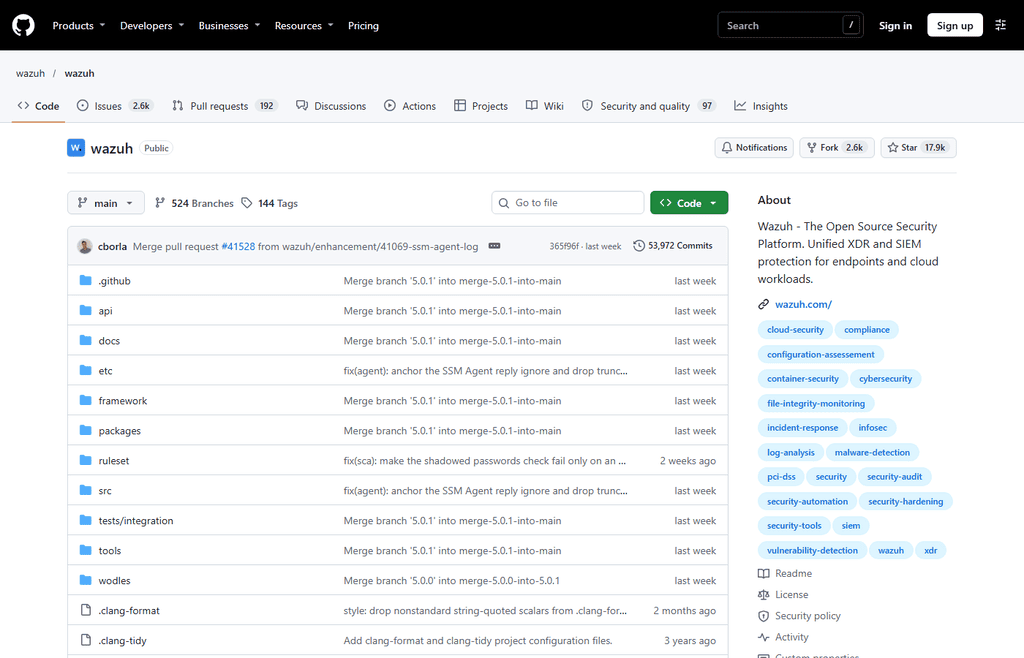
Wazuh 5.0 is in release candidate and moves the new Wazuh engine to the AGPLv3, also OSI-approved. The indexer and dashboard carry the Apache 2.0 license, according to the Wazuh quickstart.
What it collects and detects: One agent runs on Linux, Windows, macOS, Solaris, AIX, and HP-UX, and agentless collection reaches network devices over syslog, Secure Shell (SSH), or an application programming interface (API). Built-in XML rules map to MITRE ATT&CK, MITRE’s public catalog of attacker techniques, with file integrity monitoring, vulnerability detection, and PCI DSS, GDPR, and HIPAA dashboards.
For cloud and software-as-a-service (SaaS) logs, the Wazuh docs cover monitoring Office 365, Microsoft Azure, and AWS. A small team on Microsoft 365 and AWS can keep those logs, its servers, and its laptops in one Wazuh console.
How it runs: Three central components (the Wazuh server, indexer, and dashboard) run on 64-bit Linux. The quickstart calls one all-in-one host “usually enough for monitoring up to 100 endpoints,” sized at 4 virtual CPUs, 8 GiB of memory, and 50 GB for 1 to 25 agents, and 8 virtual CPUs and 200 GB for 51 to 100.
What you maintain yourself: The upgrade guide requires every central component at “identical version numbers, including the patch level,” with the manager the same version as its agents or newer. Built-in rule files are overwritten during upgrades, so custom rules live in local files, and retention is an index policy your team writes.
Paid options: Wazuh Cloud is the hosted edition, starting at $571 per month for up to 100 agents. Professional support comes in Standard and Premium plans with no published price.
Pros:
- One agent across six operating system families, plus agentless collection
- File integrity, vulnerability, and configuration checks in the free install
- A single installer for all three central components
Cons: Upgrades run in lockstep, so every central component moves to the same patch level on the same day. Past about 100 endpoints, the quickstart recommends a distributed, multi-node deployment.
Who should skip it: Teams whose main need is network traffic analysis and packet capture will get more from Security Onion. Teams that build on Wazuh should also plan for 5.0, which replaces the 4.x analysis engine and ruleset, according to its release notes.
2. Security Onion: Best for Network Monitoring With Full Packet Capture
Overview: Security Onion watches network traffic, captures packets, and scans files, with endpoint agents in the same free distribution. It is maintained by Security Onion Solutions, LLC, and its LICENSE is ELv2, so it is source-available.
Release 3.4.0-20261102 came out on November 2, 2026, and version 2.4 reached end of life on October 1, 2026, so a grid still on 2.4 should plan its move to version 3 first.
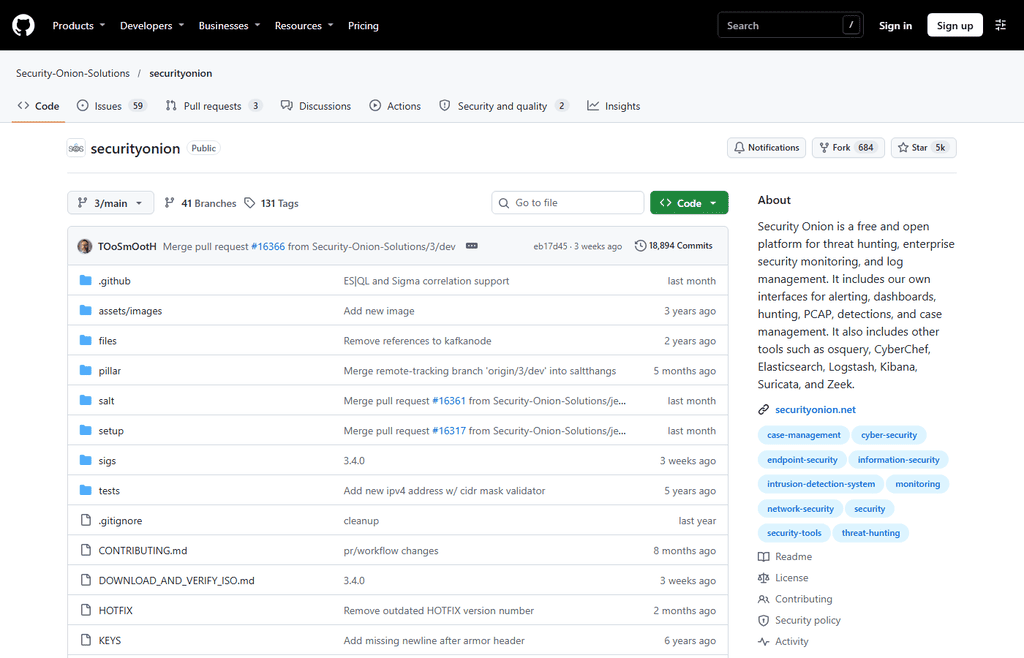
What it collects and detects: On the network side, the docs list Suricata signatures, protocol metadata from Zeek or Suricata, full packet capture (PCAP), and file analysis with Strelka. On hosts, it uses Elastic Agent, Fleet, and osquery, and one Detections screen manages Suricata, Sigma, and YARA rules.
How it runs: You install from the project’s own ISO image as an evaluation box, a standalone node, or a distributed grid. The hardware page asks “at minimum 24GB RAM, 4 CPU cores, and 200GB storage” for a standalone node and supports only x86-64.
What you maintain yourself: Updates run through the project’s soup tool, and its docs recommend testing each upgrade on a test deployment first. The hardware page also recommends keeping “no more than 30 days of hot Elasticsearch indices,” and only local storage is supported.
Paid options: Security Onion Pro is licensed per node, with the standard license covering up to 10 nodes and no published price. Pro adds outbound notifications, single sign-on through OpenID Connect, the API, reporting, and AI features; hardware appliances and training are sold separately.
Pros:
- Network detection, packet capture, file scanning, and endpoint agents in one free distribution
- Suricata, Sigma, and YARA rules managed in one screen
- Case management included in the free edition
- A path from one standalone node to a distributed grid
Cons: Outbound alert notifications need the Pro license, so on the free edition, alerts surface in the console. The installation docs also say “we do not support changing the hostname after Setup,” so settle names before you install.
Who should skip it: Cloud-only companies with no network segment to tap get little from its sensors. Teams that cannot run the documented hardware should start with Wazuh or UTMStack.
3. Elastic Security (Free Basic Tier): Best for Teams Already Running the Elastic Stack
Overview: Elastic Security adds detection rules, cases, and investigation timelines to an Elasticsearch and Kibana stack. It is built into Kibana and maintained by Elastic.
Elasticsearch and Kibana core code carries a triple license (AGPLv3, SSPL, and ELv2), while the Security app, the prebuilt rules, and Elastic Agent are ELv2 only, so the SIEM is free, source-available software.
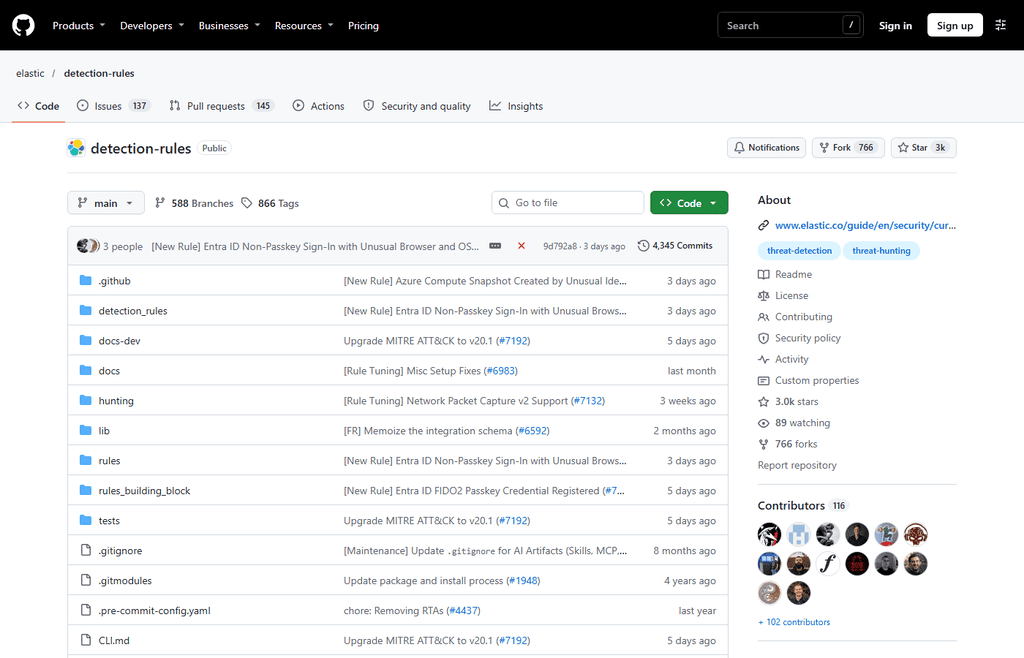
Elasticsearch v9.5.7 came out on November 23, 2026. The free tier is called Basic on Elastic’s subscriptions page.
What it collects and detects: Over 400 prebuilt integrations normalize data to the Elastic Common Schema (ECS), and the docs list “over 1,000 prebuilt rules.” Basic includes the detection engine (custom query, threshold, indicator match, and correlation rules), Timeline, Cases, malware prevention, Elastic Agent, and Fleet.
How it runs: You run an Elasticsearch cluster and Kibana, with Elastic Agents managed by Fleet Server. The only sizing Elastic publishes here is the Fleet scaling table, which pairs 2,000 agents with a 32 GB, 8-vCPU (virtual CPU) Elasticsearch hot tier, so a smaller fleet has no published floor and should size from a test on its own logs.
What you maintain yourself: For self-managed clusters, Elastic’s docs say “You are responsible for setting up and managing nodes, clusters, shards, and replicas.” Upgrades run node by node as a rolling upgrade, and prebuilt rules need regular updates from Elastic’s rule packages.
Paid options: Self-managed Enterprise is priced through sales, and self-managed Platinum is open to existing customers only. Elastic Cloud Hosted is priced from “as low as” $99 per month, and machine learning anomaly detection, alert suppression, and host isolation need Platinum or higher.
Pros:
- Prebuilt rules public on GitHub and manageable as code
- Cases, Timeline, and endpoint malware prevention in the free tier
Cons: The requirements page says Elastic Security “requires ECS-compliant data” and does not support collectors that skip ECS mapping. On Basic, prebuilt rules cannot be edited in place; you duplicate and customize them.
Who should skip it: Teams that need an OSI-approved license for the SIEM layer should look at OpenSearch or Wazuh. Teams torn between Elastic and a commercial suite will find that the Splunk ES versus Elastic trade-off comes down to licensing, rule content, and who runs the cluster.
4. OpenSearch Security Analytics: Best for Teams That Want an Apache-Licensed Stack
Overview: OpenSearch Security Analytics checks the logs stored in OpenSearch against Sigma detection rules and raises alerts. It is a plugin that ships with OpenSearch under the Apache 2.0 license.
The OpenSearch project is supported by the OpenSearch Software Foundation, “a project of The Linux Foundation,” and OpenSearch 3.10.0 came out on November 18, 2026.
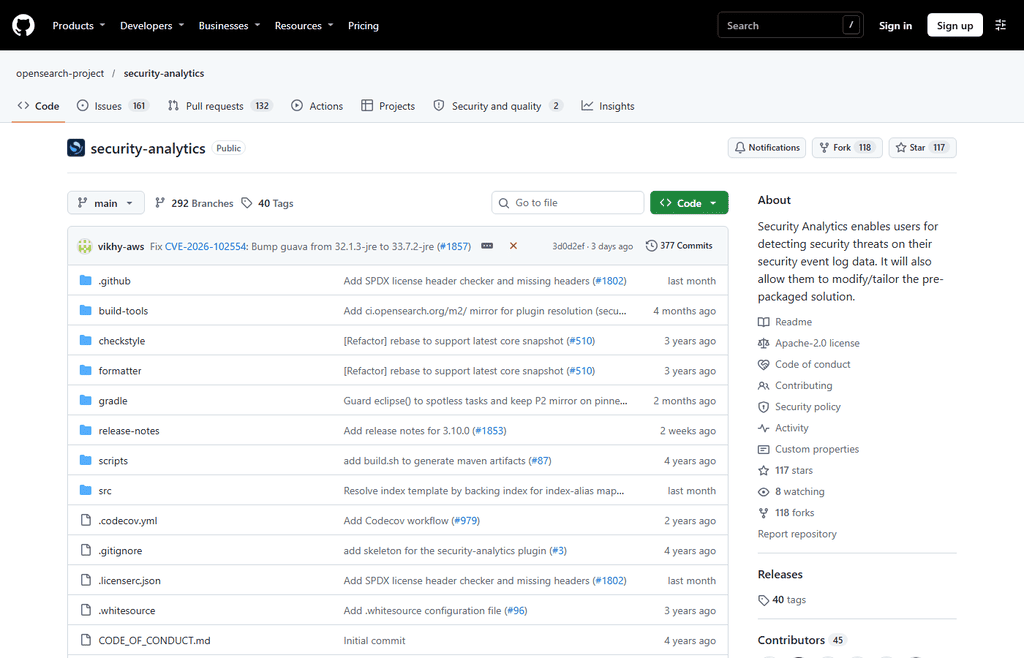
What it collects and detects: Per the docs, it analyzes log data from hosts, network devices, and cloud services, matches it against detection rules, and raises alerts. Detectors use “prepackaged, open source Sigma rules” per log type, including Windows, Linux, Microsoft 365, Okta, AWS CloudTrail, Azure, GitHub, Domain Name System (DNS), and virtual private cloud (VPC) flow logs.
How it runs: It reads the data you index into OpenSearch, so collection agents and pipelines are a separate choice. A correlation engine links findings across log types in a graph, and alerts go to channels such as Slack or email.
What you maintain yourself: Each log source has to be mapped to the detector’s fields during setup, and sources outside the supported list need custom mappings. Cluster sizing, upgrades, and retention follow your OpenSearch cluster, and this review found no sizing table specific to Security Analytics in the docs (read November 23, 2026).
Paid options: The project sells nothing itself. OpenSearch’s solutions providers directory lists firms that offer support and professional services, and hosted OpenSearch is sold by cloud providers.
Pros:
- Apache 2.0 license with foundation governance
- Sigma rules and a correlation engine in the default distribution
- Log types for Microsoft 365, Okta, and AWS sources out of the box
Cons: The docs say findings “do not necessarily point to imminent threats,” so a person still has to judge each one. Its first steps ask you to define detectors, ingest log data, write correlation rules, and configure alerts yourself, so plan engineering time for setup.
Who should skip it: Teams without someone who already runs OpenSearch or Elasticsearch clusters will move faster with Wazuh or UTMStack. Teams that want a ready-made endpoint agent should pair it with one or pick a packaged tool.
5. Graylog Open: Best for Log Management Today With a Graylog SIEM Path Later
Overview: Graylog Open collects and routes logs from common sources and alerts on rules you write or import. It is maintained by Graylog, Inc. under the SSPL, and Graylog’s pricing page lists it with no volume restrictions and community support.
The downloads page lists Graylog 7.2.1, and the repository already carries a 7.2.2 tag.
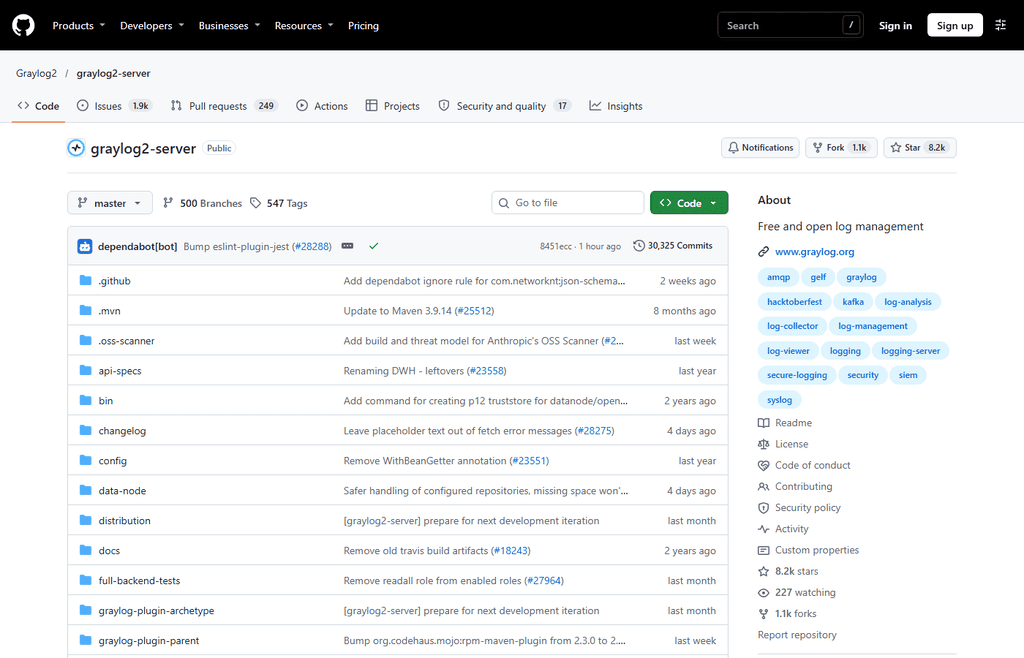
What it collects and detects: Open collects syslog, Beats, NetFlow, and other common log formats, with Sidecar collector management, pipelines, streams, search, dashboards, and “Basic triggers and notifications.” Graylog’s Open page also lists importing Sigma detection rules from private GitHub, GitLab, or Bitbucket repositories.
How it runs: Graylog says Open runs on Linux, Windows, containers, and cloud infrastructure, with Graylog Data Node support included. Recent releases add dynamic shard sizing that calculates shard sizes from each node’s available memory.
What you maintain yourself: The Graylog Open page says “your team handles installation, configuration, maintenance, and backups.” Parsers and alert rules for each new source are your team’s work in Open, since Graylog-maintained content sits in the paid editions.
Paid options: Graylog Enterprise starts at $15,000 per year and adds a correlation engine and Graylog-maintained parsers and alert rules. Graylog Security starts at $18,000 per year, from 10 GB a day, and adds risk scoring, automated investigations, anomaly detection, and prebuilt threat detection content.
Pros:
- Broad log collection across common formats
- Pipelines and streams for routing data before it is stored
- A paid upgrade path that keeps your sources and dashboards
Cons: The correlation engine and prebuilt detection content are paid features, so Open alerts on the rules you write or import. Open comes with community support only, with no SLA-backed help.
Who should skip it: Graylog’s Open page says Open fits teams “that can manually investigate alerts, self-manage infrastructure, and operate without formal compliance reporting.” If nobody can investigate those alerts after hours, that gap stays open on Open.
The license is free; the 2 a.m. alert still needs an owner
6. UTMStack: Best for Small Teams That Want Correlation and Response in One Install
Overview: UTMStack collects logs through its own agents, correlates them against 600+ rules, and runs response flows in one install. It is maintained by UTMStack under the AGPLv3, and v12.0.3 came out on November 20, 2026.
CISA lists it among no-cost tools at an “Intermediate” readiness level, and its listing states that CISA does not endorse any commercial product.
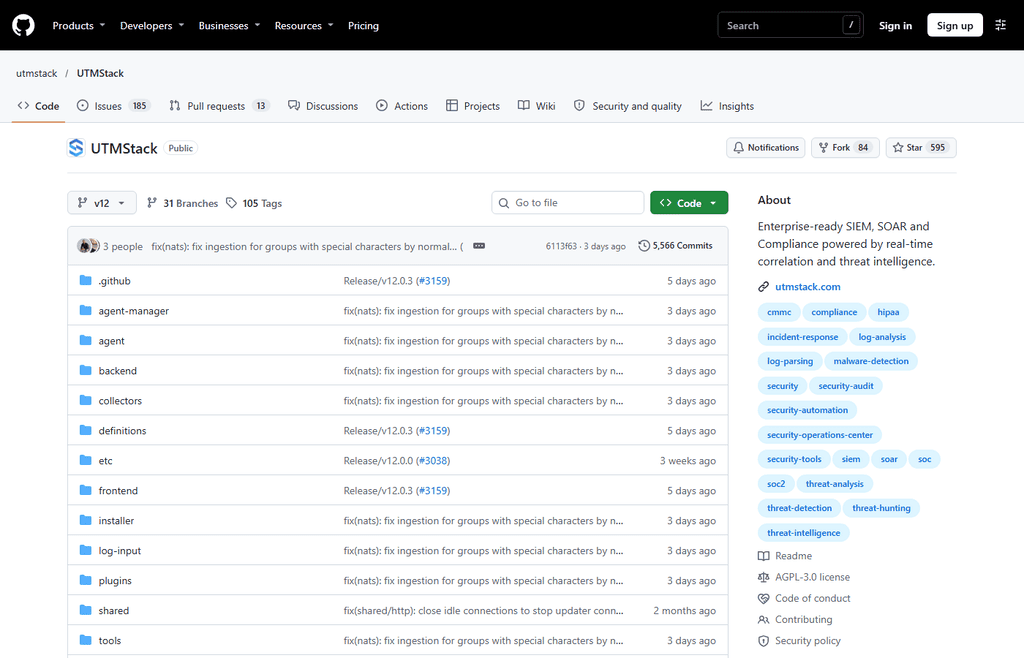
What it collects and detects: The open source edition includes Windows and Linux agents, syslog, and cloud integrations, with “Real-time correlation with 600+ detection rules,” alerts, incidents, and response flows. The README says its correlation engine was built from scratch and analyzes data before ingestion.
How it runs: The README installs it on Ubuntu 22.04 from an installer or an ISO image. It sizes 50 data sources (120 GB of hot storage) at 4 cores, 16 GB of memory, and 150 GB of disk, and says “Going above 500 data sources/devices requires adding secondary nodes.”
What you maintain yourself: Your team runs the server, its storage, and upgrades, and adds nodes as sources grow. The README notes that the enterprise version includes “faster correlation” and “frequent threat intelligence updates,” so threat intelligence freshness on the free edition is yours to watch.
Paid options: The pricing page estimates UTMStack Cloud at $355 to $490 per month for 50 to 100 devices (the page labels it an estimate), and self-hosted Enterprise licenses are quoted. Enterprise adds the AI assistant, nine compliance frameworks, single sign-on, threat intelligence feeds, a macOS agent, and 24/7 support.
Pros:
- Correlation rules, incidents, and response flows in the free edition
- Published sizing tiers in the README
Cons: The macOS agent is an Enterprise feature, so Mac-heavy fleets need the paid license for full endpoint coverage. Help for the open source edition comes from the community on GitHub.
Who should skip it: Companies where most laptops run macOS should price the Enterprise license or look at Wazuh. Teams that already run Elastic or OpenSearch clusters may get further by adding detection to the stack they know.
7. SOF-ELK: Best for Forensic Log Review After an Incident
Overview: SOF-ELK (Security Operations and Forensics Elasticsearch, Logstash, Kibana) is a ready-made virtual machine (VM) for reading evidence files, such as Windows event logs, after an incident. It is maintained by Phil Hagen.
Its configuration files carry the GPLv3, and the VM page lists release v20260706 on an Ubuntu 26.04 base with Elastic Stack 9.4.3 inside.
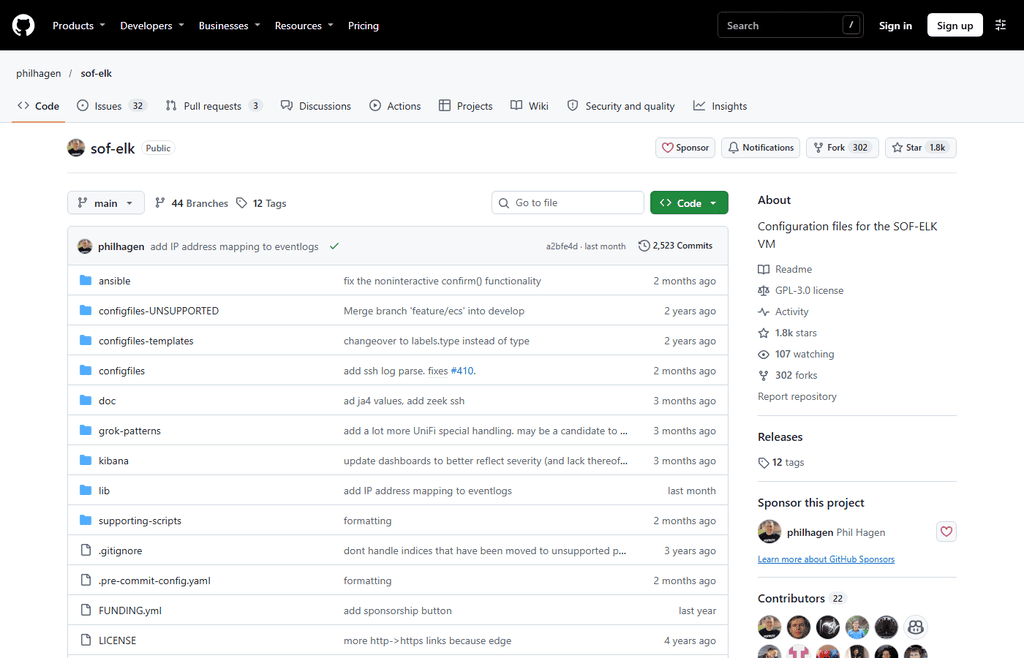
The VM is provided as a community resource and is used in several SANS digital forensics courses. Commits to the repository continued through November 7, 2026, and the VM’s update script pulls those parser changes.
What it collects and detects: SOF-ELK ingests files you drop into folders under /logstash/, such as syslog, Windows event logs, NetFlow, and cloud provider logs. Its parsers and Kibana dashboards are built for investigating evidence, and this review found no real-time alerting described on its VM page (read November 23, 2026).
How it runs: You download the VM in an x86 or ARM version and boot it in VMware. It runs as one appliance, so it suits a laptop or a lab host during an investigation.
What you maintain yourself: A bundled script pulls configuration updates from GitHub, and each VM release is version-locked to its public branch. The VM page warns that loading thousands of files at once may overload the system’s open file handles.
Paid options: None published. The project’s own materials point to SANS courses for training.
Pros:
- Ready-made parsers for evidence files from hosts, networks, and clouds
- One downloadable appliance, no cluster to build
- Active parser updates through the repository
Cons: The README says “No support can be provided for the use of these files outside the SOF-ELK VM.” It is built for after-the-fact analysis, so it does not replace a monitoring SIEM.
Who should skip it: Anyone who needs alerts while an attack is in progress should run one of the monitoring tools above. Keep SOF-ELK next to them for the investigation that follows an incident.
8. SIEM on Amazon OpenSearch Service: Best for Teams Whose Systems Run Only on AWS
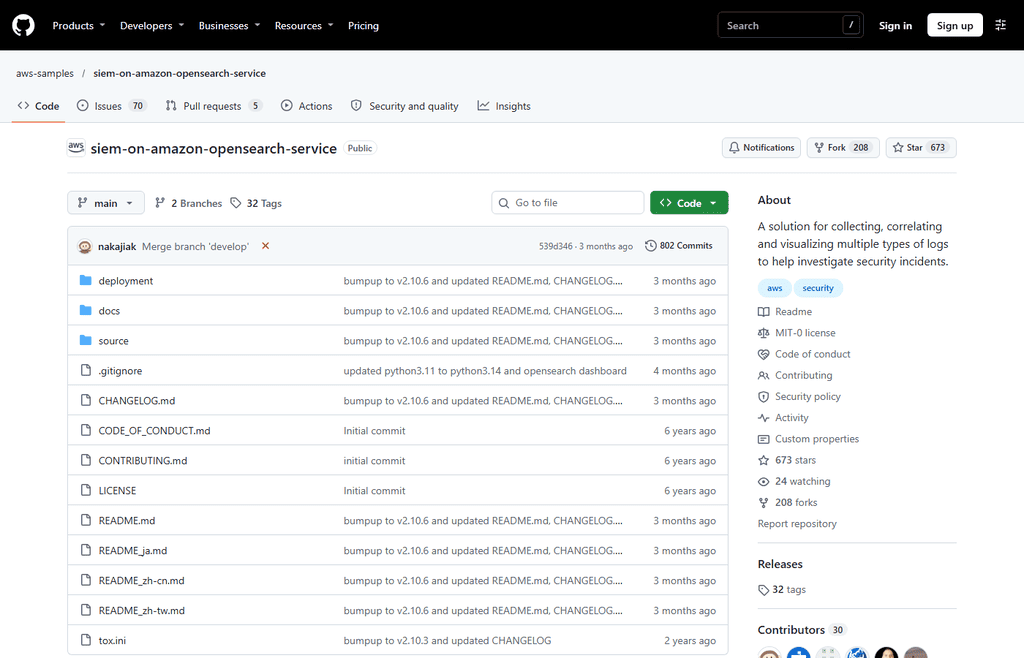
Overview: SIEM on Amazon OpenSearch Service loads logs from your AWS accounts into OpenSearch, with dashboards and alerts. It is published in the aws-samples GitHub organization under MIT-0, an OSI-approved license. It has no GitHub releases; the latest tag is v2.10.6, and the last commit was on August 18, 2026.
What it collects and detects: It loads logs from multiple AWS accounts, including CloudTrail, GuardDuty, Security Hub, AWS WAF, VPC Flow Logs, and Network Firewall, plus Linux and Windows Server logs through CloudWatch Logs. Logs are normalized to ECS, correlated, and shown on prebuilt dashboards, with alerts sent through an Amazon Simple Notification Service (SNS) topic.
How it runs: A CloudFormation template or the AWS Cloud Development Kit (CDK) deploys it into your own AWS account, where a Lambda function loads logs from an Amazon Simple Storage Service (S3) bucket. The README notes the template deploys a t3.medium.search instance outside the AWS Free Tier, and production needs a larger instance type.
What you maintain yourself: You upgrade the OpenSearch domain first (version 2.11 or later since v2.10.6), then update the stack. Updates overwrite dashboards and settings after backing them up, and instance changes are made in the AWS console.
Paid options: The project charges nothing, and AWS bills Amazon OpenSearch Service and the other resources it creates in your account. This review found no support or service-level statement in its README or FAQ (read November 23, 2026), so treat it as code your team owns.
Pros:
- Parsers for more than 20 AWS log sources, normalized to ECS
- Deploys with one template into your own account
- MIT-0 license with no attribution requirement
Cons: Its sources are AWS services, with only contributed parsers for tools such as Okta. The README says the CloudFormation template “is designed for the initial deployment purpose only,” so scaling changes happen by hand.
Who should skip it: Companies with Azure, Microsoft 365, or on-premises servers as main log sources need a broader tool. AWS-native teams can run it next to Wazuh for endpoints.
9. SOCFortress CoPilot: Best for One Console Over Several Open Source Tools
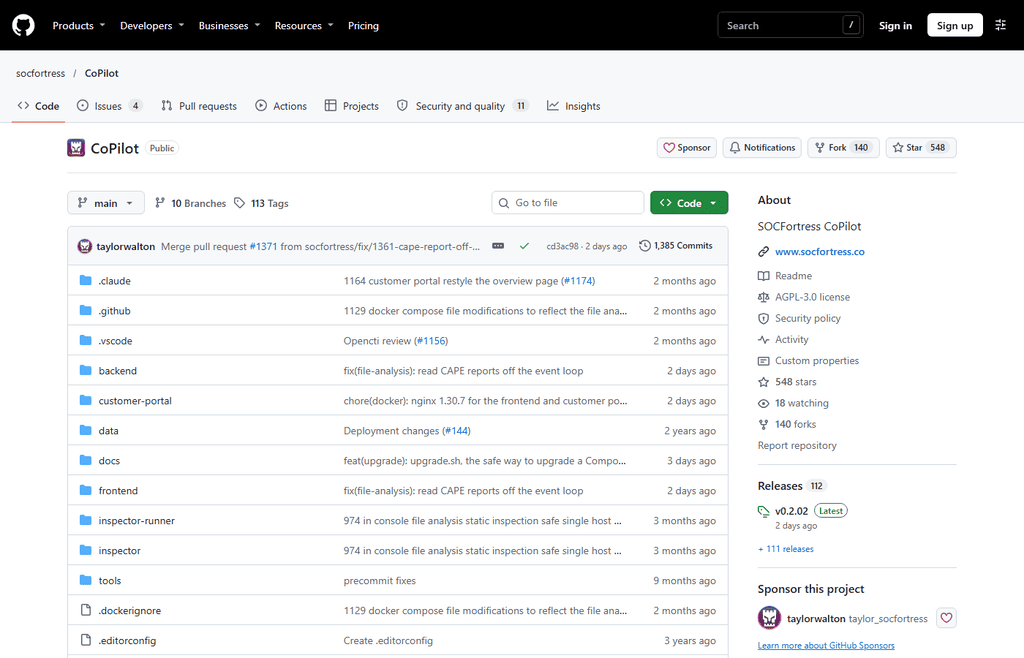
Overview: CoPilot puts the alerts and cases from Wazuh, Graylog, and other connected open source tools into one console. It is maintained by SOCFortress under the AGPLv3, and v0.2.02 came out on November 20, 2026.
Its README says “CoPilot is currently in beta,” and the 0.x version number marks a young project.
What it collects and detects: CoPilot is a console, so the detection comes from the tools it connects. The README lists built-in integrations with Wazuh, Graylog, Velociraptor, Grafana, and InfluxDB, and the docs describe a path from alert triage to cases and investigations.
How it runs: CoPilot ships as Docker images and deploys with Docker Compose. The docs also describe customers as tenants, with an optional customer portal for each one.
What you maintain yourself: You run CoPilot and every tool under it, so upgrades multiply. The README’s upgrade script backs up the database first, offers a check mode, and can roll back.
Paid options: SOCFortress offers support and services on its site. This review found no published price on socfortress.co (read November 23, 2026).
Pros:
- One queue and case list over Wazuh and Graylog, with tenants built in
- An upgrade script with backup and rollback
Cons: The README marks the project as beta, so features and interfaces may change between releases. It adds one more application for a small team to patch and monitor, on top of every tool it connects. Test each upgrade against your Wazuh and Graylog versions first.
Who should skip it: Teams running a single tool such as Wazuh can triage in that tool’s own dashboard. CoPilot earns its place once two or more open source tools need one queue.
Which Free SIEM Fits Your Team
For most small teams covering endpoints and cloud logs, Wazuh or UTMStack is the first fit. The table below matches other situations to one or two tools, with the reason drawn from the entries above.
| Your situation | Tools that fit | Why |
|---|---|---|
| Mostly endpoints and servers | Wazuh, UTMStack | One agent, built-in rules, small-host sizing |
| Small team on Microsoft 365 and AWS | Wazuh | Docs cover Office 365, Azure, and AWS logs |
| Network monitoring and packet capture | Security Onion | Suricata, Zeek, and full packet capture together |
| Already on Elastic | Elastic Security (Basic) | Detection engine and rules in your stack |
| Already on OpenSearch | OpenSearch Security Analytics | Sigma detectors in the default plugin |
| Everything runs on AWS | SIEM on Amazon OpenSearch Service | Deploys into your account, parses AWS logs |
| Very small team, no SIEM today | UTMStack, Wazuh | Packaged install with published sizing |
| Several open source tools, one queue | SOCFortress CoPilot | Cases over Wazuh and Graylog |
| Investigating a past incident | SOF-ELK | Evidence parsers in one virtual machine |
If budget for a commercial platform comes back, the shortlist changes, because the commercial SIEM platforms compared by AI features and cost each carry their own license price. Most teams end with two candidates and one test install each.
⚠️ Run each candidate on your own Microsoft 365 and Entra ID or Okta logs before you decide. A tool that parses your identity logs badly will alert badly, whatever its rule count says.
Where a Free SIEM Breaks After Go-Live, and How to Cover Nights
A free SIEM breaks at three points in the months after go-live: rule upkeep, scale, and nights and weekends. Each one lands on the engineer who built it.
Rule Upkeep
Rules drift as your environment changes: a new SaaS app, a firewall swap, or an Entra ID policy change turns a quiet rule noisy or a useful rule silent. When nobody owns tuning, the team learns to ignore alerts, the pattern behind too many false positives, and the one real alert sits in the same pile.
Scale
Log volume grows with every new source and every month of retention. The cluster that fit last year needs more storage, more nodes, or a new index plan, and each major upgrade needs a maintenance window and a rollback plan.
Nights and Weekends
The SIEM runs around the clock, and the people reading it do not. An alert at 2 a.m. on a Saturday waits until someone opens the console on Monday, which is exactly what the questionnaire is asking about.
There are three ways to close that gap, and each keeps the open source SIEM solutions you chose. They differ in who reads alerts at night and who keeps the rules current.
| Option | Who answers the 2 a.m. alert | Who maintains the rules | What to check before you choose |
|---|---|---|---|
| In-house on-call rota | Your own staff, by rotation | Your own staff | Enough people for a fair rota |
| Co-managed SIEM provider | The provider’s analysts | Shared between you and the provider | Who owns the data, and exit terms |
| AI security operations center (SOC) on your SIEM | AI agents investigate; analysts decide | The provider tunes on your SIEM | Supported stacks and the response SLA |
An in-house rota keeps every decision inside the company and works when enough people share the nights. Providers of managed SIEM services take on rules and nights on the platform you already run.
Read a co-managed contract for data ownership first, because managed SIEM lock-in usually sits in the exit terms. Ask who keeps the rules and data if it ends.
An AI SOC works on top of the SIEM you keep, with agents running each investigation and analysts making the calls, the model behind an AI SOC on your SIEM. Ask any provider in this category which open source stacks it supports and how it shows its reasoning on each alert.
A rota fits a team with enough people to share nights; a co-managed provider fits a team that wants rules and nights handed over; an AI SOC fits a team that keeps the SIEM and wants every alert investigated with the reasoning shown.
Whichever option you pick, write two names into the plan before day one: the owner of the rules and the owner of the nights. That plan is also the answer the questionnaire asked for.
Bring your SIEM and see its alerts investigated
- See AI agents investigate the alerts your SIEM raises while an analyst decides on escalation and containment
- Check how it works on Wazuh, Security Onion, OpenSearch, Graylog, or Elastic, among 250+ integrations
- Get a rollout plan for your stack: SaaS, hybrid, on-premises, or air-gapped
Frequently Asked Questions
Which free SIEM is the best?
For most small teams covering endpoints, Wazuh is this guide’s pick as a starting point: one agent, built-in rules, and an OSI-approved license. Teams that need network monitoring choose Security Onion, and teams already on Elastic or OpenSearch use the security features of the stack they run.
Is Wazuh really free?
Yes. Wazuh’s own site says it “is available at no cost,” and the current release is licensed under the GPLv2, with 5.0 moving its engine to the AGPLv3. Wazuh Cloud, the hosted edition, and professional support are separate paid services.
What is the difference between an open source and a source-available SIEM?
An open source SIEM uses a license approved by the Open Source Initiative, which allows any use. A source-available SIEM publishes its code under a license such as ELv2 or SSPL, which adds conditions, mainly on offering the software to others as a hosted or managed service.
Can a small team run an open source SIEM 24/7?
The software runs 24/7 on its own; the alerts need people. A small team can cover nights with an on-call rota, a co-managed SIEM provider, or an AI SOC on top of the SIEM it keeps, and the choice should be written down before go-live.
Is SIEM outdated?
No: joint 2024 guidance from Australia’s ACSC, CISA, the FBI, and the NSA still recommends forwarding processed logs to analytic tools such as a SIEM. Detection still depends on central logs that someone reads and acts on, and a demo on your stack shows who would read them at night.