






Your auditor asks for proof of this year’s four quarterly access reviews. The spreadsheet your team built for last year’s System and Organization Controls (SOC) 2 audit holds only two, so a control you actually run turns into an audit finding. A governance, risk, and compliance (GRC) tool can collect and map that evidence once, but each tool draws its own line between what it automates and what you own.
Here is where 11 GRC tools draw that line, compared on the same fields.
TL;DR
- GRC tools come in three types: enterprise GRC suites, compliance automation platforms, and open-source or open-code tools.
- Seven criteria compare them, from evidence pulled from your own stack to the effort of running the tool.
- The list covers 11 tools, each with what it automates and what still lands on your team.
- A division-of-labor table shows the work no GRC tool takes over, such as accepting a risk, and what internal auditors now check.
Table of contents
The need for a GRC tool usually shows up in an enterprise customer’s security questionnaire or procurement review: they ask for an ISO 27001 certificate on top of the SOC 2 report you already hold, or your last audit found evidence out of date.
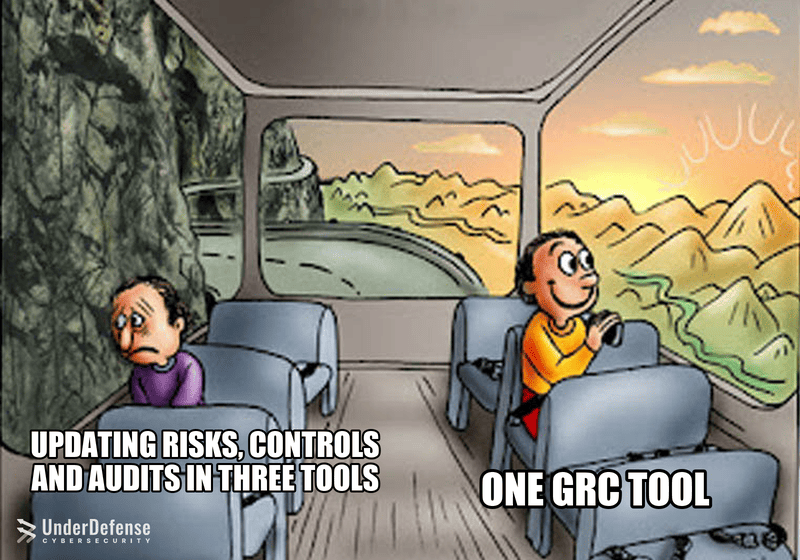
Leadership approves a budget line for “a GRC tool,” and the shortlist lands on a compliance team that already updates risks, controls, and audits in separate tools, on top of security questionnaires and policy work.
This comparison covers 11 GRC tools across enterprise suites, compliance automation platforms, and open-source or open-code tools, with the same fields for each one. Every price, framework, and integration comes from the vendor’s own pages, read in November 2026, and the order is this article’s own assessment.
Disclosure: UnderDefense publishes this article and ranks its own product, UnderDefense MAXI Compliance AI, first. It is judged on the same fields as every other tool, including what still lands on your team.
Find the control gaps your next audit will flag
What GRC Software Does, and Which Type Fits Your Team
GRC software keeps your controls, evidence, risks, and policies in one place, so one piece of evidence can count for several frameworks. The type you pick decides how much of the work stays with you. The work it takes off a small team falls into five jobs:
- collecting evidence from the systems you run, on a schedule
- mapping one control set to SOC 2, ISO 27001, the Health Insurance Portability and Accountability Act (HIPAA), the Payment Card Industry Data Security Standard (PCI DSS), and the EU’s General Data Protection Regulation (GDPR)
- keeping a risk register with owners, scores, and treatment plans
- routing policy reviews, attestations, and audit requests to the right people
- reporting status to leadership, the audit committee, and the board
A GRC tool maps those frameworks, and newer ones such as the EU’s Digital Operational Resilience Act (DORA) and the U.S. National Institute of Standards and Technology (NIST) Cybersecurity Framework (CSF), to shared controls, so one test can serve several requirements. The tools in this list come in three types, and the contrast between them decides how much work stays with you:
- Enterprise GRC suite: a configurable platform for risk, compliance, internal audit, Sarbanes-Oxley (SOX) financial controls, and policy across the whole business, usually set up by an admin or an implementation partner.
- Compliance automation platform: a framework-first product that pulls evidence through connectors to your cloud, identity, and security tools and runs continuous control tests.
- Open-source or open-code tool: software with public code that you can host yourself for free, where your team supplies the hosting, the upgrades, and most of the evidence.
Pick a compliance automation platform for SOC 2 or ISO 27001 evidence from a cloud stack, a suite when internal audit and SOX share the program, and open source only when someone on the team can run Linux and Docker.
For many teams, the second framework is where the spreadsheet stops keeping up, and where the choice between GRC tools vs compliance platforms turns into a budget decision. The three types differ in how much of the evidence work they take off you.
GRC automation tools with connectors and continuous tests collect the most evidence on their own. If your stack is mostly cloud and software as a service (SaaS), a shortlist of compliance automation software is the place to start.
Some work stays with your team whichever type you buy. No type of GRC tool takes over these three jobs:
- deciding which risks the business accepts
- fixing the controls a test flags
- proving that a control works on a system the tool does not monitor
Every entry below names that remaining work in its own field. ⚠️ Budget your team’s time for it before you sign.
Seven Criteria for Choosing a GRC Tool
These seven criteria come from the work a GRC tool takes off a small team and the work it leaves behind. Score each tool you shortlist on all seven, using your own systems as the test case.
1. Evidence Collected From the Stack You Run
Ask which of your systems the tool reads directly: Microsoft 365 or Google Workspace, Okta or Microsoft Entra ID, AWS or Azure, your endpoint detection and response (EDR) tool, and your security information and event management (SIEM) platform. Every system without a connector becomes a screenshot someone uploads before each audit, and that upload is where evidence goes stale.
2. One Control Set Mapped to Many Frameworks
A second framework should add requirements to controls you already test, with no second evidence pile. Run one test on each tool you shortlist:
- Pick one control from your register, such as the quarterly access review.
- Map it to SOC 2 and ISO 27001.
- Check whether the tool asks for new evidence or reuses the first.
Ask who updates the mappings when a framework changes. That update repeats every time a standard is revised, so it belongs in the contract.
3. Risk Register and Treatment Workflow
Look for a register where each risk carries an owner, a score, a treatment decision, and a next review date, and where a failed control flags the risks that depend on it. Tools differ most here: some keep a light register for audit purposes, while suites support integrated risk management across operational and vendor risk.
If you answer only security frameworks, a register with owners, scores, and review dates is enough. Once operational and vendor risk sit with you too, shortlist a suite.
4. Audit Workflow and Auditor Access
Check how the auditor sees your evidence: a read-only auditor seat, a shared request list, or an export your team builds. If your auditor will test inside the tool, require a read-only auditor seat. An export your team rebuilds for every audit is the option to rule out.
The same evidence often answers customer security reviews too, and a shared Trust Center lets buyers check your posture without another questionnaire.
5. Policy Management and Attestations
Most frameworks expect written policies, an annual review, and proof that employees read them. Ask whether the tool handles that cycle:
- ships policy templates
- routes reviews to owners, with reminders
- records each employee’s acceptance
Templates save drafting time. Your team still decides what each policy commits the business to.
6. Board and Audit Committee Reporting
Boards now ask for cybersecurity status on a schedule, and internal audit checks that they get it (more on that below). Ask for a report that shows control status by framework, open risks above appetite, and overdue remediation, in a form the audit committee can read without a walkthrough from your team.
7. The Effort to Run It
Count the people the tool needs after go-live, and whether it runs as SaaS or on your own servers, where hosting, backups, and upgrades land on your team. Ask three questions about the plan:
- How many admin licenses come with it?
- Are implementation services included or sold separately?
- Who configures workflows when your process changes?
The answers show whether the tool needs a dedicated admin. Put that person’s time in the business case next to the license. If nobody on your team runs servers, rule out self-hosted options.
GRC Tools Compared Side by Side
The table puts all 11 tools on the same eight fields. Use it to cut the list to the two or three that fit your size and frameworks. Prices sit in each entry below, and UCF in the table is the Unified Compliance Framework, a library of harmonized controls used by several suites.
| Tool | Best for | Type | Frameworks out of the box | Evidence collection | What stays with your team | Deployment | Published pricing |
|---|---|---|---|---|---|---|---|
| UnderDefense MAXI Compliance AI | Teams that need audit-ready evidence at a published price | Compliance automation with consulting | SOC 2, ISO 27001, HIPAA, GDPR, PCI DSS, DORA, NIST CSF, ISO 42001 | 250+ connectors, other tools through MCP | Fixing gaps, owning controls | SaaS, hybrid, on-premises, air-gapped | Yes, monthly packages |
| Vanta | Cloud companies that want hourly tests | Compliance automation | 35+ | Automated, plus manual uploads | Connecting systems, buying the audit | SaaS | Quote-based |
| Drata | Teams that want one control catalog behind every framework | Compliance automation | 30+ | Automated, plus renewed manual files | Scope, owners, connector setup | SaaS | Quote-based |
| Hyperproof | Programs answering many frameworks | Compliance automation | 160+ | Automated, plus file syncs | Connector credentials, two admins | SaaS, plus a Gov edition | Quote-based |
| Optro | Companies running SOX and internal audit beside IT compliance | Enterprise GRC suite | 30+ | Automated by agents, with approvals | Approving AI output, configuration | Single-tenant SaaS | Quote-based |
| LogicGate Risk Cloud | Teams that want to build their own workflows | Enterprise GRC suite | Over 25 | Automated evidence sources | Power Users build applications | SaaS, four data centers | Model published, figures quoted |
| ZenGRC | Lean teams moving off spreadsheets | Compliance automation | Over 30 | Automated and manual | Permissions, onboarding workshops | SaaS | Quote-based |
| Riskonnect | Enterprises joining GRC with insurable risk | Enterprise GRC suite | Through UCF content | Central evidence repository | Configuration, integrations | SaaS | Quote-based |
| IBM OpenPages | Regulated enterprises running risk, regulatory change, and audit | Enterprise GRC suite | Through UCF and feeds | AI-assisted file analysis | Designing workflows and views | SaaS, IBM Cloud, on-premises | Yes, indicative |
| eramba | Teams with Linux skills that want low-cost self-hosting | Open code | 70+ packages | Manual, or custom PHP tests | Hosting, upgrades, evidence | On-premises or SaaS | Yes, flat yearly fee |
| CISO Assistant | Teams that want a free framework library they host | Open source | 200+ | Uploaded files and links | Hosting, updates, evidence | Self-hosted or SaaS | Yes, per contributor |
Three patterns stand out in the table. The compliance automation platforms pull the most evidence from a cloud and identity stack, and several of them, such as Vanta, Drata, and Hyperproof, price frameworks, users, or audits as separate items.
The enterprise suites cover risk, audit, and SOX across the business and expect someone on your side to configure them. The open-source and open-code tools cost the least and leave hosting and most evidence with you. 💡 Shortlist from the type that matches your stack and team size first, then compare prices inside that type.
The 11 Best GRC Tools for 2027
The 11 entries use the same fields in the same order, and the ranking is this article’s own assessment. Each tool’s facts come from its own site, read on November 23, 2026.
1. UnderDefense MAXI Compliance AI: Best for Teams That Need Audit-Ready Evidence at a Published Price
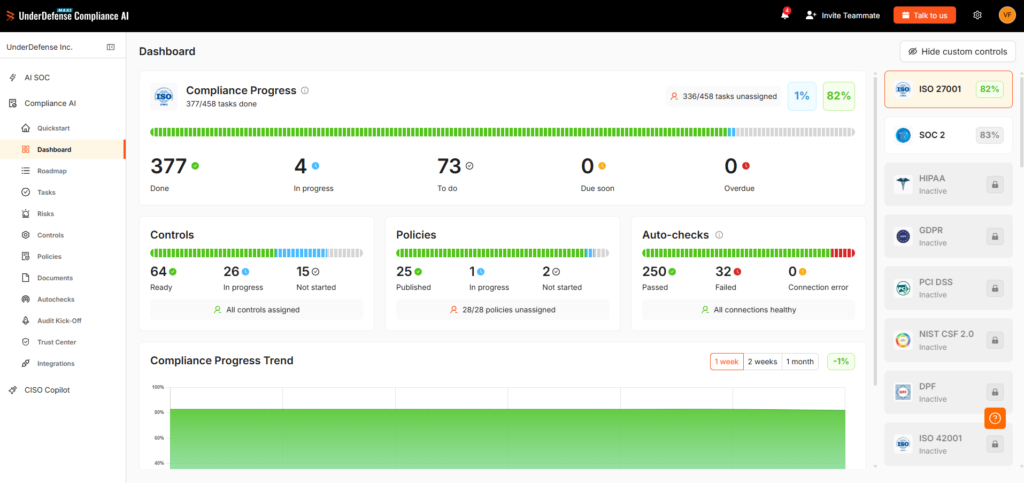
Overview: UnderDefense MAXI Compliance AI pulls evidence from the security stack you already run and turns a gap assessment into a roadmap with an owner for each control. When a customer asks for a framework you don’t hold yet, your team starts from that roadmap and the evidence already collected, with no second pile to build by hand.
UnderDefense is rated 5.0 out of 5 from 83 reviews on G2 as of November 2026. The company is ISO 27001 certified and prepared for that audit in MAXI Compliance AI itself.
Helpware, a global BPO, runs SOC 2 and ISO 27001 across 8 countries on MAXI Compliance AI. Its case study reports “2× faster audit readiness” and “50+ automated checks running 24/7.”
The company “reached full production readiness in 8 weeks” and “kept the same compliance team while the business doubled.”
MAXI Compliance AI maps live data from the tools you already own to SOC 2, ISO 27001, and HIPAA controls as it changes, so auditors see current evidence and nothing gets ripped out. Of the five compliance automation platforms in this list, it is the only one that publishes its prices and the only one that also deploys on-premises or air-gapped.
What it automates: Six jobs leave your team’s queue:
- evidence collection through connectors to 250+ security tools, with auto-checks that keep testing controls after the audit
- a gap assessment against the framework you choose, which becomes a Compliance Roadmap with control owners
- board-ready reporting on where each framework stands
- an auditor workspace: your auditor works with the evidence and reports inside the platform, with the access you grant, whether from a partner audit firm matched within one business day or your own
- answers from the platform’s built-in AI assistant about controls, assets, risks, and identities, drawn from your SIEM or any other central log store
- a Trust Center link that shows customers your live frameworks, policies, and controls
What still lands on your team: The audit stays independent: UnderDefense prepares and supports it, while the SOC 2 report comes from a certified public accountant (CPA) firm and the ISO 27001 certificate from an accredited certification body. Your team keeps three jobs:
- authorizing the connectors
- owning each control on the roadmap
- fixing the gaps the assessment flags
Frameworks covered: SOC 2, ISO 27001, HIPAA, GDPR, and PCI DSS, plus DORA, NIST CSF 2.0, and ISO 42001 for AI management systems. A team adding ISO 27001, HIPAA, or GDPR to SOC 2 keeps the work in the same product.
Integrations and setup: Connectors include Microsoft Entra ID and Microsoft 365, Okta, AWS, Azure, Google Cloud, Splunk, Microsoft Sentinel, CrowdStrike, and SentinelOne, and other tools connect through the Model Context Protocol (MCP), so evidence comes from the identity, cloud, SIEM, and EDR tools you run today. The platform deploys as SaaS, hybrid, on-premises, or air-gapped, and senior consultants from UnderDefense’s compliance consulting support start your policies from expert-built templates.
Pricing: The published compliance packages list a Free tier, then Starter from $499, Essential from $1,299, and Certified from $1,899 per month (read November 23, 2026), so the budget line is known before the first call. Consulting and implementation support adds 24 hours a year on Starter, 48 on Essential, and 90 on Certified, with more at $65 per hour.
Custom policies come from Essential, and Certified adds security questionnaire automation for 24 questionnaires a month and a dedicated customer engagement manager.
Pros:
- Published prices, with consulting hours written into each paid package
- Evidence comes from the tools you already own, with no rip-and-replace
- A gap assessment that becomes a roadmap with named control owners
- The Audit Kick-Off view connects you with an auditor partner within one business day
Cons: MAXI Compliance AI’s framework list covers security and privacy frameworks and does not include SOX. A company whose GRC program also tests financial controls will run an audit-led suite beside it.
Who should skip it: Internal audit teams that need audit management across the whole business, which Optro and IBM OpenPages below are built around.
MAXI Compliance AI runs on the same platform as UnderDefense Agentic AI SOC, the company’s security operations center. Teams that run both keep compliance evidence and 24/7 security monitoring on one set of data.
Want to see the GRC platform on your stack? Ask an expert
2. Vanta: Best for Cloud-Based Companies That Want Hourly Automated Tests Across Many Frameworks
Overview: Vanta Inc., founded in 2018 and based in San Francisco, sells a compliance automation platform that also covers risk, third-party risk, a trust center, and AI governance. Its plans run from Essentials for young companies to Professional and Enterprise for programs with several frameworks and a risk function.
For a team answering two or three frameworks, the draw is connector breadth: Vanta runs automated, hourly tests and cross-maps controls, so one test can serve several frameworks. Its AI, the Vanta Agent, drafts policies and questionnaire answers for your review.
What it automates: Vanta’s product pages document these jobs:
- evidence collection and hourly tests across connected systems
- control cross-mapping, with AI mapping custom controls to its test library
- a risk register with owners, inherent and residual scores, and treatment plans, seeded from a pre-built library of risk scenarios
- policy templates, a policy builder, and employee acceptance tracking
- an auditor workspace for comments, requests, and the evidence you choose to share
What still lands on your team: System owners in IT, engineering, DevOps, or HR connect the integrations, and Vanta’s own help center says getting their time “is often the biggest bottleneck in onboarding.” Evidence from systems without a connector is uploaded as custom documents, and the audit is bought separately unless you add Vanta’s auditor bundle.
Frameworks covered: Vanta lists 35+ frameworks, including SOC 2, ISO 27001, HIPAA, GDPR, PCI DSS, NIST CSF 2.0, DORA, ISO 42001, and SOX IT general controls. Custom frameworks cover internal or customer-specific requirements.
Integrations and setup: Vanta lists 400+ integrations, with documented connectors for Microsoft 365 and Entra ID, Google Workspace, Okta, AWS, Azure, Google Cloud, Jira, CrowdStrike, SentinelOne, and Splunk. On-premises systems and internal apps connect through the Vanta application programming interface (API), and its implementation guide asks you to assign owners for controls, policies, and risks early.
Pricing: Quote-based. The pricing page (read November 23, 2026) names Essentials, Plus, Professional, and Enterprise plans without figures and builds a plan after a demo.
Pros:
- Hourly automated tests across a large connector library
- Cross-mapped controls across its framework library
- Bring your own auditor or buy one through Vanta
Cons: Capabilities step up by plan: Essentials covers “One compliance framework,” and risk management “with customization, dashboard, and reporting” arrives with Professional. A team answering two or more frameworks should price the plan that carries both.
Who should skip it: Teams that cannot get IT, DevOps, or HR time to connect systems, because connector setup sits with those owners. Programs centered on internal audit and SOX testing fit the audit-led suites later in this list better.
3. Drata: Best for Teams That Want One Shared Control Catalog Behind Every Framework
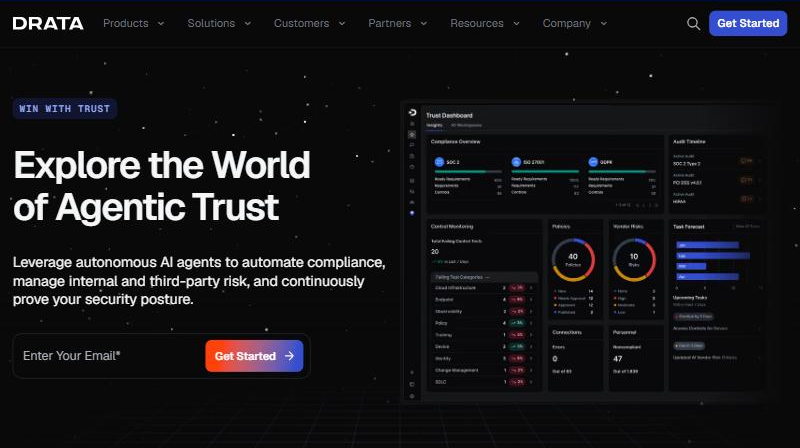
Overview: Drata Inc., launched in 2020, sells a GRC and trust management platform with compliance, risk, trust center, questionnaire, and third-party risk products. Its plans are sized for startups, growth companies, and enterprises.
Its core is the Drata Control Framework (DCF), a control catalog where, in Drata’s words, “you can implement one DCF control to satisfy multiple requirements.”
What it automates: Drata’s pages and help center document these jobs:
- evidence collection and continuous control monitoring through connectors
- one shared control set mapped across frameworks
- a risk register with assessment and treatment tracking
- time-bound audits that share controls and evidence with auditors on read-only access
- a trust center and AI help with security questionnaires
What still lands on your team: Your admins connect each system, such as a Microsoft 365 Global Admin for that connector and an API client for CrowdStrike. Drata says its control catalog is “neither prescriptive nor exhaustive,” so three jobs stay with your team:
- deciding which controls apply
- assigning owners
- renewing manual evidence files before they expire
Frameworks covered: Drata lists 30+ pre-built frameworks, including SOC 2, ISO 27001, HIPAA, GDPR, PCI DSS, DORA, NIST CSF 2.0, and ISO 42001. Custom frameworks are an add-on on its Advanced plan.
Integrations and setup: Help center guides cover Microsoft 365, Google Workspace, Okta, AWS, Azure, Google Cloud, Jira, ServiceNow, CrowdStrike, SentinelOne, Intune, and Elastic. Custom connections and tests start on the Advanced plan, and open API access comes with Foundation.
Pricing: Quote-based. The plans page (read November 23, 2026) shows Foundation, Advanced, and Enterprise compliance plans and their add-ons without figures.
Pros:
- A shared control catalog reused across every framework
- Read-only, time-bound auditor access to each audit
- Documented connectors for common identity, cloud, and EDR tools
- Trust center and questionnaire help in the same platform
Cons: The Foundation plan covers “Up to 50 FTEs” (full-time employees) and “1 Pre-Mapped Framework,” so a larger company answering two frameworks starts on Advanced. Additional frameworks are an add-on on every compliance plan.
Who should skip it: Teams whose identity provider has no Drata connector should expect manual upkeep, since Drata’s spreadsheet (CSV) import guide says each personnel change means “generating and uploading a new CSV.” Internal audit teams running SOX testing fit the audit-led suites later in this list better.
4. Hyperproof: Best for Programs Standardizing Controls Across Many Frameworks
Overview: Hyperproof, Inc., based in Seattle, sells a GRC platform for compliance, risk, and audit work, plus a Hyperproof Gov edition for FedRAMP, the U.S. federal cloud authorization program. Hyperproof aims its compliance product at large organizations that answer many frameworks.
A common control set and automated control tests route each failure to an owner as it happens.
What it automates: Hyperproof documents these jobs:
- scheduled evidence collection through Hypersyncs, plus continuous file syncs from cloud storage
- cross-framework control mapping on a common control set
- automated tests for high-frequency controls, with tasks created when a test fails
- policy distribution and acknowledgment tracking
- a dedicated audit space for your auditor, user access reviews, and board dashboards
What still lands on your team: Your IT admin issues the credentials each Hypersync uses, and Hyperproof recommends at least two administrators in your organization. Custom configuration, consulting, training, and system integration “may be separately purchased,” per its master services agreement.
Frameworks covered: Hyperproof supports 160+ pre-built frameworks, including SOC 2, ISO 27001, HIPAA, PCI DSS, GDPR, NIST CSF, DORA, and FedRAMP. Custom frameworks are supported for internal requirements.
Integrations and setup: Hyperproof lists 200+ integrations, with help articles for Microsoft Entra ID, Okta, Google Workspace, AWS, Azure, Google Cloud, Jira, CrowdStrike, SentinelOne, Microsoft Defender for Endpoint, and Splunk. Implementation comes as Guided or Hands-On, and Hyperproof helps configure programs, import controls, and connect integrations.
Pricing: Quote-based. Its pricing address redirects to the product page (read November 23, 2026), and the master services agreement sells users, programs (frameworks), and modules as subscriptions.
Pros:
- A common control set that keeps overlapping frameworks in sync
- Failed tests turn into tasks routed to owners
- Documented connectors across identity, cloud, EDR, and SIEM tools
- A FedRAMP edition for government work
Cons: Each framework is a purchased “Program” subscription, and the agreement says “quantities purchased cannot be decreased during the relevant subscription term.” Plan your framework count for the full term before you sign.
Who should skip it: Teams that answer one framework and want self-serve sign-up or a published price, since Hyperproof sells through a demo or a proposal request. Its own target use cases start at standardizing controls across 10 or more frameworks.
5. Optro (formerly AuditBoard): Best for Companies Running SOX and Internal Audit Alongside IT Compliance
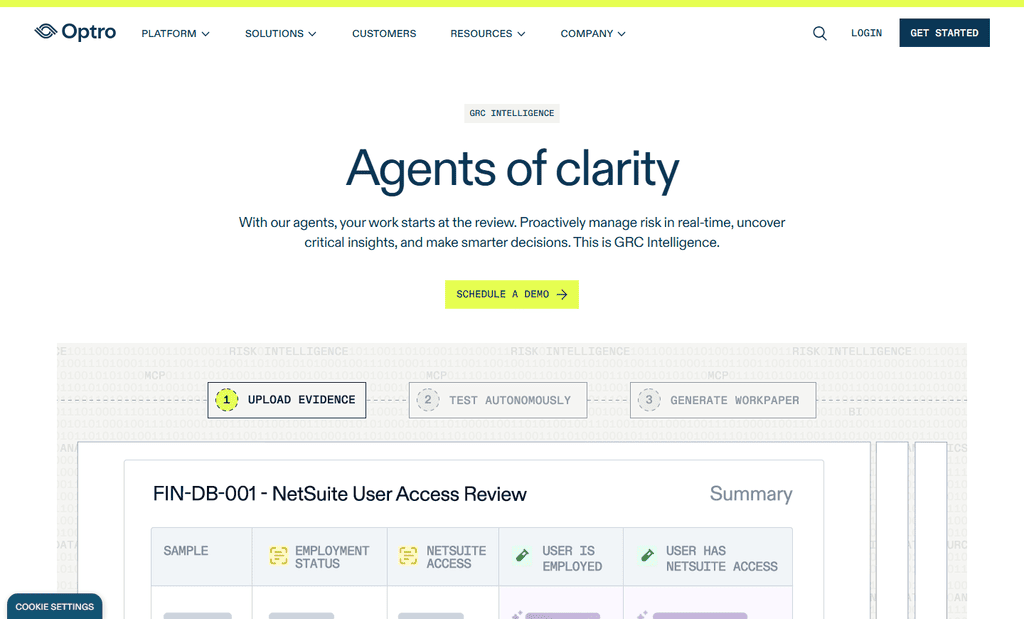
Overview: AuditBoard rebranded to Optro on March 9, 2026, and Optro, Inc. is privately held after the investment firm Hg acquired it in 2024. Its GRC platform is sold as separately named products, with CrossComply for IT compliance and Controls Management for SOX controls.
Optro builds for enterprise audit, risk, compliance, and information security teams, including public companies and companies preparing for an initial public offering. Its framework library maps one control test to several frameworks, so a security team that shares the platform with internal audit and finance reuses each test.
What it automates: Optro documents these jobs:
- agents that pull evidence from connected systems such as Oracle, Workday, and Okta
- control mapping and gap assessments in CrossComply
- continuous monitoring templates for common IT controls
- an AI-generated risk register with documented treatment and sign-off
- issue sync with Jira, and board reporting sections built for your own slide template
What still lands on your team: Optro states that “AI-suggested controls or content require user review and manual approval before being applied,” so your team signs off on what the agents propose. Configuration is no-code and supported by Optro’s services team or certified partners, and premium support costs extra.
Frameworks covered: Optro lists 30+ preloaded frameworks, including SOC 2, ISO 27001, NIST CSF 2.0, PCI DSS, GDPR, HIPAA, and SOX, plus 25+ AI frameworks such as ISO 42001. Custom frameworks can be mapped to common controls at any time.
Integrations and setup: Optro lists 200+ out-of-the-box integrations and a REST API (a standard web interface for custom connections), with Okta as an evidence source and Jira, ServiceNow, and Azure DevOps for tickets. It runs as single-tenant SaaS on AWS, so your team hosts no infrastructure.
Pricing: Quote-based. Optro states that it “does not publish list prices,” and its pricing page (read November 23, 2026) is a request form, with stakeholder licenses carrying no extra fee.
Pros:
- One data model for audit, SOX, IT compliance, and risk
- Unlimited stakeholder licenses at no extra fee
- Human approval built into every AI-suggested change
Cons: Pricing “is quoted per organization based on the products and scope selected,” across separately named products. List the products your program needs before the first call, so quotes stay comparable.
Who should skip it: Optro is built first for audit and SOX programs, so a security GRC team with neither should start with the compliance automation platforms above. Its own scope note excludes small businesses with no dedicated audit, risk, or compliance function.
6. LogicGate Risk Cloud: Best for Teams That Want to Build Their Own GRC Workflows Without Code
Overview: LogicGate, founded in Chicago in 2015, sells Risk Cloud, a no-code GRC platform made of 30+ purpose-built applications for controls, risk, policy, audit, and third-party risk. Its website moved to logicgate.ai in 2026.
You buy the applications your program needs and Power User licenses for the people who build and run them. That model suits a team that wants to shape its own workflows and has someone to configure them.
What it automates: Risk Cloud documents these jobs:
- evidence collection, control testing, and alerts to control owners when documentation falls short
- pre-defined mappings between frameworks to cut duplicate assessments
- AI first-pass risk assessments with proposed scores and drafted remediation plans
- policy review and approval, with attestation tracking through the Entra ID connector
- issues management and board-level risk reporting
What still lands on your team: Power Users “build Applications and manage user permissions,” so your team owns the configuration, and AI agents keep “humans always in the loop as the final approvers.” Implementation comes in Quick Start, Standard, and Custom packages.
Frameworks covered: LogicGate lists over 25 supported frameworks and regulations, including SOC 2, ISO 27001, HIPAA, PCI DSS, GDPR, NIST CSF, and NIST 800-53. Some framework content is marked “License not included with platform,” so check the frameworks you need.
Integrations and setup: Risk Cloud integrates with 200+ tools, including Microsoft Entra ID, Microsoft 365, Jira, ServiceNow, AWS Security Hub, CrowdStrike, and Splunk. Microsoft 365 and Teams integrations come at no extra cost, and the SaaS platform lets you choose among four data centers.
Pricing: Quote-based. The pricing page (read November 23, 2026) publishes the model, Applications plus Power User licenses, with Standard and External users included and each component “individually priced.”
Pros:
- No-code configuration that fits your own process
- Standard and External users at no extra cost
- AI drafts risk scores and remediation plans for your review
- A broad set of applications on one platform
Cons: Several connectors carry setup hours: Entra ID and AWS Security Hub each require “20 Integration Services hours per Application,” and CrowdStrike and Splunk 10 hours each. Budget those hours next to the license.
Who should skip it: Teams with no one to act as a Power User, because the applications are built and maintained inside Risk Cloud by your own admins. If compliance already sits with one overloaded person, a platform to configure becomes a second job.
Map one control set to SOC 2, ISO 27001, and HIPAA
7. ZenGRC: Best for Lean Teams Moving Compliance, Risk, and Audit Off Spreadsheets
Overview: ZenGRC, Inc. sells ZenGRC, a GRC platform for compliance, risk, audit, and vendor management aimed at lean compliance teams. Its AI assistant, GRACI, drafts control assessments that your team reviews and approves before they apply.
ZenGRC targets teams moving off spreadsheets and point tools into one system. A designated customer success manager (CSM) leads onboarding and stays assigned to the account.
What it automates: ZenGRC documents these jobs:
- evidence collection and cross-mapped frameworks
- issues created and tracked when a control is marked ineffective
- risk monitoring with dashboards, a risk timeline, and a heatmap
- AI control assessments, included with the platform at no extra cost
- executive dashboards through a read-only database for Tableau, Power BI, or Metabase
What still lands on your team: A framework outside the pre-loaded set has to be loaded into the platform before you can map to it. Your team also keeps two jobs:
- setting and managing all user permissions
- attending the admin training and framework scoping workshops
Frameworks covered: ZenGRC provides content for over 30 standards and regulations, including SOC 2, ISO 27001, HIPAA, PCI DSS, GDPR, NIST CSF, and SOX. Its site states that it can support any framework.
Integrations and setup: The integrations directory lists Microsoft Entra ID, Okta, Microsoft 365, Google Workspace, AWS, Azure, Google Cloud, Jira, ServiceNow, Splunk Enterprise, and Microsoft Sentinel, among others. Onboarding runs through set-up workshops with your admins, led by the CSM.
Pricing: Quote-based. Its pricing link leads to a demo request (read November 23, 2026), and the homepage describes one all-inclusive price.
Pros:
- AI assessments included without a separate module
- Issues opened automatically when a control fails
- SIEM connectors for Splunk and Microsoft Sentinel
- A CSM assigned for the life of the account
Cons: ZenGRC states that “Typical ZenGRC onboarding takes 4-8 weeks,” with admin training and instance set-up workshops on your side. If an audit date is close, count back from it before you start.
Who should skip it: Teams that need audit-ready evidence within a few weeks and cannot spare an admin for training and workshops. Teams that want a published price before the first call will need a demo first.
8. Riskonnect: Best for Enterprises Joining GRC With Insurable Risk and Business Continuity
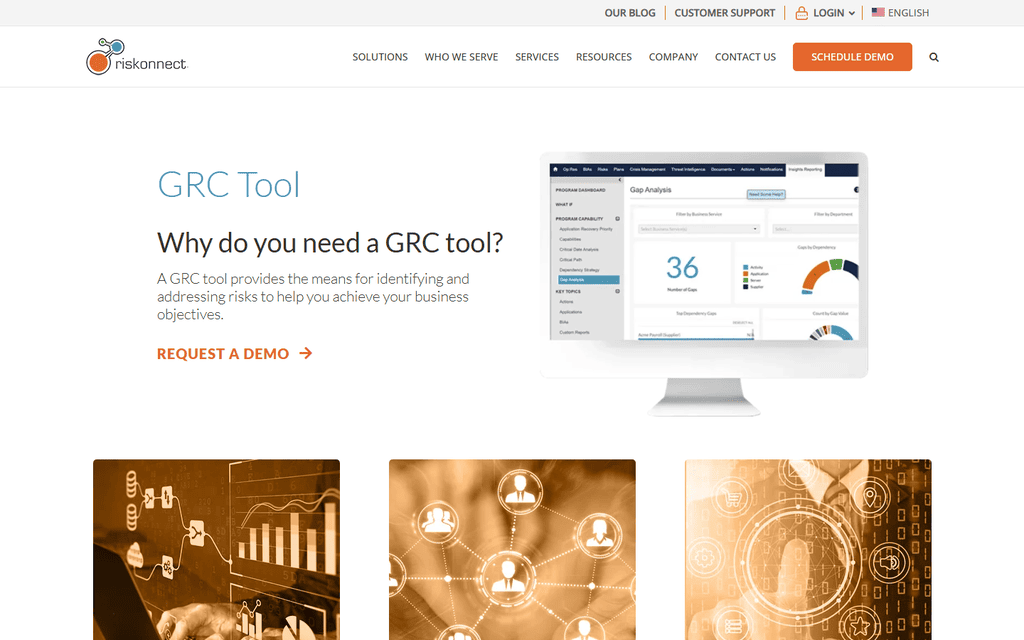
Overview: Riskonnect, Inc. sells an integrated risk management platform where GRC sits beside insurable risk, claims, business continuity, environmental, social, and governance (ESG) reporting, and health and safety. Its GRC tool keeps risk, compliance, and audit records in one place for every stakeholder.
For a security GRC team, the value is shared data with the risk and insurance side of the business. Its compliance product reuses one assessment across overlapping mandates, drawing on UCF content.
What it automates: Riskonnect documents these jobs:
- control mapping that reuses a single assessment across multiple mandates
- workflows for assessments, control testing, and remediation assignments
- risk registers built from best-practice templates, with treatment plans
- policy statements with versions, attestation records, and campaigns
- dashboards and reports for business units, leadership, and the board
What still lands on your team: Riskonnect’s compliance pages describe an organized repository for evidence and documentation, and your team owns the workflows, forms, and dashboards it configures. Integrations are set up through Riskonnect’s integration services or its APIs.
Frameworks covered: The compliance page lists frameworks such as NIST CSF and ISO 27001, regulations such as HIPAA, SOX, and GDPR, and guidelines such as NIST 800-53 and FedRAMP. UCF content adds over 10,000 harmonized controls, so a new mandate can start from controls already mapped to it.
Integrations and setup: Riskonnect lists 200+ integrations, APIs, and connectors, including ServiceNow, Tenable, Workday, Slack, Power BI, and UCF, alongside many insurance and claims feeds. Implementation runs through its GoLive! service in Essentials, Pro Configuration, and Tailored Configuration tiers.
Pricing: Quote-based. Riskonnect states that pricing “depends on the size and complexity of the project and how much customization you require,” and implementation is a fixed fee on the first two GoLive! tiers and time and materials on Tailored.
Pros:
- Risk, compliance, audit, and insurance data on one platform
- One assessment reused across overlapping mandates
- Policy attestation campaigns built in
- A fixed-fee implementation option
Cons: On Riskonnect’s own GoLive! table, a tailored build runs “4 – 10+ months” on time and materials, while the Essentials path is “Out of the box with no configuration.” Choose the tier before you scope the program.
Who should skip it: Security GRC teams whose main job is SOC 2 and ISO 27001 evidence from Okta, Entra ID, AWS, and endpoint tools, since Riskonnect builds around enterprise and insurable risk. Those teams fit the compliance automation platforms higher in this list.
9. IBM OpenPages: Best for Regulated Enterprises Running Operational Risk, Regulatory Change, and Audit
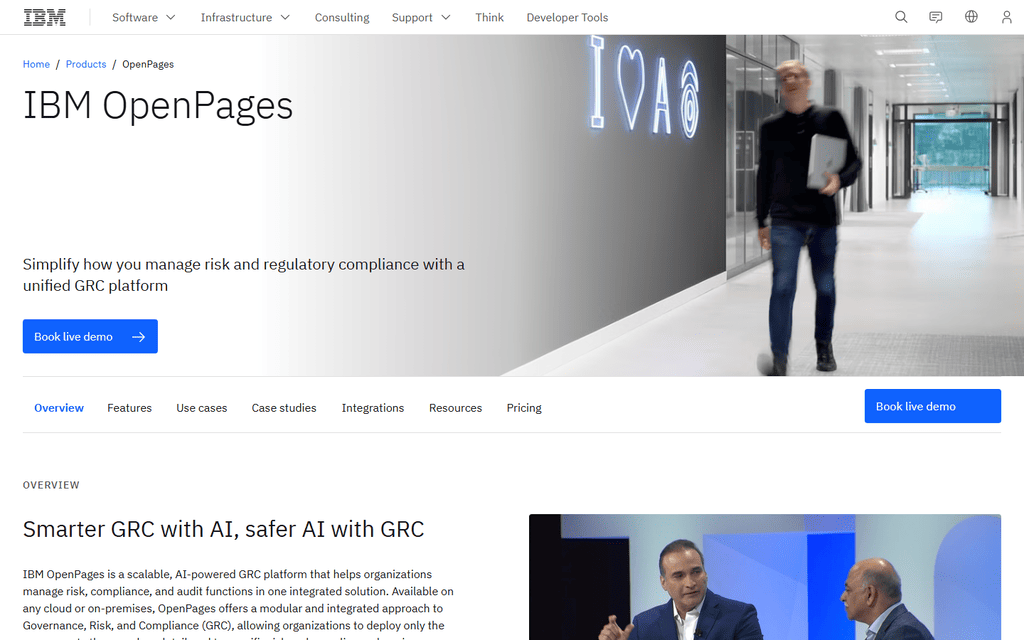
Overview: IBM OpenPages is IBM’s modular GRC platform for risk, compliance, and audit, now on release 9.2. Organizations deploy only the modules they need, from operational risk and regulatory compliance to internal audit, IT governance, policy, and financial controls.
IBM aims its SaaS Essentials edition at “small organizations or departments within a larger organization” starting with GRC. For a security team inside a bank or insurer, OpenPages ties IT risk to the regulatory feeds and audit work the rest of the business already runs there.
What it automates: IBM documents these jobs:
- AI classification and issue creation
- mapping of regulatory requirements to risks, controls, and policies, with UCF common controls
- regulatory change feeds from Thomson Reuters, Wolters Kluwer, and other providers
- policy creation, review, approval, attestation, and exceptions
- workpaper review and approval for internal audit
What still lands on your team: You design the workflows, views, and dashboards in drag-and-drop designers, and integrations use the OpenPages REST API or IBM App Connect. On the SaaS edition, IBM lists custom workflow code, Cognos Analytics integration, and Global Search among features “currently not supported.”
Frameworks covered: IBM names the Committee of Sponsoring Organizations (COSO) framework, the IT Infrastructure Library (ITIL), and ISO standards, plus risk assessments against NIST, ISO, and PCI. Framework content also arrives through UCF and regulatory feeds, and Financial Controls Management supports SOX compliance.
Integrations and setup: The integrations page names regulatory feeds such as Wolters Kluwer, CUBE, UCF, and Corlytics, vendor-risk ratings from RiskRecon and SecurityScorecard, IBM App Connect, and a Model Context Protocol (MCP) server for AI agents. Deployment is SaaS on AWS, hosted on IBM Cloud, or on-premises and maintained by you.
Pricing: Published and marked indicative. The pricing page (read November 23, 2026) lists the SaaS Essentials edition from $3,300, Standard from $6,050, and IBM Cloud editions from $6,250 and $9,000, with on-premises quoted. No billing period sits beside those figures, so confirm the term in the quote.
Pros:
- Modules for operational risk, regulatory change, audit, and financial controls
- Regulatory content feeds from established providers
- Three deployment routes, including on-premises
- Published starting prices
Cons: The SaaS edition leaves out custom code, Cognos Analytics integration, and Global Search, and watsonx AI services are “Available at additional cost.” IBM’s catalog also caps SaaS Essentials at 25 concurrent users, so a program with more people working in it at once starts on Standard.
Who should skip it: Security GRC teams whose main need is SOC 2 and ISO 27001 evidence pulled from cloud and identity systems, since OpenPages builds around risk, regulatory change, and audit modules. Those teams should start with the compliance automation platforms ranked higher.
10. eramba: Best for Teams With Linux Skills That Want a Low-Cost, Self-Hosted GRC Tool
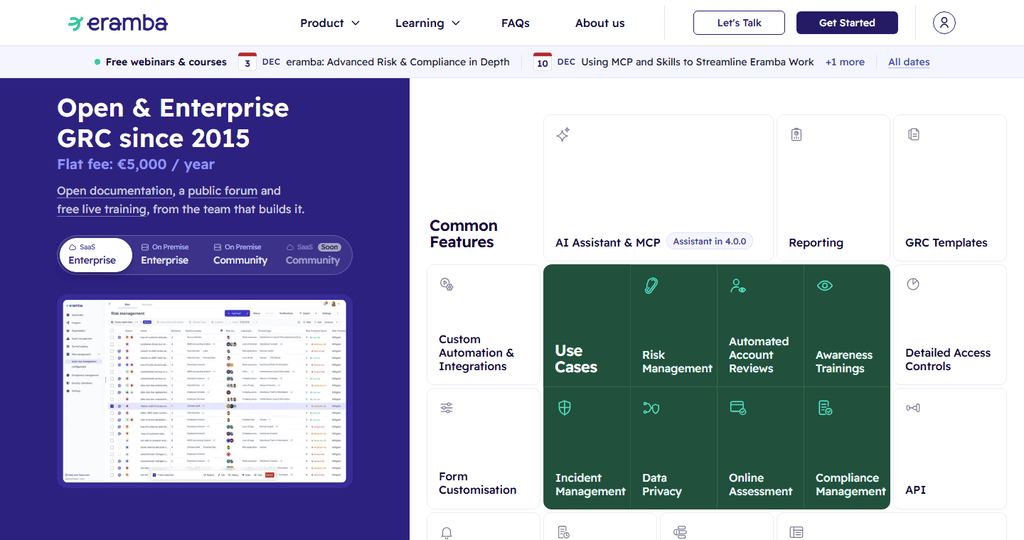
Overview: eramba, run by eramba Ltd in the UK, is a GRC tool for compliance, risk, incident, exception, policy, and control management, with a free Community edition and a paid Enterprise edition. Both editions are “accessible with open code but are not open source,” per eramba’s FAQ, and its license forbids modifying or redistributing that code.
It suits teams leaving spreadsheet-based workflows that want to keep GRC data on their own servers. Neither edition counts users, so the whole company can take part without seat fees.
What it automates: eramba documents these jobs:
- one internal control linked to several framework requirements and risks
- a risk register where a failed control audit flags every risk that relies on it
- scheduled control testing, with audit records created for the current and next year
- policy review records created from your review deadlines
- weekly notifications to item owners and status warnings before deadlines, in Enterprise
What still lands on your team: Evidence for manual audits is reviewed and stored by people, and automated tests mean writing custom PHP code, an experimental feature eramba does not help write or debug. On Community, your team installs and upgrades the software, and eramba notes that “Community users do not get support from the core team.”
Frameworks covered: eramba offers 70+ ready-to-import packages, including ISO 27001, SOC 2, PCI DSS v4, NIST CSF 2.0, GDPR, HIPAA, DORA, and ISO 42001, plus any framework you upload as a CSV. There are no per-framework fees.
Integrations and setup: Sign-in works through a Lightweight Directory Access Protocol (LDAP) directory, Security Assertion Markup Language (SAML) single sign-on, or Google OAuth, and accounts can sync from Entra ID or Okta through SCIM, the standard for provisioning user accounts. REST APIs come with Enterprise, and an on-premises install takes Docker, networking, and Linux skills.
Pricing: Published. eramba lists Community on-premises as free, Enterprise on-premises at €2,500 per year, and Enterprise SaaS at €5,000 per year with EU or US hosting, plus optional implementation workshops at €800 each (read November 23, 2026). The fee is flat, with unlimited users.
Pros:
- A free on-premises edition with readable code
- Flat yearly pricing with unlimited users
- 70+ framework packages with no per-framework fees
- Failed control audits flag the risks that rely on them
Cons: Community leaves out core-team support, REST APIs, reporting, custom notifications, and automations, which come with Enterprise, per eramba’s edition table. Price Enterprise if your team needs any of those.
Who should skip it: Teams that want evidence pulled from cloud and SaaS tools without writing code, since eramba’s automated tests are customer-written PHP. Teams without Docker or Linux skills should look at the Enterprise SaaS edition or another tool.
11. CISO Assistant: Best for Teams That Want a Free, Open-Source Framework Library They Host Themselves
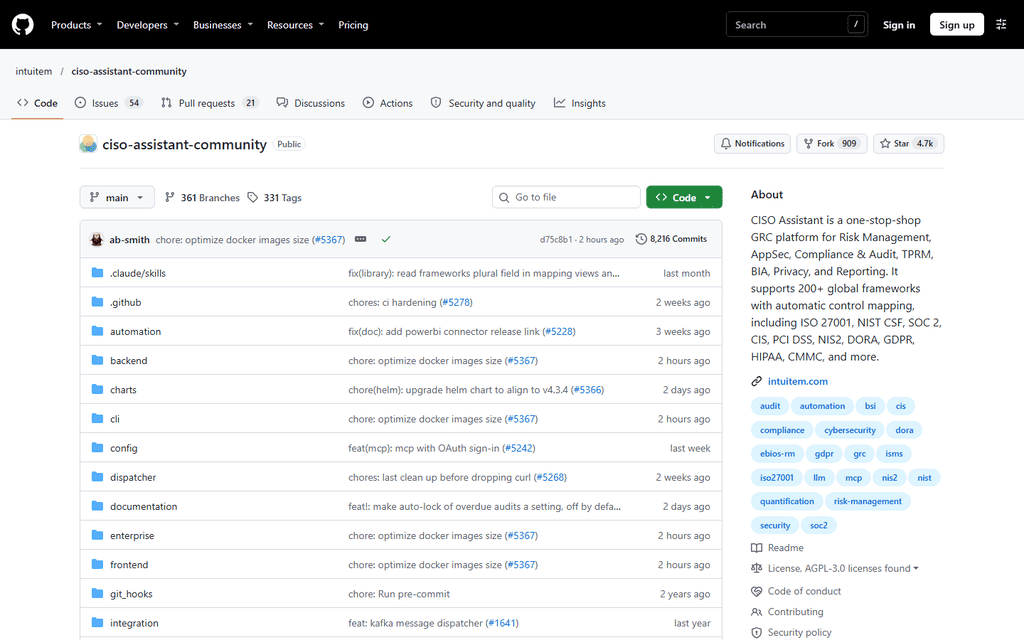
Overview: CISO Assistant is developed by intuitem, a French company, and its Community edition is released under the GNU Affero General Public License version 3 (AGPLv3). The Pro and custom editions add premium features, support, and a managed deployment on the same code.
The tool separates compliance requirements from security controls, so one control can serve requirements in several frameworks. For a team that wants to test a GRC model before a budget exists, the Community edition costs nothing beyond your own hosting.
What it automates: intuitem documents these jobs:
- automatic mapping between frameworks, so a past assessment can be reused against a new standard
- compliance results calculated from the progress of linked controls
- risk assessments, risk registers, and risk acceptance workflows
- one-time and periodic tasks with reminders
- approval flows for assessments, policies, and evidence
What still lands on your team: Evidence is an uploaded file, a link, or a description, and intuitem’s docs note that “a yearly penetration-test report needs to be re-uploaded each year.” On Community, your team hosts and updates the instance, with PostgreSQL recommended for production and community support only.
Frameworks covered: CISO Assistant ships 200+ frameworks, including ISO 27001:2022, SOC 2, PCI DSS 4.0.1, GDPR, NIST CSF 2.0, DORA, ISO 42001, and NIST’s HIPAA guidance (SP 800-66). Custom frameworks are supported, with self-service instructions on Community.
Integrations and setup: Community includes single sign-on through SAML or OpenID Connect (OIDC), a REST API, and a command-line tool. Jira and ServiceNow sync, SCIM provisioning, and the audit log sit in Pro, per intuitem’s compare page.
Pricing: Published, excluding taxes: Community at €0, Pro SaaS at €39 per contributor per month billed annually with 100 readers included, and Pro on-premises at €2,400 per instance per year for one to five contributors (read November 23, 2026). A contributor is a user who enters or changes data, so readers cost nothing.
Pros:
- A free, AGPLv3-licensed Community edition with 200+ frameworks
- Single sign-on and API access on the free edition
- Pro pricing per contributor, with readers included
Cons: Jira and ServiceNow sync, SCIM, custom fields, and the audit log are Pro features, per intuitem’s compare page. A team that runs remediation in Jira should price Pro from the start.
Who should skip it: Teams that want evidence collected automatically from cloud and SaaS systems, since the documented evidence model is uploaded files or links. Teams with no one to run Docker, PostgreSQL, and upgrades should start on Pro SaaS.
The list moves from platforms that collect the most evidence for you to the free and open source GRC tools that cost the least and leave the most with your team. The next section names the work that stays with you whichever one you pick.
What Still Lands on Your Team After the GRC Tool Goes Live
Every tool in this list automates part of the program, and the rest stays with your people. The table splits the recurring tasks between the tool and your team, so you can plan who owns each one before the contract is signed.
| Task | What the tool does | What your team does |
|---|---|---|
| Scoping | Lists framework requirements and suggests controls | Decides which systems, teams, and products are in scope |
| Control ownership | Assigns owners and sends reminders | Names an owner who answers for each control |
| Fixing failed controls | Flags the failing test and opens a task | Changes the configuration, process, or system |
| Risk acceptance | Records the decision and its review date | Decides which risks the business accepts, and who signs |
| Exceptions | Tracks the exception and its expiry | Approves it and sets the compensating control |
| Auditor relationship | Shares evidence and request lists | Picks the auditor, agrees the scope, answers questions |
| Monitoring coverage | Tests the systems it is connected to | Connects new systems and covers the ones it cannot reach |
The last row is the one that surprises teams after go-live. A GRC tool reports only on what it can see, so a new SaaS application, an acquired company, or a cloud account outside the connector list stays invisible until someone adds it.
💡 Give one person on your team the job of reviewing the connector list every quarter against your asset inventory. That review keeps the dashboard honest about what it covers.
What Auditors and Boards Now Expect From a GRC Program
Internal auditors now check whether your cybersecurity program keeps the records a GRC tool is built to hold. That check became mandatory on February 5, 2026, whenever internal audit gives assurance on cybersecurity.
The rule is the Cybersecurity Topical Requirement from the Institute of Internal Auditors (IIA), which sets the Global Internal Audit Standards, issued on February 5, 2025. It sets “a minimum baseline for assessing cybersecurity in an organization,” across governance, risk management, and control processes. Under its governance, risk management, and controls sections, internal auditors must assess that:
- cybersecurity objectives exist, and progress on them is “periodically communicated and reviewed by the board”
- policies and procedures are established and periodically updated
- roles and responsibilities for cybersecurity are defined
- a process escalates a risk that reaches an unacceptable level
- controls are evaluated periodically, with timely reporting and remediation of failures
Each of those maps to a module in this article’s criteria: board reporting, policy management, control ownership, the risk register, and continuous control tests. The IIA’s companion User Guide adds that boards generally review cybersecurity updates quarterly, so a tool that cannot produce that report leaves a quarterly manual job.
Public companies also have to describe their cyber risk process in every annual report. U.S. Securities and Exchange Commission (SEC) rules adopted on July 26, 2023 (Release No. 33-11216, Regulation S-K Item 106) ask for processes “for assessing, identifying, and managing material risks from cybersecurity threats,” plus the board’s oversight and management’s role.
The risk register and board reports in your GRC tool become the record behind that disclosure, and these two requirements make the tool easier to justify to leadership. A GRC business case can point to them directly, next to the hours your team spends rebuilding evidence today.
Before the next internal review, run an internal audit checklist against the tool’s records. Gaps then show up on your schedule and stay off the auditor’s list.
See which controls already have audit evidence
- Find the gaps your connected tools show today
- Get 24, 48, or 90 consulting hours a year, by package
- Get a partner audit firm matched within one business day
Frequently Asked Questions
What are GRC tools?
GRC tools are software that keeps governance, risk, and compliance work in one record: a control library mapped to frameworks, evidence, a risk register, policies, and audit workflows. Compliance automation platforms add connectors that collect evidence from your systems, and enterprise suites add risk and audit modules for the whole business.
What is the difference between a GRC tool and a compliance automation platform?
A compliance automation platform centers on frameworks such as SOC 2 and ISO 27001 and pulls evidence through connectors to your systems. An enterprise GRC tool also runs enterprise risk, internal audit, and policy programs across the business, usually with more configuration.
Pick a compliance automation platform when the goal is SOC 2 or ISO 27001 evidence from a cloud stack, and a suite when internal audit and SOX share the program.
Are there free or open-source GRC tools?
Yes, a few free GRC tools exist. CISO Assistant’s Community edition is open source under the AGPLv3 license and free to self-host, and eramba’s Community edition is free on-premises with readable code under eramba’s own license. Both leave hosting, upgrades, and most evidence uploads to your team, and paid editions add support.
Is Jira a GRC tool?
Not on its own. Jira tracks tasks and runs workflows, and a GRC program also needs a control library, framework mapping, and evidence collection, which GRC tools supply. Several tools in this list, including Vanta, Hyperproof, Optro, and LogicGate Risk Cloud, connect to Jira so remediation work moves between the ticket and the control it fixes.
How much do GRC tools cost?
GRC tools cost anything from nothing, for a self-hosted community edition, to a quoted enterprise contract. UnderDefense, IBM OpenPages, eramba, and CISO Assistant publish starting prices in their entries above, while Vanta, Drata, Hyperproof, Optro, LogicGate, ZenGRC, and Riskonnect quote after a call, where GRC platform pricing turns on frameworks, users, and modules.
MAXI Compliance AI starts at $499 a month on Starter, and a readiness check shows which package your frameworks need.