








When federal HIPAA investigators look into a breach, one of the first documents they ask for is your HIPAA security risk analysis. If last year’s version lives in a spreadsheet nobody on your team can defend line by line, that is exactly the gap their Risk Analysis Initiative targets: missing or outdated risk analyses.
Below are nine tools, the seven criteria to check in each, and a decision table that shows which kind fits a covered entity (a provider, health plan, or clearinghouse), a business associate (a vendor that handles patient data for one), or both.
TL;DR
- HIPAA compliance software comes in two kinds: healthcare-specific suites built around the risk analysis, often with consultants, and multi-framework platforms that pull safeguard evidence from cloud, identity, and endpoint tools.
- Seven criteria separate the tools: risk analysis output, live safeguard evidence, business associate agreement (BAA) tracking, policy and training, incident workflow, export for auditors and regulators, and cost.
- The list ranks nine tools, from UnderDefense MAXI Compliance AI for continuous safeguard evidence to Clearwater and Intraprise Health for consultant-backed risk analysis.
- The guide also covers what the proposed Security Rule update adds to your checklist and which tool type fits a covered entity or a business associate.
Table of contents
- HIPAA Compliance Software Should Produce Your Risk Analysis and Keep Safeguard Evidence Current
- The Proposed HIPAA Security Rule Update: What It Could Add to Your Software Checklist
- Seven Criteria for Choosing HIPAA Compliance Software
- HIPAA Compliance Software Compared Side by Side
- The 9 Best HIPAA Compliance Software Solutions for 2027
- Covered Entity or Business Associate: Which Kind of Tool Fits
- Frequently Asked Questions
HIPAA compliance software is how HIPAA security officers, compliance officers, and IT Directors keep that analysis defensible without rebuilding the spreadsheet by hand every year.
Those investigators work for the Office for Civil Rights (OCR) at the U.S. Department of Health and Human Services (HHS), the federal office that enforces HIPAA.
A count of the HHS OCR breach portal on October 30, 2026 shows 807 breaches affecting 500 or more people reported in 2025, and a business associate was involved in 35.1% of them, so covered entity customers will ask how you protect their data.
Each tool here is judged by the risk analysis it produces and the safeguards it verifies from Entra ID, endpoint detection and response (EDR), and security information and event management (SIEM) data. The first entry, UnderDefense MAXI Compliance AI, reads HIPAA safeguard evidence straight from live security data. Vendor facts come from each vendor’s site, read in October 2026.
Disclosure: UnderDefense wrote this article and put its own UnderDefense MAXI Compliance AI first; all nine entries follow one template and one set of criteria.
Find the HIPAA safeguards you can’t prove yet
HIPAA Compliance Software Should Produce Your Risk Analysis and Keep Safeguard Evidence Current
HIPAA compliance management software should do two jobs:
- Produce the security risk analysis the Security Rule requires.
- Keep evidence for each safeguard current from one analysis to the next.
The first job is a legal requirement. Under 45 CFR 164.308(a)(1)(ii)(A), in force as of October 2026, covered entities and business associates must “Conduct an accurate and thorough assessment of the potential risks and vulnerabilities” to electronic protected health information (ePHI).
The Security Rule sorts its standards into administrative, physical, and technical safeguards, and software reaches the three families unevenly.
| Safeguard family | What software can evidence | What your team still owns |
|---|---|---|
| Administrative | Risk register, training records, signed BAAs, policy attestations | Deciding which risks to accept |
| Physical | Device inventory, disk encryption status | Badge access, clinic walk-throughs |
| Technical | Multi-factor authentication (MFA) status in Entra ID, EDR coverage, log retention | Reviewing logs, responding to alerts |
The technical row is where most programs go stale. MFA settings, endpoint coverage, and audit logging change every week in Entra ID, CrowdStrike, and your SIEM, while a spreadsheet records them once a year.
⚖️ The risk analysis sits at the center because OCR has made it an enforcement priority. HHS has announced more than a dozen enforcement actions in its Risk Analysis Initiative, the 14th in June 2026.
In October 2026, Lehigh Valley Health Network paid $800,000 to settle a ransomware investigation, and OCR’s director said: “Failure to conduct an accurate and thorough risk analysis and to undertake regular review of information system activity makes regulated entities attractive targets for cyberattacks.”
HHS’s own risk analysis guidance, last reviewed in August 2026, sets no fixed schedule and says “The risk analysis process should be ongoing.” A tool that pulls safeguard evidence from live systems makes that practical, because the analysis updates when the environment does.
The same evidence serves more than HIPAA. Treat the program as one part of your information security compliance work, so one set of Entra ID and EDR records answers HIPAA, SOC 2, and every customer questionnaire.
The Proposed HIPAA Security Rule Update: What It Could Add to Your Software Checklist
The HIPAA Security Rule in force today is the current one. HHS has proposed the first update to it since 2013, and that update is not final.
The proposed rule was published on January 6, 2025, the 2026 Unified Agenda projects final action for July 2027, and until then HHS says “the current Security Rule remains in effect.”
The proposal still matters when you buy, because a tool you sign for now will still be running if the rule becomes final.
The table lists what the proposal would require, taken from the HHS fact sheet, and what to ask a vendor to find out whether its tool already produces that output.
| What the proposed rule would require | What to ask the vendor |
|---|---|
| Asset inventory and network map, revised every 12 months | Does it build the inventory from live systems? |
| Written risk analysis with a risk level per threat | Does each threat get a rated risk level? |
| Compliance audit at least every 12 months | Can it export a dated audit package? |
| MFA, plus encryption at rest and in transit | Can it check MFA and encryption directly? |
| Vulnerability scans every 6 months, penetration test yearly | Does it track scan and test dates? |
| Restore critical systems and data within 72 hours | Does it hold tested recovery plans? |
| Business associates verify safeguards every 12 months | Can it collect that verification from vendors? |
The last row matters most if you are a business associate: you would owe every covered entity customer a written verification of your technical safeguards each year. The proposal would also make encryption mandatory, where today it is an “addressable” specification, and add MFA as a requirement.
💡 Buy for the rule in force, and favor tools that already produce the proposed outputs. If you are building a compliance program this year, put the asset inventory and network map first, because both feed the risk analysis under today’s rule and the proposed one.
Seven Criteria for Choosing HIPAA Compliance Software
Seven criteria separate HIPAA compliance tools faster than a feature tour. Score every vendor on all seven in the first demo, and ask to see each one working in the product with your own systems named.
1. Risk Analysis Output
The tool should produce a written security risk analysis (SRA): the systems that hold ePHI, the threats and vulnerabilities for each, likelihood and impact, a risk rating, and a remediation plan with owners. Ask for a redacted sample from a customer your size, because that document is what an OCR investigator or a health-system customer reads first.
2. Safeguard Evidence From Live Systems
Technical safeguards live in Entra ID, Microsoft 365, CrowdStrike or SentinelOne, and your SIEM. Ask which of those the tool connects to, and whether it tests the control or stores an uploaded screenshot. Audit controls depend on log review, so map the SIEM coverage for compliance you already have before you pay a platform to repeat it.
3. BAA Tracking
A provider group can hold hundreds of business associate agreements. The tool should keep each BAA with its vendor, signature date, renewal date, and the ePHI that vendor touches, and it should flag vendors that handle ePHI without a signed agreement.
4. Policy and Training Workflow
Policies need version history and workforce attestations, and training needs a record for each person. Check whether new hires get training assigned when they appear in your HR system or Entra ID, or only when someone adds them by hand.
5. Incident and Breach Workflow
The tool should log security incidents, walk you through the breach risk assessment, and track notification deadlines. When an incident turns out to be an attack, the record should also show what your incident response team did and when.
6. Auditor or OCR Export
OCR data requests and customer audits ask for documents by date. The tool should export the risk analysis, policies, training records, BAAs, and incident log as a dated package, and give an outside assessor read access without a full user license.
7. Cost
Price the subscription, any assessment or consulting hours, and the internal time to run the program. Ask whether the price scales with employees, locations, or frameworks, and what year two costs once onboarding help ends.
The side-by-side view below covers where safeguard evidence comes from, risk analysis, other frameworks, and pricing; each entry after it covers the other criteria.
HIPAA Compliance Software Compared Side by Side
The table compares the nine tools on the criteria above, using each vendor’s own published facts as of October 2026. “Evidence source” shows whether technical safeguard evidence comes from live connectors or from answers and uploads.
A few terms in the table: NIST CSF is the National Institute of Standards and Technology Cybersecurity Framework, HICP is the HHS Health Industry Cybersecurity Practices, HHS CPGs are its Cybersecurity Performance Goals, and HITRUST is a certifiable healthcare security framework.
GRC means governance, risk, and compliance; OSHA is the Occupational Safety and Health Administration, and OIG is the HHS Office of Inspector General.
| Vendor | Best for | Evidence source | Risk analysis included | Other frameworks | Published pricing |
|---|---|---|---|---|---|
| UnderDefense MAXI Compliance AI | Current safeguard evidence | Live connectors incl. Entra ID, Microsoft 365, CrowdStrike, Sentinel | Generated from live safeguard data | NIST CSF 2.0, SOC 2, ISO 27001, PCI DSS, GDPR, DORA, ISO 42001 | Free; paid from $499/month |
| Clearwater IRM|Pro Suite | Consultant-led analysis, healthcare only | Expert assessment; cloud monitoring as a managed service | Asset-level, consultant-backed | NIST CSF, HICP, HITRUST, SOC 2 | Not published |
| Compliancy Group The Guard | Programs run by a compliance officer | Questionnaire answers and uploads | Guided yes/no questionnaire | OSHA, OIG screening, SOC 2 alignment | Not published |
| Accountable | Google Workspace business associates | Google Workspace connector; answers | Guided, with risk scoring | GDPR | From $169/month, billed annually |
| ComplyAssistant | Hospital GRC with OCR audit support | Documented in the software; testing sold separately | Self-run or consultant-led | NIST CSF, HICP, HITRUST, ISO 27001 | Not published |
| Intraprise Health HIPAA One | Automated SRA across many sites | Assessment answers and imported results | Automated, OCR protocol based | NIST CSF, HHS CPGs, HITRUST | Not published |
| Vanta | Microsoft-stack business associates needing SOC 2 | Connectors incl. Entra ID, Intune, Defender | Risk register with scenario library | SOC 2, ISO 27001, GDPR | Not published |
| Drata | OCR-informed risk register with control tests | Connectors incl. Entra ID, Defender; uploads | Risk register seeded from OCR SRA | SOC 2, ISO 27001 | Not published |
| Secureframe | Sentinel users signing many BAAs | Connectors incl. Entra ID, Sentinel | Risk library, hundreds of risks | SOC 2, ISO 27001, NIST CSF | From $7,500/year |
The nine split into two kinds of tool, and the split matters more than any single feature:
- Healthcare-specific suites, such as Clearwater, Compliancy Group, Accountable, ComplyAssistant, and Intraprise Health, are built around the risk analysis and often come with consultants who know clinical workflows.
- Multi-framework platforms (Vanta, Drata, Secureframe, and UnderDefense MAXI Compliance AI) lead with evidence from cloud, identity, and endpoint tools and reuse it across HIPAA and SOC 2.
Whichever type you pick, plan how a health-system customer will see the result, because a shared Trust Center answers repeat questionnaires with one link.
The 9 Best HIPAA Compliance Software Solutions for 2027
These are the best HIPAA compliance software tools for a provider group or health-tech business associate that has to defend its risk analysis this year. Every “Best for” line says whether the tool fits a covered entity, a business associate, or both.
1. UnderDefense MAXI Compliance AI: Best for Provider Groups and Health-Tech Vendors That Need Current Safeguard Evidence
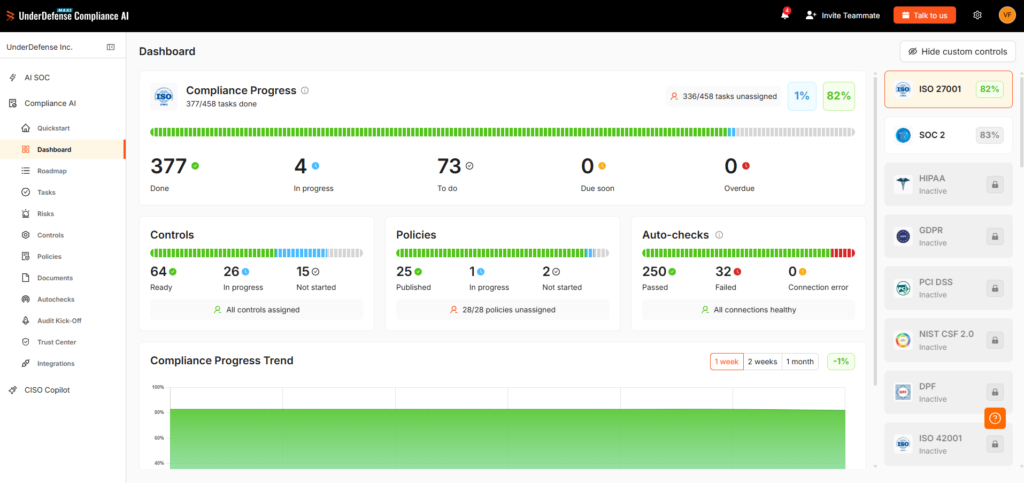
Overview: MAXI Compliance AI generates your HIPAA security risk analysis from live safeguard evidence and keeps that evidence current between assessments. It reads your identity, cloud, SIEM, and endpoint tools, Microsoft Entra ID and Microsoft 365 included, and lets one HIPAA control also count toward SOC 2, ISO 27001, and the other frameworks on its list.
UnderDefense carries a 5.0 out of 5 rating from 83 reviews on G2 (November 2026) and was among Clutch’s Top Cybersecurity Companies of 2025.
When a health-system customer asks how you enforce access control and audit logging, you send one Trust Center link with current evidence behind it. Your assessor reviews the same records in the platform through access you control.
Key features:
- A generated HIPAA security risk analysis, threats included, built from live safeguard evidence
- Auto-checks on connected identity, cloud, SIEM, and EDR systems that raise a failed safeguard before the next assessment
- A register of your business associate agreements, plus an incident and breach-notification workflow
- You choose where compliance data is processed: UnderDefense’s SaaS, a hybrid setup, your own data center, or an air-gapped network
- Custom policies and security awareness training from the Essential package, and a custom incident response plan from Certified
- Audit Kick-Off pairs you with a partner audit firm in one business day when you also pursue SOC 2 or ISO 27001
Risk analysis and safeguard coverage: MAXI Compliance AI generates the HIPAA security risk analysis, threats included, reads the technical safeguards in it from live identity, cloud, SIEM, and endpoint data, and its auto-checks flag a failed safeguard before the next assessment. On top of HIPAA, its framework list includes NIST CSF 2.0, SOC 2, ISO 27001, PCI DSS, GDPR, DORA, and ISO 42001.
The documented result comes from Helpware, a business process outsourcing (BPO) company that holds SOC 2 and ISO 27001 across eight countries: its case study credits the platform with audit readiness in half the time and 50+ checks that run without anyone starting them, while headcount on the compliance team stayed flat as the business doubled.
Integrations and setup: Of the platform’s 250+ integrations, the ones a HIPAA program leans on are Microsoft Entra ID, Microsoft 365, Okta, Azure, AWS, Microsoft Sentinel, Splunk, CrowdStrike, and SentinelOne, and the platform sits on top of that stack without replacing it. Your team authorizes each connector.
Pricing: The published compliance packages start with a Free tier; the paid ones cost from $499 (Starter), $1,299 (Essential), or $1,899 (Certified) a month, read October 2026.
Pros:
- Produces the written HIPAA security risk analysis itself, where Vanta, Drata, and Secureframe provide a risk register or risk library you build it from
- Technical safeguard evidence from live security data, where Compliancy Group, ComplyAssistant, and Intraprise Health document safeguards through questionnaire answers and uploads
- A compliance consultant for the policy and training work (Starter 24 hours a year, Essential 48, Certified 90)
- Published prices for all four packages, starting with a $0 Free tier
- One evidence set for HIPAA, SOC 2, and ISO 27001 controls
Cons:
- The live checks need identity, cloud, or endpoint tools to connect, so a practice with little security tooling gets less from them
Who should skip it: Teams that want only a guided HIPAA questionnaire, policy templates, and training, with no security data to connect.
If you also need someone reviewing those logs, the UnderDefense Agentic AI SOC runs on the same platform and the same live data, so the log-review evidence your risk analysis cites comes from the system doing the review.
Test your HIPAA risk analysis with UnderDefense
2. Clearwater IRM|Pro Suite: Best for Health Systems That Want a Consultant-Led Risk Analysis Built for OCR Review
Overview: Clearwater works only in healthcare and pairs its IRM|Pro Suite software with consultants who build the risk analysis with your team. It fits a covered entity whose risk analysis must hold up in an OCR investigation.
Key features:
- IRM|Analysis: an asset-level risk analysis mapped to the nine elements OCR expects
- IRM|Security: a Security Rule gap assessment and OCR audit simulation
- IRM|Performance: NIST CSF maturity scoring and peer benchmarking
- Managed security services with a 24x7x365 SOC, sold as a separate service
Risk analysis and safeguard coverage: The risk analysis is Clearwater’s core product. Every system “is evaluated at the asset level, including software, storage, and cloud,” and each engagement maps to OCR’s nine elements. IRM|Security walks through 22 standards, 50+ implementation specifications, and the 72 audit inquiries of OCR’s Phase 2 Audit Protocol.
Technical safeguards are assessed by Clearwater’s experts and recorded in the software, and ongoing monitoring of Azure, Microsoft 365, and Entra ID configuration comes through its managed cloud services.
Integrations and setup: Setup runs as an engagement. Clearwater’s team works the analysis with you inside the software, or IRM|Performance’s wizard lets your team “use the software to conduct your own assessments.” Its managed cloud services cover Microsoft Azure Commercial, Government Community Cloud (GCC), and GCC High, Amazon Web Services, and Google Cloud.
Pricing: Clearwater doesn’t publish prices; the software pages offer a demo, and digital health companies can apply for start-up pricing (read October 2026).
Pros:
- Asset-level risk analysis mapped to the elements OCR reviews
- Consultants who support OCR investigations and responses
- Risk analysis, managed SOC, and cloud configuration from one healthcare vendor
Cons:
- Sold as software backed by consultants, so the cost covers expert time as well as licenses
- Live safeguard monitoring comes through separately contracted managed services
Who should skip it: Business associates that want to run HIPAA, SOC 2, and ISO 27001 themselves from one self-serve platform.
3. Compliancy Group The Guard: Best for Multi-Location Provider Groups Whose Compliance Officer Runs the Program
Overview: Compliancy Group’s platform, The Guard, covers HIPAA alongside Occupational Safety and Health Administration (OSHA) rules, Office of Inspector General (OIG) exclusion screening, and SOC 2 alignment. It serves practices from solo practitioners to health systems, plus business associates.
The platform is built for a compliance officer or practice manager to run without security engineering support.
Key features:
- Guided risk assessments with automated corrective action plans
- Incident management with a 24/7 hotline and PDF or CSV reports
- A learning management system with a training course library
- Vendor and contract management with BAA tracking
- CORA, an AI compliance assistant
Risk analysis and safeguard coverage: The Guard “breaks the SRA into yes/no questions, surfaces the gaps, and auto-generates remediation tasks for each one,” covering six Security Rule risk assessments for covered entities. You attach evidence to each answer, so technical safeguards are documented through your responses and uploads.
The audit package includes “a current Security Risk Analysis, training records, signed policy attestations, incident logs, BAA tracking, and corrective-action evidence, all ready to export.”
Integrations and setup: Compliancy Group “connects directly to your HR system, so employee rosters stay current,” which keeps training and attestations tied to real staff. Onboarding packages range “from self-serve to one-on-one customized support.”
Pricing: Compliancy Group doesn’t publish prices; its product page says “Pricing is based on the size of your organization and the modules you need” (read October 2026).
Pros:
- One place for the SRA, policies, training, incidents, and BAAs
- A signed BAA with every customer, per Compliancy Group
- Usable by a compliance officer without security engineering support
- A training course library
Cons:
- The risk analysis is a yes/no questionnaire, so technical safeguard evidence depends on your answers and uploads
- Guided onboarding, advisors, and premium training tracks cost extra
- Quote-only pricing
Who should skip it: Security teams that want each technical safeguard tested automatically against live systems.
4. Accountable: Best for Health-Tech Business Associates on Google Workspace That Want Published Prices
Overview: Accountable sells HIPAA compliance software for healthcare organizations and business associates, covering training, policies, risk assessments, vendor tracking, and a data inventory, with an AI agent called Compliance Copilot.
Its own examples, “a 5-person dental office or a 200-person tech company,” show the size it is built around.
Key features:
- Security risk assessment with predefined questions, recommended responses, and risk scoring
- MFA Review and access reviews connected to Google Workspace
- BAA management with e-signature, tracking, and expiry reminders
- Incident management that walks through reportability and notification
- HIPAA and security awareness training, included in every plan
Risk analysis and safeguard coverage: The risk assessment is a guided workflow that lets you “save progress, assign tasks, and generate a final report for your records,” and Remediation Plans start on the Plus tier.
For technical safeguards, MFA Review and access reviews pull directory, MFA, and access data from Google Workspace. Accountable states that “Support for Microsoft 365 and other identity providers is planned.”
The Pro plan lists vulnerability scanning twice a year and penetration testing once a year, while those product pages read “Coming Soon.” Accountable issues its own “HIPAA Certificate” and seal, and its FAQ states the seal “is not issued by the government.”
Integrations and setup: Google Workspace is the documented connector, and vendor monitoring checks dark web sources for vendor credential exposures. Setup is self-serve with a 7-day free trial.
Pricing: Basic HIPAA is $169 per month, Plus $254 per month, and Pro $679 per month, billed annually, with 15 to 20 employees included and $9 to $19 per extra seat per month (read October 2026).
Pros:
- Published prices and a free trial
- BAA e-signature with expiry reminders
- An incident workflow that walks through reportability
- Dark web monitoring of vendor credentials
Cons:
- Live checks connect to Google Workspace, and Microsoft 365 support is listed as planned
- Per-seat pricing beyond the 15 or 20 included employees scales with headcount
- Remediation Plans and access reviews start on Plus
Who should skip it: Provider groups on Microsoft 365 and Entra ID that need live safeguard checks against that stack today.
Pull HIPAA safeguard evidence from the identity and endpoint tools you run
5. ComplyAssistant: Best for Hospitals That Want One Healthcare GRC System With Consultants for OCR Audits
Overview: ComplyAssistant started as a security and compliance consulting company and now sells healthcare governance, risk, and compliance (GRC) software alongside that consulting. It works with hospitals, health systems, outpatient clinics, long-term care, telehealth, and managed care.
Its HIPAA software is built for covered entities and business associates, and managed service providers (MSPs) and managed security service providers (MSSPs) can resell it under their own brand.
Key features:
- Risk analysis and risk management with low, medium, and high ratings and a risk dashboard
- Vendor risk management with BAA management and contract tracking
- Policy management with version control, approvals, and digital attestations
- Audit management that exports reports with full audit history
- Event management that runs a questionnaire for each incident or complaint
Risk analysis and safeguard coverage: ComplyAssistant’s software “will walk you through a complete risk analysis,” and your team or its consultants rate each area as low, medium, or high risk. Consultant-led engagements end with findings “fully documented with risk ratings and actionable remediation guidance” and a risk mitigation roadmap inside the portal.
Technical safeguards are documented in the software. Its HIPAA audit services add “Technical internal and external vulnerability tests” and “OCR Mock and Live Audit Support,” which helps a hospital that expects an OCR data request this year.
Integrations and setup: The platform is cloud-based and sends “automated alerts and reminders for key HIPAA compliance tasks.” You can run setup yourself or hand the risk analysis to ComplyAssistant’s consultants, and the event questionnaire helps your privacy officer decide whether an incident counts as a breach.
Pricing: ComplyAssistant doesn’t publish prices; its site offers a demo and a contact form (read October 2026).
Pros:
- HIPAA, NIST CSF, HICP, and HITRUST in one healthcare GRC system
- Consultants who can run the risk analysis and support OCR audits
- A questionnaire for each incident that supports the breach decision
Cons:
- Technical testing comes through separately scoped services
- Its pages describe training as tracking and acknowledgments, so confirm how courses are delivered
Who should skip it: Buyers who need to see a price before talking to sales.
6. Intraprise Health HIPAA One: Best for Multi-Site Provider Groups That Want an Automated SRA They Can Run or Hand Off
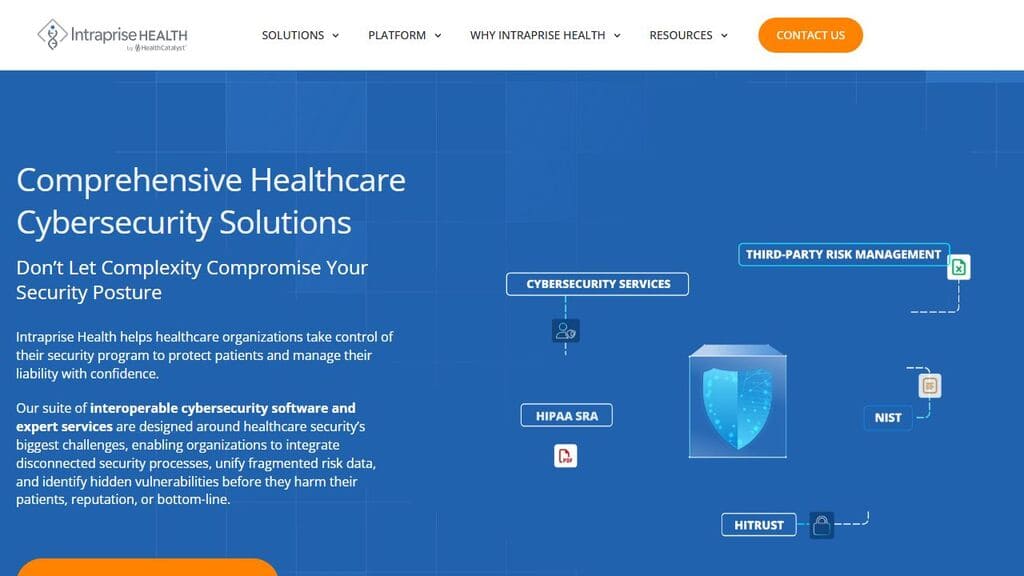
Overview: HIPAA One is sold by Intraprise Health, part of Health Catalyst, and the old hipaaone.com address now redirects to its HIPAA One page.
HIPAA One is a cloud-based software suite, and its pages address “Medical Practices & Business Associates (BAs)” and “Healthcare Enterprise Organizations.”
Key features:
- An automated HIPAA security risk assessment that calculates risk scores and priorities
- Privacy and breach risk assessments (PBRAs)
- A Business Associate Manager with contract templates, e-signatures, and reminders
- A policy library and online HIPAA workforce training with completion certificates
- BluePrint Protect, a unified risk register across Intraprise tools
Risk analysis and safeguard coverage: HIPAA One “follows the OCR Audit Protocol and is based on NIST methodologies,” and it can “Calculate risk assignment and prioritization automatically in line with HIPAA requirements.” You choose the delivery model: self-service, hybrid with Intraprise’s experts, or managed, where its service team runs the SRA and PBRA for you.
Parent-child synchronization lets a multi-site group “complete a single assessment” across locations, and Remediation Management builds a “Book of Evidence.”
Integrations and setup: Evidence enters through assessment answers and the Risk Importer, which compiles “risk assessment data from your selected products and previous evaluations.” The platform also maps to NIST CSF 2.0 and the HHS Cybersecurity Performance Goals, and Intraprise offers HITRUST assessment services.
Pricing: Intraprise doesn’t publish prices; its HIPAA One page routes buyers to a demo (read October 2026).
Pros:
- An SRA built on the OCR Audit Protocol and NIST methods
- Self-service, hybrid, or managed delivery
- Multi-site assessments rolled into one
Cons:
- Evidence comes from assessment answers and imported results
- Its pages don’t state how HIPAA One and BluePrint Protect are packaged or priced, so ask in the demo
Who should skip it: Business associates whose customers ask mainly for SOC 2, since HIPAA One is built around HIPAA and NIST assessments.
7. Vanta: Best for Health-Tech Business Associates on Microsoft 365 and Azure That Need SOC 2 and HIPAA From One Evidence Set
Overview: Vanta covers the HIPAA Security and Breach Notification Rules for business associates, and since July 2026 it offers a HIPAA framework variant that supports the Privacy Rule for covered entities.
Key features:
- A HIPAA framework with business associate and covered entity variants, scoped to in-scope assets
- Risk management with a library of risk scenarios and suggested controls
- Built-in HIPAA and security awareness training
- Vendor management that collects BAAs and SOC 2 reports
- Partner audit firms for HIPAA attestations
Risk analysis and safeguard coverage: Vanta’s risk register and scenario library support the risk analysis with suggested control mapping. For technical safeguards, its help center documents Microsoft Entra ID, Azure with 50+ automated tests, Intune, Defender for Endpoint, CrowdStrike, and SentinelOne. Syncing sign-in activity and MFA registration “requires Microsoft Entra ID P1 or P2.”
Integrations and setup: Vanta’s Splunk connector “synchronizes user, role, and group data,” so plan log review evidence from your SIEM separately. You connect each system and give every control a named owner.
Pricing: No figures are published; Vanta sells Essentials, Plus, Professional, and Enterprise on a personalized quote (read October 2026).
Pros:
- Documented coverage of the Microsoft stack: Entra ID, Azure, Intune, and Defender
- Reuses HIPAA evidence across SOC 2, ISO 27001, and GDPR
- Partner audit firms for a HIPAA attestation
Cons:
- Vanta states it does not sign BAAs with customers, and PHI “is not permitted to be uploaded to the platform”
- Several risk-reporting and vendor-monitoring features are marked as add-ons
Who should skip it: Covered entities that want consultants to build and defend the risk analysis with them.
8. Drata: Best for Business Associates That Want an OCR-Informed Risk Register Next to Continuous Control Tests
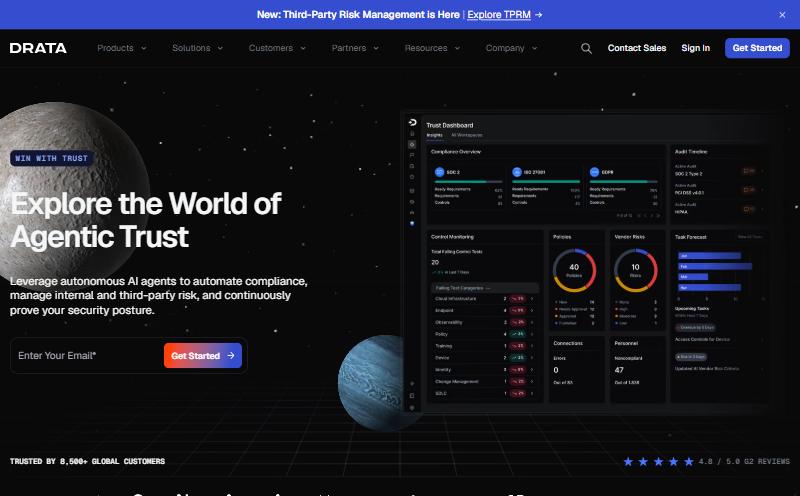
Overview: Drata maps privacy and security controls to continuous evidence with a named owner for each, for HIPAA. It also states that “There’s no official HIPAA certification,” and points customers to an attestation report from a licensed certified public accountant (CPA) firm.
Key features:
- A risk register with a pre-loaded risk library based on NIST SP 800-30, ISO 27005, and OCR SRA sources
- A HIPAA checklist from risk assessment to attestation
- Embedded HIPAA training, or HIPAA training through KnowBe4
- Third-party risk workflows to review business associates
- Audit Hub and an auditor directory that includes HIPAA assessors
Risk analysis and safeguard coverage: Drata’s risk library comes pre-loaded with risks based on NIST SP 800-30, ISO 27005, and OCR SRA sources, with inherent and residual scoring on every plan. Drata says it links “HIPAA-related risks directly to safeguards, controls, and evidence.”
Help-center guides cover Microsoft 365, Entra ID, Azure, Intune, Defender, CrowdStrike, and SentinelOne, so MFA, device, and vulnerability evidence flows in from your stack. Administrative items such as the risk assessment report, signed BAAs, and breach notification procedures are evidence you upload.
Integrations and setup: Setup follows its HIPAA checklist: connect systems, use the risk module or import assessments, build a treatment plan, pick an auditor from the directory, and receive the attestation report.
Pricing: Drata keeps prices off its site; its smallest compliance plan, Foundation, stops at “Up to 50 FTEs” (full-time employees), and Advanced and Enterprise sit above it (read October 2026).
Pros:
- A seeded risk library built on NIST SP 800-30, ISO 27005, and OCR SRA sources
- Documented guides for Entra ID, Defender, CrowdStrike, and SentinelOne
Cons:
- Foundation is capped at 50 FTEs, so an organization with several hundred staff starts at Advanced or Enterprise
- Risk Management Pro is an add-on on Advanced
- Many HIPAA administrative controls rely on uploaded evidence
Who should skip it: Buyers looking for a published price, or a vendor whose consultants run the assessment.
9. Secureframe: Best for Business Associates on Microsoft Sentinel That Sign BAAs With Many Provider Customers
Overview: Secureframe backs its compliance platform with in-house compliance specialists.
Its HIPAA page names “healthcare plans, providers, insurers, and clearinghouses” among the organizations HIPAA applies to, and its BAA workflow is built for vendors that sign agreements with many provider customers.
Key features:
- HIPAA BAA workflows: send BAAs for e-signature, store them, and test that each business associate has one on file
- HIPAA privacy and security awareness training with quizzes and policy acceptance
- HIPAA policy templates
- A documented Microsoft Sentinel connector
- A risk management module with hundreds of pre-populated risks
Risk analysis and safeguard coverage: Secureframe says it can “Continuously monitor and collect evidence on your administrative and technical safeguards for protecting PHI.” Its help center notes HIPAA audits “usually require additional risk questions, BAA tasks, policies, and addendums.”
A built-in test “passes only when every identified Business Associate vendor has a corresponding BAA on file,” which helps a business associate manage its own subcontractors. Help-center articles cover Microsoft 365, Entra ID, Azure, Intune, Defender, CrowdStrike, SentinelOne, and Microsoft Sentinel.
Integrations and setup: For outside proof, Secureframe recommends “third-party attestation, like adding it to a SOC audit or standalone,” performed by an independent audit firm.
Pricing: Fundamentals is listed “Starting at $7,500/year,” and Complete and Defense are quote-based. Each plan includes one compliance framework, with more as add-ons (read October 2026).
Pros:
- A documented Microsoft Sentinel connector for SIEM evidence
- BAA e-signature plus an automated BAA-on-file test
- A published starting price
Cons:
- Secureframe says it doesn’t sign a BAA with customers, because it doesn’t review PHI
- Advanced risk management, advanced third-party risk management, and advanced user access reviews sit on the Complete plan
- One framework per plan, with more as add-ons
Who should skip it: Covered entities that want consultants to build the risk analysis with them.
All nine feed the risk analysis, as a generated analysis, a risk register, or a gap assessment. They differ on who runs it and how much safeguard evidence comes from live systems.
Covered Entity or Business Associate: Which Kind of Tool Fits
Covered entities usually fit a healthcare-specific suite, and business associates usually fit a multi-framework platform. The split follows what each one has to prove, and to whom.
A provider group answers to OCR and to its patients. Its risk analysis has to cover Epic or Oracle Health, connected medical devices, and every clinic site, and its program has to cover the Privacy Rule, workforce training, and breach notification.
Healthcare-specific suites such as Clearwater, Compliancy Group, ComplyAssistant, and Intraprise Health are built around that scope, often with consultants who know clinical workflows.
A health-tech business associate answers to its covered entity customers. Those customers send questionnaires, ask for a signed BAA, and often ask for a SOC 2 report or a HIPAA attestation. Multi-framework platforms such as Vanta, Drata, and Secureframe reuse one set of cloud and identity evidence across HIPAA and SOC 2.
Customers press business associates for a reason. A count of the HHS OCR breach portal on October 30, 2026 shows that 2025 reports involving a business associate covered 63.8% of all individuals affected that year.
| Your situation | Tool type to shortlist | Why it fits |
|---|---|---|
| Provider group on Epic or Oracle Health with clinic sites | Healthcare-specific suite | Clinical assets and Privacy Rule scope |
| Health-tech vendor selling to health systems | Multi-framework platform | One evidence set for HIPAA and SOC 2 |
| Business associate signing BAAs with many customers | Platform with a BAA workflow | Agreement tracking at volume |
| Either type, running Sentinel or Splunk | Tool that reads live security data | Audit controls and incident evidence |
🔀 Some organizations sit in both columns. A provider group that also sells billing or IT services to other practices is a covered entity and a business associate at once, and it needs clinical depth and framework reuse together.
UnderDefense MAXI Compliance AI fits that case: it generates the HIPAA risk analysis from the same Entra ID, EDR, and SIEM data it maps to SOC 2, and the paid packages add consultant time for the policy and training work, more of it in each higher package.
Start your next HIPAA risk analysis
from evidence your systems already hold
- See which HIPAA safeguards your connected tools already prove
- Get 24, 48, or 90 consulting hours a year, by package
- Keep a register of your business associate agreements
Frequently Asked Questions
Is there an official HIPAA certification?
No. HHS states that it does “not certify any persons or products as ‘HIPAA compliant'” in its guidance on misleading marketing, last reviewed in 2013. Vendor seals and certificates come from the vendor. Your proof is the risk analysis, policies, training records, BAAs, and, if a customer asks, an independent assessor’s attestation.
Does a HIPAA compliance software vendor sign a BAA with your organization?
It depends on whether the vendor will create, receive, maintain, or transmit ePHI for you. Some vendors in this list sign BAAs and some state they don’t, so check each entry, ask in writing, and keep ePHI out of any tool without a signed BAA.
How often must a HIPAA security risk analysis be done?
The Security Rule sets no fixed frequency, and HHS guidance treats the risk analysis as a continuing process. Many organizations update it at least yearly and after major changes, such as a new electronic health record (EHR) module, a cloud migration, or an acquisition. The proposed Security Rule update would add a compliance audit at least every 12 months.
Can one platform cover HIPAA and SOC 2 together?
Yes. Multi-framework platforms such as Vanta, Drata, Secureframe, and UnderDefense MAXI Compliance AI map shared controls, so one access review or MFA check counts toward both. An independent CPA firm still issues the SOC 2 report, and HIPAA has no certificate.
How much does HIPAA compliance software cost?
Three of the nine publish prices: Accountable, Secureframe, and UnderDefense, with the figures in each entry above. The other six quote on request. Whichever you choose, budget for consulting hours, any outside assessment, and the internal time to run the program.