






When an auditor asks for 12 months of audit logs from your payment systems, or for proof that someone reviews access to patient records, log management for compliance stops being a tooling question. PCI DSS, HIPAA, ISO 27001 and NIST each spell out what you must log, how long you keep it and who has to look at it.
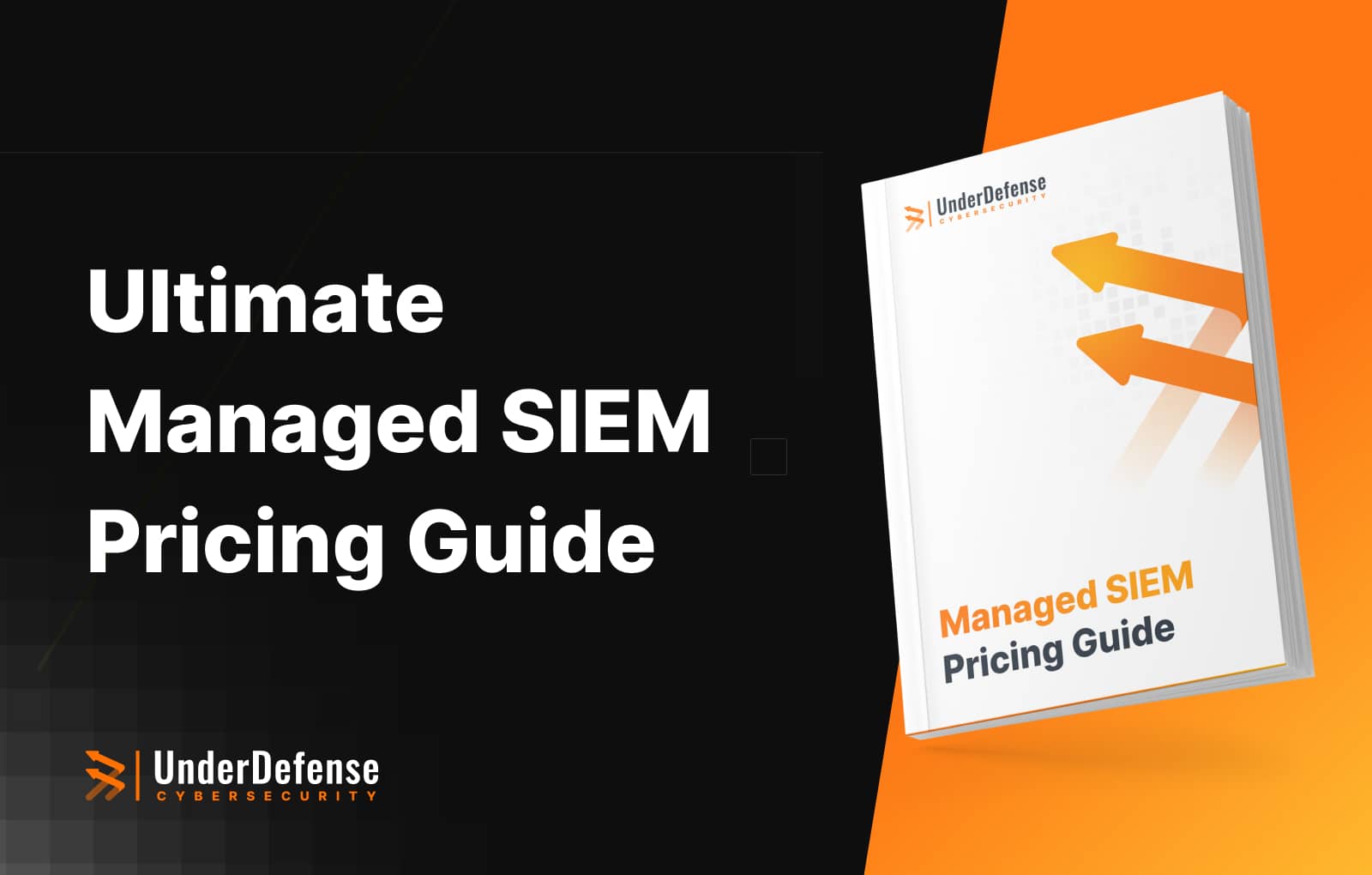
This guide pulls the logging and monitoring requirements of SOC 2, FISMA, HIPAA, ISO 27001, PCI DSS and more into one downloadable table. It then covers the pitfalls that derail audits and a six-point checklist for choosing a log monitoring or SIEM platform. Plan for the hard cases too: logs have to keep flowing when containers, pods or nodes fail and on-premises systems lose connectivity, because a gap in the log trail is a gap in your evidence.
Key takeaways:
- PCI DSS v4.0.1 requires 12 months of audit log history, with the latest three months immediately available.
- HIPAA requires mechanisms that record and examine activity in systems holding ePHI, and regular review of those records.
- Judge a SIEM on six criteria: source coverage, integrity, retention, audit reporting, stack integration and scalability.
- Common pitfalls, from unsynchronized clocks to logs nobody reviews, each have a known fix.

What Is Log Monitoring?
Log monitoring boils down to keeping track of all the digital breadcrumbs your systems leave behind. Every access attempt, system error, or data change creates a “log”, a record of what happened. By monitoring, collecting, and organizing these logs, you’ll have a treasure trove of info to help strengthen your cybersecurity.
So, what are logs?
Logs are like your system’s diary, automatically recording a stream of events over time. They tell you who tried to log in, what systems did when they started, any errors, and changes to your data. Each entry includes details like the time, the user involved, and what went down. Here’s a look at the different types of logs you’ll want to pay attention to:
System Logs
Security Logs
Application Logs
Network Logs
Database Logs
Audit Logs
Event Logs
Log Monitoring Benefits for Businesses
Log monitoring isn’t something you do to check off a box; it’s a smart move with real daily benefits:
- Improves security: Log monitoring is like having an extra set of eyes on your IT environment. By monitoring 24/7 you can catch anything unusual before it becomes a big problem. Monitoring lets you see threats, vulnerabilities, and strange patterns that might mean an attack is coming.
- Makes compliance easier: Regulations like SOC 2, HIPAA, and PCI DSS require you to prove you’re protecting sensitive data. With a good log monitoring system you’re already halfway there: logs keep you audit-ready, help you meet standards, and save you the stress of last-minute record gathering.
- Helps optimize IT: Log analysis also shows you where systems are slowing down or misbehaving. This gives your team the chance to fix issues before they become big problems, keep things running smoothly, and save time.
- Prevents fraud: Logs create a paper trail of activity, so if anything suspicious happens, such as unauthorized access or a strange transaction, you’ll know right away. Catching these issues early protects your bottom line and your reputation.
- Simplifies audits and investigations: When it’s audit or investigation time, logs give you the whole story: what happened, when, and who was involved. This saves back and forth and shows auditors you mean business.
- Speeds up incident response: During an incident, logs give you instant visibility, so your team can respond faster and reduce downtime. They also give you the info you need to improve and learn from any gaps in your response.
Log Management for Compliance: What Each Framework Requires
Keeping up with log monitoring compliance can be daunting, because NIST CSF, ISO 27001 and PCI DSS each have their own set of rules. At the end of the day, these regulations are all about creating a security baseline. A good log monitoring setup will keep your data safe and take a lot of the stress out of audit time.
Why compliance programs matter
Compliance programs outline minimum security requirements, covering technical actions (like logging and monitoring) and broader stuff like policies and staff training. These frameworks give you a foundation, but each organization customizes it to their risks and needs.
Who needs to be compliant?
Compliance requirements span across industries. Some, like PCI DSS, are specific to companies that handle payment data, while others, like HIPAA, are focused on healthcare. But sometimes even companies outside of these sectors have to follow certain parts. For example, a company that self-insures their employees might have to follow HIPAA in certain areas.
What PCI DSS, HIPAA, ISO 27001 and NIST Require From Your Logs
Each framework words its logging rules differently. These are the core requirements, taken from the current text of each one:
- PCI DSS v4.0.1 (June 2024), Requirement 10: the standard requires audit logs for all system components and cardholder data (10.2.1), protection from modification (10.3.2), daily review of security events (10.4.1), 12 months of log history with three months immediately available (10.5.1) and synchronized clocks (10.6.1). Since 31 March 2025, automated mechanisms must perform log reviews (10.4.1.1), which is what a PCI DSS audit now checks.
- HIPAA Security Rule (45 CFR 164.312(b) and 164.308): the audit controls standard calls for “mechanisms that record and examine activity in information systems that contain or use electronic protected health information.” Section 164.308 adds procedures to “regularly review records of information system activity, such as audit logs.”
- ISO/IEC 27001:2022, Annex A: controls 8.15 (Logging), 8.16 (Monitoring activities) and 8.17 (Clock synchronization) cover producing and protecting logs, watching systems for anomalous behavior and keeping time consistent. Your auditor checks how each one works in practice, which an ISO 27001 checklist helps you prepare.
- NIST CSF 2.0 (February 2024): PR.PS-04 states that “log records are generated and made available for continuous monitoring”; DE.CM-01 and DE.CM-09 cover monitoring networks, hardware, software and their data; DE.AE-03 asks that information be correlated from multiple sources.
Why being compliant pays off
The cost of non-compliance is concrete. Under the 2025 inflation adjustment in 45 CFR 102.3, HIPAA civil penalties for willful neglect not corrected within 30 days reach $2,190,294 per violation, the same figure as the calendar-year cap for identical violations. A breach costs more again: IBM’s 2026 Cost of a Data Breach Report puts the global average at $4.99 million.
Your list of log monitoring requirements
The downloadable table collects the logging and monitoring requirements of the major compliance frameworks. It includes:
- Control IDs and sections for quick lookup
- Requirements to explain what’s needed
- Links to the regulations to save you time
This table is designed to save you time digging through documents and provide a clear path to compliance and security.

Common Log Monitoring Pitfalls and How to Avoid Them
Most logging problems surface at the worst moment: in the middle of an audit or an incident. Each pitfall below comes with the fix that closes it.
- Pitfall: log sources nobody mapped to a requirement. Teams collect what the SIEM ingests by default and learn during the audit that a payment database or an identity provider never sent logs. How to avoid it: keep an inventory of every in-scope system, map each one to the requirement it serves, such as PCI DSS 10.2.1 for cardholder data systems, and update it whenever a system enters scope.
- Pitfall: retention set by the storage budget. A full year of fast, searchable storage is expensive, so retention quietly drops below what the rule requires. How to avoid it: set retention from your strictest rule first, then tier the storage: keep recent months immediately searchable and move older logs to cheaper storage that can still be searched when an assessor asks.
- Pitfall: logs an administrator can edit. If anyone with admin rights can change or delete logs, the evidence is worth little. How to avoid it: limit read access to people with a job-related need, copy logs promptly to a central server that is hard to modify, and alert on any change to existing log data, as PCI DSS 10.3.1 to 10.3.4 require.
- Pitfall: clocks that disagree. When a firewall, a domain controller and a cloud service each keep their own time, you cannot rebuild the order of events in an investigation. How to avoid it: synchronize every system to the same time sources, as PCI DSS 10.6.1 and ISO 27001 control 8.17 require, and alert when a host drifts.
- Pitfall: formats that never line up. Firewall, cloud and application logs name the same user or IP field differently, so correlation rules miss events. How to avoid it: normalize every source to one schema, at ingestion or at search time, and retest parsers whenever a vendor changes its log format. Consistent fields also make security log analysis faster for every analyst.
- Pitfall: logs collected and never reviewed. In CISA’s 2026 “A Tale of Two SOCs” advisory, one SOC received EDR alerts on red team activity and did not respond, because thousands of false positive alerts obscured them. How to avoid it: automate the first pass of review, tune out known SIEM false positives, and give every alert an owner around the clock, nights and weekends included.
Fixing these before the audit window opens costs less than explaining a gap to an assessor. The selection checklist later in this guide turns the same fixes into questions for a SIEM vendor.

How to Build a Security-First Log Monitoring Strategy
When considering log management and 24/7 log monitoring, every organization has unique needs, but the goal is the same: reliable, round-the-clock security. Whether you go in-house or outsource, here are the main considerations from a security perspective that will help you decide.
1. Cost efficiency vs. control
- In-House: For companies with high budgets, managing log monitoring in-house can seem appealing. It offers control over data, team management, and custom setups. That control comes at a price: salaries for a security team that covers every shift, plus significant setup costs for tools like SIEM (Security Information and Event Management). Turnover on round-the-clock shifts adds hidden costs and can leave gaps in coverage.
- Outsourced: SOC as a service offers affordable access to security expertise without the need for full-time hires. Most providers offer flexible, scalable pricing, usually based on data volume, making it an accessible choice for businesses of all sizes. You pay predictable monthly fees with no upfront investment and scale the service as your needs grow.
2. 24/7 Threat detection and response
- In-House: Building an internal team capable of handling 24/7 monitoring is demanding. While shifts ensure coverage, organizing constant staffing can lead to fatigue and missed detections. Despite high costs, companies often face challenges in maintaining rapid, effective threat response due to these operational strains.
- Outsourced: Managed SOC providers specialize in continuous monitoring and have a team ready around the clock. They detect and address incidents quickly, using pre-built infrastructure to catch issues in real time. With automated alerts, you get immediate notifications, keeping your response team focused on core tasks while reducing risks from unmonitored threats.
3. Scalability and adaptability
- In-House: An internal team can be challenging to scale as your data volume increases. Adding staff or investing in new infrastructure can take time, and unexpected growth may strain existing resources. Without proper scaling, security can become vulnerable as the system grows.
- Outsourced: With SOC as a service, scalability is built-in. Outsourced providers adapt quickly to changes, whether your data grows or compliance needs shift. They handle the scaling on their end, so you don’t face delays or resource constraints when expanding your log monitoring coverage.
4. Compliance and expertise
- In-House: Keeping up with the latest compliance standards requires specialized expertise and ongoing training. For companies handling sensitive data, compliance with standards like GDPR, HIPAA, and PCI DSS is non-negotiable. While an in-house team can meet these standards, training costs and compliance gaps add to the burden.
- Outsourced: Outsourced SOC providers are experts in regulatory compliance and stay updated on requirements for industries like finance, healthcare, and retail. Outsourcing offers access to professionals who ensure your logs meet the necessary standards, reducing your compliance workload while protecting sensitive data.
Log Management and SIEM: Why the Tool Needs a Team
SIEM (Security Information and Event Management) systems are powerful tools that go beyond log management, combining log collection with advanced event analysis and threat detection. But having a SIEM is only the beginning. Setting it up, maintaining it, and fine-tuning it require expertise. Even with a high-end SIEM, managing it in-house is challenging. Without trained specialists to interpret reports, manage dashboards, and handle the constant stream of alerts, a SIEM produces more alerts than the team can act on.
This is where a managed SIEM service can make a difference. By handling setup, fine-tuning, and 24/7 monitoring, a managed service ensures your SIEM works as it should. With professionals interpreting alerts, reviewing reports, and covering shifts around the clock, a managed SIEM helps you maximize security without the weight of in-house management.
How to Choose a Log Monitoring or SIEM Platform for Compliance: 6 Criteria
Splunk, Microsoft Sentinel, Elastic Security and Google SecOps all collect and search logs. For compliance, what separates them is how each one handles your sources, your retention rules and your auditor’s questions. The broader SIEM selection criteria cover cost and detection quality; the six below focus on what an assessor checks.
1. Log Source Coverage
Start from your inventory of in-scope systems and confirm the platform has a supported connector or parser for each one: identity providers, cloud control planes, firewalls, endpoints, databases and the business applications that touch regulated data. Ask how a custom source, such as an in-house payment app, gets onboarded, and who maintains its parser when the log format changes.
2. Integrity Controls
Auditors want proof that logs were not altered. Look for role-based read access, storage that is hard to modify and change detection on log data, the controls PCI DSS 10.3 describes. Ask each vendor how it demonstrates integrity: Splunk documents data integrity control that hashes indexed data with SHA-256 in Splunk Enterprise, and notes that the feature does not apply to Splunk Cloud Platform or SmartStore indexes.
3. Retention Flexibility
Your retention period comes from the strictest rule you follow, so the platform has to hold logs that long at a cost you can sustain. Check whether retention can be set per source or per table, and how archived data is searched. Microsoft documents analytics retention of up to two years and total retention of up to 12 years for Log Analytics tables; Elastic moves older data to cold and frozen tiers built on searchable snapshots.
4. Audit Reporting
Evidence should leave the platform in a form an assessor accepts: reports per control, user access reviews, proof of daily log review and records of who accessed the logs themselves, which PCI DSS 10.2.1.3 requires. Check whether reports can be scheduled, exported and mapped to control IDs, so audit preparation starts from a download.
5. Stack Integration
The SIEM has to work with the tools you already run: CrowdStrike or Microsoft Defender on endpoints, Okta or Microsoft Entra ID for identity, logs from AWS, Azure and Google Cloud, plus ticketing and chat. Look for a schema that maps different vendors to shared field names, such as the Splunk Common Information Model, Microsoft Sentinel’s ASIM or the Elastic Common Schema, so detection content works across sources without source-specific rules.
6. Scalability
Log volume grows with every new cloud account, SaaS application and acquisition. Ask how pricing scales (per GB ingested, per event, per device or per user), what happens to search speed at peak volume, and whether you can filter or route low-value logs before they reach the most expensive storage tier.
Quick Evaluation Checklist
Run each platform on your shortlist through these questions. A “no” on any of them is a gap to close before you sign.
- Does it collect logs from every in-scope system, including custom applications?
- Can it show that logs were not altered, and restrict who can read them?
- Can it meet your longest retention rule, with recent months immediately searchable?
- Can it produce control-mapped reports that your assessor accepts?
- Does it work today with your EDR, identity, cloud and ticketing tools?
- Will cost and search speed hold as your log volume grows?
- Who reviews its alerts at night and on weekends?
If the last question has no good answer, the platform you pick matters less than the coverage behind it.
How UnderDefense Works on Top of the SIEM You Choose
If you need a SIEM for compliance and have nobody to watch it around the clock, the platform alone leaves the review requirement open. UnderDefense builds an agentic AI platform that unifies security operations and compliance on top of the stack you already own. The UnderDefense Agentic AI SOC works on your existing SIEM, whether that is Splunk, Microsoft Sentinel or Elastic: AI agents investigate every alert, and analysts respond to critical alerts within a 20-minute SLA, day or night.
When the auditor asks for evidence, your team shares a Trust Center link, and nobody rebuilds a spreadsheet the week before the audit: UnderDefense MAXI Compliance AI continuously maps live security data to frameworks such as NIST, SOC 2, ISO 27001 and HIPAA. Compliance packages range from a free tier to paid plans from $499 a month, and 24/7 monitoring starts from $11 per device per month. Your independent auditor still issues the report or certificate.
Bring one audit requirement and one log source nobody reviews at night. Book a compliance demo
Log Management for Compliance FAQ
1. What are the best log monitoring tools?
Widely used log monitoring and SIEM platforms include Splunk, Microsoft Sentinel, Elastic Stack, Google SecOps and Datadog. The best fit depends on your log sources, retention rules and existing stack, so test a shortlist against the six criteria above. The UnderDefense Agentic AI SOC works on top of these platforms, without replacing them.
2. What are log monitoring use cases?
Common use cases include detecting security threats, ensuring regulatory compliance, troubleshooting system issues, and improving operational efficiency.
3. What are log monitoring best practices?
Best practices include centralizing logs, setting up real-time alerts, regularly reviewing logs for anomalies, and implementing strict access controls.
4. What is centralized logging?
Centralized logging consolidates logs from multiple sources into one platform, making it easier to analyze, secure, and manage log data effectively.
5. How do you choose the best log monitoring tool?
Consider factors like scalability, ease of integration, alerting capabilities, compliance needs, and the level of automation required.