








A director asks why the board’s risk score hasn’t moved in a year. The same quarter, your insurer wants proof of multi-factor authentication (MFA) and endpoint detection and response (EDR) on every endpoint before it quotes the renewal, and without that proof the policy can come back with a higher premium or narrower cover.
Here is how nine tools compare on the evidence behind their scores.
TL;DR
- The four kinds of tools (questionnaire and framework, live telemetry, outside-in ratings, and dollar quantification) and the evidence each one trusts.
- A side-by-side comparison of nine tools on evidence, frameworks, output, and price, including the free Cyber Security Evaluation Tool (CSET) from the U.S. Cybersecurity and Infrastructure Security Agency (CISA).
- The four decisions (likelihood, business impact, compensating controls, and risk acceptance) that still need a named person.
- Which kind of tool fits a board, an examiner, an insurer, or a customer.
Table of contents
- What a Cybersecurity Risk Assessment Tool Should Do
- Four Kinds of Risk Assessment Tools and the Evidence Each One Trusts
- Cybersecurity Risk Assessment Tools Compared Side by Side
- The 9 Best Cybersecurity Risk Assessment Tools for 2027
- What Still Needs an Analyst After the Tool Produces a Score
- Which Kind of Tool Fits Your Reporting Need
- Frequently Asked Questions
Last year’s assessment is a spreadsheet of self-scored controls, and nobody has rescored it since. A tool can fix that, as long as you judge it by the evidence behind its scores.
This guide sorts nine tools by where their inputs come from (questionnaire, live telemetry, or outside-in scan) and what they hand the board (maturity, ranked risks, dollars, or a rating). Every vendor fact was read on the vendor’s own site in November 2026.
Disclosure: UnderDefense publishes this article and ranks its own UnderDefense MAXI Compliance AI first, because its gap assessment on your stack gives the board figures traced to live data. That entry uses the same template.
See which controls your live data actually supports
What a Cybersecurity Risk Assessment Tool Should Do
A cybersecurity risk assessment tool should take evidence on assets, threats, controls, and vulnerabilities and return ranked risks someone can accept, fund, or fix.
The method behind this category is SP 800-30 Rev. 1 from the National Institute of Standards and Technology (NIST), published in 2012. It treats risk as a “function of the likelihood of a threat event’s occurrence and potential adverse impact should the event occur.”
Its tasks run from threat sources through vulnerabilities, likelihood, and impact to a determination of risk. Those inputs already exist in your stack, so the source of each one matters more than the dashboard.
| Input | Self-attested source | Live source in a typical stack |
|---|---|---|
| Assets | Last year’s inventory spreadsheet | Entra ID, AWS, and Azure inventories |
| Threats | Workshop notes | Sentinel or Splunk detections |
| Controls | Yes or no answers | CrowdStrike or SentinelOne policy, Entra settings |
| Vulnerabilities | Last pentest summary | Current scanner findings |
Tools then turn those inputs into one of four outputs: a control maturity score, ranked risks, a dollar figure, or a rating. Many security reports for the board stall because they report activity, when a director is asking which risks are open, which are closing, and what they could cost.
CISA’s Cross-Sector Cybersecurity Performance Goals 2.0, released December 11, 2025, (CPGs), frame the same expectation. They align to the NIST Cybersecurity Framework (CSF) 2.0 and add a GOVERN function covering “leadership accountability, oversight, and risk management.”
That accountability usually sits inside a wider governance, risk, and compliance (GRC) program. CISA now lists sector goals for financial services and healthcare, so your sector has its own checklist.
Cadence is the weak spot. NIST SP 800-30 warns that risk assessments “are not simply one-time activities,” yet a score that nobody reruns looks the same at every board meeting until a director asks why.
Four Kinds of Risk Assessment Tools and the Evidence Each One Trusts
Security risk assessment tools fall into four kinds, and each trusts a different source of evidence. Most lean on one kind and borrow from another, so ask which source drives the board number.
1. Questionnaire and Framework-Based Tools
These tools walk your team through a framework, such as NIST CSF, the Center for Internet Security (CIS) Controls, or the Cyber Risk Institute (CRI) Profile, and score the answers. They’re cheap to start, and examiners know the format.
The evidence is what your own people say, plus attached documents. The score moves only when someone reassesses, which is how a board sees the same number twice.
2. Telemetry-Based Tools
These tools read control state from systems you already run, such as Microsoft Sentinel, CrowdStrike, and AWS, and update as those systems change. Their evidence stays current between cycles.
The trade-off is scope. A connector proves a setting exists, and it can’t tell you whether a policy is followed or what a failure would cost the business.
3. Outside-In Ratings
These tools score what’s visible from the internet: exposed services, certificates, email configuration, and signs of compromise. They need no access from you, refresh often, and give an independent check on your internal view.
They overlap with external attack surface management, and they can’t see inside your network. Treat a rating as one input to your own assessment.
4. Risk Quantification in Dollars
These tools model loss scenarios and return a financial figure, usually a range or a probability of losing a given amount. That’s the language a CFO and a board already use.
Scrutinize the inputs, because NIST SP 800-30 warns that “the rigor of quantification is significantly lessened when subjective determinations are buried within the quantitative assessments.” A dollar figure built on self-scored controls still rests on those self-scores. The kinds also combine, so read each tool’s evidence sources next to its output in the table below.
Cybersecurity Risk Assessment Tools Compared Side by Side
The table compares the nine cyber security risk assessment tools on evidence, frameworks, and output, as each vendor documented them in November 2026. A vendor that publishes no price shows No in the last column.
| Vendor | Best for | Kind | Evidence sources | Frameworks | Output | Published pricing |
|---|---|---|---|---|---|---|
| UnderDefense MAXI Compliance AI | Live readiness on your stack | Telemetry-based gap assessment | Connected security tools | NIST, SOC 2, ISO 27001, HIPAA, PCI DSS, and DORA | Readiness figure, gap list, HIPAA risk analysis | Yes, from $0 |
| CISA CSET | A free baseline self-assessment | Free framework questionnaire | Self-attested team answers | Government and industry standards, CISA performance goals | Compliance assessment, recommendations | Yes, free |
| CyberSaint CyberStrong | Control scores converted to dollars | Framework assessment plus quantification | Telemetry add-on, manual entry, loss data | NIST CSF, ISO, CIS, PCI, and custom | Control scores, ranked risks, dollars | No |
| Centraleyes | Multi-framework GRC programs | Framework assessment and risk register | Questionnaires, uploads, live system data | NIST CSF, ISO 27001, HIPAA, and more | Ranked risks, risk score, financial view | No |
| Ncontracts Ncyber | Banks and credit unions | Framework questionnaire, sector-only | Self-attested answers, uploads | CRI Profile, NCUA’s ACET (credit unions) | Control maturity, remediation list | No |
| SimpleRisk | Lean teams replacing a spreadsheet | Questionnaire-based, open-source register | Human scoring, optional scanner imports | Secure Controls Framework set | Ranked risks, 0 to 10 scores | Yes |
| X-Analytics | Defending budget in dollars | Risk quantification | Profile data, connectors, loss data | CIS, NIST CSF 2.0, ISO 27002, CRI | Dollars, ranked actions | No |
| Bitsight | Checking from the outside | Outside-in rating | Externally observed internet data | CIS for Control Insights | 250 to 900 rating, Financial Quantification | No |
| Onspring | One configurable GRC record | Questionnaire-based register and workflows | Owner input, uploads, connected data | NIST CSF, ISO 27001, HIPAA, and more | Ranked risks, key risk indicators | No |
🔍 Read the Evidence sources column first. Four of the nine (CSET, Ncyber, SimpleRisk, and Onspring) rely mainly on what your people enter, so their scores move mostly when someone reassesses. Centraleyes and X-Analytics mix entered and connected data, so ask which inputs move their numbers.
Only UnderDefense, CSET, and SimpleRisk publish a price, which makes the free options a useful baseline for a business case. If your gap is a register tied to asset and vulnerability data, the better shortlist is IT risk management tools, a different category with different vendors.
The 9 Best Cybersecurity Risk Assessment Tools for 2027
These nine cyber risk assessment tools are UnderDefense MAXI Compliance AI, CISA CSET, CyberSaint CyberStrong, Centraleyes, Ncontracts Ncyber, SimpleRisk, X-Analytics, Bitsight, and Onspring. The ranking is this article’s own assessment.
1. UnderDefense MAXI Compliance AI: Best for Teams That Want Readiness Scored From Live Data on the Stack They Already Run
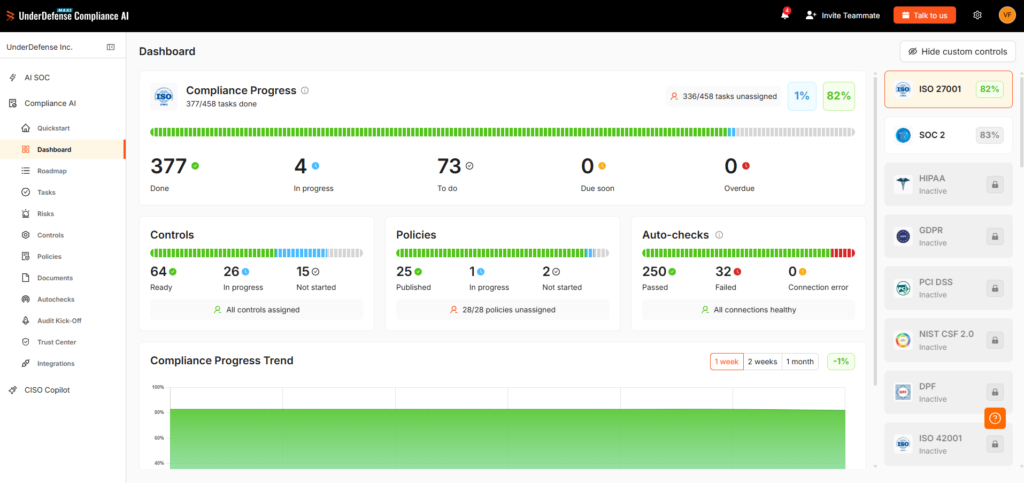
Overview: UnderDefense MAXI Compliance AI runs a gap assessment on the security tools you already connect, scores readiness from that live data, and generates the HIPAA security risk analysis with its threats, so the figure you show the board moves when your environment does.
It continuously maps security data from connected tools to frameworks such as NIST, SOC 2, ISO 27001, and HIPAA, and it works with the tools you already own, so there is no vendor lock-in.
UnderDefense is rated 5.0 out of 5 from 83 reviews on G2 as of November 2026.
That answers a director who asks why the score hasn’t moved: the gap list and the readiness figure update as issues are flagged, and each one traces back to a connected tool.
Every package, Free included, monitors external risks and vulnerabilities. Essential and Certified add business impact analysis with UnderDefense consultants, and Certified adds internal, external, and cloud vulnerability scans.
Helpware’s case study shows what that looks like in practice: the global business process outsourcing (BPO) provider runs “50+ automated checks running 24/7” across its SOC 2 and ISO 27001 program in eight countries, so its evidence doesn’t wait for the next assessment cycle.
Key features:
- A gap assessment run against your connected infrastructure and security tools
- A compliance readiness figure that updates as issues are flagged
- A generated HIPAA security risk analysis that lists the threats
- External risk and vulnerability monitoring in every package, Free included
- A Compliance Roadmap, generated from the gap assessment, showing control progress and owners
Assessment method and evidence sources: Telemetry-based. The product scans your integrated infrastructure and security environment for a gap assessment and calculates your current compliance readiness.
The output is a gap list and a readiness figure against a framework. For people on top of the data, UnderDefense compliance risk assessments cover risk assessments, policy development, evidence collection, and audit preparation.
Integrations and setup: MAXI Compliance AI connects to 250+ security tools in every package, including Microsoft Entra ID and Microsoft 365, Microsoft Sentinel, Splunk, CrowdStrike, SentinelOne, AWS, and Azure, and other tools connect through MCP (Model Context Protocol), so the gap assessment reads the tools you already run. It sits on top of them without replacing any.
Pricing: MAXI Compliance AI has published monthly packages: Free ($0), Starter from $499, Essential from $1,299, and Certified from $1,899 (read November 2026), so you can price a pilot before a sales call. Extra consulting beyond the included hours is $65 an hour.
Pros:
- Readiness and gaps draw on connected tools, so the figure can move between annual cycles
- Works on top of the security monitoring (SIEM), EDR, and cloud tools you already run
- Paid packages include 24, 48, or 90 hours a year with UnderDefense compliance consultants, depending on the package, so your team doesn’t run the assessment alone
- Published monthly prices for every package, starting with a $0 Free tier
- SaaS, hybrid, on-premises, or air-gapped deployment, for when risk data has to stay on your own systems
Cons:
- Reports readiness, gaps, and a risk analysis without a modeled dollar loss, so add a quantification model if your board asks for one
Who should skip it: Teams whose main deliverable is a dollar figure for the board, or a register that runs separately from any compliance framework.
The UnderDefense Agentic AI SOC runs on the same platform, so the threat detections behind your risk inputs come from the same data as the readiness figure.
How ready are your controls? Ask a compliance expert
2. CISA CSET: Best for a Free, Private Framework Baseline When a Self-Assessment Is Enough
Overview: The Cyber Security Evaluation Tool (CSET) is a desktop software tool from CISA that “guides asset owners and operators through a step-by-step process.” It suits a team that needs a documented baseline before it spends money on a platform.
CISA’s CPG page, read in November 2026, said a CSET module for CPG 2.0 “will be available in Q1 2026,” and CISA’s CPG assessment training teaches how to “Perform a CPGs assessment in CSET®.” Check that the version you download includes CPG 2.0 before you plan the assessment.
Key features:
- Step-by-step assessments against “many recognized government and industry standards and recommendations”
- Recommendations linked to actions you can apply to your controls
- Reports you generate and export from each assessment
Assessment method and evidence sources: Questionnaire and framework-based. CISA’s training page says the tool collects information on “hardware, software, administrative policies, and user obligations,” then “compares that information to relevant security standards and regulations.” The score therefore reflects what your team answers, which makes it easy to explain and only as current as the last session.
Integrations and setup: CSET runs on your own machine, and the training page, which CISA marks as archived, lists Microsoft Windows 10 or higher, 4 GB of RAM, and 6 GB of free disk space. That fits a standard laptop, so setup is mostly about who answers.
Plan a cross-functional session with the people who own each control, and confirm the download from CISA’s download page works before you schedule it.
Pricing: Free. CISA’s training page calls CSET “a free software tool” (read November 2026).
Pros:
- No license cost, which makes it a useful baseline for any budget case
- A method built and published by CISA
- Runs on an ordinary Windows laptop
Cons:
- Scores reflect what the team answered, and they stay put until the team answers again
- The download page pointed to a GitHub repository that returned a 404 error on November 6, 2026
- CISA’s training page lists Windows 10 or higher, so check the platform before you plan the session
- CISA describes compliance assessments and recommendations, so a board that wants dollars needs another tool
Who should skip it: Teams that have to show current evidence between annual cycles, or that have no group of subject matter experts available to complete the questions. A telemetry-based tool keeps scores current between cycles.
3. CyberSaint CyberStrong: Best for a Large Regulated Enterprise That Wants Control Scores Converted to Dollars
Overview: CyberStrong is CyberSaint’s SaaS platform, sold as Compliance, Risk, and Executive hubs. CyberSaint sells it to large enterprises. It connects control scores to a dollar figure, provided you buy the Risk Hub and the automation add-on.
Key features:
- Continuous control monitoring, which reads live security telemetry from your environment
- Residual risk scores through NIST 800-30 or Factor Analysis of Information Risk (FAIR) models
- Agents that gather audit evidence across your stack
- Peer comparison of annualized loss expectancies
Assessment method and evidence sources: Framework assessment plus quantification. Evidence comes from security tools by direct API or data lake, and manual entry “remains an option” where automation doesn’t reach.
CyberSaint adds a monthly-updated cyber loss dataset for benchmarks and covers “the NIST CSF, ISO, CIS, PCI, and custom frameworks and controls.” The output is all three of control scores, prioritized risks, and dollars, with the board language framed as “dollars and cents.”
Integrations and setup: The integrations catalog names Microsoft Defender for Endpoint, Azure Policy, CrowdStrike, SentinelOne, and AWS Config, among others, and each card states its coverage. CrowdStrike, for example, is listed at 50 security controls, or 11.11% of NIST 800-53, so other controls need other sources.
A CyberSaint blog post names Splunk and Sentinel as SIEM sources. Confirm that scope for your stack before you count on live scoring.
Pricing: Not published. The pricing link opens a comparison of the three hubs with “Request a Demo” and no figures, sold on annual or multi-year subscriptions (read November 2026).
Pros:
- One platform can carry a control score through to a dollar figure
- Connector coverage is stated per integration, which helps you size the manual work
- A choice of NIST 800-30 or FAIR risk models
Cons:
- Continuous Control Automation is listed as an add-on on every hub, so the live evidence costs extra
- The FAIR quantification model sits in the Risk Hub, above the Compliance Hub
- Positioned for large enterprises, so a 500-person team should test the fit
- Quote-only pricing
Who should skip it: Teams that want a framework score and don’t need dollars, or that can’t budget for a quoted enterprise platform plus its automation add-on. CSET gives a framework view at no license cost.
4. Centraleyes: Best for a GRC-Led Program Running Several Frameworks on One Register
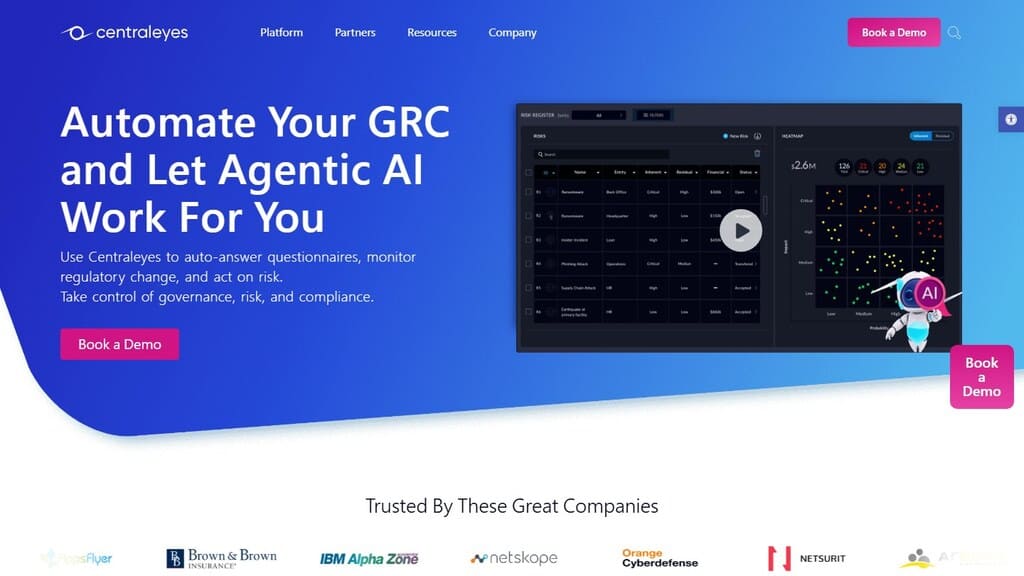
Overview: Centraleyes is a cloud GRC platform that combines risk and compliance work for internal programs and vendors. Ask for the framework list that covers yours. It fits a program whose day-to-day work is assessments, a register, and board reporting.
Key features:
- A risk register that generates a starting set of risks aligned to the framework you select
- Inherent and residual risk levels, with a prioritized action plan
- Pre-loaded questionnaires, plus an agent that proposes answers from stored evidence
- Board reports that include a financial view of risk
Assessment method and evidence sources: Framework-based, with questionnaires, uploaded evidence, and system data. Centraleyes says its internal risk module “ingests system data alongside assessment inputs.”
A Centraleyes guide describes automated evidence collection that “Pulls live data from cloud services, identity systems, and vendors.” Ask which scores that data moves and which wait on questionnaire answers.
A Centraleyes post, first published in 2023 and updated in November 2026, describes its risk score as an additive formula based on the NIST CSF, so confirm the current method in a demo. Named frameworks include NIST CSF, ISO 27001, HIPAA, the Gramm-Leach-Bliley Act (GLBA), and the EU’s Digital Operational Resilience Act (DORA).
Integrations and setup: Centraleyes describes integrations by category: cloud platforms, ticketing systems, vulnerability scanners, and collaboration tools, plus API and webhook support. It names Jira and ServiceNow for remediation tickets.
Ask for the connector list for your own stack. It’s a multi-tenant SaaS deployment.
Pricing: Not published. Centraleyes says pricing is based on the number of frameworks and managed vendors, with unlimited users, and offers a free 30-day trial (read November 2026). Each framework you add can move the quote.
Pros:
- Evidence uploaded once can be reused across frameworks and assessments
- Unlimited users, so assessment owners can work in the platform directly
- A generated register gives a new program a starting point
Cons:
- Cost grows with the number of frameworks, which matters for a multi-framework regulated firm
- A generated register starts from the framework, so someone has to confirm which risks reflect your environment
- Offered as cloud SaaS, which matters if you need data kept on your own systems
- No published price
Who should skip it: Teams that want a modeled loss figure as the main output. X-Analytics and CyberSaint lead with dollars.
5. Ncontracts Ncyber: Best for Banks and Credit Unions That Need an Examiner-Ready CRI Profile Assessment
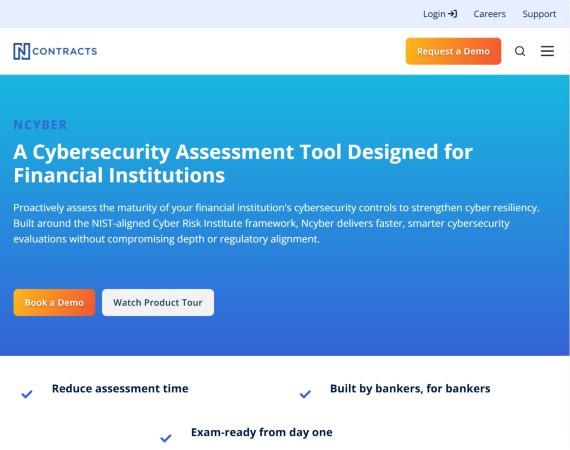
Overview: Ncyber is the Ncontracts product for assessing the maturity of a financial institution’s cybersecurity controls, built around the NIST-aligned Cyber Risk Institute framework. Ncontracts sells it as one module of a wider risk and compliance suite.
The Cybersecurity Assessment Tool from the Federal Financial Institutions Examination Council (FFIEC), which came before it, was sunset on August 31, 2025, as Ncontracts notes. A bank that still runs the old tool needs a replacement before its next exam.
Credit unions can still use the National Credit Union Administration’s Automated Cybersecurity Examination Tool (ACET), which Ncyber keeps.
Key features:
- An impact tiering questionnaire that assigns one of four tiers by size, complexity, and risk profile
- Between 208 and 318 diagnostic statements, depending on your tier, so a larger institution answers more
- An automated gap analysis that produces a prioritized remediation list
- Remediation workflow and tracking, plus Excel and PDF reports filtered by function or status
Assessment method and evidence sources: A sector-specific questionnaire. Your team answers diagnostic statements with hints and examples, adds notes, and uploads documents, and the gap analysis is worked out from those responses.
Frameworks are the CRI Profile, with NCUA’s ACET kept for credit unions that need it. The output is control maturity and a remediation list, in a form built for boards and examiners.
Integrations and setup: The public product page describes the connection to the rest of the Ncontracts suite and names no third-party security tool. Setup is mostly organizational, since you can assign sections to the colleagues who hold the answers. Ask in the demo whether any evidence can come from your security tools.
Pricing: Not published. Ncontracts has no pricing page and offers a demo request (read November 2026).
Pros:
- Built for bank and credit union examinations, with CRI Profile content in the box
- Tiering scales the question count to the size of your institution
Cons:
- The maturity picture rests on your team’s own answers
- Sold to financial services only, which rules out healthcare and other sectors
- Ncontracts describes no dollar output, so a board that wants a loss figure needs another tool
- No published price
Who should skip it: Healthcare companies, since Ncontracts says it serves financial organizations only. Insurers should ask for a reference: Ncontracts names insurance companies on its AI information page, while its Industries menu lists none.
6. SimpleRisk: Best for Lean Teams Replacing a Spreadsheet With a Self-Scored Register on a Tight Budget
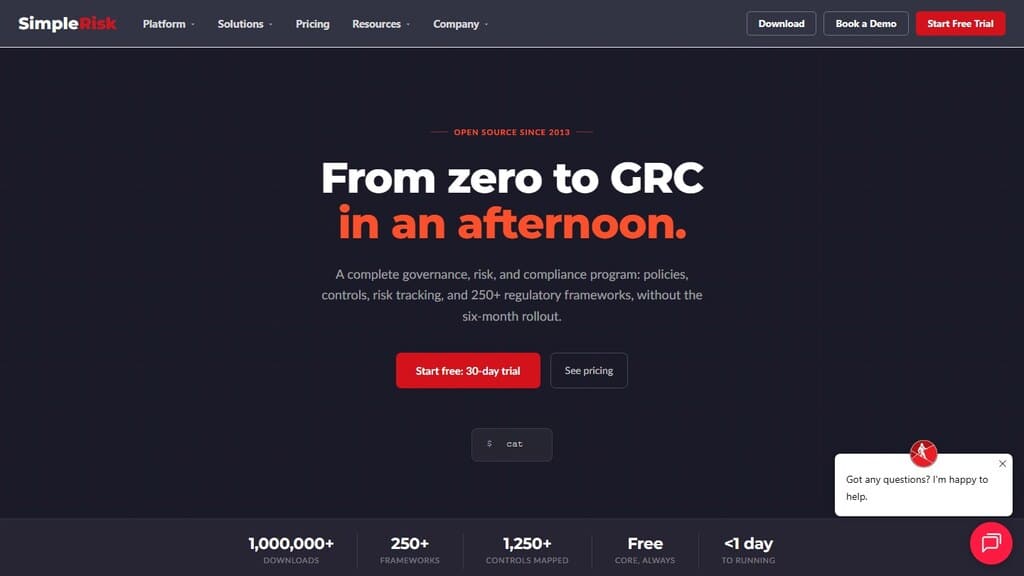
Overview: SimpleRisk is an open-source GRC platform and risk register. You can run the free Core on your own infrastructure, or add paid Extras on-premises or on vendor-run SaaS. It suits the team whose first problem is getting risks out of a spreadsheet and into a scored, owned list.
Key features:
- Six scoring methods: Classic, CVSS (the common vulnerability severity scale), DREAD and OWASP (two threat-rating models), Custom, and Contributing Risk
- Inherent and residual scores, normalized to a 0 to 10 scale and mapped to levels, though SimpleRisk advises filtering to one methodology before comparing risks
- Yes, No, and N/A self-assessments where failing controls become pending risks
- A paid Risk Assessment Extra for building questionnaires and emailing them to contacts
- A paid Vulnerability Management Extra that imports findings from Qualys, Rapid7, and Tenable.io
Assessment method and evidence sources: Mostly human judgment. People select likelihood and impact, or answer self-assessments, and scanner findings arrive only through the paid Extra.
SimpleRisk’s own knowledge base says the formulas “aren’t full implementations of the externally-named frameworks,” so read a CVSS or DREAD label as a weighting. Frameworks come through the Secure Controls Framework, including NIST CSF, ISO 27001, SOC 2, and HIPAA.
Integrations and setup: Setup options include a script, a VM, Docker, or a manual install, and self-hosters own monitoring, backups, and upgrades. Jira sync, the REST API, and sign-in through Active Directory (AD), LDAP, or SAML are each paid Extras.
SimpleRisk markets FAIR analysis through its AI Extra, while its knowledge base says the scoring engine has no native FAIR method. Ask how a dollar range would appear in your register.
Pricing: Published. Core is free with unlimited users. The Starter package is $5k per year for any three Standard Extras, Standard Extras are $5,000 per year each, and Premium Extras are $10,000 per year each (read November 2026).
Count the Extras you need, such as single sign-on (SSO), the API, and scanner imports, before you compare quotes. SimpleRisk prices SaaS through its package builder and gives no separate hosting figure on the page.
Pros:
- A free, self-hosted register with no per-user licensing
- Published prices for every Extra, and scanner findings become risks once you add that one
Cons:
- “Core SimpleRisk has no native vulnerability tracking”, so live findings need a paid Extra
- SSO, API access, and encryption at rest are paid Extras
- The open-source edition gets email support with no SLA and can’t take paid Extras
- Scores remain human opinion with a paper trail
Who should skip it: Teams that need scores drawn from live control data, since Core scores what people enter. So should teams with nobody to host a PHP and MySQL application and no budget for the paid SaaS.
Give the board a readiness score that moves with your stack
7. X-Analytics: Best for a Risk Lead Who Has to Defend Budget and Risk in Dollars
Overview: X-Analytics, from Secure Systems Innovation Corporation, sells to cybersecurity teams, private equity firms, and consulting firms.
Its documented outputs center on dollar figures, from a loss curve to the dollar value of each recommended action.
Key features:
- Loss tables and a loss exceedance curve showing the annual probability of losing a given amount
- Recommended actions ranked by the dollar reduction each one delivers
- A cyber insurance assessment that compares exposure with and without a policy
- Risk register uploads in Word, PDF, Excel, or CSV
Assessment method and evidence sources: Quantification. Its model combines an ontology built from cyber loss events with your profile, external data sources, and connector data, so part of the figure reflects industry loss data alongside your own.
It then runs about ten thousand simulations, so the result is a spread of possible losses with probabilities attached. Frameworks include the CIS Critical Security Controls (CSC) 8.1, NIST CSF 2.0, ISO 27002, and CRI 2.0.
Compliance evidence only shows a control exists, so its Drata agent “caps every Drata-informed value at 60%.” Compliance records alone can’t earn a control full credit, and the rest must come from your own testing.
Integrations and setup: The connectors page lists CrowdStrike Falcon, Drata, and Tenable, with Wiz marked as coming, and offers custom connectors. You complete profile sections for exposure, governance, and cyber insurance, then upload framework results. X-Analytics hosts on Google Cloud in the United States.
Pricing: Not published. The site has no pricing page and offers a demo, and the FAQ mentions a sandbox and a free trial (read November 2026).
Pros:
- A dollar answer with a loss curve and a dollar value on each recommended action
- A direct view of what cyber insurance changes in your exposure
Cons:
- The figure depends on profile data you supply, and X-Analytics says control testing results must come from your own evidence
- Three live security connectors are named on the public page, so plan how Sentinel, Splunk, or SentinelOne data would get in
- Hosted only in the United States, which matters if you have a data residency requirement
- No published price
Who should skip it: Teams that need a framework-by-framework record for an examiner, since X-Analytics leads with exposure and actions. CSET or Centraleyes keeps that kind of record.
8. Bitsight: Best for Checking Your Internal Assessment Against an Attacker’s-Eye View
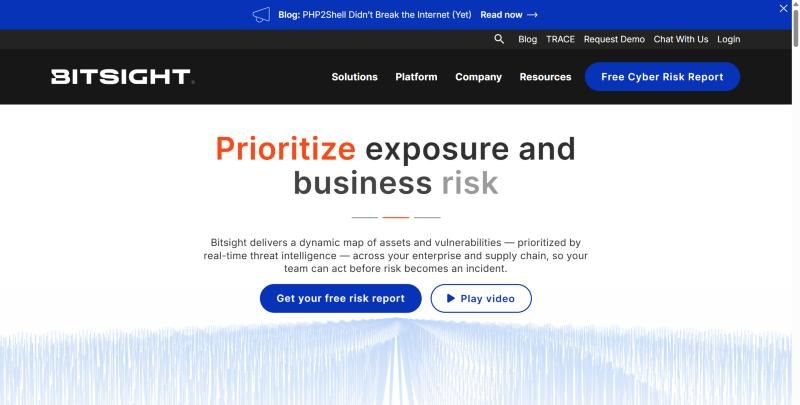
Overview: Bitsight rates how an organization looks from the internet, and its Security Posture Management (SPM) product is the version for watching your own rating. It was renamed from Security Performance Management in March 2026, so older material uses the old name. Use it as an outside check on your own assessment.
Key features:
- A daily rating on a 250 to 900 scale, with an effective range of 300 to 820, so the scores your board sees sit inside that narrower band
- Attack surface and vulnerability detection views of your external footprint
- Control Insights, which infers control performance from externally observed telemetry
- Financial Quantification, documented in the help center, which measures exposure across cyber events and impact scenarios
Assessment method and evidence sources: Outside-in. Bitsight’s guide to its ratings says “all observations are made from the perspective of the open internet,” using passive sensors and non-intrusive probing, so the rating needs no access inside your network.
Bitsight’s Control Insights help states: “Companies have more internal information than Bitsight and should be able to add their own perspective.” Control Insights maps to the CIS Critical Security Controls.
Integrations and setup: The rating needs no installation or access from you. SPM integrations include ServiceNow, Palo Alto Cortex, Splunk, Power BI, and Microsoft Sentinel, and the Splunk add-on brings Bitsight findings into Splunk. A separate Framework Intelligence feature assesses internal documents you upload.
Pricing: Not published. Basic, Standard, and Advanced tiers each say “Request pricing” (read November 2026).
Pros:
- Independent of your team’s own answers, refreshed daily, with no agents or access needed
- Findings can flow into Splunk and Microsoft Sentinel workflows
Cons:
- Controls that depend on internal data fall outside the rating, and Control Insights marks those “Not Enough Data”
- Control Insights is “Available with certain SPM packages,” so confirm yours includes it
- Quote-only pricing
Who should skip it: Teams looking for a replacement for their internal assessment, or an examiner-facing record of internal controls. Use the rating to challenge that record, and keep the record in another tool.
9. Onspring: Best for a GRC Owner Who Wants Owner-Scored Risks, Assessments, and Evidence in One Configurable Record

Overview: Onspring is a no-code GRC platform, and its cyber risk work runs through the Risk Management product and the wider GRC suite. Its risk register combines cyber, financial, operational, and reputational risk in one record. Treat it as a platform you configure for cyber risk, with the register, scoring, and workflows shaped around your program.
Key features:
- A risk register with financial costs, probabilities, and business impacts for each risk
- Configurable scoring: “You can change your risk methodology from a 5×5 to a 3×3,” so you can keep the scale your board already reads
- Thresholds that trigger assessments when risk profiles change
- Surveys that collect and score results from internal and external recipients
- Onspring AI, licensed from the Silver level, which recommends residual impact and likelihood
Assessment method and evidence sources: Mostly owner input, through surveys and scheduled assessments with uploaded evidence, plus whatever you connect. Onspring’s Risk Management page maps risks to “NIST CSF, ISO 27001, CMMC, SOC 2, HIPAA and more.” CMMC is the U.S. Defense Department’s cybersecurity certification.
Output is ranked risks, key risk indicators, and a board-ready health summary. Each risk can hold cost fields, and the Risk Management page describes visualizing “potential losses, probability ranges and risk reduction over time” without naming a loss model such as FAIR.
Integrations and setup: The integrations page shows logos including Bitsight, SecurityScorecard, Jira, Microsoft 365, Rapid7, and ServiceNow. A September 2026 partnership with Trustero adds automated evidence collection.
Ask how your SIEM and EDR data would get in, since an API route exists. You can implement it yourself after administrator training, though Onspring says most customers have it implement for them.
Pricing: Not published. The pricing page lists licensing by users, by products, or hybrid, across Bronze, Silver, Gold, and Platinum levels, with “Request Your Quote” and no dollar figures (read November 2026).
Pros:
- One record for cyber, operational, and financial risk
- No-code changes to scoring and workflows, with no IT dependency
- Framework mapping across regulated programs
Cons:
- “Onspring does not include risk register content,” so your team or an Onspring partner supplies the risks
- Custom data connections take “some programming knowledge”
- Quote-only pricing
Who should skip it: Teams with no GRC owner to configure and maintain it, or teams that want a score from live telemetry without building that connection first. A telemetry-based tool starts closer to live data.
What Still Needs an Analyst After the Tool Produces a Score
Four decisions still need an analyst after any tool produces a score, because each one depends on business context that sits outside the data. NIST SP 800-30 cautions that risk assessments “are often not precise instruments of measurement,” and it asks organizations to make assumptions and judgments explicit.
A score that reaches the board without that review carries the tool’s assumptions as if they were yours. Have a named person review these before anything goes on a board slide:
- Likelihood calls: A tool knows a control failed. An analyst knows whether anyone could reach that system, and whether your industry is being targeted that way this quarter.
- Business impact: A server’s criticality in a tool is a field someone filled in. An analyst checks what stops, who notices, and what a regulator would ask.
- Compensating controls: A failed check can be covered elsewhere, such as an unpatched system behind strict network segmentation. Most tools can’t credit that unless someone records it.
- Risk acceptance sign-off: Accepting a risk is a business decision, with an owner, a date, and a review point. No tool should hold that authority.
⚠️ Those four are also where a score can look better or worse than reality. Ask your analyst to write one sentence per top risk explaining why it ranks where it does. If nobody can write that sentence, the score isn’t ready for the board, however good the tool behind it.
If nobody on your team is free while the renewal and the board review run in parallel, UnderDefense MAXI Compliance AI’s paid packages include 24, 48, or 90 consulting hours a year, depending on the package, and Essential and Certified add business impact analysis, so the impact calls get made by someone who reads your gap list.
Which Kind of Tool Fits Your Reporting Need
The right kind of tool depends on who is asking, because each audience accepts a different kind of evidence. Start with the audience that’s closest to a deadline, then check whether the same tool can serve the next one.
| Who is asking | What they want to see | Kind that fits | Example on this list |
|---|---|---|---|
| Board | Ranked risks, trend, or cost | Quantification or telemetry-based | UnderDefense, X-Analytics, CyberSaint |
| Examiner | Framework evidence and remediation | Questionnaire and framework-based | Ncontracts Ncyber, CSET, Centraleyes |
| Cyber insurer | Control proof on renewal items | Telemetry-based, plus quantification | UnderDefense, CyberSaint, X-Analytics |
| Customer | Current posture and certificates | Telemetry-based, plus outside-in | UnderDefense, Bitsight |
| Internal prioritization | A scored, owned list of risks | Questionnaire and framework-based, on a register | SimpleRisk, Onspring, Centraleyes |
When the Free Tool Is Enough
The free tool is enough when the asker wants a documented self-assessment and your team has time to run it. CSET fits a first baseline or a budget gap. It stops being enough when someone asks how you know the answers are still true, which is where connected evidence matters.
🛡️ Insurance deserves its own check, because underwriters ask about specific controls. A cyber insurance readiness checklist lists the usual gates: MFA on remote and email access, EDR on every endpoint and server, and restore-tested backups.
Whichever cybersecurity risk assessment software you pick, make sure it can show those three with current evidence. Your board review is coming either way, so find out which of your risk scores your live data actually supports.
Run a gap assessment on your own stack before the board review
- Find the gaps your connected tools show today
- Get 24, 48, or 90 consulting hours a year, by package
- Monitor external risks and vulnerabilities in every package
Frequently Asked Questions
What is the best free cybersecurity risk assessment tool?
CISA’s CSET is the best free option for a framework-based self-assessment, and SimpleRisk’s open-source Core is the free choice for a scored risk register. Both score what your team enters. For a free start on connected data, the Free package of UnderDefense MAXI Compliance AI connects your security tools and monitors external risks and vulnerabilities.
How often should a cybersecurity risk assessment be done?
Your regulator or your contracts set the floor, so check what they require first. Outside a mandate, reassess at least once a year and whenever your environment or threats change, because NIST SP 800-30 treats maintaining the assessment as a step of its own.
What is the difference between a risk assessment and a vulnerability assessment?
A vulnerability assessment finds technical weaknesses. A risk assessment takes those findings as one input and weighs them with threats, likelihood, and business impact, so you know which weaknesses matter most. You can finish a vulnerability scan in a tool, but ranking the resulting risk still takes people who know the business.
Can a security rating replace an internal risk assessment?
No, because a rating sees only what’s observable from the internet, so it can’t test your identity policies, internal segmentation, or incident response. It’s useful as an independent input and an early warning. Keep your internal assessment as the record, and use the rating to challenge it.
What do cybersecurity risk assessment tools cost?
They range from free to quote-only contracts. CSET, SimpleRisk Core, and the Free package of UnderDefense MAXI Compliance AI cost nothing to license, and UnderDefense publishes its paid packages from $499, $1,299, and $1,899 a month (read November 2026). The other six commercial platforms on this list quote by scope, so ask for a price against your own frameworks and connectors.