Key takeaways:
- Hunting finds what rules miss. A detection rule fires on patterns you already know, while a hunt starts from a hypothesis and catches quiet attackers, like the 6 compromised VPN accounts no correlation rule flagged in the case below.
- Pick the model before the vendor. Decide who does the hunting (your team, an AI agent or an operated service), and the 19 best threat hunting tools in this guide shrink to two or three.
- Retention is your hunting horizon. A hunt can’t reach past your oldest log, and IBM’s 2026 data puts the average breach at 247 days to find and contain, so check lookback before features.
- Measure every hunt to keep the budget. A simple log of hours spent, findings confirmed and new detection rules created is what turns hunting into a line item leadership keeps funding.
IBM’s 2026 breach data says organizations need an average of 247 days to find and contain a breach. If you run security for a mid-market company, your small team clears the alert queue every day and has no hours left to look for the attacker who never tripped an alert.
This guide ranks the 19 best threat hunting tools for 2026, with MITRE ATT&CK evidence, pricing and a buyer’s fit for each.
The 19 Best Threat Hunting Tools Compared
The table below compares all 19 tools on the four points most buyers filter on first: tool type, MITRE ATT&CK evidence, entry pricing and best fit. Read the MITRE column carefully, because vendor-reported evaluation results, vendor coverage claims and simple ATT&CK tagging are three different levels of evidence.
| Tool | Type | MITRE ATT&CK evidence | Pricing (from) | Best for |
| UnderDefense Agentic AI SOC | Agentic AI SOC with human hunters, runs on your stack | 96% coverage, per UnderDefense | From $11/device/month; tiers quote-only | Lean teams wanting hunting without new tools |
| CrowdStrike Falcon Insight XDR | EDR/XDR | 2025 Enterprise eval participant; 100% detection, vendor-reported (configuration-change run) | Falcon Enterprise $184.99/device/year | Endpoint-first teams on CrowdStrike |
| Microsoft Defender XDR | XDR | 2024 eval: 100% technique-level on Linux and macOS, vendor-reported; skipped 2025 | Defender Suite $12/user/month (needs M365 E3) | Microsoft 365 shops hunting in KQL |
| Intezer Forensic AI SOC | AI SOC with endpoint memory forensics | Tracks detection tuning against ATT&CK, per Intezer; no Enterprise eval | Quote-only, priced per endpoint | Teams skipping low-severity alerts |
| Splunk Enterprise Security | SIEM | Detections mapped to ATT&CK; no Enterprise eval | Quote-only (ingest, workload or activity) | Large SOCs with SPL skills |
| Elastic Security | SIEM/XDR | Built-in ATT&CK coverage page; no Enterprise eval | Serverless from $0.09 per ingested GB | Data-heavy teams wanting per-GB pricing |
| SentinelOne Singularity XDR | XDR | 2024 eval: 16 of 16 steps, vendor-reported; skipped 2025 | Complete $179.99/endpoint/year | One-agent XDR with natural-language hunting |
| Palo Alto Networks Cortex XDR | XDR | 2024 eval: 100% technique-level, vendor-reported; skipped 2025 | Quote-only | Palo Alto firewall estates |
| IBM QRadar SIEM | SIEM (on-premises) | Use Case Manager maps rules to ATT&CK; no Enterprise eval | Quote-only (EPS/FPM or MVS licensing) | Existing QRadar on-prem estates |
| Exabeam New-Scale Fusion | SIEM + UEBA | Outcomes Navigator maps data to ATT&CK; no Enterprise eval | Quote-only | Insider-threat and behavior-led hunts |
| Vectra AI Platform | NDR, identity and cloud detection | “>90% MITRE ATT&CK coverage,” per Vectra | Quote-only | Hybrid network and identity hunting |
| Darktrace | NDR and email behavioral AI | Every detection model mapped to ATT&CK, per Darktrace | Quote-only; free trial offered | Anomaly hunting without writing queries |
| Cynet | XDR with bundled 24/7 analyst team | 2025 eval participant; 90 of 90 substeps with no configuration changes, vendor-reported | Quote-only, per endpoint per month | Small teams wanting EDR plus a service |
| Velociraptor | Open-source endpoint DFIR | ATT&CK via Sigma rule support | Free (AGPL-3.0) | DFIR-skilled teams hunting across fleets |
| TheHive + Cortex | Case management + enrichment | Maps TTPs to every alert | TheHive Community free for 2 users; Cortex free | Tracking hunt findings as cases |
| YARA + Sigma | Open rule formats | 2,798 of 3,144 core Sigma rules carry technique tags | Free | Portable hunt content for any SIEM |
| Prophet Security | AI-native hunting agent | Maps your investigation data to ATT&CK, per Prophet | Quote-only; free proof of value | Teams without query specialists |
| Hunters | AI-native SIEM on a data lake | Custom detectors tagged by ATT&CK technique | Quote-only | Small SOCs replacing a legacy SIEM |
| Anvilogic | AI detection engineering and federated hunting | “200+ MITRE ATT&CK techniques covered,” per Anvilogic | 30-day free trial; then quote-only | Enterprises running several SIEMs |
Each vendor-specific cell traces to a vendor-published page or to MITRE’s participant lists. The “Best for” column is the fastest filter: shortlisting by team size, existing stack and available analyst hours eliminates most of the list before a single demo call.
The detailed reviews below walk through each tool’s strengths, blind spots and ideal buyer profile.
Tool-by-Tool Review: 19 Threat Hunting Platforms for 2026
The enterprise platforms that lead in 2026 are the ones already collecting your endpoint and log data, because a hunt is only as good as the telemetry under it.
All 19 tools are reviewed below in three groups:
- enterprise platforms (1–13)
- open-source tools (14–16)
- AI-native tools (17–19)
In the enterprise group, UnderDefense (1) is an operated layer that runs hunts on the tools you already own. Tools 2–13 are the platforms themselves: EDR and XDR suites, an AI SOC with endpoint memory forensics, SIEMs and network detection tools.
1. UnderDefense Agentic AI SOC: Best for Hunting on Top of the Stack You Already Run
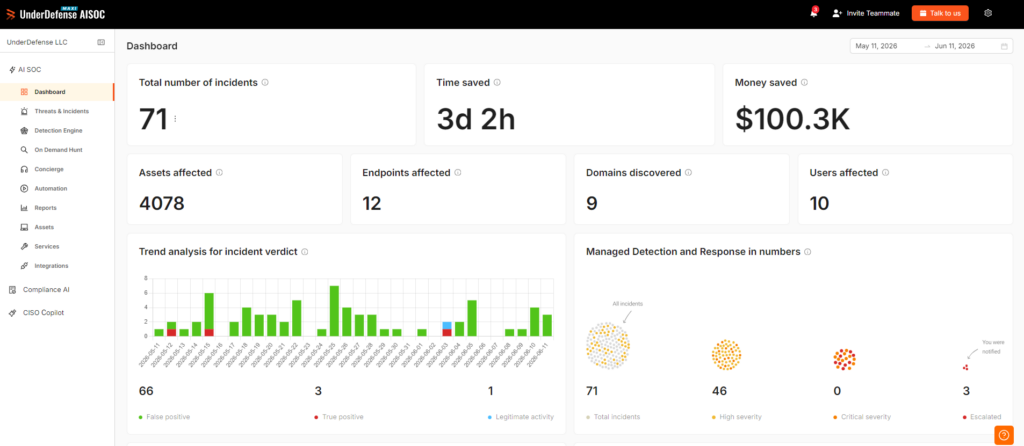
UnderDefense Agentic AI SOC is an agentic security operations platform paired with 24/7 human analysts, and it runs on the SIEM, EDR, cloud and identity tools you already have. AI agents triage and investigate alerts at machine speed. Human hunters run hypothesis-driven hunts across the same data and make every containment decision.
That split matters for a mid-market team. You don’t buy a new agent or migrate a SIEM to start hunting. UnderDefense connects to CrowdStrike, SentinelOne, Microsoft Defender, Splunk, Elastic, QRadar and the rest of the stack through 250+ integrations, according to UnderDefense, and hunts in the tools your team already knows.
The VPN case later in this guide shows how that works in practice. UnderDefense runs regular hunt sessions for that client, usually monthly or every two months, and adds new correlation rules after each confirmed finding so the same pattern alerts automatically.
Key features:
- Agentic triage and investigation, with a ~2-minute alert-to-triage time reported by UnderDefense, so hunters spend their hours on hypotheses.
- 96% MITRE ATT&CK coverage, per UnderDefense, across the log sources you connect.
- Human-led hunts with your environment’s context, including hypotheses the team formulates when you haven’t raised a specific concern.
- ChatOps verification: suspicious activity gets confirmed with the affected user over Slack, Teams or email before anyone escalates.
- Detection logic as code, so each validated hunt becomes a versioned, reviewable rule.
- An auditable record of every agent and analyst action, which gives you a hunt log to show auditors and leadership.
Pricing:
UnderDefense publishes a starting price of $11 per device per month on its published pricing page. The Standard tier includes 24/7 endpoint coverage and manual threat hunting; the Enhanced and Professional tiers, which add cloud, SaaS and co-managed SIEM coverage, are quoted per environment.
MITRE ATT&CK evidence: UnderDefense reports 96% MITRE ATT&CK coverage, and a CTO reviewing it on G2 describes each alert verdict arriving already mapped to ATT&CK with the relevant logs attached.
Pros:
- keeps your existing SIEM and EDR,
- human hunters included,
- hunt findings become permanent detection rules,
- auditable investigations,
- reachable analysts.
Cons:
- detection calibration takes time after go-live,
- deeper cloud and SIEM coverage sits in quote-only tiers.
UnderDefense holds 4.9 out of 5 from 54 reviews on G2 as of September 2026, and reviewers there report weeks to a few months of detection calibration after go-live.
How to start using it:
1. List the SIEM, EDR, identity and cloud tools you want hunts to cover.
2. Connect them to UnderDefense with read access first.
3. Agree the first hunt hypotheses with the assigned analysts, based on your crown-jewel systems.
4. Run in advisory mode during calibration, then widen automated actions as trust builds.
5. Review each hunt report and approve which findings become permanent detections.
Why it’s one of the best threat hunting tools:
It gives a team of three to five people a hunting program on the tools they already paid for. Confirmed findings become new detection rules, so each hunt leaves the rule set stronger.
Final verdict: the strongest fit on this list for a mid-market team that wants regular hunts and 24/7 coverage without adding headcount or replacing a platform. Budget for a calibration period after go-live.
See the Agentic AI SOC triage alerts and run hunts on a SIEM and EDR stack like yours.
2. CrowdStrike Falcon Insight XDR: Best for Endpoint-First Teams Already on Falcon
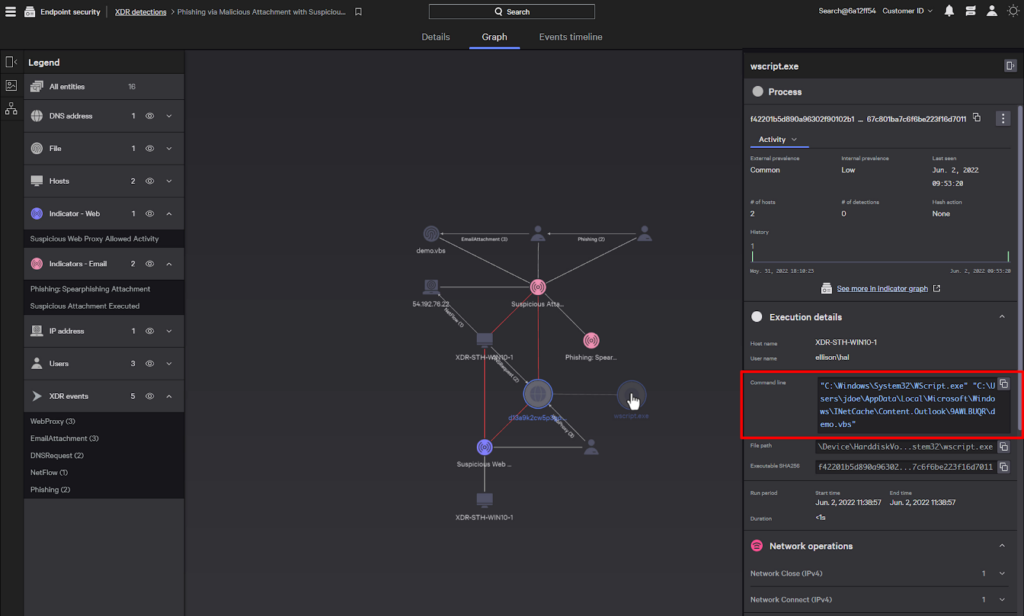
CrowdStrike Falcon Insight XDR combines endpoint detection and response with identity, cloud and mobile telemetry in one console. Hunters query it with the CrowdStrike Query Language (CQL), the syntax behind Falcon LogScale, and pivot from a detection into a process tree, an attack path and the ATT&CK techniques mapped to it.
CrowdStrike also sells managed hunting as Falcon Adversary OverWatch, which the vendor says hunts across endpoint, identity, cloud and third-party SIEM data. If you want a human hunting service from the same vendor as your agent, it is the most direct option here.
Key features:
- CQL queries over endpoint and third-party data, with 10GB per day of free third-party ingestion for Insight XDR customers.
- Real Time Response for remote investigation and containment from the hunt console.
- Charlotte AI leads with MITRE ATT&CK mappings attached to each detection.
Pricing: CrowdStrike publishes three bundles: Falcon Go at $59.99, Falcon Pro at $99.99 and Falcon Enterprise at $184.99 per device per year. Enterprise is the only bundle whose listing describes EDR and threat hunting capability, and longer search retention is a separate add-on.
MITRE ATT&CK evidence: CrowdStrike took part in MITRE’s 2025 Enterprise evaluation and reports “100% detection” of Scattered Spider and Mustang Panda tradecraft. Its own footnote says those results reflect the configuration change run.
Pros:
- mature query language and hunting content,
- managed hunting from the same vendor,
- strong endpoint telemetry.
Cons:
- hunting features sit in the top bundle,
- third-party ingest above 10GB per day costs extra,
- and a long lookback needs the Search Retention add-on.
Where it fits: teams with CrowdStrike already on every endpoint get deep hunting data with no new sensor.
Final verdict: a top pick for Falcon customers; check retention and bundle scope before you compare its price with anything else here.
3. Microsoft Defender XDR: Best for Microsoft 365 Shops Hunting in KQL
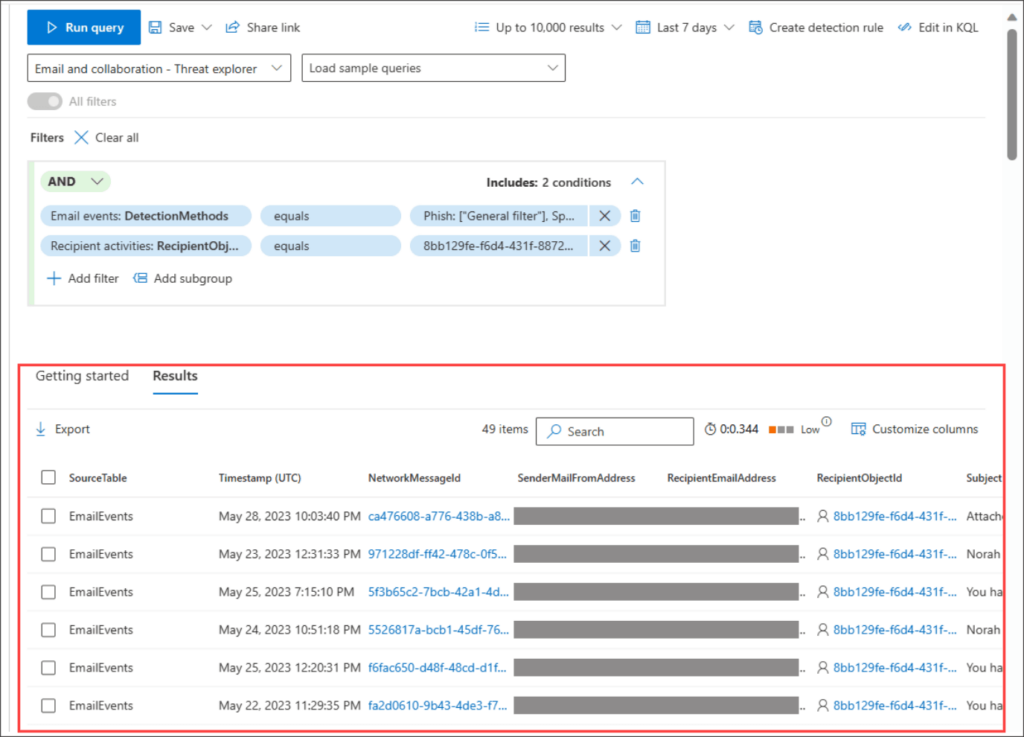
Microsoft Defender XDR’s advanced hunting is, in Microsoft’s words, “a query-based threat hunting tool that you use to explore up to 30 days of raw Defender XDR data.” It covers Defender for Endpoint, Office 365, Cloud Apps and Identity, and it queries in the Kusto Query Language (KQL). Microsoft’s marketing page now calls the bundle the Microsoft Defender Suite.
Analysts who don’t write KQL get a guided mode with a query builder. Shared, personal and community query libraries give you tested hunts on day one, and any hunting query can become a custom detection rule tagged with its ATT&CK tactic and technique.
Key features:
- KQL advanced hunting across email, identity, endpoint and SaaS data in one schema.
- Guided mode for analysts who haven’t learned KQL yet.
- Defender Experts for Hunting, a contact-sales service for around-the-clock managed hunts.
Pricing: Microsoft lists the Defender Suite at $12.00 per user per month, paid yearly, and it requires Microsoft 365 E3 (or Office 365 E3 plus Enterprise Mobility + Security E3). Microsoft 365 E5, which includes the full Defender stack, lists at $60.00 per user per month.
MITRE ATT&CK evidence: Microsoft reports 100% technique-level detection across attack stages for Linux and macOS in the 2024 evaluation. Microsoft then sat out the 2025 round, citing its Secure Future Initiative in a June 2025 statement.
Pros:
- strong value if you already pay for E5,
- KQL skills transfer to Sentinel,
- large public query library.
Cons:
- 30-day lookback for native data,
- per-query limits of 100,000 rows and 10 minutes,
- and data stored only in the Sentinel data lake isn’t reachable from advanced hunting.
Why buyers shortlist it: for many Microsoft-heavy companies, hunting capability may already be licensed and sitting idle.
Final verdict: the default first hunting tool for E5 customers, provided you plan for longer retention outside the 30-day window.
4. Intezer Forensic AI SOC: Best for Checking the Alerts Your Team Skips
Intezer Forensic AI SOC triages and investigates alerts from the EDR, SIEM, identity, cloud and phishing tools you already run. Intezer says it investigates 100% of alerts, including low-severity ones, and escalates fewer than 2% to a human.
Its hunting value sits in the queue most teams skim. In Intezer’s February 2026 research across more than 25 million alerts, 1.6% of alerts showed active compromise in live memory scans after the EDR had reported them mitigated.
Key features:
- Forensic triage with memory scanning and reverse engineering.
- Live memory scans that recheck alerts your EDR marked as mitigated.
- Verdicts fed back into detection rule tuning, across 100+ integrations.
Pricing: Intezer sells Starter and Complete tiers, priced by endpoint count, with no published figures. Starter covers one alert source; Complete adds SIEM, cloud, identity and network alerts.
MITRE ATT&CK evidence: Intezer says investigation results tune detection rules “with ongoing tracking against the MITRE ATT&CK framework.” It has no MITRE evaluation.
Pros:
- memory-level endpoint forensics,
- investigates low-severity alerts too,
- pricing tied to endpoints, not alert volume.
Cons:
- focused on alert-led investigation more than open-ended hypothesis hunts,
- Starter covers only one alert source,
- and pricing is quote-only.
Why buyers shortlist it: teams that skip low-severity alerts get every one checked, down to endpoint memory.
Final verdict: a strong pick for forensic-depth triage; pair it with hypothesis-driven hunts for attackers who never trip an alert.
5. Splunk Enterprise Security: Best for Large SOCs With SPL Skills
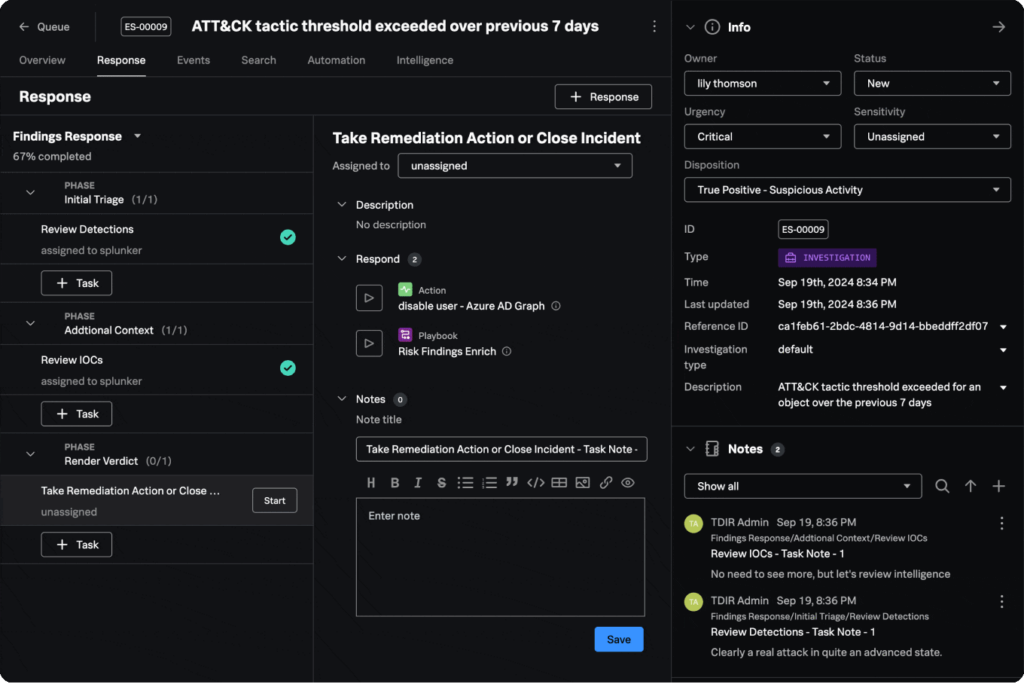
Splunk Enterprise Security, now part of Cisco, is a SIEM with SOAR, UEBA and agentic AI features in one platform. Hunters work in the Search Processing Language (SPL), where commands chain together with pipes, and Splunk publishes its PEAK framework for hypothesis-driven, baseline and model-assisted hunts.
Splunk’s content library is large and public. Its security research site lists 2,176 detections and 365 analytic stories, each mapped to MITRE ATT&CK, and Detection Studio measures your coverage against the framework.
Key features:
- SPL for flexible searches across any data you ingest.
- Risk-Based Alerting, which Splunk says cuts alert volume by up to 90%.
- Federated Search to query data where it lives.
Pricing: Splunk publishes no price for Enterprise Security; both the Essentials and Premier editions are quote-only. The platform offers activity-based, workload or ingest pricing.
MITRE ATT&CK evidence: detections and analytic stories are mapped to ATT&CK, and Detection Studio maps coverage. Like most SIEMs, Splunk sits outside MITRE’s Enterprise evaluations, which test endpoint and XDR products.
Pros:
- large public hunting content library,
- flexible SPL,
- wide data source support.
Cons:
- UEBA, SOAR and Automated Threat Analysis sit in Premier only,
- pricing is quote-only,
- and SPL needs trained staff.
Its real strength: if your team already thinks in SPL, hundreds of ready-made analytic stories are waiting on day one.
Final verdict: the reference SIEM for hunting at scale, best suited to teams that can staff SPL and fund Premier.
6. Elastic Security: Best for Data-Heavy Teams That Want Per-GB Pricing
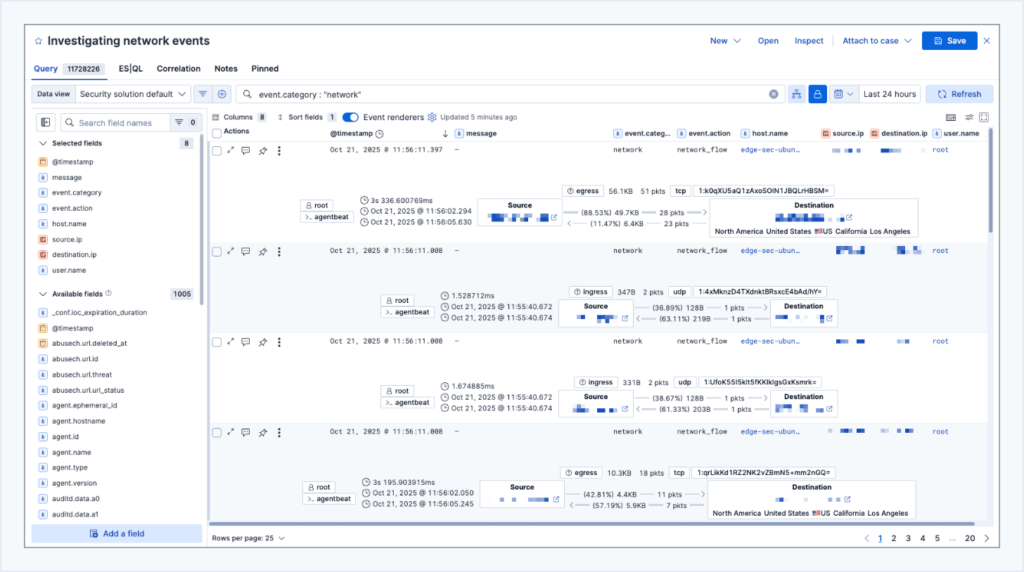
Elastic Security is a search-based SIEM and XDR that lets hunters, in Elastic’s words, “query petabytes of logs in just seconds and quickly match fresh IoCs against years of historical data.” Timeline supports three query languages: KQL, EQL for event sequences, and the piped ES|QL.
The investigation views are hunting-friendly. Analyzer draws the process tree, Session View replays Linux command activity, and osquery lets you inspect a live host from the same console.
Key features:
- EQL sequence queries to find multi-step attack chains in order.
- A MITRE ATT&CK coverage page that shows which techniques your enabled rules cover.
- Prebuilt detection rules, with entity analytics in the Complete tier.
Pricing: Elastic’s Serverless Security Analytics Essentials tier starts at $0.09 per ingested GB and $0.017 per retained GB per month; Complete starts at $0.11 and $0.019. Elastic says per-endpoint fees no longer apply as of March 23, 2026.
MITRE ATT&CK evidence: the built-in coverage page maps your enabled rules to ATT&CK. Elastic has no result in either of the last two Enterprise rounds.
Pros:
- transparent per-GB pricing,
- three query languages,
- cheap long retention.
Cons:
- UEBA and the AI Assistant sit in Complete only,
- some response features are still “coming soon” for serverless,
- and real cost scales with ingest volume.
Why it made this list: published per-GB retention pricing makes a year of hunting data easy to budget.
Final verdict: a strong choice for teams that hunt across long timeframes and can model their own ingest.
7. SentinelOne Singularity XDR: Best for One-Agent XDR With Natural-Language Hunting
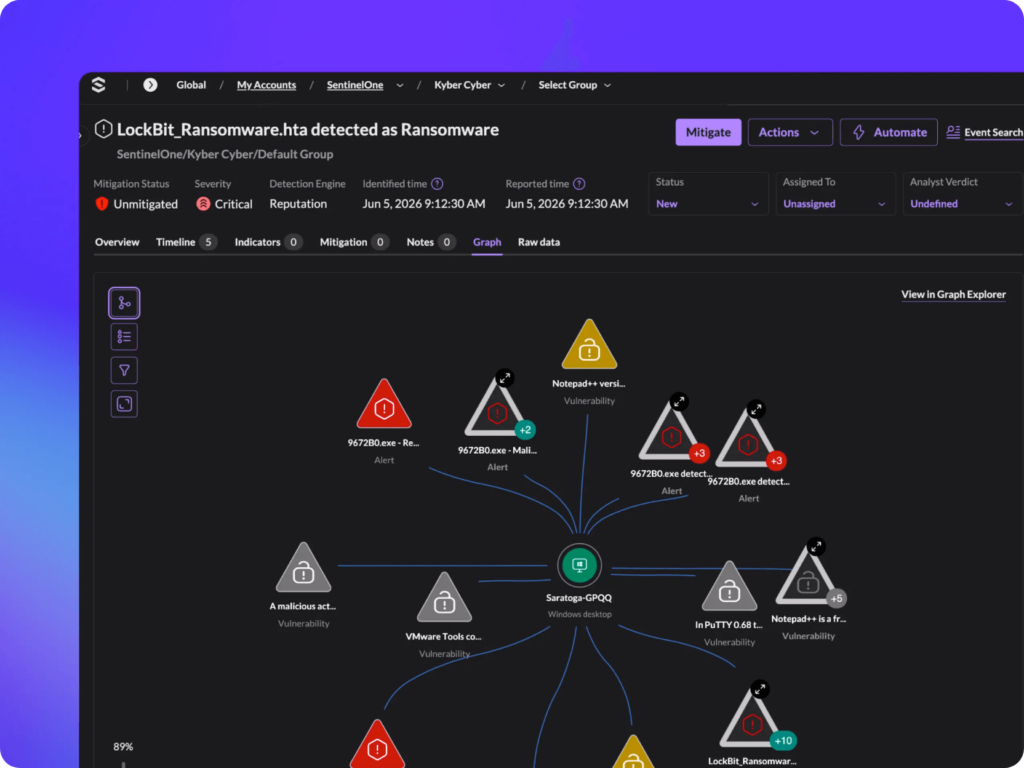
SentinelOne Singularity XDR brings endpoint, identity, cloud and third-party data into one correlated view. Its Storyline technology links related events automatically, so a hunter sees a full chain of activity with no need to stitch events by hand.
Hunters query in PowerQuery, a pipeline language, or ask Purple AI questions in natural language. SentinelOne also sells a managed service, Wayfinder Threat Hunting, which pairs its analysts with Google Threat Intelligence.
Key features:
- Purple AI natural-language queries, useful for analysts who don’t write PowerQuery.
- Storyline event linking across a full attack chain.
- Wayfinder managed hunting as an add-on on the Complete tier.
Pricing: SentinelOne lists Singularity Complete at $179.99 and Singularity Commercial at $229.99 per endpoint per year. Singularity Enterprise is quote-only.
MITRE ATT&CK evidence: SentinelOne reports detecting all 16 attack steps and 80 substeps in the 2024 evaluation. A September 2025 SentinelOne blog post confirmed it would skip the 2025 evaluation.
Pros:
- single agent,
- natural-language hunting,
- published tier prices.
Cons:
- Complete keeps only 14 days of data,
- managed hunting is an add-on on Complete,
- and the AI SOC analyst is an add-on on lower tiers.
Where it beats the alternatives: Purple AI lowers the query skill needed to hunt, which counts for a team without a dedicated hunter.
Final verdict: a practical XDR for lean teams; buy the Commercial tier or higher if you want 90 days of lookback.
8. Palo Alto Networks Cortex XDR: Best for Estates Built on Palo Alto Firewalls
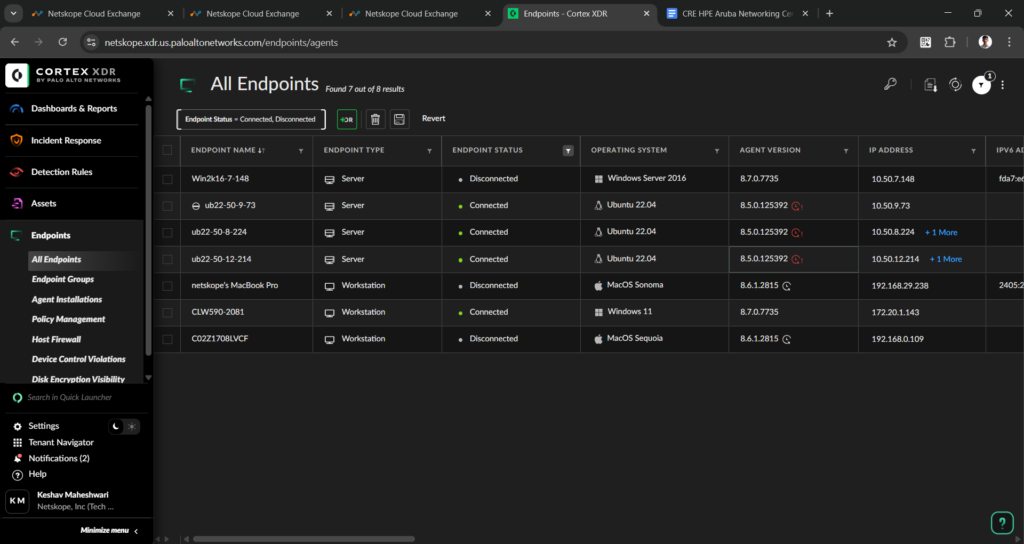
Cortex XDR correlates endpoint, network and cloud sensor data into attack timelines and root causes. Hunters write XQL, the Cortex Query Language, in a Query Builder, or type a natural-language prompt that the agentic assistant translates into XQL.
The Causality View is the pivot tool. It draws the full process execution chain behind an issue, and a MITRE ATT&CK card on each case maps the observed behavior to tactics and techniques.
Key features:
- XQL queries with natural-language-to-XQL translation.
- Causality View for the process chain behind each issue.
- BIOC, IOC and correlation rules to codify finished hunts.
Pricing: Palo Alto Networks publishes no price for Cortex XDR; it is quote-only.
MITRE ATT&CK evidence: Palo Alto Networks reports 100% technique-level detection with no delays or configuration changes in the 2024 evaluation. The company withdrew from the 2025 round in September 2025, saying it was refocusing engineering and testing resources.
Pros:
- tight correlation with Palo Alto network data,
- strong causality visualization,
- natural-language query help.
Cons:
- default retention for ingested data is 31 days,
- forensic data needs a separate add-on,
- and no public pricing.
What it is good at: if Palo Alto firewalls already see your traffic, Cortex XDR joins that network view to endpoint data in one console.
Final verdict: a strong fit inside a Palo Alto estate; price the retention add-on before you commit to long hunts.
9. IBM QRadar SIEM: Best for Existing QRadar On-Premises Estates
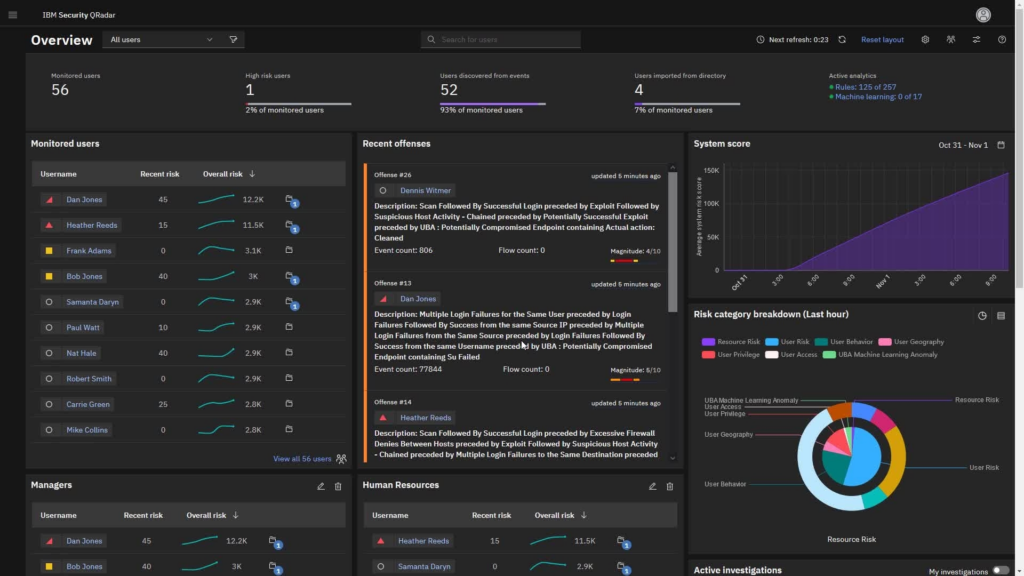
IBM QRadar SIEM today means the on-premises product, sold as hardware or virtual appliances. Palo Alto Networks bought the QRadar SaaS assets in 2024, and IBM offers eligible QRadar SaaS customers a cost-free migration to Cortex XSIAM, while committing to keep supporting on-prem customers.
Hunters query QRadar’s Ariel databases in AQL, the Ariel Query Language. User Behavior Analytics adds baselines, and IBM says the platform has native support for thousands of open-source Sigma rules.
Key features:
- AQL searches over events and network flows.
- Use Case Manager to edit ATT&CK mappings and visualize technique coverage.
- Native Sigma rule support, so community hunts run without rewriting.
Pricing: IBM publishes no dollar figure. Licensing is by events per second and flows per minute, or by Managed Virtual Server count, as a subscription or perpetual license.
MITRE ATT&CK evidence: Use Case Manager maps rules to ATT&CK tactics and techniques and visualizes coverage. QRadar sat outside both recent Enterprise rounds.
Pros:
- deep flow and event correlation,
- 700 prebuilt integrations and partner extensions, per IBM,
- Sigma support.
Cons:
- on-prem only now,
- licensing is hard to size up front,
- and the SaaS line moved to another vendor.
Why it earns a place here: a well-tuned QRadar is a capable hunting platform today, with Sigma support and deep flow data.
Final verdict: keep hunting on it if you run it, and plan your roadmap with the SaaS sale in mind.
10. Exabeam New-Scale Fusion: Best for Insider-Threat and Behavior-Led Hunts
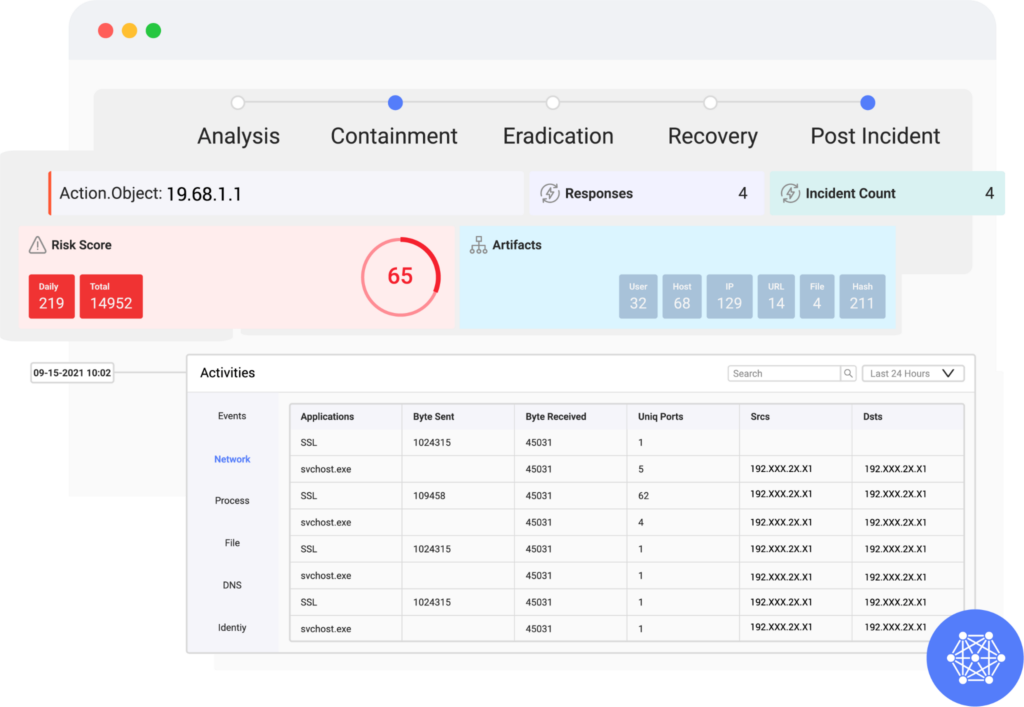
Exabeam New-Scale Fusion combines New-Scale SIEM and New-Scale Analytics in one cloud-native platform. Exabeam and LogRhythm completed their merger in July 2024, and the company still sells LogRhythm SIEM separately for on-prem buyers.
Its hunting strength is behavior. New-Scale Analytics builds self-learning baselines for users and entities, and a newer Agent Behavior Analytics module watches AI agents too. Hunters search with Exabeam Query Language or in natural language, with timelines built automatically.
Key features:
- Behavioral baselines that flag deviations for each user and entity.
- Threat Center, which puts alerts, cases, detections and watchlists in one workbench.
- Outcomes Navigator, which maps ingested data to ATT&CK use cases.
Pricing: Exabeam publishes no price; New-Scale Fusion is quote-only.
MITRE ATT&CK evidence: Outcomes Navigator maps ingested data to ATT&CK use cases, and the Nova Advisor Agent benchmarks coverage against peers. MITRE’s 2024 and 2025 cohorts didn’t include Exabeam.
Pros:
- strong UEBA,
- automatic timelines,
- AI agents for triage and rule writing.
Cons:
- on-prem buyers get a separate product,
- the query language is a limited subset of Lucene,
- and pricing is quote-only.
Why buyers shortlist it: insider and compromised-credential hunts are behavior problems first, and that is Exabeam’s home ground.
Final verdict: the best pick here when your top hunting hypotheses are about accounts behaving oddly.
11. Vectra AI: Best for Hunting Across Hybrid Network and Identity Traffic
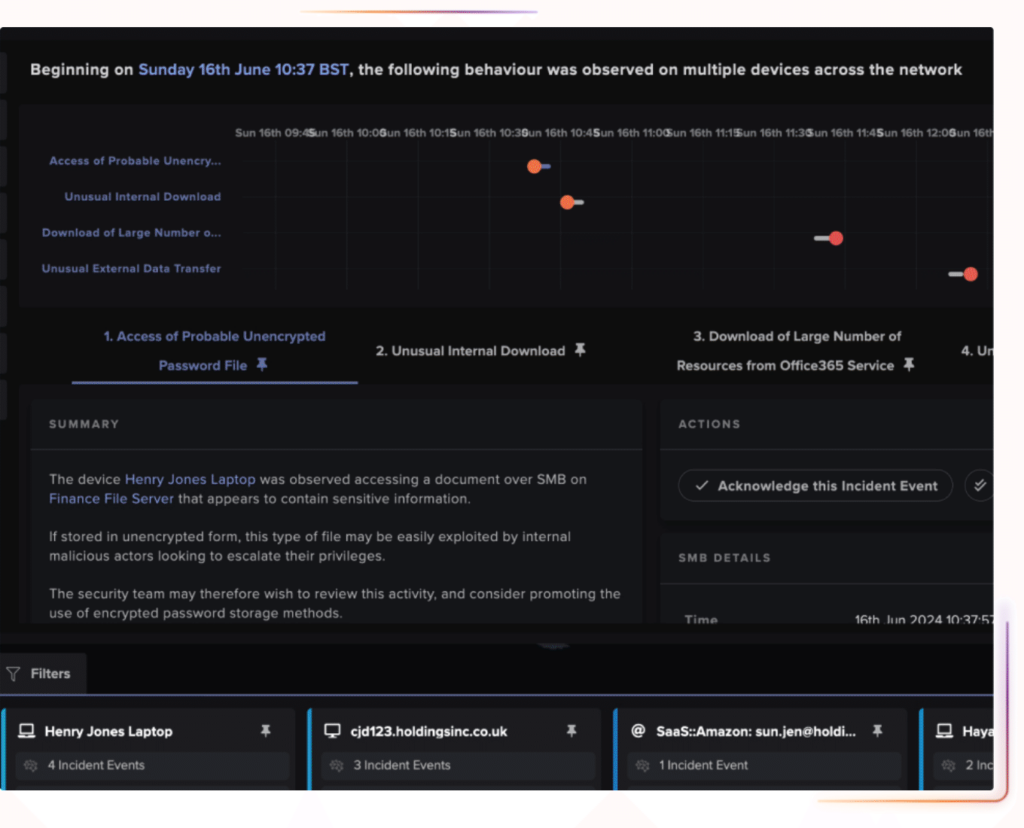
The Vectra AI Platform detects attacker behavior in network, identity and cloud metadata, with no endpoint agent. Vectra positions it next to your EDR and SIEM, covering network and identity activity that, per Vectra, endpoint and log tools miss.
Hunting needs no query language. Vectra offers guided “zero-query investigations,” pre-built hunts it describes as five minutes long, and weekly hunt releases based on new CVEs and emerging threats, all over 25+ enriched metadata types.
Key features:
- Pre-built and weekly guided hunts, maintained by Vectra.
- AI-enabled threat hunting across 250+ contextual fields in network, identity and cloud data.
- Network detections that monitor up to 300,000 IPs at a time, per Vectra.
Pricing: Vectra publishes no price; the platform is quote-only.
MITRE ATT&CK evidence: Vectra’s homepage claims “>90% MITRE ATT&CK coverage” and says it is the most-referenced vendor in MITRE D3FEND. It has no Enterprise evaluation result, which is expected for an NDR tool.
Pros:
- agentless visibility into lateral movement,
- weekly hunts released by Vectra,
- hunts need no query skills.
Cons:
- no host artifact collection,
- the hunt library is vendor-curated,
- and pricing is quote-only.
Why buyers shortlist it: attackers who avoid endpoints still cross the network, and Vectra hunts exactly there.
Final verdict: the best add-on here for a network blind spot next to an EDR you already run.
12. Darktrace: Best for Anomaly Hunting Without Writing Queries
Darktrace learns what normal looks like in each organization and flags deviations from it across network and email traffic. On August 3, 2026, Darktrace introduced the Darktrace Behavioral Defense Platform; Thoma Bravo has owned the company since October 2024.
Hunters use Advanced Search for hashes, ports, protocols and data volumes, the model editor to build custom detections, and packet captures for deeper analysis. Cyber AI Analyst correlates related events into a single investigation.
Key features:
- Self-learning behavioral models, no rule writing needed to start.
- Detection models mapped to MITRE ATT&CK and filterable by tactic in the Threat Tray.
- Packet capture from the console for deep network forensics.
Pricing: Darktrace publishes no price; it is quote-only, and the site offers a free trial.
MITRE ATT&CK evidence: Darktrace says each detection model is mapped to ATT&CK, and hunters can filter detections by tactic. Darktrace has no Enterprise evaluation result.
Pros:
- finds novel behavior with no signatures,
- packet capture from the console for network forensics,
- email coverage on the same platform.
Cons:
- search is centered on its own models,
- product names are shifting with the August 2026 platform introduction,
- and pricing is quote-only.
Where it fits: a team that can’t write queries still gets leads worth hunting from day one.
Final verdict: a good starting point for anomaly-led hunts; pair it with an endpoint tool for host evidence.
13. Cynet: Best for Small Teams That Want EDR Plus an Analyst Team
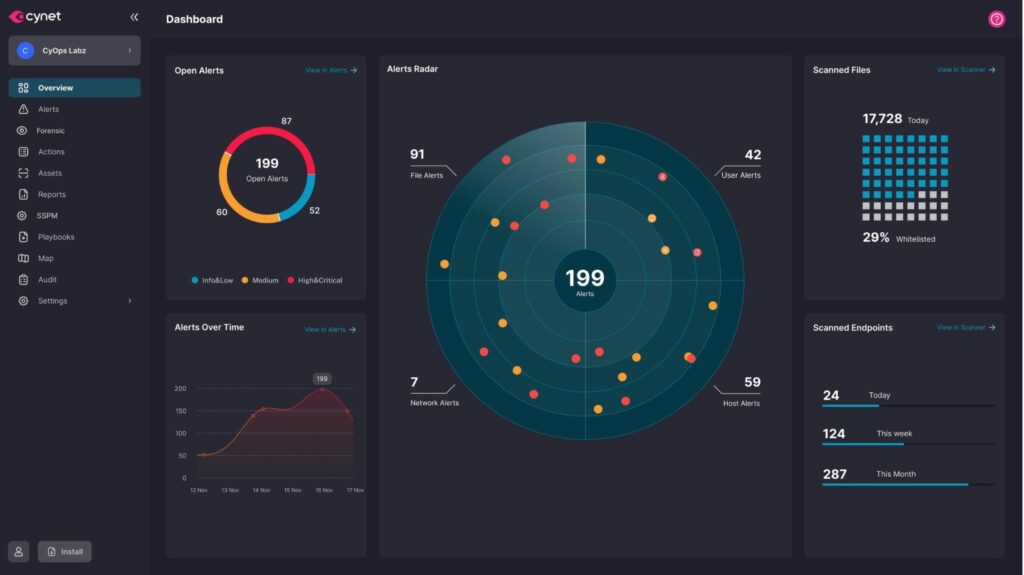
Cynet sells a unified security platform in Protect, Elite and All-in-One packages. It combines endpoint protection and EDR with network, identity and response automation, and its CyOps team investigates and hunts around the clock on the higher tiers.
Hunting happens in the forensics console. Cynet records every file and process action, collects Windows events automatically, and ranks each risk with its related ATT&CK tactics and techniques.
Key features:
- Full file and process recording for on-demand forensics.
- 24/7 CyOps analysts who hunt and guide remediation.
- Risk context mapped to ATT&CK tactics and techniques.
Pricing: Cynet describes per-endpoint, per-month pricing and publishes no figures; every package is request-a-quote.
MITRE ATT&CK evidence: Cynet took part in the 2025 Enterprise evaluation and all 90 substeps with no configuration changes, each at technique level, with none of the 17 legitimate substeps flagged.
Pros:
- strong 2025 evaluation showing,
- analysts included on higher tiers,
- one console for several controls.
Cons:
- full EDR needs Elite or All-in-One,
- hunting relies on IOC and forensics search with no custom query language,
- and the site targets MSPs and less complex environments.
Why it earns its slot: it is a short route from no hunting program to a staffed one.
Final verdict: a solid all-in-one pick for small teams; check its scale if you plan to grow past a few thousand endpoints.
Which Open-Source Threat Hunting Tools Are Worth Running?
The open source threat hunting tools worth running in 2026 are Velociraptor for endpoint collection, Sigma and YARA for detection content, and Cortex for enrichment, with TheHive as the free-tier case tracker next to them. Together they form a complete hunting stack with zero license cost.
The trade is time. You host the servers, write or adapt the rules, and patch the software yourself. The three entries below are actively maintained and fit a hunting program most clearly.
14. Velociraptor: Best for DFIR-Skilled Teams Hunting Across Endpoint Fleets
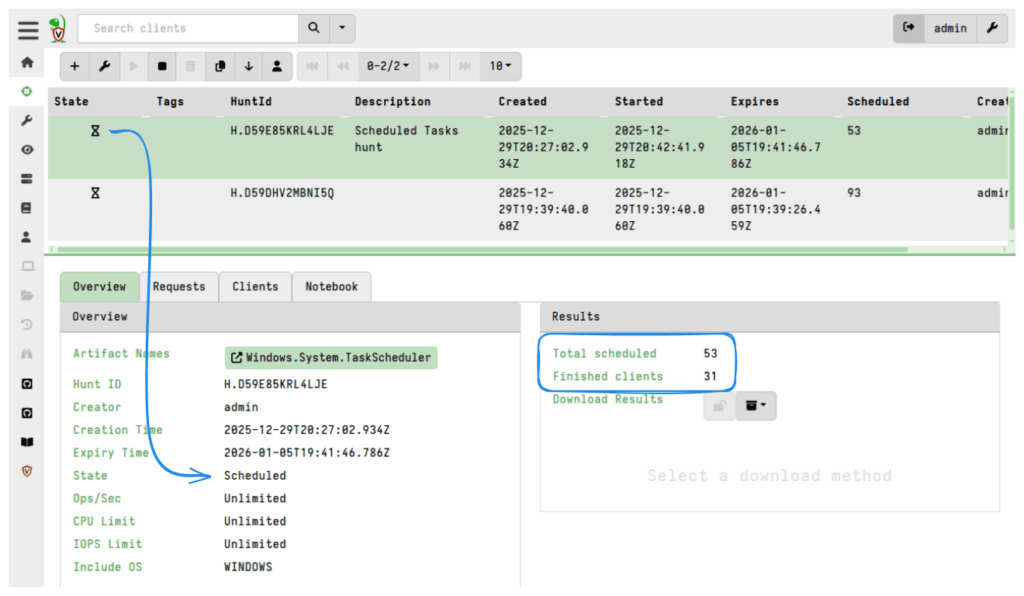
Velociraptor is an open-source endpoint DFIR and monitoring tool from Velocidex, backed by Rapid7. It pushes queries written in VQL, the Velociraptor Query Language, to each endpoint and parses artifacts on the machine itself, which keeps network traffic low during a fleet-wide hunt.
A hunt in Velociraptor is a collection of one or more artifacts from a group of machines, scheduled through the Hunt Manager. Each hunt gets a notebook where you run further VQL over the results, which makes it natural to move from a broad sweep to a narrow investigation.
Key features:
- Hunts targeted by label groups, for triage in stages across the fleet.
- Native Sigma matching, plus Hayabusa rules from the separate Velociraptor Sigma Project for Windows event log hunts.
- Offline collectors for machines you can’t reach over the network.
Pricing: Velociraptor is free and open source under the AGPL-3.0 license. Paid support comes through Rapid7.
MITRE ATT&CK evidence: ATT&CK context arrives through its Sigma and Hayabusa rule support. As an open-source tool, it takes no part in MITRE’s evaluations.
Pros:
- deep endpoint artifact collection,
- free, active project,
- active project (v0.77.2 shipped in August 2026).
Cons:
- VQL takes real learning,
- you host and scale the server yourself,
- and big collections need big storage.
That last point is concrete. Velociraptor’s own docs warn that collecting a 100MB file from 10,000 machines needs over 1TB of storage, so scope your artifacts before you launch a fleet-wide hunt.
Why it earns a place here: for incident responders, it is a fast, free way to ask one question of every endpoint at once.
Final verdict: the first open-source tool to install if your team has DFIR skills.
15. TheHive + Cortex: Best for Tracking Hunt Findings as Cases
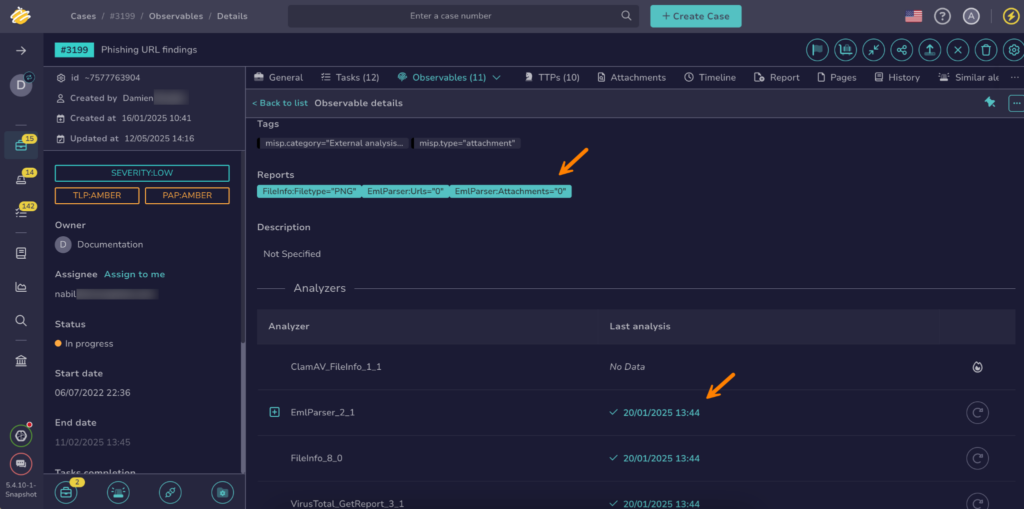
TheHive, now developed by StrangeBee, is a security case management platform, and Cortex is its enrichment engine. A hunt finding becomes a case with its observables, and Cortex runs analyzers against each IP, domain, hash or email address, one at a time or in bulk.
A licensing detail matters here. TheHive 5 is proprietary freemium software: the Community license is free for 2 users and 1 organization, and its terms describe it as meant mainly for discovery, testing, training and education. Cortex remains open source under AGPL-3.0 and free.
Key features:
- Analyzers and responders for VirusTotal, Shodan and DomainTools lookups; TheHive cites 300+ integrations, while Cortex’s own page says more than a hundred analyzers.
- MITRE ATT&CK TTPs mapped to every alert and imported from MISP.
- IOC import and export with MISP for sharing hunt results.
Pricing: TheHive Community is free for 2 users; the Gold and Platinum editions start from 5 users on a yearly subscription and are quote-only. Cortex is free.
MITRE ATT&CK evidence: TheHive maps TTPs to every alert and ships ATT&CK TTP catalogs. It is a case tool, so MITRE evaluations don’t apply.
Pros:
- clear case workflow for hunts,
- large analyzer library,
- Cortex stays open source.
Cons:
- TheHive’s free tier is capped at 2 users,
- it runs no hunts on its own,
- and older versions like 5.5 no longer get security fixes.
Where it fits: once hunts start producing findings, you need a place to track them to closure, and TheHive’s free tier covers a two-person team.
Final verdict: pair it with Velociraptor and Sigma; budget for a paid edition if more than two people work cases.
16. YARA + Sigma Rules: Best for Portable Hunt Content Across Any SIEM
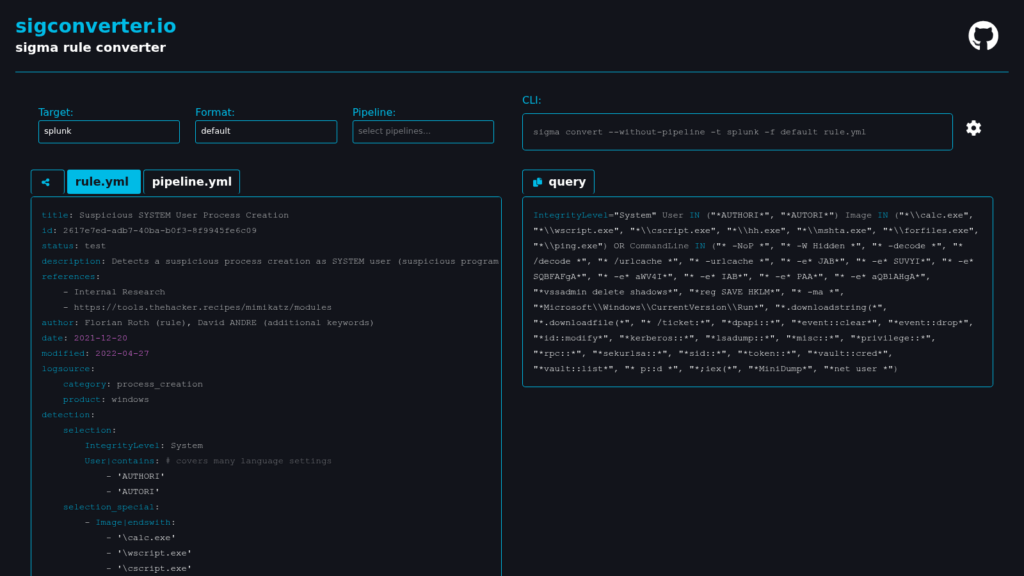
YARA and Sigma are rule formats, and they cover the two halves of a hunt. YARA, maintained by VirusTotal, matches patterns in files and memory to find malware families. Sigma, from SigmaHQ, is a YAML format for log detections that converts into the query language of almost any SIEM or EDR.
The Sigma repository is one of the largest free hunting libraries available. As of September 2026 it holds 3,144 core rules, 473 emerging-threat rules and 140 rules written specifically for threat hunting. Of the core rules, 2,798 carry at least one ATT&CK technique tag, so you can pull every rule for a technique in one query.
Key features:
- sigma-cli and pySigma convert rules to 33 backends, including Splunk, Microsoft Sentinel and Defender KQL, Elastic, CrowdStrike, SentinelOne and QRadar.
- A dedicated threat-hunting rule set, broader in scope than alerting rules, meant as a starting point for a hunter.
- YARA-X, the successor to classic YARA, which, per its maintainers, intends to be faster.
Pricing: both are free. YARA ships under BSD-3-Clause, and Sigma rules use the Detection Rule License 1.1, which carries attribution terms.
MITRE ATT&CK evidence: Sigma rules carry `attack.t` technique tags throughout. YARA has no native ATT&CK tagging beyond free-form metadata.
Pros:
- write once and run on any SIEM,
- huge community library,
- ATT&CK tags built in.
Cons:
- they need a platform to run on,
- each conversion needs field mapping for your log sources,
- and classic YARA is now in maintenance mode.
Why it’s a good pick among the best threat hunting tools: it keeps your hunt content portable, so a SIEM migration doesn’t wipe out years of work. Versioned rules are also the foundation of detection as code.
Final verdict: every team on this list should use Sigma, whatever platform it runs.
A zero-cost stack from these tools works like this: Velociraptor collects from endpoints, Sigma rules supply the hunts, YARA scans the files you pull back, and Cortex enriches the indicators. What you pay for is the skill to run it, which the cost section below puts in numbers.
AI-Native Threat Hunting Tools You Should Watch
The AI-native threat hunting tools worth watching in 2026 are Prophet Security, Hunters and Anvilogic, because each puts an AI layer on data you already collect and turns confirmed results into detections. They sit on top of your existing data, so AI threat hunting adds capacity without a new sensor.
None of the three has a MITRE Enterprise evaluation, and independent reviews of their AI layers are still thin, so a proof of value on your own data matters more here than anywhere else on this list.
Ask each AI-native vendor where your data goes during a hunt and which model writes the queries. Hunt data is full of usernames, hostnames and internal IP addresses, and your compliance team will want those answers in writing before any trial starts.
17. Prophet Security: Best for Teams Without Query Specialists
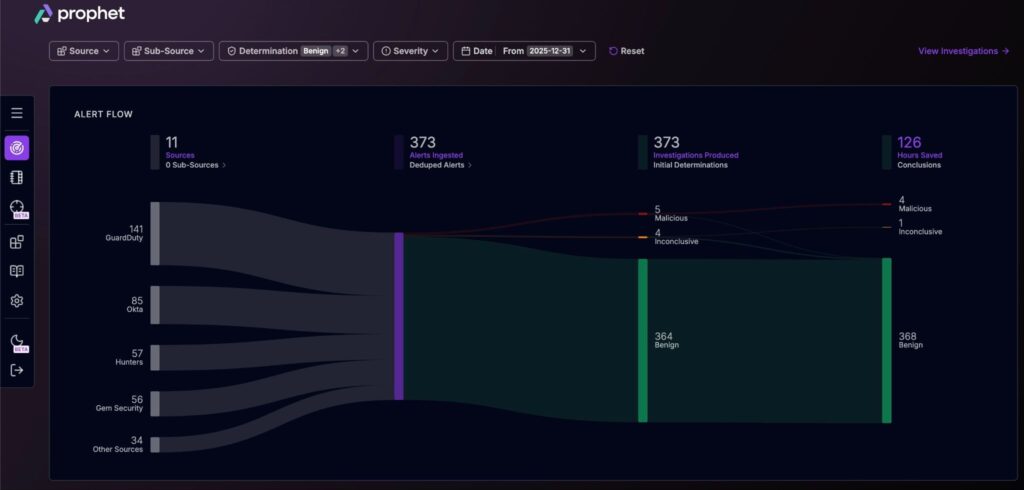
Prophet Security sells an agentic AI SOC platform, and its AI Threat Hunter product runs hunts across your existing SIEM, EDR and identity data. Its own pitch is to “hunt in plain language, no pipelines or query languages.” You ask “are we impacted?” or “where else is this happening?” and the agent writes and runs the queries.
Prophet runs several modes, including analyst-driven hunts, always-on hunting for emerging threats, and scheduled hunts that codify logic into reusable scripts. A companion AI Detection Engineer points hunts at the thinnest parts of your coverage.
Key features:
- Natural-language hunts across connected data sources.
- A curated library of pre-built hunt templates.
- One-step conversion of validated findings into backtested detections.
Pricing: Prophet publishes no price. It offers a free proof of value; setup takes 30 minutes or less, per the vendor, with read-only access to 2 to 3 data sources.
MITRE ATT&CK evidence: Prophet says its AI Detection Engineer maps your own investigation data to ATT&CK, showing what you can detect, what has gone quiet, and what is dark. It has no MITRE evaluation.
Pros:
- removes the query-skill barrier,
- read-only overlay,
- fast setup.
Cons:
- depends entirely on your existing telemetry,
- young vendor with limited independent validation,
- and quote-only pricing.
Where it fits: a team with good data and no dedicated hunter gets its first regular hunts quickly.
Final verdict: worth a proof of value if query skills are your main hunting bottleneck.
18. Hunters: Best for Small SOCs Replacing a Legacy SIEM
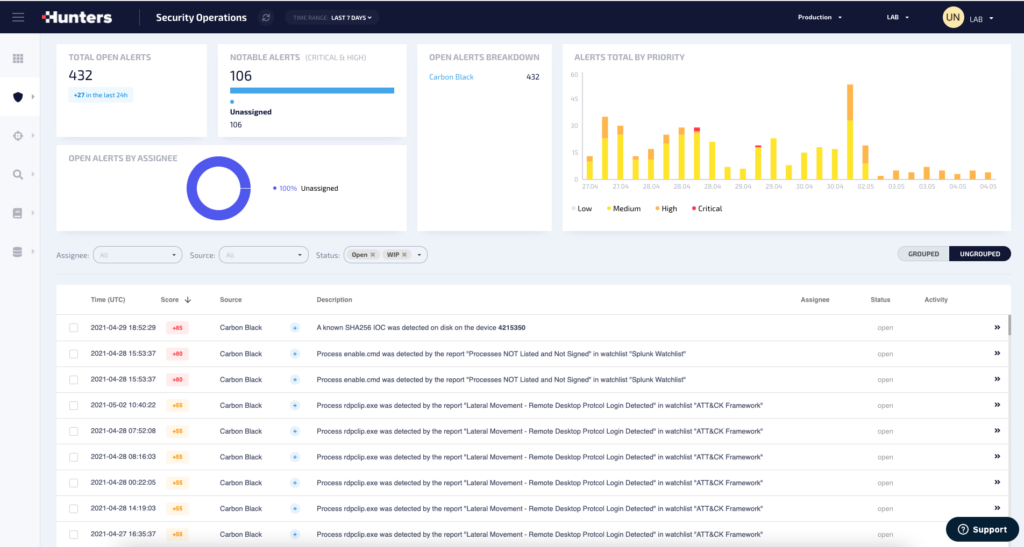
Hunters is an independent cloud SIEM built on a security data lake, with prebuilt detections and an AI layer called Pathfinder. It is aimed at small security operations teams, and it supports Snowflake as a data layer, with OCSF normalization.
Hunters builds custom detectors as queries over data-lake tables, with SQL-style operators. Pathfinder AI adds natural-language querying, guided investigations and automated root-cause analysis, and the Team Axon service offers hunting by Hunters’ own analysts.
Key features:
- A library of hundreds of prebuilt detectors.
- Pathfinder natural-language queries and guided investigations.
- Custom detectors tagged by ATT&CK technique, which sets their base severity.
Pricing: Hunters publishes no price; it is quote-only.
MITRE ATT&CK evidence: each custom detector takes an ATT&CK technique tag, which Hunters uses to set base severity. It has no MITRE evaluation.
Pros:
- SIEM and hunting in one cloud tool,
- data-lake economics,
- hundreds of prebuilt detectors.
Cons:
- a documented cap of 150 leads per detector per day,
- positioned for smaller teams,
- quote-only pricing.
What it is good at: a small team gets a modern hunting data layer and AI help in one purchase.
Final verdict: a fit for small SOCs ready to replace their SIEM; check the vendor’s roadmap and integration coverage in the sales process.
19. Anvilogic: Best for Enterprises Hunting Across Several SIEMs
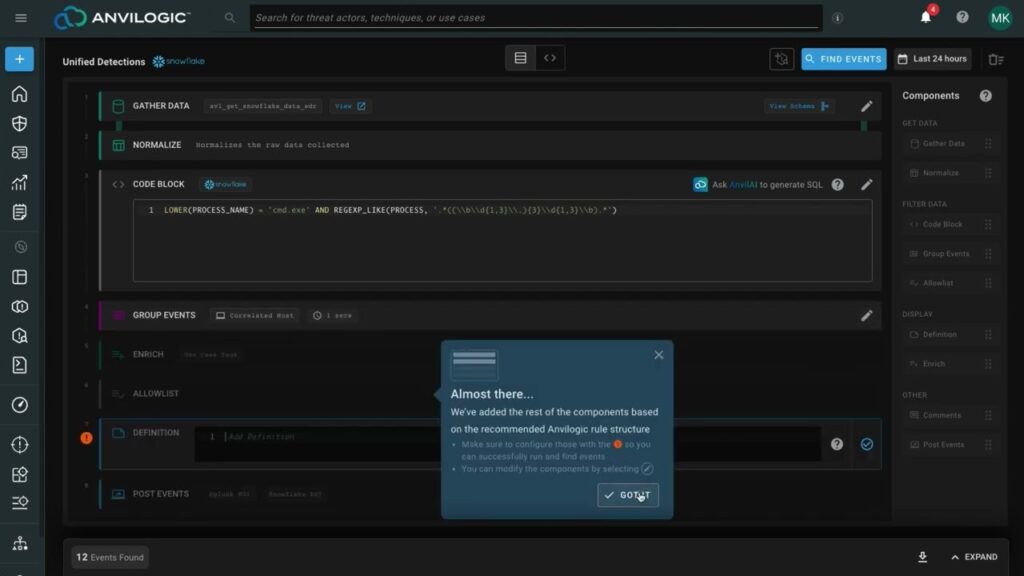
The Anvilogic Agentic SecOps Platform, now at version 8.0, runs detection engineering and federated hunting across several SIEMs and data lakes without moving data. It supports Splunk, Microsoft Sentinel, CrowdStrike’s SIEM, Elastic, Snowflake, Databricks, Azure Data Explorer and S3.
Its Hunting Agent searches every connected source in natural language and turns a successful hunt into a detection in one click. Anvilogic translates that detection into each platform’s own language.
Key features:
- Federated natural-language search across every connected data source.
- 3,500+ detections for any SIEM and data lake, per Anvilogic.
- Maturity Scoring that measures your ATT&CK coverage continuously.
Pricing: Anvilogic sells annual subscriptions after a 30-day free trial. The Detect base package and the Triage and AI Insights add-ons are all contact-sales.
MITRE ATT&CK evidence: Anvilogic says every detection maps to ATT&CK and claims “200+ MITRE ATT&CK techniques covered.” It has no MITRE evaluation.
Pros:
hunts across SIEMs without data migration,
strong coverage scoring,
one-click hunt-to-detection.
Cons:
AI Insights and Triage cost extra,
it needs existing SIEMs or data lakes underneath,
and its customer base skews large-enterprise.
Why buyers shortlist it: companies that inherited three SIEMs through acquisitions can hunt across all of them from one place.
Final verdict: the best AI-native pick for a multi-SIEM enterprise.
How These Threat Hunting Platforms Were Chosen and Ranked
This guide ranks these threat hunting platforms on five criteria that decide whether a hunt gets done at a mid-market company: query depth, data lookback, MITRE ATT&CK evidence, pricing transparency and the skill each tool demands from a small team. Every vendor fact came from the vendor’s own live product, pricing and documentation pages, or from MITRE’s published evaluation pages, read between September 23 and October 20, 2026.
Query depth asks whether a hunter can pivot from one event to everything related to it, in a language the team can learn. Data lookback asks how many days of history the default tier keeps, because a hunt can only reach back as far as the data does. ATT&CK evidence separates independent evaluation results from vendor claims and simple rule tagging.
Pricing transparency rewards a published number over “contact sales,” and skill demand asks how much specialist time the tool needs before it produces a finding. Coverage claims got the hardest scrutiny, since the gap between claimed versus measured coverage is where detection programs can fool themselves.
The list also leaves some tools out on purpose. It skips products that offer hunting only as a by-product of alerting, with no workspace where a hunter can start from a blank query, and open-source projects without a release in the past year. A tool that fails those filters can still detect well, and it still won’t support a hunting program. Intezer is included, and ranked high, because its live memory scans recheck alerts other tools have already closed, which is where many quiet compromises hide.
One disclosure belongs here. UnderDefense publishes this guide and ranks its own service first, because it is built for the reader this list serves. The other 18 entries use only their own vendors’ published facts, and the order among them is this guide’s own assessment of fit for a lean team.
How Should You Read a Vendor’s MITRE ATT&CK Claim?
Read every MITRE ATT&CK claim by asking which kind it is: an independent evaluation result, a vendor’s own coverage percentage, or rules tagged with technique IDs. The three sound alike in a sales deck and prove very different things.
MITRE ATT&CK itself is the shared map. Version 19, released in April 2026, lists 15 tactics, 222 techniques and 475 sub-techniques in the Enterprise matrix, according to MITRE’s April 2026 release notes. That release also split the Defense Evasion tactic into two new tactics, Stealth and Defense Impairment, so any coverage chart built on version 18 needs remapping.
What MITRE’s Evaluations Do and Don’t Tell You
MITRE’s Enterprise evaluations run each participating product against an emulated adversary and publish what it saw. The 2025 round, released in December 2025, emulated Scattered Spider and Mustang Panda and included its first cloud adversary emulation, per MITRE’s 2025 evaluation page.
Only 11 vendors took part in 2025, and only two of them, CrowdStrike and Cynet, are on this list. Microsoft said in June 2025 that it would not participate, and SentinelOne and Palo Alto Networks said the same in September 2025. All three had taken part in the 2024 round, which had 19 participants.
So a “100% detection” claim from those three vendors refers to 2024 results, against different adversaries. Those claims can still be accurate, so ask which round, which scenario and which configuration each result came from. CrowdStrike’s own 2025 page, for example, notes that its figures reflect the configuration change run.
Five Questions to Ask in a Demo
Coverage percentages need the same scrutiny, including UnderDefense’s own 96% figure. The questions below turn a claim into something you can check, and they work on every vendor in this guide.
- Which ATT&CK version is the coverage figure measured against?
- Which log sources does each covered technique depend on?
- Is coverage counted per technique, or per sub-technique?
- Which techniques were tested against a real emulation, and which are only tagged rules?
- Can the technique list be exported for mapping against your own data?
A vendor that answers all five with a spreadsheet is showing you real coverage. The cloud side of this question gets harder still, since cloud techniques depend on logs many teams never enable, and cloud ATT&CK coverage is where the widest gaps between claim and reality tend to show up.
How Does Threat Hunting Work? Seven Steps From Hypothesis to Detection
A hunt works as a loop: you form a hypothesis, check that the data to test it exists, query, investigate what comes back, respond to anything real, and then codify the finding so the next occurrence alerts on its own.
Threat hunting is a human-led, hypothesis-driven search across endpoint, network, identity and cloud data for attacker activity that automated detections haven’t flagged. Every tool on this list supplies some mix of the three things that search needs: data with enough history, a query layer to ask questions of it, and a way to turn a confirmed finding into a permanent detection.
The seven steps below follow the structure most mature programs use, whichever tool runs the queries.
- Write one testable hypothesis, tied to a MITRE ATT&CK technique. “Attackers are logging in through our VPN with valid accounts (T1078)” is testable. “Look for anything bad” is a wish.
- Confirm the data exists and reaches back far enough. A 30-day retention window can’t answer a question about a 60-day-old intrusion, so check log sources and look back before you write a query.
- Build the query in your platform’s language: KQL in Defender XDR, SPL in Splunk, ES|QL or EQL in Elastic, VQL in Velociraptor, or a Sigma rule you convert to any of them.
- Baseline the results. Most hunts return noise first, so compare what came back against normal behavior for that user, host or country before anyone escalates.
- Investigate the outliers by pivoting: from a login to the host, from the host to its process tree, from the process to every other machine where the same hash ran.
- Respond to confirmed activity through your incident process: disable the account, isolate the host, collect evidence, and notify the owner of the affected system.
- Codify the finding as a detection rule and log the hunt, including the hypothesis, the data used, the result and the hours spent, so you can show leadership what the program produced.
Most programs skip step seven. The SANS 2026 Threat Hunting Survey, based on 500 responses and published in September 2026, found that only 40% of programs formally measure hunt outcomes, down from 64% in 2024. Only 37% have a formally defined methodology. A hunt that never becomes a detection or a metric is hard to defend at budget time.
A Worked Example: Hunting Valid-Account Abuse on a VPN
A concrete case shows why step one matters. In a hunt UnderDefense analysts ran for a US financial-sector government organization, the hypothesis was simple: look for successful VPN logins from locations that make no sense for this client.
The hunt surfaced logins from Finland, Lithuania, Russia and Britain. The client’s correlation rules, built to catch brute force, had stayed silent, because the attackers guessed passwords for default accounts in a few low-intensity tries. The investigation took about 10 hours and found 6 VPN accounts in use by malicious actors.
Step seven closed the loop: new correlation rules now catch the same pattern automatically. That is the whole value of hunting in one example. The rule set had a blind spot, a human with a hypothesis found it, and the fix became permanent.
What Features Matter Most in Threat Hunting Platforms?
The features that matter most in threat hunting platforms are the ones that shorten the path from a question to a confirmed answer: a query layer your team can use, enough history to reach the start of an intrusion, and a fast pivot from one event to everything connected to it. Feature lists on vendor sites run to dozens of items, and most of them affect alerting more than hunting.
Use the checklist below when you compare shortlisted tools. Each item maps to one of the seven hunting steps earlier in this guide, so a missing feature tells you exactly which step will slow down.
- A query language your team can learn in weeks, or natural-language querying that writes the query for them.
- At least 90 days of searchable history on your identity, endpoint and VPN logs.
- A process tree or causality view that links parent and child processes, network connections and file writes.
- A shared library of tested hunting queries, updated as new techniques appear.
- ATT&CK mapping you can export as a technique list, so coverage can be checked outside the vendor’s console.
- One-step conversion of a hunting query into a scheduled detection rule.
- Sigma import or conversion, so community hunts run without a rewrite.
- A case or hunt log that keeps each hunt’s question, outcome and time cost on record.
- API access, so hunts and rules can live in version control.
The 90-day line is a working minimum for mid-market teams. It covers a full quarter of activity, so a hunt can compare this month’s behavior with the two months before it and spot a slow change that a 30-day window would hide.
The other items separate a comfortable tool from a frustrating one. A good pivot view saves hours on every investigation, and a hunt log is what lets you answer the budget question “what did hunting find this year?” with a number and a list of new detections.
How Much Do Threat Hunting Tools Cost? Free and Paid Options
Threat hunting tools cost from $0 for open-source software to published endpoint prices between $59.99 and $229.99 per device per year, and most enterprise platforms publish no price at all. Eleven of the 18 third-party tools in this guide publish no price. The license is also often the smaller part of the bill, because every hunt needs analyst hours.
The table below groups the tools by what drives their price, using only figures the vendors publish.
| Pricing basis | Tools in this guide | Published entry figure | What drives your bill |
| Per device or endpoint | UnderDefense, CrowdStrike, SentinelOne | $11/device/month (UnderDefense); $59.99/device/year (Falcon Go); $179.99/endpoint/year (Singularity Complete) | Endpoint count and tier |
| Per user | Microsoft Defender XDR | $12/user/month (Defender Suite, needs M365 E3) | Headcount and license bundle |
| Per GB ingested and retained | Elastic Security; Splunk offers ingest pricing | $0.09/GB ingested (Elastic Serverless Essentials) | Log volume and retention length |
| Events per second or flows | IBM QRadar SIEM | None published | EPS/FPM or virtual server count |
| Free license | Velociraptor, YARA, Sigma, Cortex, TheHive Community | $0 | Hosting, storage and analyst time |
| Quote-only | Splunk ES, Cortex XDR, IBM QRadar, Exabeam, Vectra, Darktrace, Cynet, Prophet, Intezer, Hunters, Anvilogic | None published | Scope, data volume and add-ons |
The per-device and per-user figures can’t be compared directly, because each bundle includes different features. CrowdStrike describes EDR and hunting only in its $184.99 Enterprise bundle, and SentinelOne’s $179.99 tier keeps only 14 days of data.
Why Retention Is the Hidden Cost
Retention decides how far back a hunt can look, and it is where the entry price of a paid tool can mislead. Each vendor’s documentation, read in September 2026, gives a different default, and longer windows cost extra almost everywhere.
| Tool | Default hunting lookback | How to extend it |
| Microsoft Defender XDR | Up to 30 days of raw data in advanced hunting | Microsoft Sentinel retention or streaming |
| Palo Alto Cortex XDR | 31 days for ingested data | Cold storage add-on, 6-month minimum (hot storage is a separate add-on) |
| SentinelOne Singularity | 14 days on Complete, 90 days on Commercial and Enterprise | Move up a tier |
| CrowdStrike Falcon | Not published | Falcon Search Retention add-on |
| Elastic Security | Set by you | Pay per retained GB per month |
Three of the five defaults in this table sit at 31 days or less. If an attacker has been inside for longer, a hunt run on the default tier of several leading platforms can’t reach the start of the intrusion.
The Analyst-Hours Cost
The largest cost is time. In the SANS 2026 survey, 31% of respondents said a typical hunt takes 9 to 24 hours. At four hunts a month, that works out to 36 to 96 analyst hours a month by this guide’s arithmetic, time a team of three to five people takes from patching, identity and project work.
That math explains why managed hunting sells, and why vendors bundle it: Falcon Adversary OverWatch, Defender Experts for Hunting, Wayfinder and Cynet’s CyOps are all versions of the same answer. Comparing Falcon Adversary OverWatch versus a dedicated SOC is a decision with its own tradeoffs.
Short on hunting hours? Compare the cost of staffing hunts in-house with an operated service for your team size.
How Do You Choose a Threat Hunting Tool for a Lean Security Team?
Choose a threat hunting tool for a lean team by starting from the data you already collect and the hours you can give it each month, then picking the tool that closes the biggest gap. Many mid-market teams already own a platform that can hunt, and the missing piece is time or skill.
The SANS 2026 survey backs this up. Its top barriers to hunting were data quality or quantity (50%), skilled staff (45%) and budget (42%). In-house hunting held steady at 58% of respondents, while fully outsourced hunting fell to 18%, from 30% in 2025.
Match your situation to a starting point with the table below.
| Your situation | Start with | What to check first |
| You run Microsoft 365 E5 | Microsoft Defender XDR advanced hunting | Whether 30 days of lookback covers your hypotheses |
| CrowdStrike or SentinelOne already covers every endpoint | Your existing Falcon or Singularity console | Whether your tier includes hunting and enough retention |
| You run two or more SIEMs | Anvilogic federated hunting | Which of your SIEMs and data lakes it connects to |
| Nobody on the team writes queries | Prophet Security or another natural-language tool | A proof of value on your own data |
| Low-severity and “mitigated” endpoint alerts go unchecked | Intezer Forensic AI SOC | Which alert sources your tier covers |
| Lateral movement across the network is your blind spot | Vectra AI or Darktrace next to your EDR | How it feeds findings into your SIEM or case tool |
| You have DFIR skills and no budget | Velociraptor, Sigma and Cortex | Who hosts, patches and maintains the stack |
| You have the tools and lack the hours | UnderDefense Agentic AI SOC, hunting in the tools you already own | Which of your tools it connects to, and how long calibration takes |
Whichever you pick, adopt Sigma for your hunt content, so the work survives a platform change. And check integrations before you sign: a hunting layer that connects to your stack through a published integration list starts without an agent rollout, while a tool that needs its own agent adds a deployment project to the plan.
What Red Flags Should You Watch for in a Threat Hunting Vendor Demo?
The biggest red flag in a threat hunting demo is a hunt that never leaves the vendor’s own sample data. A demo tenant has been tuned for months and holds no surprises, so the checks below test how a tool behaves once it meets a messy environment like yours.
Each signal is worth checking in any evaluation of threat hunting tools in cybersecurity, and each comes with one question that brings the real answer out quickly.
| Red flag in the demo | What it usually means | What to ask |
| Every “hunt” starts from an alert | The tool triages alerts well, and hunting without a trigger is weak | “Start from an empty query and look for something no rule has flagged.” |
| The AI “finds everything,” and no analyst appears in the story | Nobody can explain how the AI reaches a verdict or where it fails | “Show me a case your AI got wrong and how an analyst caught it.” |
| An AI verdict arrives without the query behind it | You can’t audit or reproduce the finding | “Open the exact query and data this verdict was built from.” |
| Every result on screen is a real threat | The demo data has been curated | “How many leads per week does an analyst close as benign?” |
| Onboarding is promised in days, with no word on tuning | Calibration time will surprise you after signing | “What did detection quality look like in a customer’s first 60 days?” |
| Every reference customer is far larger than you | The product or service is built for a different team size | “Can I speak to a customer with a security team of three to five?” |
| Managed hunting comes with no names or hours attached | Hunting may be a checkbox inside a broader service | “Who hunts in my environment, how often, and how many customers does each hunter cover?” |
Who sits in the demo matters as much as the questions. Bring the person who will run hunts day to day and let them drive the keyboard for ten minutes, because a console that looks simple when a sales engineer clicks through it can feel very different to someone opening it cold. Ask for the recording afterward, too, so you can compare answers across vendors side by side.
One or two of these in a demo is normal, and a strong vendor answers them without hesitation. A vendor that deflects three or more is showing you how the relationship will feel after the contract is signed.
What to Settle Before You Pick a Threat Hunting Tool
The right threat hunting tool is the one that fits your data, your lookback needs and the analyst hours you can commit each month. The 19 tools in this guide fall into four paths, and each suits a different team.
- Enterprise EDR, XDR, SIEM and AI SOC platforms, if you already run one and have the skills to hunt in it.
- Open-source tools like Velociraptor, Sigma and Cortex, if you have DFIR skills and more time than budget.
- AI-native tools like Prophet Security, Hunters and Anvilogic, if query skills or alert volume are the bottleneck.
- An operated hunting layer like UnderDefense, if you have the tools and lack the hours.
Whichever path you take, three checks decide the result: enough retention to reach back past the start of an intrusion, MITRE ATT&CK claims backed by a technique list you can verify, and a process that turns every confirmed finding into a permanent detection. Write down your first five hypotheses, and ask each shortlisted vendor to run one of them live on your data.
If your team owns the tools but lacks the hours, the UnderDefense Agentic AI SOC runs hunts inside the SIEM and EDR you already have, with agentic triage and human hunters working side by side.
Bring one of your hypotheses to a demo and see how it would be hunted on your own stack.
1. What is the best threat hunting tool for a small security team?
The best threat hunting tool for a small team is usually the one already collecting your data. A Microsoft E5 customer should start in Defender XDR, and a CrowdStrike customer should check its Falcon bundle. If the team lacks hunting hours or query skills, an operated hunting layer or a natural-language tool like Prophet Security closes that gap faster than a new platform would.
2. Are open source threat hunting tools good enough for production?
Yes, for teams with the skills to run them. Velociraptor, Sigma, YARA and Cortex all run in production, and the Sigma repository alone holds 3,144 core rules. The tradeoff is operational: you host the servers, map the log fields and patch the software. TheHive’s free Community edition is limited to 2 users, so larger teams need a paid edition.
3. What is the difference between threat hunting and threat detection?
Threat detection waits for a known pattern to trigger an alert. Threat hunting starts from a hypothesis and searches for evidence that no rule has flagged yet. The two feed each other: a successful hunt should end as a new detection rule, so the same activity alerts automatically next time. Most platforms in this guide do both from the same data.
4. Should a mid-market company run threat hunting in-house or outsource it?
For most mid-market teams, a shared model works best. Your people own the hypotheses and the business context, and an outside team supplies the hunting hours and 24/7 coverage. Agree the hunt scope together, and ask any provider to hand back each confirmed finding as a detection rule, so the value stays in your environment after every hunt.
5. What are the best free threat hunting tools?
The best free threat hunting tools are Velociraptor for endpoint collection, Sigma and YARA for hunt content, and Cortex for enrichment. TheHive Community adds free case tracking for up to 2 users. Sigma alone holds 3,144 core rules as of September 2026. All of these carry a $0 license, and the real cost is hosting, storage and analyst time.