
TL;DR
- The CVE Program published 48,244 CVE records in 2025, about a fifth more than in 2024, and every one is a potential scanner finding.
- In April 2026 NIST moved its NVD enrichment backlog to “Not Scheduled,” so scanners lean harder on KEV, EPSS, and their own research.
- Six of the 11 publish current prices on their own sites: Tenable, Intruder, Snyk, Microsoft, Detectify, and Greenbone.
- Pick the scanner for what you run, then judge it on how it ranks findings and where it sends them.
Table of contents
- What Separates a Scanner From a Vulnerability Management Platform
- Where UnderDefense Fits Next to a Vulnerability Scanner
- How These 11 Vulnerability Scanning Tools Were Evaluated
- Vulnerability Scanning Tools Compared Side by Side
- The 11 Best Vulnerability Scanning Tools for 2027
- Remediation Is the Real Bottleneck in Vulnerability Scanning
- Choosing Vulnerability Scanning Software by What You Scan
- What Vulnerability Scanning Tools Cost in 2026
- What to Fix First Once the Scanners Are Running
- Frequently Asked Questions
Your scanner will report more vulnerabilities this quarter than last, and your engineering team’s capacity to fix them will not grow at the same rate. The CVE Program’s metrics show 48,244 CVE records published in 2025, up from 40,077 in 2024, and 35,872 more in the first half of 2026 alone.
Vulnerability scanning tools have kept pace with that volume. Most of them now cover hosts, cloud accounts, and container images, and several read code as well. The differences that matter now are how much noise reaches your team, how each one decides what is urgent, and whether a finding turns into a ticket an engineer actually closes.
This guide compares 11 vulnerability scanners on those three questions, for security leaders at SaaS and technology companies that run cloud workloads, containers, and their own code. It is published by UnderDefense, which does not sell a standalone scanner and is not ranked; its own section below covers the question a scanner can’t answer for you, whether a critical finding was already used.
See how the UnderDefense Agentic AI SOC investigates, triages, and resolves real alerts.
What Separates a Scanner From a Vulnerability Management Platform
A vulnerability scanner probes systems, images, or code and reports known weaknesses: a missing patch, an outdated library, a misconfigured service, an injectable form field. Nessus scanning a subnet, Trivy scanning a container image, and Burp Suite crawling a web app are all scanners in this sense.
A vulnerability management platform wraps scanning in the work that follows it. It keeps an asset inventory, deduplicates findings from several sensors, scores them by risk, assigns owners, and tracks each finding until it is fixed or accepted. Tenable, Qualys, Rapid7, and Microsoft sell both layers, and the line between them is increasingly a licensing line, a shift traced through the Tenable alternatives now sold as exposure management.
The distinction matters for budget. A scanner alone suits a team that already has a ticketing workflow and someone to own triage. A platform suits a team where findings currently die in a spreadsheet. Several tools on this list sell a scanner at a published price and a platform by quote, so know which one you are pricing.
Where UnderDefense Fits Next to a Vulnerability Scanner
UnderDefense publishes this guide and does not sell a standalone vulnerability scanner of the kind ranked below, so it is not on the list. Its work starts where a scan result stops: deciding whether a vulnerable system has already been used, and what to do about it.
That gap is easiest to see in a real engagement. In an external penetration test written up in August 2026, UnderDefense’s team found an internet-facing UniFi OS appliance running firmware old enough to miss a critical vendor patch. A network scanner would have flagged the version.
The test went further: three CVSS 10.0 flaws chained to unauthenticated root, and the appliance was already running botnet malware placed by a real attacker. The client’s monitoring had flagged none of it, because the device ran no endpoint agent and shipped no logs.
The UnderDefense Agentic AI SOC covers the investigation side of that problem. It sits over your existing SIEM and EDR and, by UnderDefense’s figures, triages an alert in about 2 minutes, so activity around a host your scanner marked critical gets examined with evidence before a person decides. UnderDefense’s integrations page lists SIEM, EDR, and cloud tools and no scanners, so scan findings reach an investigation through your SIEM or ticketing system.
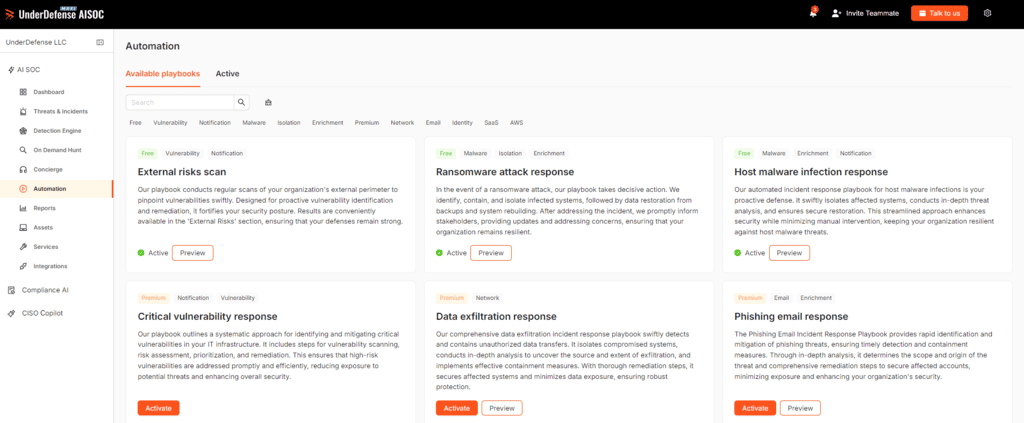
For a first look at your own perimeter, UnderDefense offers a free External Vulnerability Scan of up to 10 IP addresses. It checks for misconfigurations, open-port weaknesses, leaked credentials, and certificate and email-authentication errors, and its own FAQ describes it as only the first, noninvasive step of a penetration test.
Clutch shows UnderDefense at 4.9 from 66 client reviews (October 2026). A CIO of Security at ARX Insurance, whose engagement covered breach detection, managed SIEM, and vulnerability management, wrote that “UnderDefense impressed us with their ability to tailor their services to our unique needs and challenges.”
Scanner says critical. Was it already used? Book an investigation demo
How These 11 Vulnerability Scanning Tools Were Evaluated
Each vendor’s own product, pricing, and documentation pages were read in the first week of October 2026, along with AWS Marketplace listings where they exist. Counts, prices, and claims are reported as each vendor states them, and anything a vendor’s pages do not state is marked that way in its entry.
Four questions decided the ranking:
- Coverage: which of hosts, cloud workloads, container images, code, and web apps or APIs does the tool scan, and does it need an agent?
- Noise: does it rank findings with exploitation data such as CISA’s Known Exploited Vulnerabilities (KEV) catalog and EPSS, or verify exploitability, or does it sort by CVSS severity alone?
- Remediation: does a finding reach Jira, ServiceNow, or a pull request with an owner, and can the tool confirm the fix?
- Price: does the vendor publish what the scanner costs?
Noise and remediation carried the most weight, because those are where scanning programs stall. Coverage gaps still matter, especially at the edge of your network: the external attack surface is where unknown assets live, as the UnderDefense primer on external attack surface management shows.
Star ratings from review sites are not used here, since neither G2 nor Gartner’s review pages could be read for all 11 vendors, and a half-filled rating column would mislead.
Vulnerability Scanning Tools Compared Side by Side
Rows follow the ranking order. The price column shows the lowest figure each vendor lists, from its own price page or a marketplace listing, sourced in each entry.
| Tool | Best for | What it scans | Noise handling | Main limitation | Published price (from) |
|---|---|---|---|---|---|
| Tenable Nessus | Network and host scanning | Hosts, configs, web apps (5 FQDNs), external surface | CVSS v4, EPSS, VPR for top 10 | No ticketing on the Nessus page | $4,790/year (Professional) |
| Qualys VMDR | Agent-based coverage plus patching | Hosts, cloud, containers, mobile, OT | TruRisk, KEV, 25+ intel sources | Quote only on qualys.com | $880/month for 64 hosts (AWS bundle) |
| Rapid7 InsightVM | Remediation projects at scale | Hosts; cloud and apps in Exposure Command | Active Risk score (0-1000) | Now sold inside Exposure Command | Quote |
| Microsoft Defender Vulnerability Management | Microsoft-centric estates | Windows, macOS, Linux, mobile, network devices | Microsoft threat intelligence | Remediation runs through Intune | $2/user/month (add-on) |
| Wiz | Agentless cloud workload scanning | VMs, containers, serverless, code | Attack paths and exposure context | High entry price | $24,000 (AWS, 100 workloads) |
| Intruder | Lean teams wanting a managed scanner | External and internal hosts, cloud, web apps, APIs | EPSS, KEV, emerging threat scans | Internal scanning from Pro only | $0 (Free); $239/month (Cloud) |
| Snyk | Code and dependency scanning | Code, open source, containers, IaC | Fix suggestions in the IDE and PRs | Team plan capped at 10 developers | $0 (Free); $25/month (Team) |
| Aqua Security | Container image scanning | Images, registries, IaC, cloud workloads | Runtime context in the platform | Platform price private offer only | Trivy free; platform $50,000 (AWS reseller) |
| Burp Suite DAST | Web app and API testing | Web apps, APIs (REST, GraphQL, SOAP) | Evidence on every finding | No host or CVE scanning | Quote |
| Detectify | External surface and web apps | Domains, subdomains, web apps, APIs | Payload-based verification | Per-asset fees unpublished | €0 (Starter); €2,500/year (Standard) |
| Greenbone OPENVAS | Self-hosted and air-gapped scanning | Network services, hosts, containers | Severity plus EPSS (Enterprise feed) | Tickets and API on SCAN tier only | Free; €2,524/year (BASIC) |
Most entry prices cover small scopes, from 5 targets to 100 workloads, so price your real asset count before comparing totals.
The 11 Best Vulnerability Scanning Tools for 2027
Every entry closes with a verdict: who the tool suits and the one thing to confirm before a contract.
1. Tenable Nessus: Best for Network and Host Scanning
Best for: Deep network and host scanning
Overview: Nessus is the scanner most vulnerability programs started with, and Tenable now sells it as the engine inside its Tenable One exposure management platform. The product page lists coverage of “117 K+ CVEs” through “319 K+ plugins”, with “100+ new plugins released weekly” and more than 450 preconfigured templates.
Both paid tiers include unlimited IT vulnerability assessments, configuration and compliance audits, web application scans for 5 FQDNs, and external attack surface scans. Tenable describes Nessus Expert as built “for the modern attack surface,” from IT to the cloud.
Key features:
- Scoring with CVSS v4, EPSS, and Tenable’s VPR, which Nessus applies to its top 10 vulnerabilities.
- Over 450 templates, so a PCI or CIS audit scan starts from a preset.
- Guided remediation workflows with fix guidance per finding.
- Deployment on almost any platform, down to a Raspberry Pi.
Fit and setup: Nessus suits a team that wants a proven engine for internal networks and servers and already tracks fixes elsewhere. The Nessus page lists no Jira or ServiceNow integration, so ticketing and asset-level risk tracking point to Tenable Vulnerability Management, priced separately.
Pricing: Tenable publishes Nessus Professional at $4,790 a year and Nessus Expert at $6,790 a year, with multi-year discounts and a free trial for both. Tenable Vulnerability Management lists 100 assets at $3,700 a year.
Pros: Published prices, very large plugin library, fast plugin updates, wide template set
Cons: Full VPR prioritization sits in the platform tier. One scanner instance means no fleet-wide asset view without Tenable Vulnerability Management. Expert’s added cloud features are not spelled out on the main page.
Why it’s a good vulnerability scanning tool: Its plugin library, which Tenable puts at more than 319,000, covers hosts and network services in depth. The published price lets you budget before a sales call.
Final verdict: Shortlist Nessus as your network and host engine, and decide early whether its findings flow into Tenable’s platform or into your own ticketing.
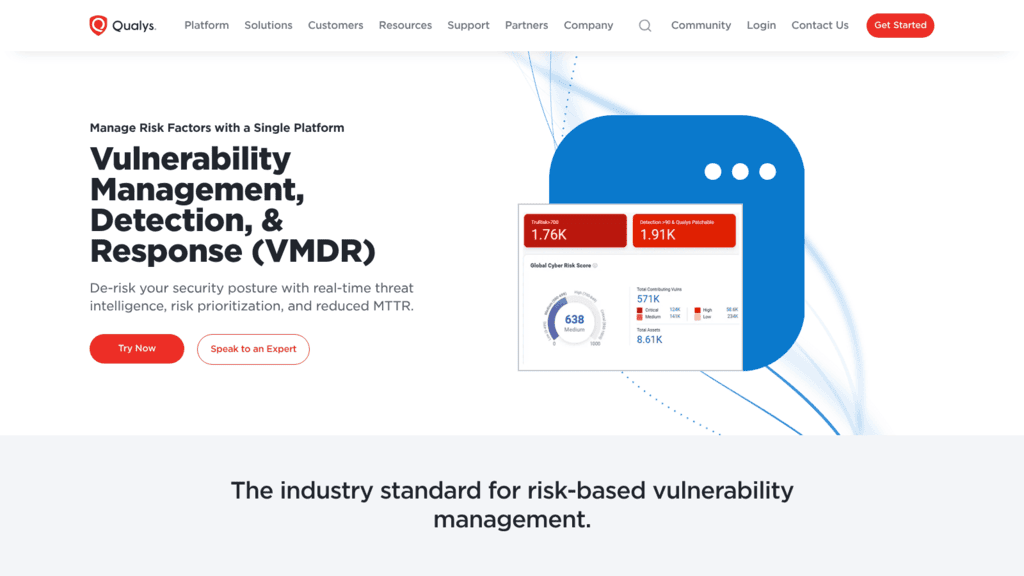
2. Qualys VMDR: Best for Agent-Based Coverage With Built-In Patching
Best for: Agents, scanning, and patching combined
Overview: Qualys VMDR combines scanner appliances, the Qualys Cloud Agent, and passive network sensors that find rogue assets and shadow IT. Connectors cover AWS, Azure, Google Cloud, and OCI, and the platform inventories container registries and running containers.
Prioritization runs on TruRisk, which Qualys includes with VMDR. A 2025 Qualys post describes threat intelligence from “over 25 sources” and the CISA KEV list feeding that score, with findings mapped to MITRE ATT&CK.
Key features:
- Patch Management that correlates vulnerabilities with patches, including third-party applications.
- ServiceNow ITSM and Jira integrations that create and assign remediation tasks.
- TruRisk Eliminate for mitigation when no patch exists yet.
- Mobile, OT, and IoT asset coverage alongside servers and laptops.
Fit and setup: Qualys suits a team that wants detection and patching from one agent across a mixed estate. Patching and mitigation features depend on the agent, so plan the rollout before counting on them. It does not claim code or SAST scanning.
Pricing: qualys.com carries no price. On AWS Marketplace, the VMDR ProtectIT bundle, which adds patch management and endpoint protection, starts at $880 a month for 64 hosts and runs to $16,763 a month for 2,560 hosts.
Pros: Detection-to-patch in one agent, passive discovery of unknown assets, KEV-informed scoring, ITSM integrations
Cons: No price on qualys.com. Qualys’ “Cut vulnerabilities by 85%” figure is a vendor claim with no published method. The AWS bundle caps at 2,560 hosts.
Who should shortlist it: Teams whose bottleneck is patch deployment, since Qualys can close the loop from finding to patch without a second tool.
Final verdict: Shortlist Qualys when you want one agent to find, prioritize, and patch. Ask for VMDR-only pricing if you already run patching elsewhere.
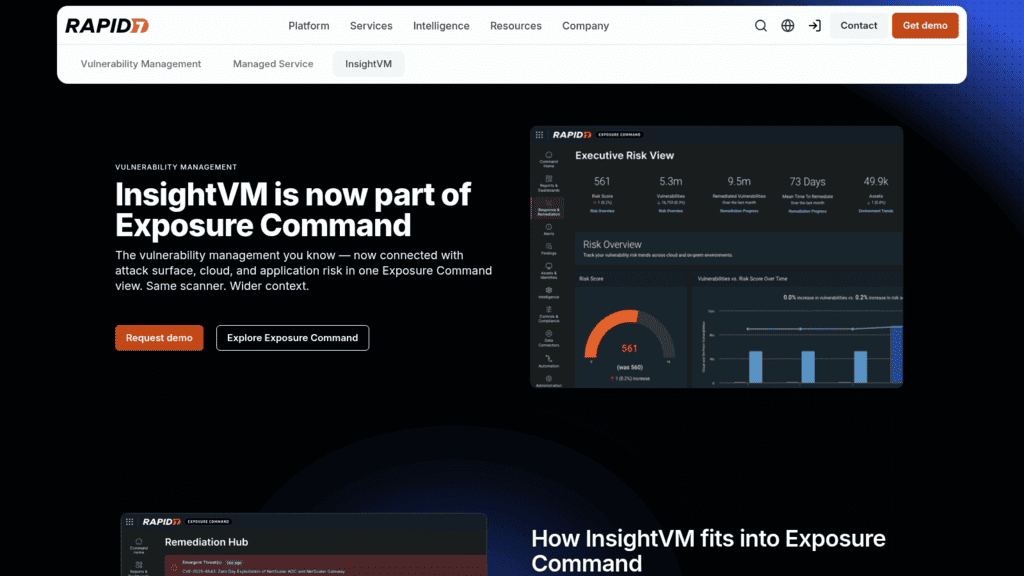
3. Rapid7 InsightVM: Best for Remediation Projects at Scale
Best for: Tracking remediation across teams
Overview: InsightVM is now packaged inside Rapid7 Exposure Command. Rapid7’s product page says InsightVM “is the vulnerability management technology that powers Exposure Command,” with Essentials adding attack surface management and Ultimate adding cloud and application security, under the line “Same scanner. Wider context.”
Rapid7 scores findings with Active Risk, a 0 to 1,000 scale built from CVSS, threat intelligence, and Rapid7’s own research.
Key features:
- Remediation Projects that group fixes and sync with Jira Cloud and ServiceNow.
- A scan engine for networks plus the Insight Agent for hosts that move.
- Active Risk scoring for ranking findings past raw severity.
- Attack surface, cloud, and application coverage in the higher Exposure Command packages.
Fit and setup: InsightVM suits a team that measures remediation by project and owner. Rapid7’s documentation shows Jira Server support ended in August 2024, so on-premises Jira users need Jira Cloud or ServiceNow.
Pricing: The Exposure Command packages page shows no prices and routes to sales. Rapid7’s general pricing page still carries an older InsightVM card at $1.62 per asset per month for 500 assets, but the product page no longer shows it, so treat it as historical.
Pros: Strong remediation tracking, ticketing integrations, agent plus scan engine, room to grow into exposure management
Cons: No current published price. Existing customers are told to ask their account team how the repackaging affects them. Cloud and application scanning need the top package.
Why it earns a place here: Remediation Projects target the stage where most scanning programs stall, which is turning findings into owned work.
Final verdict: Shortlist InsightVM when the problem is follow-through. Confirm in writing which Exposure Command package your current scope maps to.
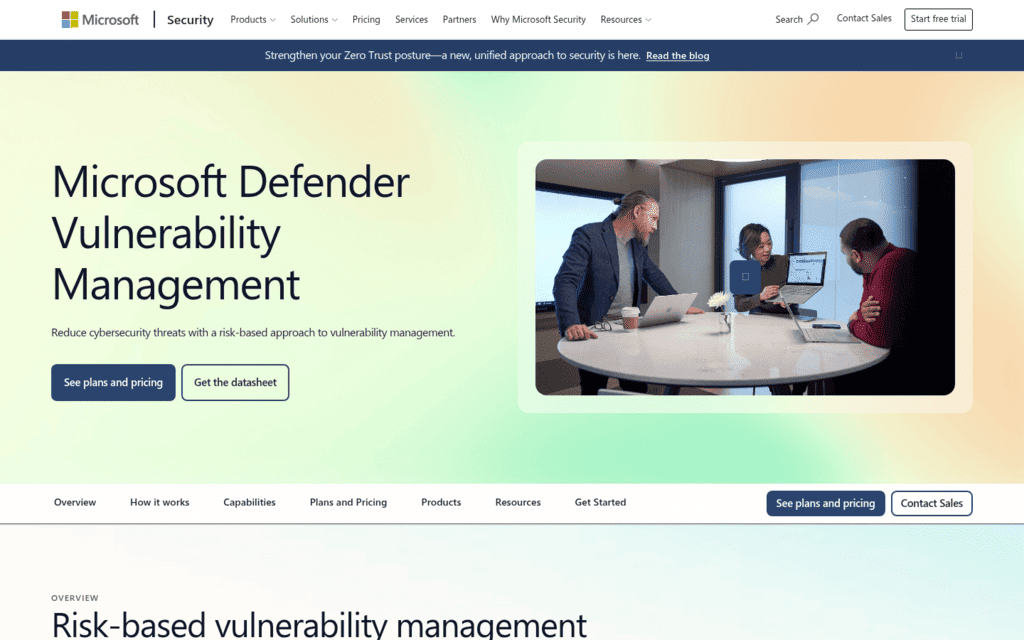
4. Microsoft Defender Vulnerability Management: Best for Microsoft-Centric Estates
Best for: Vulnerability management inside Defender
Overview: Microsoft Defender Vulnerability Management assesses Windows, macOS, Linux, Android, iOS, and network devices, and Microsoft says it correlates vulnerability and EDR insights. Core capabilities ship with Defender for Endpoint Plan 2; an add-on adds security baselines, blocking of vulnerable applications, browser extension and certificate inventories, and firmware assessment.
A Standalone edition is generally available for customers on other EDR products. In the Defender portal, vulnerability management now sits under Exposure management.
Key features:
- Risk-based prioritization from Microsoft threat intelligence, breach likelihood, and business context.
- Remediation tasks created in Microsoft Intune from a security recommendation.
- Blocking of vulnerable applications as a stopgap before a patch lands.
- Native assessment of cloud VMs through Defender for Cloud.
Fit and setup: It suits a company already on Microsoft 365 E5 or Defender for Endpoint Plan 2, since much of the capability is already licensed. Containers and code are outside its overview, and the documentation names neither Jira nor ServiceNow.
Pricing: Microsoft publishes the add-on at $2.00 per user per month. Microsoft 365 E5 lists at $60.00 per user per month with Teams, paid yearly.
Pros: Low published add-on price, EDR context on every device, Intune remediation, no extra agent for Defender customers
Cons: Remediation runs through Intune, so non-Microsoft fleets gain less. No container or code scanning. Not available to Defender for Business customers.
Its real strength: For an E5 shop, the add-on costs $2 per user per month on top of licenses it already pays for.
Final verdict: Shortlist it if Microsoft already runs your endpoints. Pair it with a code and container scanner.
5. Wiz: Best for Agentless Cloud Workload Scanning
Best for: Agentless cloud workload coverage
Overview: Wiz scans cloud workloads without agents, using what it calls a vulnerability catalog “with 120,000+ supported vulnerabilities, across 40+ operating systems.” It covers virtual machines, containers, and serverless functions, and Wiz Code extends scanning to dependencies, IaC, and secrets in the IDE, pull requests, and CI.
Wiz officially became a Google company in March 2026, according to its own announcement.
Key features:
- Prioritization that combines network exposure, identity access, and data sensitivity to surface vulnerabilities on critical attack paths.
- Third-party aggregation that pulls in findings from other scanners, pentests, SAST, and DAST.
- Ownership assigned through Wiz Projects and CMDB integration.
- Visibility into transitive dependencies and base-image vulnerabilities.
Fit and setup: Wiz suits a cloud-first company that wants coverage on day one without deploying agents. An optional runtime sensor and on-premises scanning extend it, but on-premises networks are not its home ground.
Pricing: Wiz quotes on request on its own site. On AWS Marketplace, 100 cloud workloads list at $24,000 for Essential or $38,000 for Advanced, and 100 Wiz Code licenses add $58,500.
Pros: Agentless deployment, strong attack-path context, aggregates other scanners’ findings, code to cloud in one platform
Cons: High entry price for a small estate. The site publishes no price. Wiz’s “100% coverage” wording is marketing, so test coverage on your own accounts.
What it is genuinely good at: Showing which vulnerable workload is internet-facing and holds access to sensitive data, which is the question a severity score cannot answer.
Final verdict: Shortlist Wiz when cloud is most of your estate and agent rollout is the blocker. Run a pilot on one production account before negotiating.
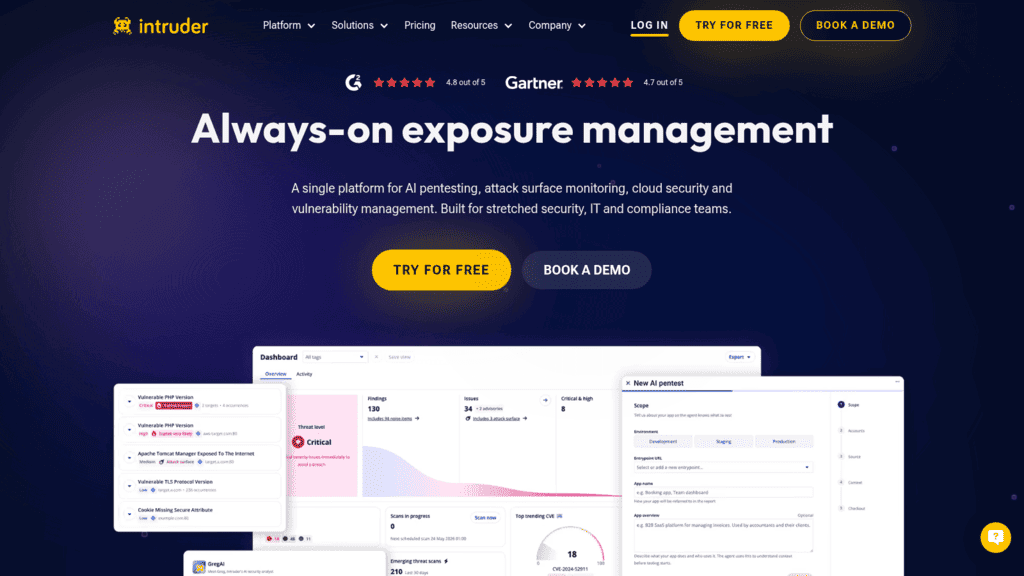
6. Intruder: Best for Lean Teams That Want a Managed Scanner
Best for: Scanning without a dedicated team
Overview: Intruder runs continuous scanning of infrastructure, web apps, and APIs as a SaaS service. Its pricing page lists Nuclei, OpenVAS, and Tenable as scanner engines, and Intruder ranks findings by “blending severity scores with exploit intelligence (EPSS, KEV list) and insights from our own security experts.”
Emerging threat scans check your systems “within hours of new risks appearing in the wild,” according to Intruder.
Key features:
- Emerging threat scans triggered by newly exploited vulnerabilities.
- Integrations listed for Jira, Slack, Teams, ServiceNow, GitHub, GitLab, and Microsoft Sentinel.
- Daily container image scans and cloud security checks on the Cloud plan.
- Agent-based internal scanning of servers and employee devices on Pro.
Fit and setup: Intruder suits a SaaS company of a few hundred people without a full-time vulnerability analyst. Internal scanning starts at the Pro plan, and remediation comes as written advice, with no fix pull requests.
Pricing: Intruder publishes Free at $0 with weekly external scans of 5 targets, Cloud at $239 a month, or $2,870 billed annually, and Pro at $399 a month, or $4,790 annually, each for 5 infrastructure targets. Enterprise is custom, and prices exclude VAT.
Pros: Published prices with a free tier, KEV and EPSS ranking, emerging threat scans, runs as SaaS
Cons: Internal scanning needs Pro. Per-target fees grow quickly on large estates. No fix pull requests.
Why buyers shortlist it: It packages several engines, threat-driven rescans, and sensible ranking into a tool a small team can run.
Final verdict: Shortlist Intruder if you need credible scanning without hiring for it. Price your full target count on the calculator first.
7. Snyk: Best for Code and Dependency Scanning
Best for: Developer-first code vulnerability scanning
Overview: Snyk scans code (Snyk Code), open-source dependencies (Snyk Open Source), container images (Snyk Container), and infrastructure as code, with results in the IDE, CLI, and pull requests. Snyk Code claims “80%-accurate fixes” from its Snyk Agent Fix, a vendor figure.
Its plans page now leads with Evo, Snyk’s agentic and AI security line, which is reserved for Enterprise.
Key features:
- In-line SAST results in the IDE and pull requests, without a build step.
- Base image recommendations and automated upgrades for container findings.
- Pull request checks before merge plus daily monitoring of deployed projects.
- Alerts to Slack, Jira, and email.
Fit and setup: Snyk suits a SaaS company whose risk lives in its own code and dependencies, with developers who will act on findings in their editor. It does not scan hosts or networks, and runtime context for containers comes through Sysdig.
Pricing: Snyk publishes Free at $0 (5 projects, 100 Snyk Code tests a month) and Team starting at $25 a month and covering up to 10 developers (100 projects, 1,000 Code tests). Enterprise uses credits and is quoted.
Pros: Published entry prices, findings where developers work, fix suggestions, IDE, CLI, and SCM integrations
Cons: Team stops at 10 developers. Test limits count per product. No infrastructure scanning.
Why it’s a good vulnerability scanning tool: It moves code findings to the person who can fix them, at the moment they are writing the code. That is the point where an application fix is cheapest to make.
Final verdict: Shortlist Snyk first among code vulnerability scanning tools if your developers already live in pull requests. Check how its developer count maps to your committers before the Team plan runs out.
8. Aqua Security: Best for Container Image Scanning
Best for: Container images, registries, and pipelines
Overview: Aqua maintains Trivy, the open-source scanner that Aqua says is the default for GitLab’s container scanning, Artifact Hub, and Harbor. Trivy scans OS and language packages, IaC, registries, file systems, and Git repositories, including air-gapped and distroless setups.
The commercial Aqua Platform adds agentless cloud workload scanning, runtime protection, and contextualized risk scoring, which Aqua describes as tracking “which vulnerabilities and actions actually impact live applications.”
Key features:
- Image scanning in CI, registries, and Kubernetes through Trivy’s GitHub Action, Helm chart, and Harbor adapter.
- Output in SARIF and AWS Security Finding Format for existing dashboards.
- Runtime context in the platform to rank vulnerabilities that are loaded and running.
- Dev Security pricing by code repository and Cloud Security pricing by workload.
Fit and setup: Trivy suits any team that builds containers and wants scanning in the pipeline at no license cost. The platform suits Kubernetes-heavy companies that want runtime context. Trivy alone has no ticketing or prioritization beyond command-line filters.
Pricing: Trivy is free and open source. Aqua’s pricing page names the billing units without figures; a reseller AWS Marketplace listing, private offer only, shows the platform from $50,000 for 12 months.
Pros: Free scanner with wide adoption, pipeline integrations, runtime-aware ranking in the platform, air-gapped support
Cons: Platform pricing is private. Trivy needs another tool for workflow. Trivy’s product page carries a 2021 date, so check its claims against the current project documentation.
Who should shortlist it: Teams that want container scanning standardized before they buy a platform.
Final verdict: Among container vulnerability scanning tools, start with Trivy in CI, and shortlist the Aqua Platform when you need runtime context to cut the image backlog.
9. Burp Suite DAST: Best for Web App and API Testing
Best for: Automated web and API testing
Overview: Burp Suite DAST, PortSwigger’s renamed Enterprise Edition, runs the same scanning engine as Burp Suite Professional at scale. Its Chromium-based crawler handles JavaScript single-page apps, and it scans APIs defined by Postman, OpenAPI, SOAP, and GraphQL with session-aware authentication.
PortSwigger says every finding includes “the request it sent and the response that confirms the issue,” which is how it addresses false positives.
Key features:
- Ticketing into Jira, ServiceNow, Azure Boards, and GitHub Issues.
- Scans triggered on schedule, on pull request, or on merge from Jenkins, GitHub Actions, GitLab CI, and others.
- Out-of-band testing through Burp Collaborator, which PortSwigger says produces an extremely low false-positive rate.
- Managed cloud or self-hosted deployment, including air-gapped.
Fit and setup: Burp Suite DAST suits a SaaS company with customer-facing web apps and APIs. It does not scan hosts or operating systems, and self-hosted production needs your own PostgreSQL or Oracle database.
Pricing: PortSwigger quotes Burp Suite DAST on request, with unlimited users on every subscription. Burp Suite Professional, the manual tool, lists at $499 per user per year.
Pros: Evidence attached to every finding, deep API support, broad CI and ticketing integrations, unlimited users
Cons: No published DAST price. Web and API only. Self-hosting adds a database to run.
Why it made this list: Application flaws such as injection and broken access control rarely show up in a host scan, and Burp’s evidence makes each one quick to verify.
Final verdict: Shortlist Burp Suite DAST for your web and API layer, and keep a host scanner beside it.
10. Detectify: Best for External Surface and Web App Scanning
Best for: Finding and testing internet-facing assets
Overview: Detectify combines Surface Monitoring, which maps domains, subdomains, IPs, technologies, and ports, with Application Scanning and API scanning. Detectify says every test is “100% payload-based” and reviewed by its researchers, which it credits for a 99.7% accuracy rate, a vendor figure.
Tests come partly from Crowdsource, a community Detectify puts at 400+ ethical hackers. Detectify says a Log4Shell test went live the same day the flaw was disclosed.
Key features:
- Continuous discovery that scans new assets “the moment they appear.”
- Payload-based testing that confirms exploitability.
- Findings sent to Jira, Slack, and Azure DevOps.
- PCI ASV scanning as a €500-a-year add-on.
Fit and setup: Detectify suits a SaaS company with many domains and customer-facing apps. Internal scanning starts at the Professional plan, and it does not cover host operating systems, a gap that attack surface management vendors close in different ways.
Pricing: Detectify publishes annual platform fees from €0 (Starter), €2,500 (Standard), €5,000 (Professional), and €15,000 (Enterprise). Assets, domains, and environments cost extra at unpublished rates.
Pros: Published platform fees, verified findings, fast new tests from its researcher community, external discovery included
Cons: Per-asset fees unpublished. Internal scanning from Professional up. No host vulnerability scanning.
Where it beats the alternatives: It finds the forgotten subdomain and tests it in the same product, which closes the gap between discovery and testing.
Final verdict: Shortlist Detectify when your attack surface sprawls across domains and teams. Ask for the per-asset rate before comparing platform fees.
11. Greenbone OPENVAS: Best for Self-Hosted and Air-Gapped Scanning
Best for: Self-hosted, air-gapped network scanning
Overview: Greenbone develops OpenVAS and is consolidating its products under the OPENVAS brand: OPENVAS FREE (the former Community Edition), OPENVAS BASIC, and OPENVAS SCAN appliances. Greenbone says the SCAN appliances use an Enterprise Feed of “over 100,000 vulnerability tests.”
Greenbone’s own feed comparison says the free Community Feed “only covers a fraction of real-world threats,” and leaves out enterprise products such as Cisco, Microsoft Exchange, and Palo Alto.
Key features:
- Authenticated network, endpoint, container, and agent-based scanning.
- EPSS integrated in the Enterprise Feed for prioritization.
- Physical or virtual appliances, including air-gapped deployment.
- ServiceNow and Splunk integrations, with remediation tickets on the SCAN tier.
Fit and setup: Greenbone suits regulated or sovereignty-sensitive companies that need scanning to stay on their own hardware. BASIC has no remediation tickets, API, or sensors, so most companies will compare SCAN against the commercial engines above.
Pricing: OPENVAS FREE costs nothing, and OPENVAS BASIC is published at €2,524 a year with a 14-day trial. SCAN appliances are quoted by environment.
Pros: Free open-source option, on-premises and air-gapped deployment, EPSS in the Enterprise Feed, European vendor
Cons: The free feed misses enterprise products. Workflow features need SCAN. Appliances take more upkeep than SaaS.
Why it’s worth a look: It pairs a free open-source scanner with commercial appliances that keep scan data on your own hardware.
Final verdict: Shortlist Greenbone when data residency rules out SaaS scanners. Budget for SCAN if remediation tickets matter.
See how UnderDefense Agentic AI SOC resolves a real incident on your stack.
Remediation Is the Real Bottleneck in Vulnerability Scanning
Every scanner above will find more than your team can fix. The question that decides whether a scanning program works is which findings get fixed first, and how quickly.
The public data that scanners rely on is thinning. In an April 2026 announcement, NIST said CVE submissions “increased 263% between 2020 and 2025,” that it enriched nearly 42,000 CVEs in 2025, and that it would move backlogged CVEs published before March 1, 2026 into a “Not Scheduled” category. NIST now prioritizes KEV entries and software used by the federal government, so a scanner that depends on NVD severity gets less context per finding.
Exploitation, meanwhile, touches a small share of what scanners report. FIRST’s EPSS FAQ notes that the CISA KEV catalog lists roughly 0.5% of published CVEs, and the KEV feed held 1,734 entries on October 4, 2026.
CISA has rewritten its own patching rules around that gap. BOD 26-04, issued June 10, 2026, revokes the KEV-only BOD 22-01 and sets federal remediation deadlines by four questions: is the asset publicly exposed, is the CVE in the KEV, can an adversary automate the exploit, and does it give total or partial control. These rows from its 16-row table show the range.
| Publicly exposed | In the KEV | Automatable | Technical impact | Federal deadline |
|---|---|---|---|---|
| Yes | Yes | Yes | Total control | 3 days and forensic triage |
| Yes | Yes | No | Partial control | 14 days |
| Yes | No | No | Partial control | 60 days |
| No | Yes | No | Partial control | 14 days |
| No | No | No | Either | Fix on system upgrade |
The directive binds federal civilian agencies only, but its logic transfers to a SaaS company. A scanner that tells you exposure, KEV status, and exploitability lets you put each finding on one of those clocks; one that sorts by CVSS alone leaves that work to your team.
The first row also asks for forensic triage, because a vulnerability that is exposed, known exploited, and automatable may already have been used. That is investigation work, and it is what UnderDefense’s Agentic AI SOC does with the SIEM and EDR telemetry around a flagged host.
Four Numbers That Show Whether Scanning Is Working
Finding counts go up with every new scanner, so they say little about risk. These four measures show whether findings turn into fixes:
- The share of KEV findings on internet-facing assets closed within your own deadline, such as the 3 and 14 days in BOD 26-04.
- Median days from first detection to a verified fix, reported separately for each priority tier.
- The share of your asset inventory scanned in the last seven days, which exposes coverage gaps that a clean report hides.
- The share of findings that reappear after being marked fixed, which shows whether fixes are confirmed by a rescan.
Report the first number to leadership every month, because it tracks the findings attackers are already using and it moves only when remediation does.
Choosing Vulnerability Scanning Software by What You Scan
Most SaaS companies need two or three of these tools, chosen by layer. The overlaps are smaller than vendor pages suggest.
Hosts, Networks, and Endpoints
Tenable Nessus, Qualys VMDR, Rapid7 InsightVM, and Greenbone cover servers, network devices, and laptops. If Microsoft already manages your endpoints, Defender Vulnerability Management covers the laptops for $2 per user per month, and a network scanner covers the servers and devices Defender does not manage.
Cloud Workloads and Containers
Wiz scans cloud workloads without agents, Qualys and Intruder add container image checks, and Aqua’s Trivy is the default choice in a build pipeline. Container vulnerability scanning tools work best at two points: in CI, before an image ships, and in the registry, where an old image picks up newly published CVEs.
Code and Dependencies
Code vulnerability scanning tools such as Snyk find flawed functions and vulnerable libraries before deployment. Library flaws spread fast, as Log4Shell mitigation showed, because one dependency can sit in many services, each needing its own fix.
Web Apps, APIs, and the External Surface
Burp Suite DAST and Detectify test running applications, and Detectify and Intruder map what is reachable from the internet. Vulnerability scanning services such as Intruder, which runs its engines for you as SaaS, suit teams that cannot staff a scanning program themselves.
Choosing one tool per layer and routing every layer’s findings into the same ticket queue is what turns scanning into fixing.
What Vulnerability Scanning Tools Cost in 2026
Scanner prices are hard to compare because every vendor bills a different unit. The table lists the unit each vendor bills by and the lowest figure in its own price list or a marketplace listing.
| Billing unit | Tool | Published example |
|---|---|---|
| Per scanner license, per year | Tenable Nessus | $4,790 (Professional) or $6,790 (Expert) |
| Per asset or host | Tenable Vulnerability Management, Qualys VMDR (AWS bundle) | $3,700 a year for 100 assets; $880 a month for 64 hosts |
| Per user | Microsoft Defender Vulnerability Management | $2 per user per month (add-on) |
| Per target | Intruder | $239 a month for 5 infrastructure targets (Cloud) |
| Per developer and project | Snyk | $25 a month (Team, up to 10 developers) |
| Per cloud workload | Wiz (AWS) | $24,000 for 100 workloads (Essential) |
| Platform fee plus assets | Detectify | €2,500 a year (Standard), assets extra |
| Per appliance or environment | Greenbone | €2,524 a year (OPENVAS BASIC) |
To compare quotes, count your units first: hosts and network devices, cloud workloads, container images, committing developers, and public web apps. A SaaS company with 300 cloud workloads and 40 developers, for example, is three times the size of Wiz’s 100-workload listing and past Snyk’s 10-developer Team plan, so both would be quoted.
Free options lower the cost of a first baseline. Intruder, Snyk, and Detectify have free tiers, Trivy and OPENVAS FREE are open source, and UnderDefense’s free external vulnerability scan covers up to 10 public IP addresses.
What to Fix First Once the Scanners Are Running
Start with findings on internet-facing assets that appear in the KEV, because both BOD 26-04 and the exploitation data put those first. Then work through exposed findings with automatable exploits, then internal KEV entries, and leave unexposed, unexploited flaws for scheduled upgrades.
Check one more thing for every exposed KEV finding: whether the host shows signs it was already used. Scanners report the open door. SIEM and EDR telemetry shows whether someone walked through it, whether your own team reviews it or UnderDefense investigates it through its SIEM and EDR integrations.
Bring your top 20 internet-facing KEV findings. See them investigated
Frequently Asked Questions
What is the difference between vulnerability scanners and vulnerability management software?
Vulnerability scanners find weaknesses in hosts, images, code, or apps. Vulnerability management software adds asset inventory, risk scoring, ownership, and fix tracking on top of one or more scanners. Tenable, Qualys, and Rapid7 sell both, often as separate licenses, so confirm which one a quote covers.
Does a SaaS company need more than one vulnerability scanning tool?
Most SaaS companies do. A host scanner such as Nessus does not test web app logic, a DAST tool such as Burp Suite does not check operating systems, and neither reads your source code the way Snyk does. Two or three tools, one per layer, feeding one ticket queue, is a common setup.
How often should vulnerability scanning software run?
Continuously or daily for internet-facing assets, and at least weekly for internal ones. PCI DSS requires internal and external scans at least every three months, which is a floor. Tools such as Intruder also rescan when a new vulnerability is exploited in the wild, which matters more than the calendar.
Are vulnerability scanning services a replacement for penetration testing?
No. A scanner reports known weaknesses one at a time, and a penetration test chains them the way an attacker would, as in the UniFi engagement above, where three flaws became root access. Run scanners continuously and penetration tests at least yearly or after major changes.
Which vulnerability scanners have a free tier?
Intruder, Snyk, and Detectify publish free plans, Greenbone offers OPENVAS FREE, and Aqua’s Trivy is open source. Tenable offers a free trial of Nessus Professional and Expert. Free tiers cap targets, projects, or tests, so check the limit against your estate before relying on one.
Book a 30-minute
Agentic AI SOC platform demo
- See AI agents triage and investigate a real alert on your stack
- Check which of the 250+ integrations your SIEM, EDR and cloud need
- Get a rollout plan with triage and containment SLAs for your team