








Your largest customer’s security questionnaire asks how your support chatbot was tested against prompt injection before it reached their users, and the contract renewal waits on the answer. A free framework can produce part of that evidence this week, if your team knows which one tests what.
Here is how nine open-source tools compare, and where a human test takes over.
TL;DR
- promptfoo and DeepTeam for OWASP-mapped CI gates, garak and Augustus for broad scans, PyRIT for multi-turn attacks, Giskard for Python agent tests.
- Each tool’s documented coverage mapped to the OWASP Top 10 for LLM Applications 2025 and MITRE ATLAS.
- Six criteria for choosing: coverage, attack generation, targets, CI fit, reporting, and maintenance.
- Where tool scans stop, how to run the tools in CI, and when to book a penetration test of the AI feature.
Table of contents
- What an AI Red Teaming Tool Tests, and What It Cannot Prove
- Where UnderDefense Fits Next to an AI Red Teaming Tool
- Six Criteria for Choosing an AI Red Teaming Tool
- AI Red Teaming Tools Compared Side by Side
- The 9 Best AI Red Teaming Tools for 2027
- How to Run AI Red Teaming Tools in CI Without Blocking Every Release
- Frequently Asked Questions
AI red teaming tools send thousands of known attacks at your model and record what gets through. This guide compares nine open-source options for a CTO or CISO who ships an LLM feature and builds it in a CI pipeline.
Each tool made the list because it is open source, still receives commits in 2026, and tests AI systems directly. Every fact below (maintainer, license, release, targets, and framework coverage) was read on the tool’s own repository or docs on November 13, 2026, and release versions were re-checked on November 23, 2026, so the table reflects what the projects document today.
UnderDefense publishes this article and does not sell a tool in this category; it tests AI applications as part of its penetration testing work. None of the nine projects pays for a place, and the ranking is this article’s own assessment.
Get a person to test what your AI feature can reach
What an AI Red Teaming Tool Tests, and What It Cannot Prove
An AI red teaming tool tests the model’s behavior: it sends adversarial prompts, scores the responses, and reports which attacks succeeded.
Some tools also send prompts that try to reach other users’ records (promptfoo and DeepTeam document plugins for BOLA and BFLA, broken object-level and function-level authorization: one user reaching another user’s records or admin functions), but they judge the model’s reply, so they cannot confirm what your application actually let the model do with its tools, its data, and your users’ sessions.
NIST’s taxonomy of adversarial machine learning, NIST AI 100-2 E2025 (March 2025), names the attack classes you will see in tool menus, from evasion and poisoning for classical models to direct and indirect prompt injection for LLMs, and gives agents their own section. ⚠️ An agent that calls functions turns a bad answer into a bad action, so agent features need the closest testing.
Model-Level Testing: What Automated Red Teaming Covers Well
Automated red teaming is strong where the attack lives in the prompt and the evidence lives in the response. Jailbreaks, direct and indirect prompt injection, system prompt leakage, toxic output, and data leakage through the model’s answers all fit that pattern, and a tool can replay them on every build.
Leakage tests matter most where users can paste or retrieve customer records, the same exposure that sensitive data in ChatGPT creates inside a company. In the OWASP 2025 list, those tests fall under LLM02 Sensitive Information Disclosure.
The OWASP Top 10 for LLM Applications 2025 (published by OWASP on November 17, 2024, as the 2025 edition) gives these risks shared IDs, from LLM01 Prompt Injection to LLM10 Unbounded Consumption. MITRE ATLAS (read November 13, 2026) adds technique IDs such as AML.T0051 LLM Prompt Injection and AML.T0056 Extract LLM System Prompt.
Application-Level Flaws: Where a Human Test Starts
Application flaws sit behind the model. When the model calls an internal API, the question is whether that call checks who the user is and which records they may read, which the OWASP list files under LLM06 Excessive Agency and ATLAS under AML.T0053 AI Agent Tool Invocation.
A tool can see that the model called a function, and an authorization plugin can flag a reply that looks like another user’s data. Confirming that the contract really belonged to someone else takes two test accounts and knowledge of your data model, which a default scan does not have.
The exploits collected under AI integration risks follow the same pattern: the damage happens in the integration around the model.
A clean scan report answers part of the questionnaire. If your feature reads customer data or calls internal APIs, the authorization question needs its own test, run by a person with access to more than one account.
A few terms come up in almost every entry below:
- Crescendo and GOAT are multi-turn attacks that escalate over several messages.
- GCG (greedy coordinate gradient) adds machine-generated suffixes to a prompt to get past a model’s guardrails.
- RAG (retrieval-augmented generation) means the model answers from documents your system retrieves for it.
- MCP (Model Context Protocol) is how many agents connect to tools and data sources.
- An LLM judge is a second model that scores each reply as a pass or a fail.
- JUnit XML and SARIF are result formats that CI tools display as test results or code-scanning alerts.
The entries use these terms without explaining them again.
Where UnderDefense Fits Next to an AI Red Teaming Tool
A penetration test of the AI application covers what the model is allowed to do with your functions, your data, and your users’ sessions. UnderDefense’s offensive team scopes that test from the findings your tools already produced, so the hours go to the authorization paths a prompt library cannot judge.
UnderDefense is rated 5.0 out of 5 from 83 reviews on G2 as of November 2026. It was founded in 2017 as a penetration testing company and is ISO 27001 certified.
In an engagement the team wrote up as a real prompt injection (October 28, 2025), the target was a web application that uses AI to generate and manage legal contracts. Testers first extracted the system prompt with prompt injection payloads, the kind of result a probe library also reports.
Next, the testers found that the model could call an internal function, get_contract_content, without an authorization check, so one authenticated user retrieved another user’s full NDA, including company and individual names, confidentiality clauses, and signatory details.
That flaw sat in the application’s function call. Probe libraries ship system prompt extraction tests (garak and PyRIT both do), but proving that User A could read User B’s contract took two real accounts and a tester checking whose data came back.
For your security review, that means the evidence pack has two parts: the tool report for model-level risks, and a penetration test report for what the model can reach. The pentest report shows the proof of exploitation, the steps to reproduce it, and remediation guidance your developers can act on before release.
UnderDefense’s testers hold offensive certifications including OSCP and OSCE, which tells the customer’s reviewer who ran the test. On Clutch, a VP of Security and Compliance at a legal tech company wrote after a gray-box penetration test in December 2024 that “they were not just using tools to test.”
Published penetration test pricing starts at $8,000 for the Standard tier (about 2 weeks) and $12,000 for Professional (3 to 4 weeks). Those starting prices let you put a line in the release budget before the customer’s review lands.
Both tiers include the technical report and a Letter of Attestation you can share with the customer who sent the questionnaire, and a retest after your developers fix the findings is free.
Scope a penetration test of your AI feature with UnderDefense
Six Criteria for Choosing an AI Red Teaming Tool
The six criteria below decide whether a tool’s report will satisfy a reviewer and whether your team can keep running it after the first scan. Use them to cut nine LLM red teaming tools down to a shortlist of two or three that cover different risks.
1. Coverage Mapped to the OWASP Top 10 for LLM Applications 2025
Check which OWASP 2025 IDs the tool’s own docs map to its probes. A customer questionnaire often lists risks by OWASP ID, so a tool with a documented mapping saves you building that table by hand. The same IDs give your AI risk management register one vocabulary for tool findings and manual findings.
Read the edition carefully. garak tags its probes with OWASP IDs from the 2023 list, where LLM06 meant Sensitive Information Disclosure; in the 2025 edition, LLM06 is Excessive Agency.
2. Attack Library or Attack Generation
A probe library replays a fixed set of known attacks, which makes results repeatable from build to build. Attack generation uses an attacker model to write new prompts and adapt over several turns, as Crescendo and GOAT do, which finds more but varies between runs. Pick one of each.
3. Targets: Hosted APIs, Local Models, Agents, and RAG
Confirm the tool can reach your feature the way users do. Some tools call a model provider directly, others call any HTTP endpoint or a Python function, and the table below shows which tools document agents, RAG pipelines, or MCP servers as targets. Testing the raw model when users hit an agent leaves the agent’s tools untested.
4. CI Integration and Exit Codes
A tool fits CI when it can fail a job on a threshold and write results a pipeline can display. Look for a documented GitHub Actions or GitLab example, a non-zero exit code on failure, and JUnit XML output. Tools without these still run in CI, but your team writes the glue.
5. Reports a Reviewer Can Read
Your customer’s reviewer will read the report, so check the format before you commit. HTML and web reports group findings by risk, while JSONL suits your own dashboards. A report that shows the attack prompt, the response, and the judge’s reason lets a reviewer check a finding without rerunning it.
6. Maintenance: Release Cadence and Maintainer
Attack techniques keep changing, so a tool that stopped shipping falls behind your threat model. Check the last release, the last commit, and who maintains the project. A company maintainer gives the project backing beyond one person, and an individual maintainer can move faster but carries more risk if they step away.
These six criteria shape the comparison table and every entry below, so you can read across tools on the same terms.
AI Red Teaming Tools Compared Side by Side
The table compares the nine AI red teaming tools on the facts each project documents. “Not documented” means the tool’s own docs do not state it, which does not mean the tool lacks the capability.
| Tool | Maintainer | License | Best for | Approach | OWASP LLM risks covered (per docs); ATLAS | Agents and RAG support | Latest release (checked Nov 23, 2026) |
|---|---|---|---|---|---|---|---|
| PyRIT | Microsoft | MIT | Multi-turn attacks on Azure stacks | Attack orchestration | Not documented; ATLAS not documented | Any endpoint, including WebSocket and browser | v1.2.1, Nov 18, 2026 |
| garak | NVIDIA | Apache-2.0 | Broad scans of model endpoints | Probe library | 2023 IDs only; ATLAS not documented | Agent probe; injection in documents | v0.17.1, Oct 16, 2026 |
| promptfoo | Promptfoo (part of OpenAI) | MIT, paid tiers | CI gates mapped to OWASP | Evaluation framework with attack generation | LLM01 to LLM10 (2025); ATLAS tactics | Agents and RAG documented | 0.126.0, Nov 18, 2026 |
| Giskard | Giskard | Apache-2.0, paid Hub | Python teams testing agents | Evaluation framework | LLM01 in open-source docs; ATLAS not documented | Agents and RAG pipelines | v3.0.1, Oct 2, 2026 |
| DeepTeam | Confident AI | Apache-2.0 | OWASP and ATLAS presets in Python | Attack generation with evaluation | LLM01 to LLM10 (2025); six ATLAS tactics | Agents, RAG, and chatbots | v1.0.9 tag, Nov 12, 2025; 1.0.10 on PyPI, Oct 16, 2026 |
| ART | LF AI & Data | MIT | Classical ML models | Adversarial ML library | Not documented; ATLAS not documented | Not documented | 1.20.1, Jul 7, 2025 |
| Spikee | Reversec Labs | Apache-2.0 | Prompt injection and guardrail testing | Probe library | Not documented; ATLAS not documented | Apps, agents, and RAG via custom target | 0.9.5 on PyPI, Nov 10, 2026 |
| Agentic Security | msoedov (individual) | Apache-2.0 | Threshold gates in CI | Probe library | LLM01 (2025) in harness docs; ATLAS not documented | Agent workflows; RAG not documented | 0.7.5, Jun 3, 2026 |
| Augustus | Praetorian | Apache-2.0 | Single-binary scans, including MCP | Probe library | Not documented; ATLAS not documented | Tool-use, RAG poisoning, and MCP | v0.14.55, Nov 23, 2026 |
Two tools, promptfoo and DeepTeam, document all ten OWASP 2025 IDs, and they are also the only two that document MITRE ATLAS mappings. If your questionnaire asks for coverage by OWASP ID, start your shortlist there and add a broad probe scanner such as garak or Augustus for depth.
ART is the outlier: it tests classical machine learning models and documents no LLM support. 💡 It belongs on the list for teams that also ship fraud, vision, or scoring models next to their LLM feature.
The 9 Best AI Red Teaming Tools for 2027
The best AI red teaming tools below follow one template, in the order the table lists them. Each entry gives the tool’s documented coverage, how it runs, how it fits CI, and a limitation from its own docs or issue tracker. ⚠️ Several projects ship releases often, so re-check the version before you pin it in a pipeline.
1. PyRIT: Best for Multi-Turn Attacks Against Microsoft and Azure AI Stacks
Overview: PyRIT (Python Risk Identification Tool) is built by the Microsoft AI Red Team and released under the MIT license. Its latest release, v1.2.1, came out on November 18, 2026; the old Azure/PyRIT repository is archived, so use the microsoft/PyRIT repo.
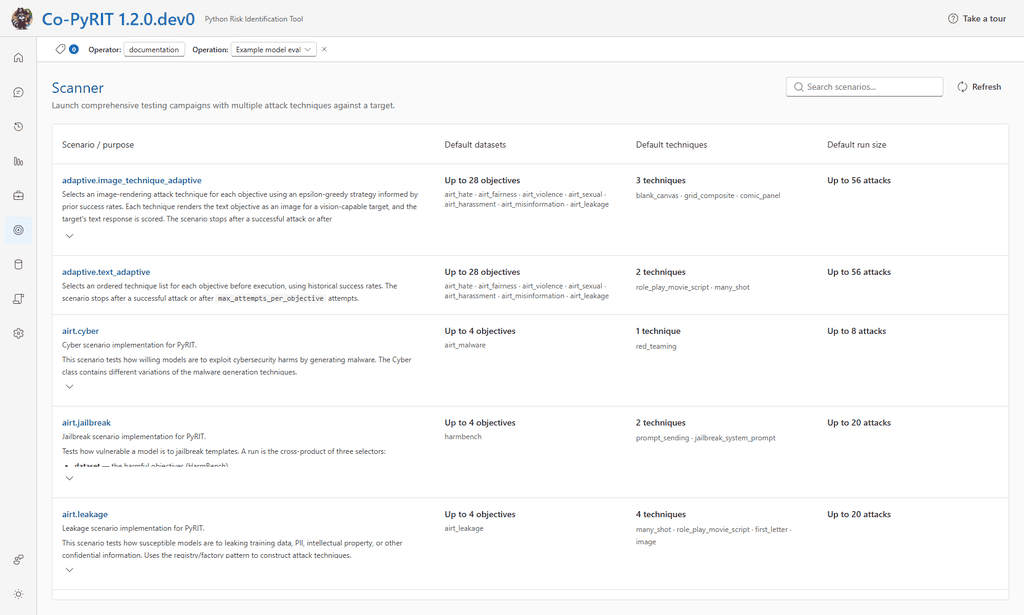
Microsoft Foundry’s AI Red Teaming Agent builds on PyRIT’s attack strategies.
What it tests: PyRIT runs single-turn attacks, multi-turn attacks such as Crescendo and Tree of Attacks with Pruning, GCG adversarial suffixes, and cross-domain prompt injection. Its scanner ships scenarios for jailbreaks, leakage, and system prompt extraction. The docs map none of them to OWASP or MITRE ATLAS IDs: not documented.
How it runs: You use it as a Python library, through the pyrit_scan and pyrit_shell commands, or through a web interface called CoPyRIT. Targets include OpenAI, Azure OpenAI, Anthropic, Bedrock, Gemini, Hugging Face, and Ollama, plus HTTP, WebSocket, and browser automation targets for a chat app or agent behind an endpoint.
CI and automation fit: The docs position pyrit_scan for CI/CD pipelines, batch runs, and reproducible scans. They give no ready-made GitHub Actions example, so your team writes the job and the pass or fail rule.
Reporting: Results land in a memory store (SQLite or Azure SQL) holding every prompt, response, and score. Output renders as ANSI text, Markdown, or JSON, and CoPyRIT gives a reviewer a browser view of the results.
Pros:
- Three ways to run it: CLI scanner, web interface, and Python framework
- Adaptive multi-turn attacks that change course based on the model’s replies
- Built-in HTTP, WebSocket, and Playwright browser targets for apps behind an endpoint
Cons: The project’s framework docs say its scenarios are still new and that users should expect refactoring as patterns settle. The README also notes that available features depend on the target and model.
Who should skip it: Teams that want a single YAML file and a GitHub Action on day one will get there faster with promptfoo. PyRIT pays off when someone on the team can write Python and tune multi-turn attacks for a specific feature.
2. garak: Best for Broad Vulnerability Scans of Any Model Endpoint
Overview: garak, the “Generative AI Red-teaming & Assessment Kit”, lives in NVIDIA’s GitHub organization under the Apache-2.0 license. Its latest release is v0.17.1, published October 16, 2026, and NVIDIA and community contributors maintain it.
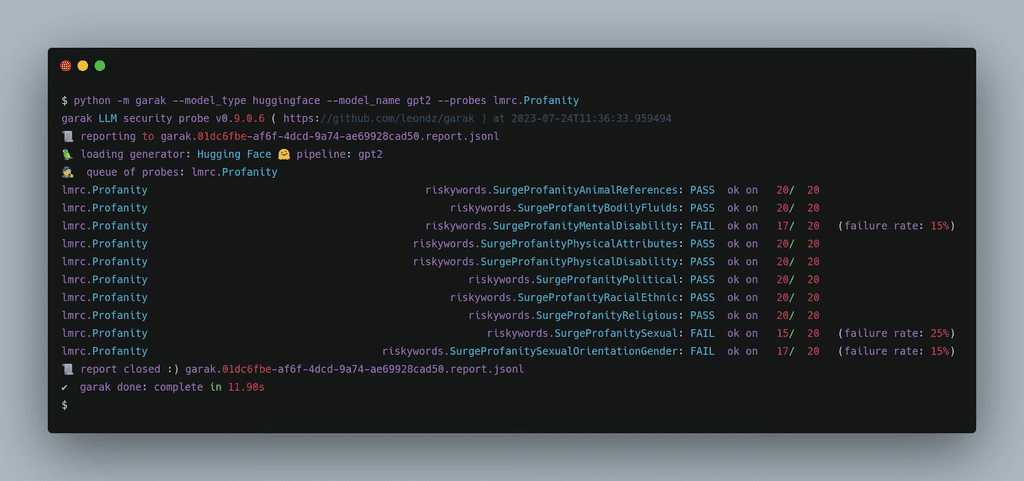
What it tests: garak ships probe modules for prompt injection, latent injection hidden in documents, jailbreaks, encoding tricks, data leakage, package hallucination, malware generation, system prompt extraction, and a multi-turn probe for tool-using agents. Its OWASP tags follow the 2023 numbering, so 2025 IDs are not documented, and MITRE ATLAS is not documented.
How it runs: garak is a Python CLI: you name a target type, a model, and the probes, or pass a YAML or JSON config. Generators cover OpenAI, Azure, Anthropic, Bedrock, Hugging Face, Ollama, NVIDIA NIM, LangChain, and generic REST or WebSocket endpoints, which reaches most self-hosted models.
CI and automation fit: The docs describe a hands-off full scan that runs without intervention, which suits a nightly job. A CI integration guide is not documented, so the threshold that fails a build is yours to define from the report.
Reporting: Each run writes a JSONL report, a hit log of successful attacks, and an HTML digest grouped by probe and taxonomy. The digest compares your results against other tested systems as Z-scores, which helps a reviewer see whether a failure rate is unusual.
Pros:
- Probes built for risks unique to LLM deployment
- Broad reach into local and self-hosted models
- HTML digest benchmarked against other systems
- Active releases with a large contributor base
Cons: The garak FAQ warns that scores from different probes cannot be meaningfully compared. An open issue (#2217) reports that English-only detectors can score non-English outputs with full confidence, which matters if your chatbot answers in several languages.
Who should skip it: Teams that need OWASP 2025 IDs on every finding for a questionnaire should pair garak with a mapped tool. Teams testing an agent’s business logic need a test that runs with real user sessions.
3. promptfoo: Best for CI Gates Mapped to OWASP and MITRE ATLAS
Overview: promptfoo is MIT-licensed, and its README states that Promptfoo is now part of OpenAI, after an acquisition announced on March 9, 2026. Its latest release is 0.126.0, published November 18, 2026.
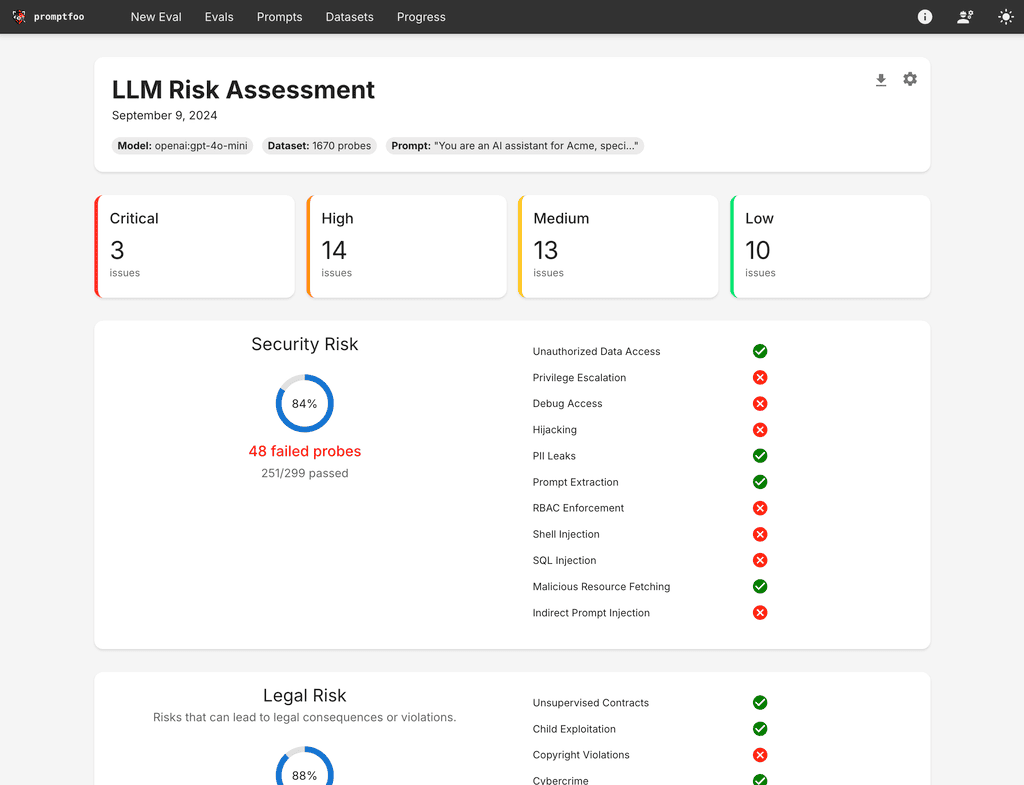
The open-source Community edition is free and self-hosted, with red teaming capped at 10,000 probes a month. The cap sets how many attacks a free setup can run in a month, and the Enterprise and On-Premise tiers are priced on request.
What it tests: promptfoo ships plugins for security and access control (BOLA, BFLA, RBAC, SSRF, SQL injection, and prompt extraction), harmful content, and compliance, plus jailbreak strategies such as Crescendo, GOAT, and indirect prompt injection. Its docs map presets to all ten OWASP 2025 IDs and to MITRE ATLAS tactics.
How it runs: You install a Node CLI and describe the test in a promptfooconfig.yaml file. Targets include any HTTP endpoint with a prompt template, direct model providers (OpenAI, Anthropic, Azure, Bedrock, and Ollama), local servers, and custom Python or JavaScript providers, and the docs cover agents and RAG.
CI and automation fit: This is the widest CI documentation of the nine: a GitHub Action, plus guides for GitLab, Jenkins, Azure Pipelines, CircleCI, and others. Results export as JSON, HTML, or JUnit XML, so a pipeline can show failed probes as failed tests.
Reporting: A web report groups findings by vulnerability category and severity, with the input that triggered each one and a suggested mitigation. That layout is close to what a customer reviewer expects to read.
Pros:
- Documented OWASP 2025 and MITRE ATLAS presets
- The broadest CI and CD guides of any tool here
- Access control plugins that flag replies suggesting broken authorization; a person still confirms whose data came back
Cons: The red team docs warn that some attack strategies consume many tokens, putting a run anywhere from a few cents to hundreds of dollars in model costs. In the Community edition, many plugins and strategies generate attacks through promptfoo’s remote inference.
Who should skip it: Teams that cannot send attack generation through a third-party service should check which plugins run locally before adopting it. Teams that need every attack generated on their own infrastructure should look at the On-Premise tier or a fully local tool.
4. Giskard: Best for Python Teams Testing Multi-Turn Agents
Overview: Giskard’s open-source library lives in the giskard-oss repository under the Apache-2.0 license, maintained by Giskard, which also sells a commercial Hub. The main package’s latest release is v3.0.1 from October 2, 2026, and the newest package tags, such as giskard-agents v1.0.7, are from November 16, 2026.
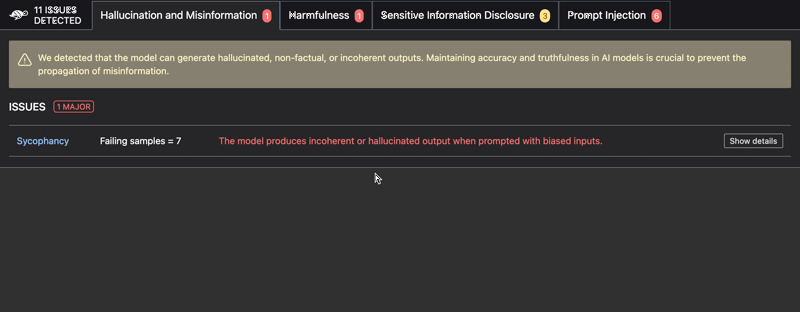
What it tests: The vulnerability scan covers prompt injection, harmful and out-of-scope requests, GOAT and Crescendo multi-turn jailbreaks, GCG suffixes, and replays of public harm datasets. A separate quality scan checks RAG answers. The open-source docs tag prompt injection as LLM01; per-ID OWASP tagging is a Hub feature, and MITRE ATLAS is not documented.
How it runs: Giskard is a Python SDK for Python 3.12 and later, with no CLI documented. You wrap your app as a Python function that takes inputs and returns outputs, so a RAG pipeline, a LangGraph agent, or an HTTP call to a deployed service all work as targets.
CI and automation fit: The docs include a GitHub Actions example: you commit a saved scan suite, replay it in CI, export JUnit XML, and fail the job on the failed count. Replaying the same suite gives a fair before-and-after comparison, though the LLM judge still needs an API key in the pipeline.
Reporting: The open-source report groups failures by threat type and shows the judge’s verdict with the full conversation. Suites save as JSON, and a security grade with severity counts is part of the Hub.
Pros:
- Multi-turn agent attacks built in
- Saved suites for repeatable regression tests
- Security scans and RAG quality checks in one SDK
- Can run garak and DeepTeam checks through an experimental bridge
Cons: Giskard’s scan tutorial says a run that finds nothing does not mean the agent is safe. It also warns that the LLM judge is wrong in both directions, so a person should review findings before they go into a customer report.
Who should skip it: Teams without Python in their stack, or teams testing classical classification models, should look elsewhere. Those models still need Giskard v2, which the project no longer actively maintains.
5. DeepTeam: Best for OWASP and MITRE ATLAS Presets in a Python Workflow
Overview: DeepTeam is built by Confident AI on its DeepEval framework and released under the Apache-2.0 license. Its last tagged GitHub release is v1.0.9, from November 12, 2025, while PyPI lists version 1.0.10 from October 16, 2026.
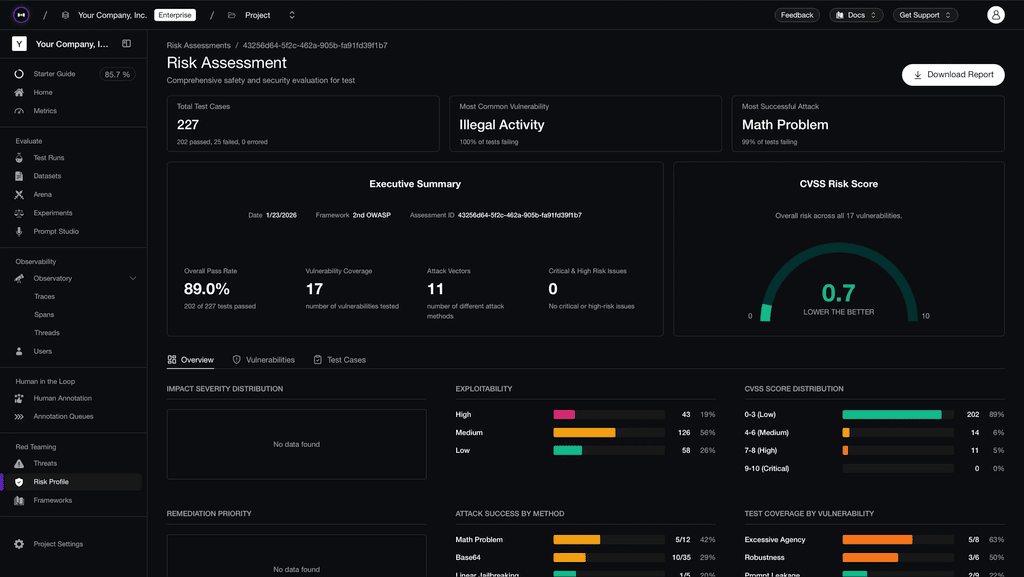
What it tests: DeepTeam covers vulnerabilities such as PII leakage, prompt leakage, BOLA, BFLA, RBAC, SSRF, bias, and misinformation, using single-turn attacks and multi-turn attacks such as Crescendo and tree jailbreaking. Its OWASP preset covers LLM01 to LLM10 (2025), and its ATLAS preset maps six ATLAS tactics without technique IDs.
How it runs: You call red_team() from Python with a model callback, or run deepteam run with a YAML config. Targets include OpenAI, Azure, Anthropic, Bedrock, Gemini, Ollama, and local models, and the README names AI agents, RAG pipelines, and chatbots as targets.
CI and automation fit: The docs call the YAML CLI useful for CI/CD pipelines and say it can run anywhere in a CLI or CI. They give no worked pipeline example, so your team sets the pass rate that fails a build.
Reporting: A run returns a risk assessment with pass rates per vulnerability and every test case’s input, output, score, and reason. You can export it to a data frame or JSON, and an optional upload to Confident AI produces a PDF report.
Pros:
- OWASP 2025, MITRE ATLAS, and NIST AI RMF presets
- Python API and YAML CLI
- Attacks generated at run time, with no dataset to maintain
Cons: The vulnerability docs note that the assess() call still blocks the main thread, with a_assess() offered for non-blocking runs. Open issue #289 reports that a refusal-screening step can ignore evidence that a tool was executed, which matters most for agents.
Who should skip it: Teams that pin GitHub tags for change control should note the last tag is a year old; the 2026 build ships on PyPI only. If your security review asks how the agent’s tool calls were tested, budget for a manual test on top of DeepTeam’s agentic checks.
Your scanner covers the model; a pentest covers what it can reach
6. Adversarial Robustness Toolbox (ART): Best for Classical Machine Learning Models
Overview: ART is hosted by the LF AI & Data Foundation under the MIT license, and its AUTHORS file lists IBM first among copyright holders. The latest release is 1.20.1, from July 7, 2025, with commits through November 9, 2026.
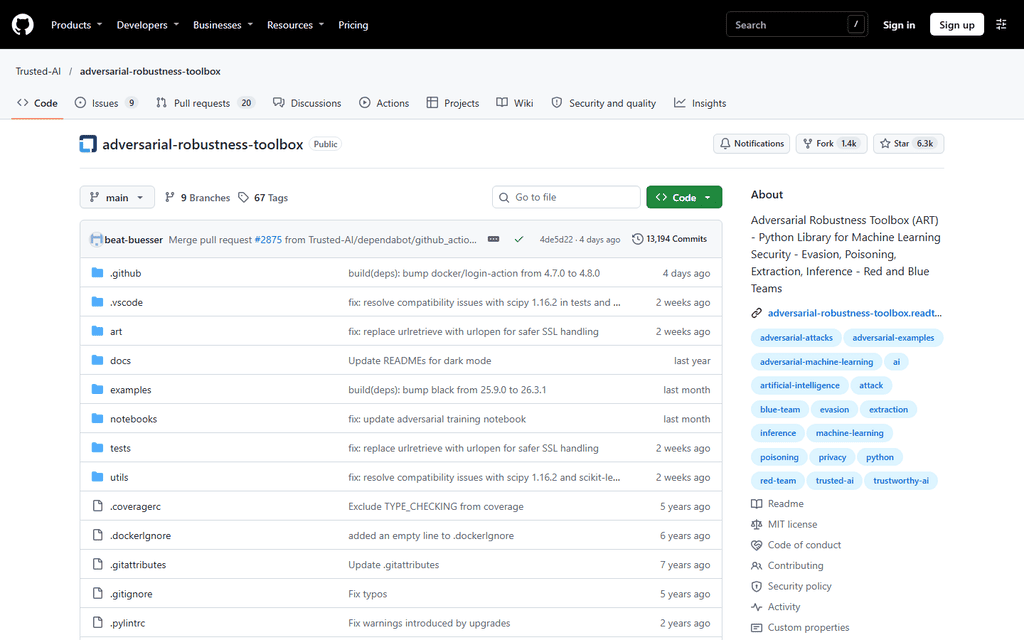
What it tests: ART covers evasion, poisoning, extraction, and inference attacks against classical machine learning models working on images, tables, audio, and video. LLM support is not documented, and neither are OWASP LLM or MITRE ATLAS mappings.
How it runs: ART is a Python library you install with extras for your framework. Targets are models loaded through estimators for PyTorch, TensorFlow, Keras, scikit-learn, XGBoost, LightGBM, and others, plus a black-box classifier for query-only models.
CI and automation fit: CI use is not documented for users. Teams that run it in a pipeline write a test script that loads the model, runs attacks, and checks a robustness metric against a threshold.
Reporting: ART returns adversarial examples and metric scores in Python, such as CLEVER and empirical robustness. No report format is documented, so your team builds the summary a reviewer reads.
Pros:
- Evasion, poisoning, extraction, and inference attacks in one library
- Defenses and metrics alongside the attacks
- Vendor-neutral governance under LF AI & Data
Cons: The docs say the library is under continuous development, and release 1.20.0 removed TensorFlow v1 and MXNet support while the docs home still lists both. Open issue #2828 reports that empirical_robustness returns 0.0 when an attack flips no predictions.
Who should skip it: Teams whose only AI component is an LLM chatbot, RAG search, or agent should skip ART. Keep it for the fraud, vision, or scoring models that sit next to your LLM feature.
7. Spikee: Best for Prompt Injection and Guardrail Testing
Overview: Spikee is developed by Reversec Labs under the Apache-2.0 license and publishes no GitHub releases. Its latest version on PyPI is 0.9.5, uploaded November 10, 2026, matching the repository header.
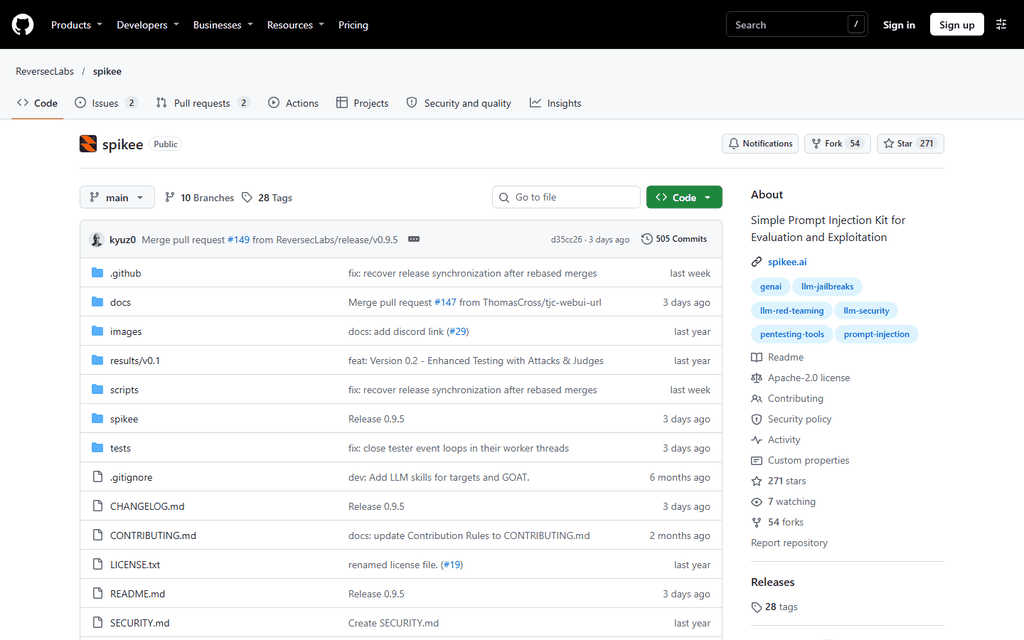
What it tests: Spikee builds prompt injection and jailbreak datasets and runs them against LLMs, guardrails, and LLM applications, including outcomes such as data exfiltration and cross-site scripting. Dynamic attacks include Crescendo, GOAT, and Echo Chamber. OWASP and MITRE ATLAS mappings are not documented.
How it runs: Spikee is a Python CLI with init, generate, test, and results commands, plus a web interface. Targets come through common providers (OpenAI, Bedrock, Azure, Ollama, and Groq), built-in guardrail targets, and custom target modules for chatbots, RAG systems, and agents.
CI and automation fit: A pipeline integration is not documented. The CLI runs headless, so a CI job can generate a dataset, run the test, and parse the JSONL results against your own threshold.
Reporting: Results are JSONL files, and the results commands report attack success rate overall and the gain from dynamic attacks. You can query results or convert them to Excel for a reviewer.
Pros:
- Modular datasets, attacks, and judges
- Guardrail testing that measures false positives as well as blocks
- Multi-turn attacks for LLM agents
Cons: Spikee’s results docs state that results depend entirely on the dataset used and that severity is not measured. A person still has to judge which successful attacks matter for your feature.
Who should skip it: Teams that need OWASP IDs on each finding or a ready CI recipe will spend more setup time here than with promptfoo. Teams evaluating a guardrail product before purchase get the most from it.
8. Agentic Security: Best for Threshold-Based Gates in a CI Pipeline
Overview: Agentic Security is maintained by an individual developer (GitHub user msoedov) under the Apache-2.0 license. The latest GitHub release is 0.7.5, from June 3, 2026, while PyPI lists version 1.0.0, and commits continue through November 12, 2026.
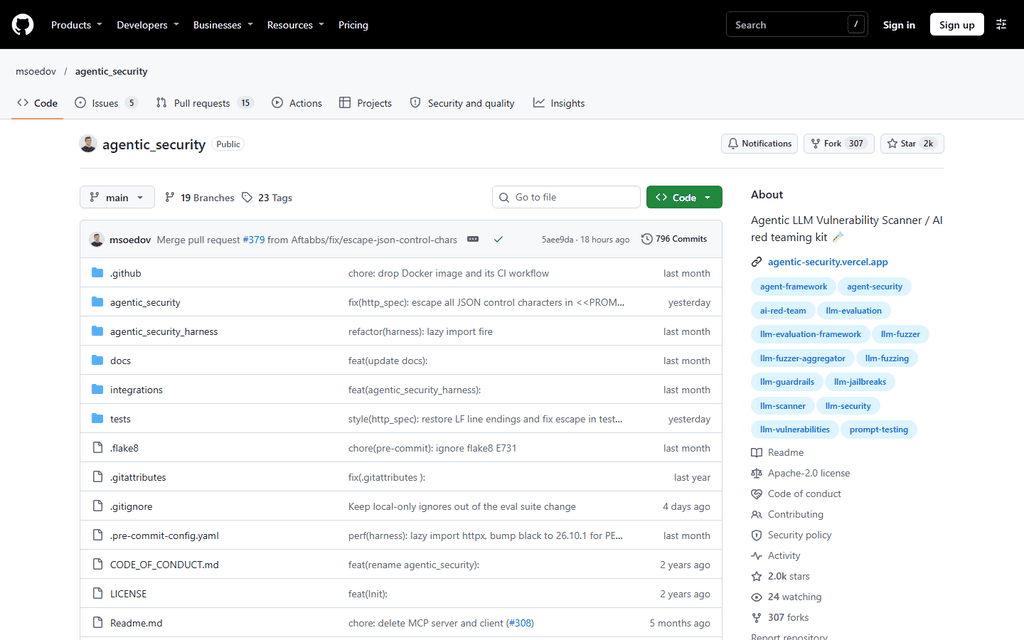
What it tests: It runs jailbreak and prompt injection datasets from Hugging Face or your own CSV files, many-shot jailbreaks, and encoding transformations, across text, image, and audio inputs. Its harness docs map attacks to LLM01:2025 and say the harness does not test the full OWASP Top 10; MITRE ATLAS is not documented.
How it runs: You install a Python package and run a web interface or CLI, with a TOML config. Targets are any HTTP endpoint described in a plain-text spec with a prompt placeholder, including image and audio endpoints; local models and RAG are not documented as targets.
CI and automation fit: The docs include a GitHub Actions example where a scan exits with a failure when a module’s failure rate passes your threshold. The docs also caution that the separate ci command does not stop the pipeline when a module fails, so use the scan command for gates.
Reporting: Scans print a table of module, failure rate, status, and margin against your threshold. The agent harness writes a JSON report, and the harness docs say it does not make HTML, XML, or JUnit reports.
Pros:
- Text, image, and audio attacks
- Threshold-based exit codes with a GitHub Actions sample
- Bring-your-own datasets from CSV or Hugging Face
Cons: The docs warn that it cannot find all vulnerabilities and that a clean scan does not prove the target is safe. Open issue #334 reports unauthenticated scan endpoints exposed to any web origin, so run the web interface only on a trusted machine.
Who should skip it: Teams whose change control requires a company-backed maintainer should weigh the single-maintainer risk. Teams that need a reviewer-ready HTML report will want a second tool for the customer pack.
9. Augustus: Best for Single-Binary Scans of Agents and MCP Servers
Overview: Augustus is Praetorian’s open-source LLM scanner under the Apache-2.0 license, written in Go. The latest release is v0.14.55, from November 23, 2026, up from v0.14.37 on November 12, so pin a version in CI and re-check it before each customer report.
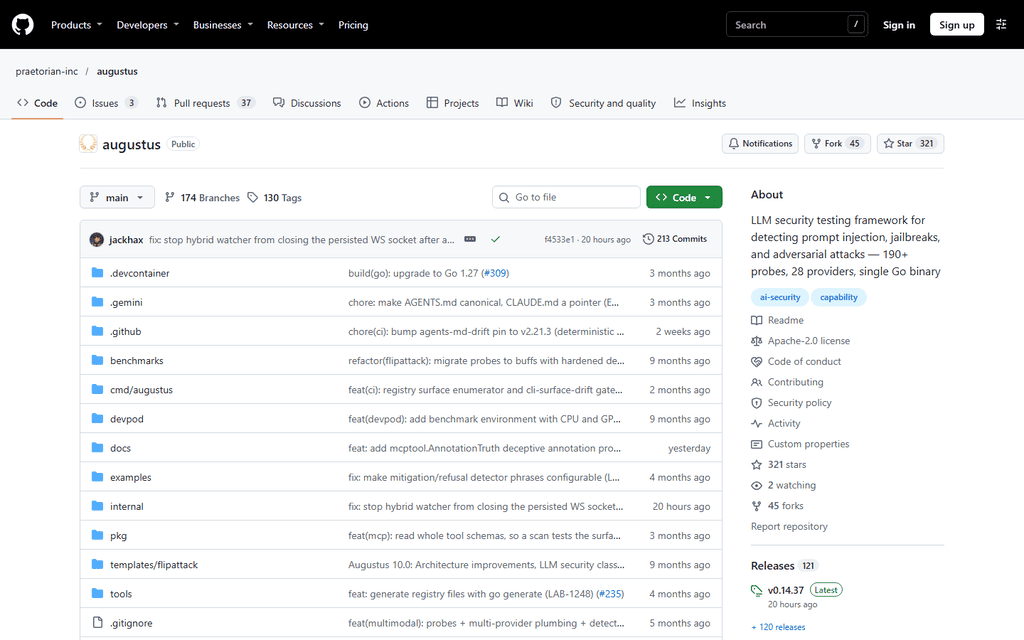
What it tests: The project’s docs list more than 210 probes across jailbreaks, prompt injection, multi-turn attacks, data extraction, RAG poisoning, format exploits, guardrail bypass, and tool-use attacks, plus MCP server probes. Probes carry OWASP Web, CWE, and MITRE ATT&CK IDs; OWASP LLM 2025 and MITRE ATLAS mappings are not documented.
How it runs: Augustus is a single binary: download a prebuilt Linux or macOS build from its releases page, or install it with Go 1.27 or later, then run augustus scan with a YAML config. It reaches 28 providers, local models through Ollama and llama.cpp, custom REST endpoints, and MCP servers.
CI and automation fit: The docs aim it at repeatable, automated adversarial testing in CI and document exit codes. A pipeline recipe, JUnit output, and SARIF output are not documented, so your job parses the JSON results.
Reporting: Output formats are a table, JSON, JSONL, and an HTML report for stakeholders. The HTML report is the one to attach to a customer response.
Pros:
- A single binary with no runtime dependencies
- Built-in concurrency, rate limiting, and retries
- MCP server and tool-use probes
- Frequent releases
Cons: The README FAQ says garak has a longer research pedigree and describes Augustus as a Go reimplementation inspired by it. Open issue #335 reports that tool-call deltas can contaminate the assembled response in the hybrid generator.
Who should skip it: Teams that need findings labeled with OWASP LLM IDs for a questionnaire should pair it with promptfoo or DeepTeam. Teams whose build agents run Windows will need Go 1.27 or later to build it, because releases ship Linux and macOS binaries only.
How to Run AI Red Teaming Tools in CI Without Blocking Every Release
Run a small, repeatable suite on every pull request and a broad scan on a schedule. That split keeps AI red teaming in the pipeline without turning every model-dependent failure into a blocked release.
What to Gate On
Gate pull requests on a saved suite that replays the same attacks each time: promptfoo with JUnit output, Giskard with a replayed suite, or Agentic Security with a failure threshold. Fail the build when results get worse than the last accepted run, starting with LLM01 Prompt Injection and LLM07 System Prompt Leakage.
Run garak, PyRIT, or Augustus as a scheduled broad scan that reports without blocking. Their findings feed the next version of the gating suite, so coverage grows without slowing each merge.
How to Triage Findings
Treat every hit as a candidate until a person reads the prompt and the response. garak’s FAQ notes that LLM output is stochastic, so a single test says little, and Giskard’s docs warn that its LLM judge errs in both directions.
Do not let a tool’s pass rate stand in for an authorization check. If a hit shows the model calling a function, log it for the human test, because only that test can confirm whose data came back.
When to Book a Human Test
Book a penetration test of the AI application before a major release and after you give the model new tool access or connect a new data source. Those are the changes that alter what the model can reach.
Whether your SOC would notice an attacker abusing the AI feature is a different question, answered by a red team assessment of the whole organization.
For an AI feature, book a web application penetration test with the AI scope: bring the tool reports, the list of functions the model can call, and two test accounts.
Add the cloud scope only if the vector store and model endpoints run in your own AWS, Azure, or Google Cloud account.
Test the AI feature before your customer’s security review does
- Review the functions, data sources, and accounts your AI feature can reach
- Scope the test from the findings your tools already produced
- Get the technical report and a Letter of Attestation for your customer
Frequently Asked Questions
What is the best open-source AI red teaming tool?
promptfoo is the strongest single pick for OWASP-mapped checks in CI, and garak is the strongest broad scanner of model endpoints. DeepTeam matches promptfoo’s OWASP 2025 coverage in Python, and PyRIT leads on adaptive multi-turn attacks. Pair one mapped tool with one broad scanner.
What is the difference between PyRIT and garak?
PyRIT is Microsoft’s framework for orchestrating attacks, including adaptive multi-turn ones, through a CLI, web interface, or Python code. garak is NVIDIA’s probe library that scans a model endpoint with many known attacks and writes JSONL and HTML reports. PyRIT’s scanner also includes a garak scenario family.
Can AI red teaming tools replace a penetration test of an AI application?
They cannot replace it. Tools test how the model responds to adversarial prompts, while a penetration test checks what the application lets the model do, such as calling functions without an authorization check. Run the tools in CI and book a human test before major releases and after changes to tools or data access.
Which OWASP LLM risks can automated tools test?
Automated tools test prompt-level risks best: LLM01 Prompt Injection, LLM02 Sensitive Information Disclosure, LLM07 System Prompt Leakage, and LLM09 Misinformation. promptfoo and DeepTeam document presets for all ten 2025 IDs. Excessive Agency (LLM06) still needs a person to confirm what a tool call returned.
How often should you red team an LLM application?
Red team an LLM application before major releases and after changes to tools or data access, because those changes alter what the model can reach. Between those points, keep an automated suite running in CI so regressions show up in the build that caused them.