
TL;DR
- Cloud misconfigurations caused 27% of breaches on AI models and applications in IBM’s July 2026 study.
- Three of these nine CSPM tools publish self-serve prices: Defender CSPM, AWS Security Hub CSPM and Prowler Cloud.
- Weak-password and permission findings took almost eight months to reach 50% fixed in third-party clouds, per Verizon’s 2026 DBIR.
- Small teams should start with their cloud’s native tool; large teams can run a multi-cloud platform.
Table of contents
- What Cloud Security Posture Management Tools Cover and Where They Stop
- Where UnderDefense Fits Next to a CSPM Tool
- How These 9 CSPM Tools Were Evaluated
- CSPM Tools Compared Side by Side
- The 9 Best CSPM Tools for 2026
- What the Posture Score Won’t Tell You About Cloud Risk
- What CSPM Tools Cost in 2026
- Choosing CSPM Tools by Team Size
- CSPM vs CNAPP, CWPP and CIEM: Where Each One Stops
- Test Your Shortlist on Two Real Cloud Accounts
- Frequently Asked Questions
IBM’s 2026 breach study, published July 29, 2026, found that more than 20% of organizations reported a breach targeting AI models or applications, and that cloud misconfigurations affecting AI workloads caused 27% of those breaches. A public storage bucket, an admin role without MFA and a security group open to the internet are the findings CSPM tools exist to raise.
Most roundups on page one are written by one of the CSPM vendors being ranked. This guide compares nine on coverage, prioritization and price, then asks what those roundups skip: once a finding fires, how much work does it hand a team of three to thirty people?
UnderDefense, which publishes this guide, works on that question: the UnderDefense Agentic AI SOC investigates the alerts your cloud and security tools already raise. It runs no configuration scans, so it sits outside the ranking, in its own section below.
This guide is written for CISOs and VPs of Security at companies of 500 to 10,000 employees choosing between named products.
See how the UnderDefense Agentic AI SOC investigates, triages, and resolves real alerts.
What Cloud Security Posture Management Tools Cover and Where They Stop
CSPM tools read your cloud provider’s control plane through its APIs and compare every resource against a rule set. Wiz lists 2,800+ configuration rules, Orca 2,500+ controls and Prowler 2,500+ checks, each mapped to frameworks such as CIS Benchmarks, PCI DSS, HIPAA and NIST 800-53.
Most of them build an asset inventory along the way, and the stronger ones rank findings by context: whether the resource faces the internet, which identity can reach it, and whether sensitive data sits behind it. That ranking is where products on this list differ most.
Configuration is also where they stop. A CSPM finding tells you a role carries more permissions than it needs. Whether anyone used that role at 3 a.m. last Tuesday is a separate question, answered by activity logs such as AWS CloudTrail or the Azure Activity Log, by identity logs from Okta or Entra ID, and often by telemetry from the workload.
A continuous scan also differs from a periodic cloud security assessment, which tests architecture, segmentation and design decisions that no rule engine can express. You need the daily check to catch drift and the occasional assessment to confirm the design is sound.
Where UnderDefense Fits Next to a CSPM Tool
UnderDefense does not sell a CSPM tool, so it is not ranked below. The UnderDefense Agentic AI SOC works one step later: it connects to the SIEM, EDR, identity and cloud accounts you already run, from Splunk, Microsoft Sentinel and Elastic to CrowdStrike, SentinelOne, Okta, AWS, Azure and Google Cloud, and investigates the alerts they raise.
Each investigation queries the connected tools, correlates what comes back and records every step, which UnderDefense reports takes about 2 minutes from alert to triage. Suspicious activity can be confirmed with the affected user over Slack or Teams, and containment decisions go to your team or to UnderDefense’s 24/7 analysts. For cloud estates, the tier above its endpoint plan adds AWS, Azure, GCP and Kubernetes monitoring, per UnderDefense’s pricing page.
In UnderDefense’s case study of a licensed iGaming operator, the platform filters 94.5% of more than 4,500 monthly alerts upstream, leaving approximately 250 incidents a month, with zero new internal headcount. UnderDefense is rated 4.9 out of 5 from 38 reviews on G2 (September 2026), where a mid-market CTO wrote, “Our engineers stopped being the default first responders.” Reviewers there also report that detection tuning takes weeks to months.
Its integrations page names no CSPM product, so if you pair the two, confirm in a pilot whether CSPM findings reach the investigation directly or through your SIEM.
CSPM findings piling up unread? Get them investigated 24/7
How These 9 CSPM Tools Were Evaluated
All nine CSPM tools were read on their makers’ sites in October 2026, covering product pages, docs and price lists, plus public AWS Marketplace listings where a vendor publishes no price on its own site. Five questions shaped every entry:
- Which clouds does it cover, and does any feature you’d pay for depend on an agent?
- How does it rank findings: by severity alone, or by severity plus exposure, identity and data context?
- Which compliance frameworks does it map to out of the box?
- Where do findings go next, and which SIEM, SOAR and ticketing tools does the vendor name?
- After a finding fires, who on your team triages it, and with what evidence?
The fifth question carried the most weight. A tool that ranks findings well still hands your team a queue, and the evidence for clearing it sits in activity logs that only help when someone reads them, a gap examined in CloudTrail isn’t a response plan.
List order implies no ranking, so read each entry against your own estate and stack.
CSPM Tools Compared Side by Side
The table puts all nine next to each other. The “Who works the findings” column is this guide’s own reading of each vendor’s routing and remediation documentation; no vendor publishes it in that form.
| Tool | Best for | Coverage and deployment | Who works the findings | Main limitation | Pricing (from) |
|---|---|---|---|---|---|
| Wiz | Multi-cloud attack-path prioritization | AWS, Azure, GCP, OCI, Alibaba; agentless | Your team, via SIEM, ServiceNow or auto-fix rules | Runtime features are add-ons | $24,000/year, 100 workloads (Marketplace) |
| Microsoft Defender for Cloud | Azure-first estates on Sentinel | Azure, AWS, GCP, Arc servers; agentless | Your team, natively in Sentinel | Attack paths need the paid plan | Free tier; $5.11/resource/month |
| AWS Security Hub CSPM | AWS-centric accounts | AWS plus Azure; API-based | Your team, via EventBridge, Jira or ServiceNow | No Google Cloud | $0.0010/check |
| Orca Security | Agentless workload and posture coverage | Six clouds; agentless, optional sensor | Your team, via SIEM, Jira or PagerDuty | No pricing page | $7,000/month pack (Marketplace) |
| Cortex Cloud | Palo Alto shops on Cortex | Five clouds; agent for runtime | Your team, in the Cortex case queue | IaC scanning is an add-on | Quote |
| CrowdStrike Falcon Cloud Security | Falcon endpoint customers | AWS, Azure, GCP, OCI; plus Falcon sensor | Your team, via Falcon Fusion SOAR | Containers in a separate tier | Quote; 15-day trial |
| Tenable One Cloud Exposure | Identity-driven posture on Tenable | AWS, Azure, GCP; Kubernetes on-prem or cloud | Your team, via Jira, Slack or Teams | No OCI or Alibaba | Quote |
| Sysdig Secure | Container-heavy estates | AWS, Azure, GCP; agent for runtime | Your team, via SIEM, Jira or PagerDuty | 20-unit public minimum | $72/unit/month (Marketplace) |
| Prowler | Open-source scanning per account | Eight-plus providers; agentless | Your team; Jira and Slack in the paid tier | No runtime detection yet | Free; $99/account/month |
If your team is small, read the fourth column first: every CSPM tool on the list hands its findings to your people. For estates spanning several providers, deciding which cloud controls to standardize and which to offload narrows this table before any demo.
The 9 Best CSPM Tools for 2026
The entries follow the table order, each ending on the limitation most likely to matter to a team of your size.
1. Wiz: Best for Multi-Cloud Attack Paths
Best for: Multi-cloud attack-path prioritization
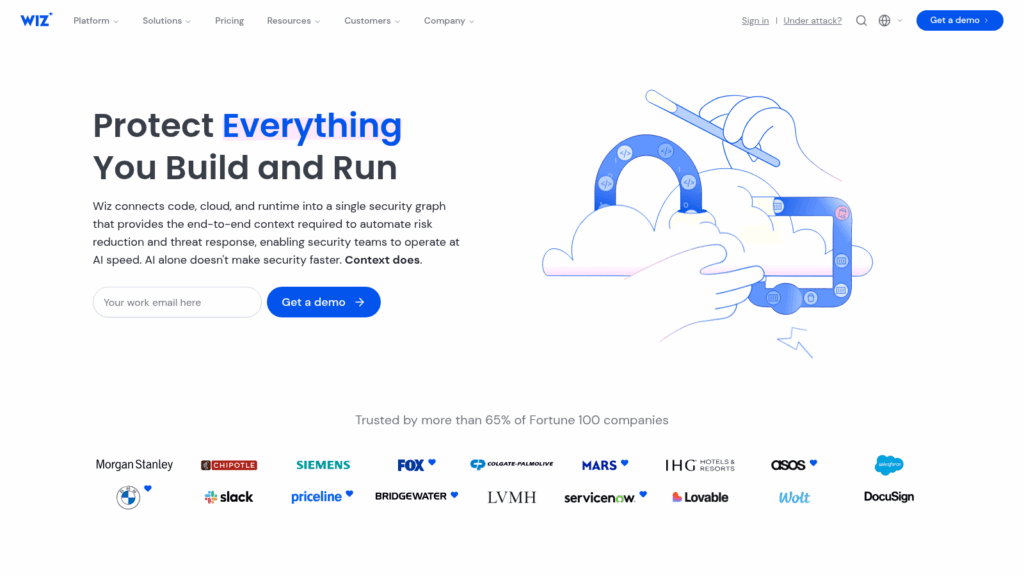
Overview: Wiz connects to each cloud provider’s API and builds an inventory across virtual machines, containers, serverless functions and AI services, then runs its rule set against it. Its CSPM page lists 2,800+ configuration rules, including Kubernetes posture rules, and 250+ built-in frameworks such as PCI DSS and CIS Benchmarks.
Prioritization is why most buyers shortlist it: Wiz correlates a misconfiguration with exposure, identities, vulnerabilities and data, so a finding on an internet-facing VM with an admin role outranks the same finding on an isolated test box.
Google completed its acquisition of Wiz in March 2026. Wiz’s announcement says it “remains a multi-cloud platform,” and the CSPM page lists AWS, GCP, Azure, OCI and Alibaba Cloud.
Key features:
- Agentless onboarding through provider APIs, so coverage starts without touching a workload
- Rules you can customize in Rego, so your own guardrails run alongside the vendor’s
- Attack-path correlation across exposure, identity, vulnerabilities and data, which shortens the fix-first list
- IaC scanning for Terraform, CloudFormation and ARM templates, catching a misconfiguration before it deploys
- Automatic remediation rules plus written remediation guidance for the findings your engineers fix by hand
Fit and setup: Wiz suits a security function running two or more clouds, with someone who owns the integration into Microsoft Sentinel, Splunk, IBM QRadar or Google Security Operations, all named on its integrations page. The runtime sensor and Wiz Defend are add-ons to the Advanced tier.
Pricing: Wiz publishes no price on its own site, where the pricing page is a quote form. Its public AWS Marketplace listing shows Wiz Essential at $24,000 and Wiz Advanced at $38,000 for 100 cloud workloads over 12 months, and notes that custom pricing comes by private offer.
Pros: Covers OCI and Alibaba Cloud as well as the big three, context-based ranking, no agent needed for posture, named integrations with Sentinel, Splunk, QRadar and Google SecOps
Cons: No self-serve price on wiz.io, runtime and detection cost extra, the $24,000 Marketplace entry point assumes 100 workloads, a large first step for a small single-cloud estate.
Why it’s a good CSPM tool: Its correlation engine answers “which of these findings can an attacker actually reach” better than a severity list does. That matters most when you run several clouds and can’t fix everything this quarter.
Final verdict: Shortlist Wiz if you run multi-cloud and have an analyst who will own the queue. On one cloud with a small team, start with the provider’s native tool.
2. Microsoft Defender for Cloud: Best for Azure-First Estates
Best for: Azure-first estates running Sentinel
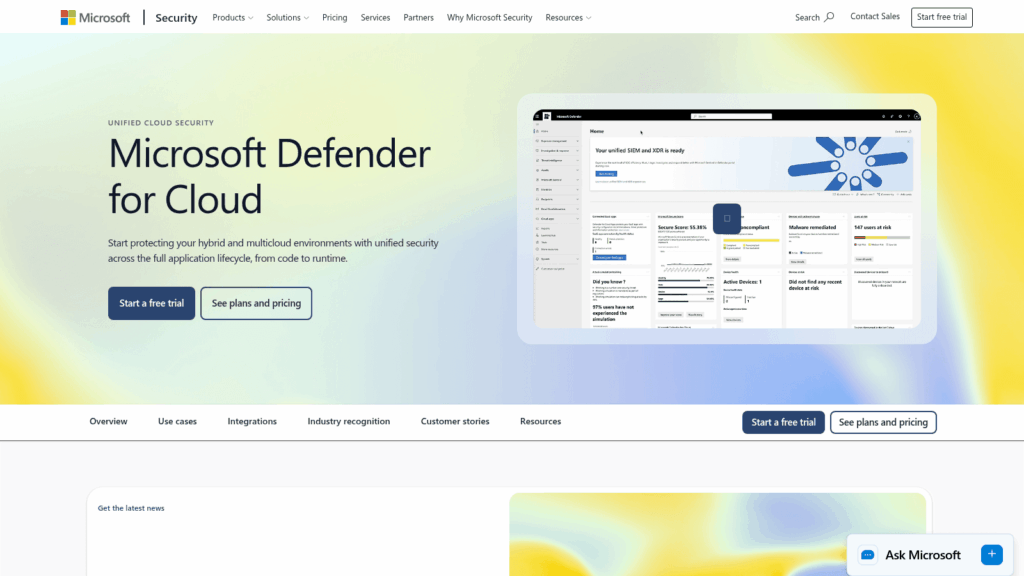
Overview: Defender for Cloud is Microsoft’s posture and workload protection service, renamed from Azure Security Center in 2021. Its posture side comes in two tiers: Foundational CSPM, which is free, and Defender CSPM, which is billed per resource.
The free tier runs continuous assessments, security recommendations, Secure Score and the Microsoft cloud security benchmark across Azure, AWS and Google Cloud. On-premises servers join through Azure Arc.
The paid plan adds agentless vulnerability scanning, attack path analysis, data-aware posture and regulatory compliance assessments.
Key features:
- Free Secure Score and recommendations across three clouds, so a posture baseline costs nothing to start
- Attack path analysis in the paid plan, showing how a misconfiguration chains toward a sensitive asset
- Sensitive data scanning, also in the paid plan, so exposed storage holding customer records ranks above an empty bucket
- Continuous export to Log Analytics, Event Hubs or another SIEM or SOAR, for routing beyond Microsoft
- A ServiceNow integration covering ITSM tickets and configuration compliance
Fit and setup: It fits an organization whose identity runs on Entra ID and whose SOC already works in Microsoft Sentinel, where Defender findings arrive natively. Oracle Cloud and Alibaba Cloud aren’t covered, and Microsoft’s documentation states that GCP sensitive data discovery only supports Cloud Storage.
Pricing: Foundational CSPM is free. Defender CSPM lists at $5.11 per billable resource per month, where eight functions or web apps count as one resource, and a one-year pre-purchase plan saves up to 22%. The 30-day free trial converts to paid usage automatically.
Pros: Free tier with real coverage, native Sentinel integration, published per-resource price, covers Arc-connected on-premises servers
Cons: Attack paths and regulatory assessments sit behind the paid plan, no OCI or Alibaba coverage, Microsoft enrolls all resources by default and starts charging when the 30-day trial ends unless you opt out.
Its real strength: The free tier gives a Microsoft shop a posture baseline across three clouds before procurement starts, and the per-resource price makes the paid step easy to model.
Final verdict: If Sentinel is your SIEM, Defender CSPM is the option to beat on cost and integration. Check its enrollment settings before the trial ends.
3. AWS Security Hub CSPM: Best for AWS-Centric Accounts
Best for: AWS-centric accounts billed through AWS
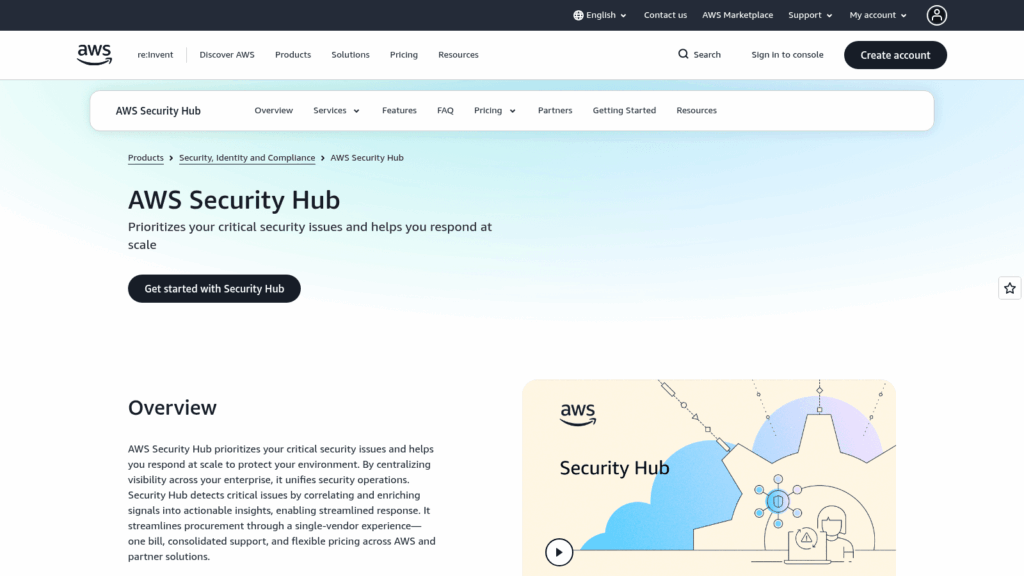
Overview: AWS now sells two related products. AWS Security Hub is the unified service that correlates findings from Amazon Inspector, GuardDuty, Macie and posture checks. AWS Security Hub CSPM is the posture-check service underneath it.
Security Hub CSPM runs AWS’s own security standards against your accounts, including AWS Foundational Security Best Practices, CIS AWS Foundations, NIST 800-53 Rev. 5, NIST 800-171 Rev. 2 and PCI DSS. It aggregates findings across Regions and across an AWS Organization, and it now extends checks to Microsoft Azure against the CIS Azure Foundations Benchmark.
Key features:
- Automated checks against AWS-maintained standards, so a multi-account baseline needs no third-party tool
- Cross-Region and AWS Organizations aggregation, putting every account in one view
- Automation rules that update or suppress findings in near real time, cutting repeat noise
- Exposure findings in the wider Security Hub that combine Inspector, GuardDuty and Macie signals with posture checks
- Findings published to EventBridge in OCSF format, with Jira Cloud and ServiceNow ticketing
Fit and setup: It fits teams whose estate is mostly AWS and who want to pay on the AWS bill without a procurement cycle. Google Cloud isn’t covered, AWS Config must be enabled for AWS checks and is billed separately, and checks are billed per account and per Region, so a 40-account estate across three Regions multiplies fast.
Pricing: In US East, Security Hub CSPM charges $0.0010 per check for the first 100,000 checks a month, falling to $0.0005 per check above 500,000, with 10,000 finding ingestion events free each month and a 30-day trial per account and Region. The Security Hub Essentials plan is priced per resource unit, and AWS’s own example uses $3.75 per EC2 instance per month.
Pros: Pay-as-you-go with no contract, native to AWS Organizations, Azure coverage added, published price per check
Cons: No Google Cloud, AWS Config costs extra, and AWS itself states that its standards and controls “don’t guarantee compliance” with any regulatory framework or audit.
Why it made this list: For an AWS-first company it’s the lowest-friction posture baseline for every account, and Wiz and Prowler can both send their findings into it.
Final verdict: Start here if you’re mostly on AWS and price-sensitive. Add a multi-cloud tool once a second provider holds production data.
4. Orca Security: Best for Agentless Workload Coverage
Best for: Agentless workload and posture coverage
Overview: Orca built its platform on SideScanning, an agentless method that reads workload storage through the cloud provider’s APIs. The company says it delivers an asset inventory “in minutes” and prioritized security gaps within 24 hours, without sending traffic over your network.
Its CSPM module lists 2,500+ configuration controls across 10+ categories and more than 150 industry and regulatory frameworks. Attack paths are drawn as a visual graph that marks which risk to fix to break the path.
Orca covers AWS, Azure, Google Cloud, Oracle Cloud, Alibaba Cloud and Tencent Cloud, plus Kubernetes. It bought Opus, an AI remediation company, in a deal announced in May 2025.
Key features:
- Agentless SideScanning, so workload vulnerabilities and posture arrive from a single connection
- 2,500+ controls mapped to 150+ frameworks, covering most audit requests without custom rules
- Attack-path graphs that point to the one fix that breaks the chain
- Sensitive data discovery that flags exposed PII on misconfigured assets
- Plain-language search, such as asking whether any vulnerable asset faces the internet
Fit and setup: Orca fits a mid-size or larger team that wants posture and workload risk without deploying agents across thousands of instances, with findings routed to Splunk, Microsoft Sentinel, Cortex XSOAR, Jira, ServiceNow, PagerDuty or Slack. An optional sensor adds runtime coverage for teams that need it.
Pricing: Orca has no pricing page. Its public AWS Marketplace listing prices four starter packs of concurrent EC2 workloads at $7,000, $12,000, $17,000 and $30,000 per month, without stating how many workloads each pack covers.
Pros: Agentless depth into workloads, six cloud providers, large framework library, plain-language search
Cons: No pricing page, Marketplace pack sizes undisclosed, and the packs are sized on running EC2 hosts, which makes cost hard to model for an estate built mostly on serverless or managed services.
Why buyers shortlist it: Workload vulnerabilities and posture findings arrive from one agentless connection, and the attack-path view turns a long finding list into a short set of breaking points.
Final verdict: A strong pick for multi-cloud teams that refuse to run agents on every instance. Ask for the workload count behind each pack before comparing its price to Wiz.
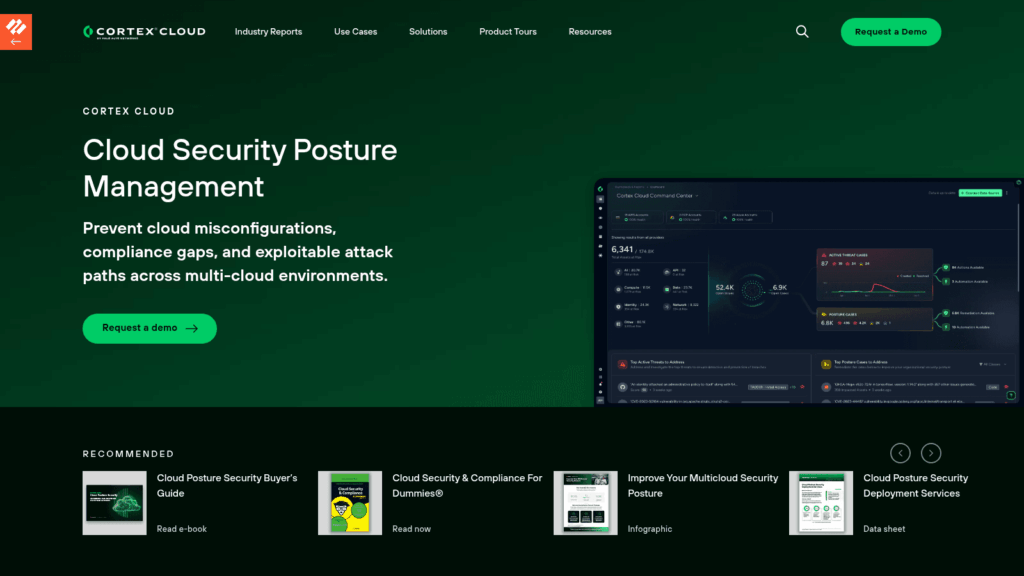
5. Cortex Cloud: Best for Palo Alto Shops
Best for: Palo Alto shops consolidating on Cortex
Overview: Palo Alto Networks merged Prisma Cloud with Cortex CDR to form Cortex Cloud, announced in February 2025 as the next version of Prisma Cloud. Version 2.0 followed in October 2025.
CSPM sits in the Cloud Posture Management license, alongside CIEM, data and AI posture, Kubernetes posture and agentless workload scanning. The Cloud Runtime Security plan adds workload protection through the Cortex XDR agent.
Posture checks map to 18+ frameworks, including PCI, HIPAA and GDPR. Palo Alto says its prioritization engine reduces alert volume by 25x, a vendor figure published without a method.
Key features:
- Agentless posture across AWS, Azure, GCP, OCI and Alibaba from one license
- SmartGrouping, which folds related signals into a single case, and SmartScore, which ranks cases by exposure and production behavior
- Attack paths that carry code, cloud and runtime context together
- CIEM that shows the blast radius of each identity
- One-click audit reports plus custom frameworks for internal policies
Fit and setup: It fits enterprises already standardized on Cortex XSIAM, Cortex XDR or Palo Alto firewalls, where cloud findings join the same case queue. Licensing is annual, based on protected workloads averaged over 90 days, and IaC scanning sits in a paid Application Security add-on.
Pricing: Palo Alto publishes no price for Cortex Cloud. AWS Marketplace shows only legacy Prisma Cloud credit units sold by private offer, which don’t map to current Cortex Cloud licensing.
Pros: Posture and runtime from one vendor, five cloud providers, case grouping cuts duplicate findings, CIEM included in the posture plan
Cons: Quote only, IaC scanning is an add-on, most of the value assumes you also run the wider Cortex stack, which weakens the case for a team built on another SIEM.
What it does well: Grouping posture findings into cases keeps one misconfigured service from producing dozens of separate tickets. Teams already working cases in Cortex get cloud posture without another console.
Final verdict: Choose Cortex Cloud when Palo Alto already anchors your security stack. Outside that ecosystem, the license math and the add-ons make it a harder sell.
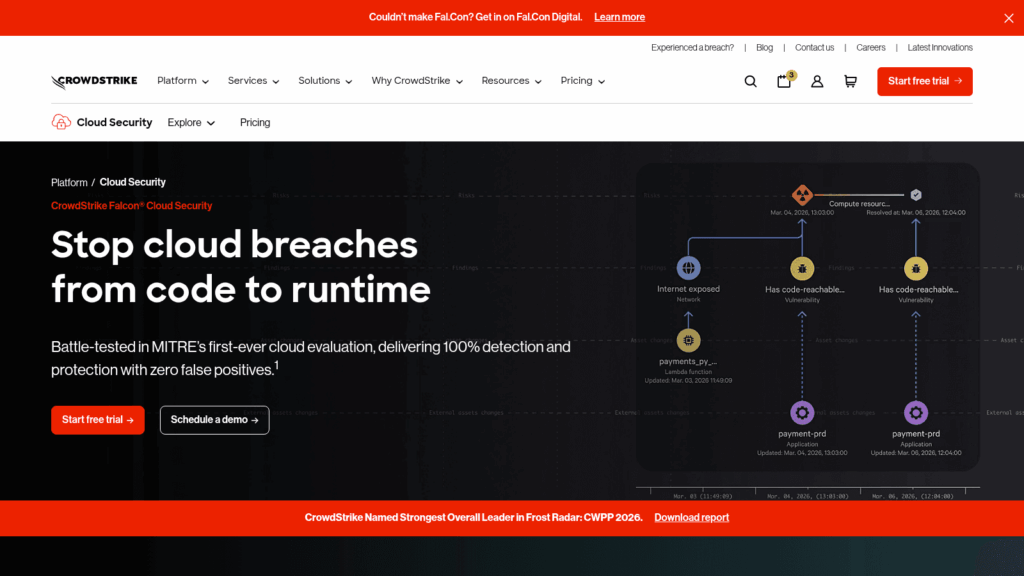
6. CrowdStrike Falcon Cloud Security: Best for Falcon Customers
Best for: Falcon endpoint customers adding cloud
Overview: Falcon Cloud Security, formerly Falcon Horizon, pairs continuous agentless discovery with the Falcon sensor for hosts, containers and Kubernetes. Its distinctive angle is threat-informed ranking: CrowdStrike says it matches cloud risks against 281+ adversary groups to decide what to fix first.
The site names NIST, CIS, FedRAMP, PCI DSS, HIPAA and GDPR among its frameworks, plus custom ones, without publishing a total count. Its navigation lists AWS, Azure, Google Cloud and Oracle Cloud.
Key features:
- Adversary-informed prioritization, so a misconfiguration tied to an active group’s technique ranks higher
- Attack-path visualization with guidance on reducing privileged access
- An identity analyzer for cloud entitlements, plus IaC scanning, listed in the product datasheet
- Timeline Explorer for root-cause analysis of a cloud event
- Remediation workflows through Falcon Fusion SOAR, including ServiceNow and Jira, per a June 2024 datasheet
Fit and setup: It fits organizations already running Falcon on endpoints, where cloud posture lands in the same console as endpoint detections. CrowdStrike’s November 2024 datasheet places Kubernetes misconfiguration checks and container image assessment in a separate Falcon Cloud Security for Containers tier, and Alibaba Cloud isn’t listed.
Pricing: CrowdStrike publishes no cloud security price; its pricing page lists endpoint bundles only. A 15-day free trial needs no credit card, and access arrives within 24 hours, though the trial excludes consultants and service partners.
Pros: One console with Falcon endpoint data, threat-informed ranking, agentless discovery plus optional sensor depth, free 15-day trial
Cons: Quote only, container posture sits in a separate tier, the deepest workload visibility depends on deploying the Falcon sensor across your cloud hosts.
Where it beats the alternatives: For a Falcon customer, cloud posture findings sit next to endpoint detections and arrive already ranked by adversary activity. That removes a correlation step your analysts would otherwise do by hand.
Final verdict: If Falcon already runs on your endpoints, put this first on the shortlist. If it doesn’t, the platform benefit largely disappears.
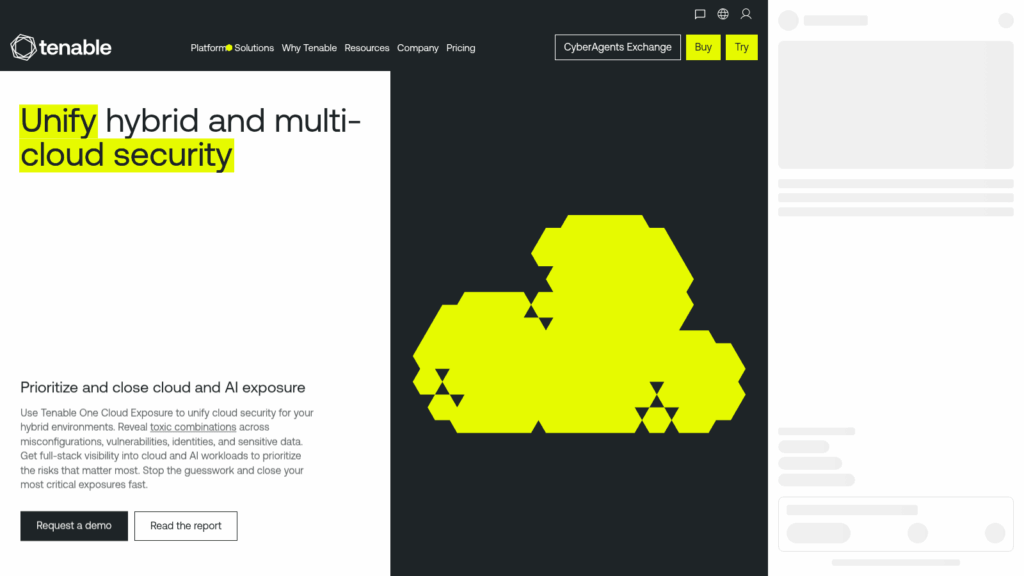
7. Tenable One Cloud Exposure: Best for Identity-Driven Posture
Best for: Tenable shops ranking risk by identity
Overview: Tenable now sells its cloud platform as Tenable One Cloud Exposure, the product previously marketed as Tenable Cloud Security. It covers AWS, Azure and Google Cloud, and its CSPM page frames posture around identity: misconfigurations are prioritized with “identity-driven insights,” with cloud infrastructure entitlement management at the core.
The posture side audits accounts against CIS, AWS Well-Architected, GDPR, HIPAA, ISO, NIST, PCI DSS and SOC 2, plus custom checks, and produces compliance reports in one click.
Its Kubernetes posture management scans clusters on premises or in the public cloud, with a customizable admission controller that checks new resources as they are created.
Key features:
- Identity-driven prioritization, so a misconfiguration an over-privileged identity can reach ranks first
- Just-in-time access for privileged cloud permissions, which shrinks standing admin rights
- Toxic-combination and attack-path views across identities, workloads and data
- Pre-deployment checks of Terraform, CloudFormation and Kubernetes manifests
- Automated or guided remediation, including fixes for identity-based risks
Fit and setup: Teams that already run Tenable for vulnerability management get cloud exposure in the same Tenable One view, and it suits estates whose biggest cloud risk sits in permissions. Findings route to Jira, Slack, Microsoft Teams and email, and it connects to Entra ID, Google Workspace, Okta, OneLogin and Ping Identity. Its FAQ lists no Oracle Cloud or Alibaba Cloud support.
Pricing: Tenable publishes no price for Tenable One Cloud Exposure, and its buy page asks for a custom quote. In-account scanning is sold as an add-on.
Pros: Deep entitlement analysis, just-in-time access, broad framework reporting, fits an existing Tenable One program
Cons: Quote only, in-account scanning costs extra, and with no Oracle Cloud or Alibaba Cloud coverage an OCI-heavy estate needs a second tool.
Where it stands out: Tenable puts entitlement analysis at the center of posture ranking, which matches the permission findings that Verizon’s 2026 data shows staying open longest. For a Tenable customer, cloud findings also land next to existing vulnerability data.
Final verdict: Choose Tenable One Cloud Exposure when Tenable already runs your vulnerability program or permissions are your top cloud risk. Estates on Oracle Cloud or Alibaba Cloud should look elsewhere.
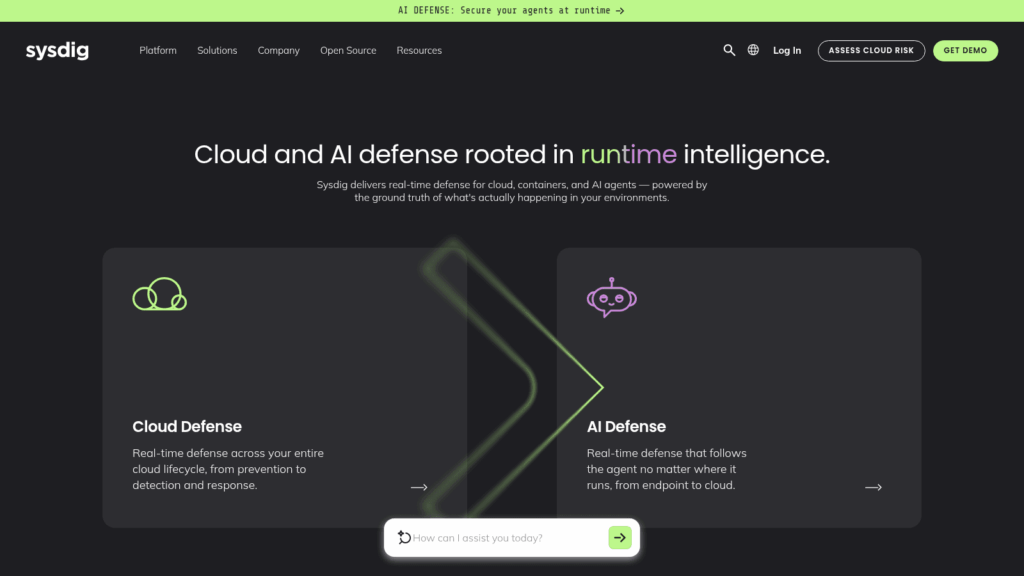
8. Sysdig Secure: Best for Kubernetes-Heavy Teams
Best for: Container-heavy teams wanting runtime context
Overview: Sysdig, which maintains the open-source Falco runtime security project, ties posture findings to what actually runs. Its platform combines agentless posture scanning with an optional agent, and the agent lets it filter out vulnerabilities in packages that never load at runtime.
Sysdig’s documentation lists about 130 out-of-the-box posture policies, counting version variants, covering PCI DSS v4.0, HIPAA, ISO/IEC 27001:2022, DORA, NIS2, FedRAMP and NIST 800-53 Rev. 5. AWS, Google Cloud and Azure support every agentless feature, and Oracle Cloud supports agentless posture management.
Key features:
- Runtime context layered onto static checks, so findings on loaded, reachable code rank first
- Graph search and attack path analysis across cloud resources
- Advanced CIEM showing which high-risk permissions an identity actually uses
- Pull requests opened in your IaC repository to fix compliance findings, once Git integration is on
- Forwarding to Splunk, Microsoft Sentinel, IBM QRadar and Google SecOps, plus Jira, ServiceNow, Slack and PagerDuty
Fit and setup: It fits Kubernetes and container-heavy teams who already struggle with vulnerability volume and want runtime evidence to cut it. Compliance evaluation runs on a daily cycle, and the documentation notes that it cannot check every control within a framework.
Pricing: Sysdig licenses by host count, with compute instances counted for CSPM, and its site asks you to request a quote. Its public AWS Marketplace listing shows CNAPP Enterprise at $72 per unit per month on a one-month contract with a 20-unit minimum, or $720 per unit on a 12-month contract.
Pros: Runtime evidence trims vulnerability noise, framework coverage includes DORA and NIS2, Falco heritage for container detection, broad SIEM and ticketing routing
Cons: Runtime prioritization needs the agent, compliance results refresh daily, no Alibaba Cloud support appears in its documentation.
Why it earns a place here: Showing which risky permissions an identity actually uses moves a posture finding closer to the question of whether it was exploited. For a container-heavy estate, that context shortens triage.
Final verdict: Pick Sysdig when containers and Kubernetes carry most of your production. A VM-and-storage estate will pay less for a lighter tool.
9. Prowler: Best for Open-Source Scanning
Best for: Open-source scanning priced per account
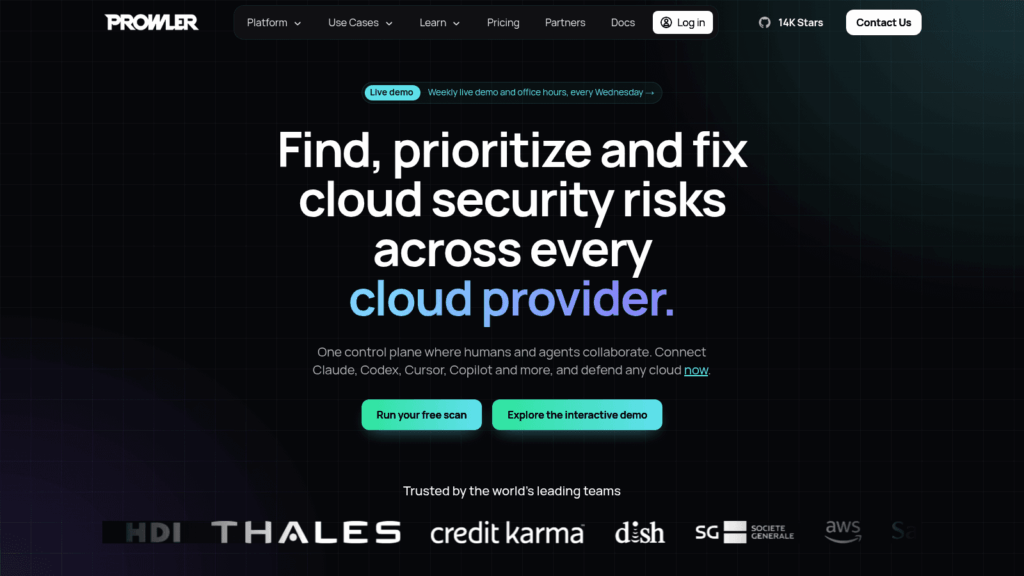
Overview: Prowler is an Apache-2.0 open-source CSPM tool with a paid hosted version, Prowler Cloud. The free command-line tool and the self-hosted Local Server, formerly Prowler App, ship 2,500+ checks mapped to 70+ compliance frameworks, according to its homepage.
Provider coverage is unusually wide: AWS, Azure, Google Cloud, Oracle Cloud, Alibaba Cloud, OpenStack, Kubernetes, Microsoft 365, Google Workspace and GitHub, plus Terraform, CloudFormation and Helm templates. It connects with a read-only role and writes nothing back to your environment.
Prowler Cloud adds scheduled scans, organization-wide onboarding, a full attack path graph, and Jira, Slack and email alerts.
Key features:
- Free checks you can read and modify, so your own rules run beside the stock ones
- Read-only, agentless onboarding with nothing written to your accounts
- Exports to CSV, JSON in OCSF format, HTML and AWS Security Hub
- A ThreatScore from 0 to 100 and basic attack path analysis for AWS in the open-source edition
- Jira tickets that group related findings into one issue, in Prowler Cloud
Fit and setup: It fits engineering-led teams on a tight budget, and organizations that want to self-host their scanner, where you script your own scheduling and routing. Native SIEM integration is limited to the custom-priced Private Cloud tier, and real-time event-driven detection is marked “soon” on its pricing page.
Pricing: The open-source edition is free. Prowler Cloud costs $99 per cloud account per month billed monthly, or $79 billed annually, where a cloud account means an AWS account, Google Cloud project or Azure subscription, and a 15-day trial covers unlimited accounts.
Pros: Free open-source core, long provider list including OpenStack and SaaS, transparent per-account pricing, read-only access
Cons: No runtime detection yet, scheduling and alerting need Prowler Cloud or your own scripts, per-account pricing grows in a straight line as you add accounts.
Why it’s a good CSPM tool: You can run a full baseline across every account this afternoon without a contract or a sales call. The checks are open, so you can show an auditor exactly what was tested.
Final verdict: Use Prowler to establish a baseline, or as the permanent scanner for a lean, engineering-heavy team. Plan who reads the output before you schedule the first scan.
See how UnderDefense Agentic AI SOC resolves a real incident on your stack.
What the Posture Score Won’t Tell You About Cloud Risk
A posture score counts failed checks, weighted by severity and, in the stronger tools, by exposure and identity context. It measures what could happen, and it stays silent on what already did.
That gap matters because findings stay open for months. Verizon’s 2026 DBIR, studying remediation of exposures in third-party cloud environments, found that weak passwords and permission misconfigurations took almost eight months to reach 50% resolved, and only 31% were fully remediated. The same section reports that 37% of organizations had an admin account with MFA disabled on an IaaS offering.
For those eight months, the CSPM finding answers one question: is the door open? The question that decides whether you have an incident is whether anyone walked through it, and that answer lives in activity logs, identity logs and workload telemetry that a configuration check doesn’t read.
Answering it is triage work, and the clock is short. In an iGaming case study, UnderDefense reports the first alert raised 10 minutes after the attacker’s first move and initial triage complete 25 minutes after that alert. A posture finding reviewed at next week’s sprint planning runs on a very different clock.
How to Turn a Posture Finding Into an Investigated Case
The steps below work with any of the CSPM tools above, and most of them need only logs you already collect.
- Pick the finding classes that imply possible access: public storage, admin roles without MFA, long-lived access keys and security groups open on management ports.
- For each class, write the follow-up query: who read the bucket, which sessions assumed the role, which source IPs reached the port. Use AWS CloudTrail, the Azure Activity Log or Google Cloud Audit Logs.
- Forward CSPM findings into the SIEM that holds those logs, so the finding and the activity sit side by side.
- Set a response time per class: an exposed admin role gets investigated the same day, a missing tag waits for the next sprint.
- Close every case with the evidence attached: the queries run, what they returned and the verdict.
Step 2 is where lean teams stall. If nobody can run those queries at 2 a.m., the finding waits until morning regardless of its severity.
Nobody free to run step 2 tonight? Watch the agents run it
What CSPM Tools Cost in 2026
Among the nine CSPM vendors, Defender, Security Hub and Prowler list self-serve prices, three more appear on public AWS Marketplace listings, and three are quote only. The table lists each starting figure with its billing unit, because the unit decides your bill more than the number does.
| Tool | Starting figure | Billing unit | Where it’s published |
|---|---|---|---|
| Microsoft Defender CSPM | Free tier; $5.11/month | Billable resource | Azure pricing page |
| AWS Security Hub CSPM | $0.0010 per check (first 100,000) | Check, per account and Region | AWS pricing page |
| Prowler Cloud | $99/month($79 billed annually) | Cloud account | Prowler pricing page |
| Sysdig Secure | $72/unit/month, 20-unit minimum | Host | AWS Marketplace |
| Orca Security | $7,000/month | Starter pack of EC2 workloads | AWS Marketplace |
| Wiz | $24,000/year | 100 cloud workloads | AWS Marketplace |
| Cortex Cloud | Quote | Protected workload, 90-day average | Not published |
| CrowdStrike Falcon Cloud Security | Quote | Reserved or on-demand | Not published |
| Tenable One Cloud Exposure | Quote | Not stated | Not published |
Marketplace figures are public list prices, and custom pricing comes by private offer, so treat them as a ceiling. Model the unit against your own estate: 20 accounts cost $1,980 a month on Prowler Cloud’s monthly plan, while Security Hub CSPM bills the same accounts by checks run in each Region.
UnderDefense lists its device-based starting rate and the tiers that add cloud monitoring on its published pricing page. Add triage effort to whichever CSPM figure you compare, since the license is the smaller cost of running one.
Choosing CSPM Tools by Team Size
The same product can suit a 30-person team and swamp a team of three. The two profiles below cover the range this guide is written for.
A 3-Person Security Team at 500 to 2,000 Employees
Start with the native tool for the cloud that holds most of your production: Defender for Cloud’s free tier on Azure, Security Hub CSPM on AWS, or Prowler if you span several providers and want one open-source baseline. None of the three needs a procurement cycle to start.
The harder decision is who works the findings. A team of three can review a weekly posture report, but it can’t also investigate every identity and exposure alert at night, so decide early which alert classes you’ll hand to someone else.
Before you sign with any of the CSPM solutions here, require these from the vendor:
- A finding export to the SIEM or ticketing tool you already run
- Suppression rules you can set without a support ticket
- A clear per-unit price you can model for next year’s account growth
- Written guidance for the top 20 finding types in your estate
A vendor that can’t show all four in a demo will cost you analyst hours every week, whatever the license says.
A 30-Person Security Team at 2,000 to 10,000 Employees
A team this size can run a multi-cloud platform such as Wiz, Orca, Cortex Cloud, CrowdStrike Falcon Cloud Security, Tenable One Cloud Exposure or Sysdig Secure, and the tiebreaker is usually the stack you already own. Falcon on endpoints points to CrowdStrike, a Cortex SOC points to Cortex Cloud, a Tenable vulnerability program points to Tenable, and a heavy Kubernetes estate points to Sysdig.
At this size you’ll also write detection logic against the same activity logs, and dedicated threat hunting tools start to earn their cost next to the posture platform. The integration question then becomes whether findings reach your case management with context attached.
CSPM vs CNAPP, CWPP and CIEM: Where Each One Stops
Cloud security posture management tools check configuration. A cloud workload protection platform (CWPP) protects running workloads, usually with an agent. Cloud infrastructure entitlement management (CIEM) analyzes who can do what across identities and roles. A cloud-native application protection platform (CNAPP) bundles all three, often with data security posture management (DSPM) and code scanning.
Most products on this list are sold as CNAPPs with CSPM inside: Wiz, Orca, Cortex Cloud, CrowdStrike, Tenable, Sysdig and Defender for Cloud all combine posture with workload or identity features. AWS Security Hub CSPM and Prowler stay closest to pure posture checking.
AI security posture management, offered by Defender for Cloud and Cortex Cloud among others, checks the AI services you run in your own cloud. What employees paste into public chatbots is a separate problem, covered by protecting data in AI tools.
Test Your Shortlist on Two Real Cloud Accounts
Pick two production accounts, one quiet and one busy, and connect each shortlisted CSPM tool read-only for two weeks. Track three numbers per tool: total findings, how many of its top 10 your own engineers agree are urgent, and how long one analyst takes to clear 20 findings with evidence attached.
That last number rarely appears in a vendor demo, and it predicts your workload a year from now. Multiply it by your weekly finding volume and you have the analyst hours to put in front of your CFO next to the license quote. If the clearing time is longer than your team can staff, budget for the investigation layer in the same purchase.
Pick your noisiest CSPM finding and see how it gets triaged
Frequently Asked Questions
Are there free CSPM tools?
Yes. Prowler’s open-source edition runs 2,500+ checks across AWS, Azure, Google Cloud and more under an Apache-2.0 license. Microsoft’s Foundational CSPM tier is free for Azure, AWS and Google Cloud. AWS Security Hub CSPM is paid, with a 30-day trial per account and Region. Free tools cover the scanning; the investigation and routing work still falls on your team.
Is AWS Security Hub enough for cloud security posture management?
For an estate that is almost entirely AWS, Security Hub CSPM covers the core posture checks against AWS Foundational Security Best Practices, CIS, NIST and PCI DSS. It has no Google Cloud coverage, and AWS states that its standards don’t guarantee compliance with any audit. Most teams outgrow it when a second cloud starts holding production data.
Should you choose agentless or agent-based CSPM?
Start agentless. Most CSPM tools on this list read posture through cloud APIs with a read-only connection and no agent. Add an agent, such as the Falcon sensor or Sysdig’s agent, when you need runtime evidence, for example to filter vulnerabilities in packages that never load or to detect live attacks on a workload.
How long does it take to deploy CSPM solutions?
Connecting a read-only role takes minutes, and Orca, for one, says prioritized findings arrive within 24 hours. The longer part is tuning: suppressing accepted risks, mapping findings to owners and routing them into your SIEM or ticketing, which takes weeks on a large estate.
Does a CSPM tool replace a SIEM or a SOC?
No. A CSPM tool finds misconfigurations; a SIEM stores and correlates activity logs; a SOC investigates and responds. CSPM findings are most useful when they feed the SIEM and someone investigates them, and UnderDefense lists the tools its Agentic AI SOC connects to on its integrations page, so you can check which of your sources it already reads.
Book a 30-minute
Agentic AI SOC platform demo
- See AI agents triage and investigate a real alert on your stack
- Check which of the 250+ integrations your SIEM, EDR and cloud need
- Get a rollout plan with triage and containment SLAs for your team