
TL;DR
- Exploitation of vulnerabilities became the top initial access vector in Verizon’s 2026 breach report, at 31% of breaches, so a quarterly register review now trails real exposure.
- The nine IT risk management tools below split into two camps: register platforms that score and track risk (ServiceNow, MetricStream, Archer, LogicGate) and telemetry platforms that see assets and exposures (SAFE One, Tenable One, Qualys ETM, runZero).
- A register entry is only as current as the asset and vulnerability data linked to it, so check which scanners, CMDBs, and EDR tools each product can actually read before comparing dashboards.
- Only three vendors here publish any figure, so budget from a quote and a scoped pilot of 20 critical assets.
Table of contents
- Why Risk Registers Drift Away From Live Telemetry
- How These IT Risk Management Tools Were Evaluated
- The 9 Best IT Risk Management Tools in 2027
- How to Connect the Register to Asset and Vulnerability Data
- Choose by How Mature Your Asset Inventory Already Is
- What IT Risk Software Costs in 2026
- How Long Implementation Takes Before a Risk Score Moves
- Run a 30-Day Pilot on 20 Critical Assets Before You Sign
- Frequently Asked Questions
Exploitation of vulnerabilities is now the most common way attackers get into a breached network. Verizon’s 2026 DBIR puts it at 31% of breaches, up from 20% a year earlier, while credential abuse dropped to 13%.
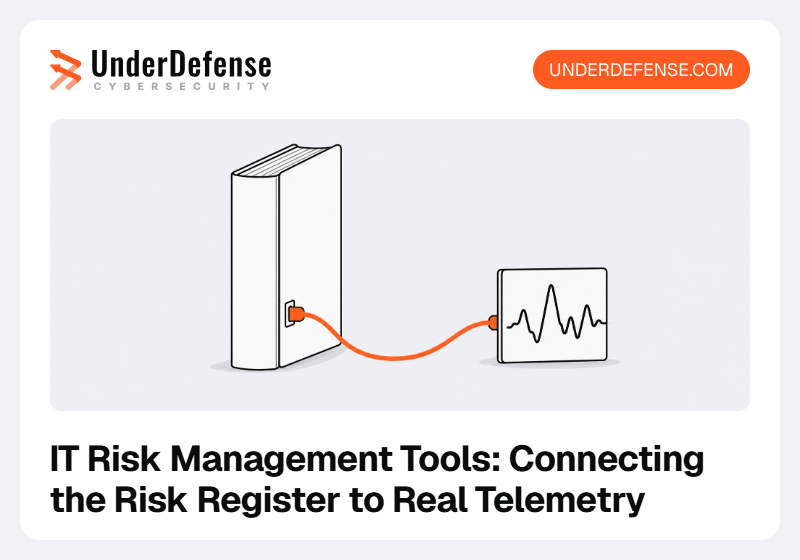
If your risk register still scores those vulnerabilities from a quarterly spreadsheet, it’s scoring a network that no longer exists. This list compares nine IT risk management tools on one question: can it read your asset inventory and vulnerability data, and does the risk score move when that data changes?
This guide is written for IT Directors and SecOps leads who already run a register and want it tied to real infrastructure. Governance workflows and audit evidence are out of scope here.
This guide is published by UnderDefense, which ranks its own platform first as the evidence layer and gives its limitations the same space as everyone else’s.
See how the UnderDefense Agentic AI SOC investigates, triages, and resolves real alerts.
Why Risk Registers Drift Away From Live Telemetry
A risk register records what someone believed about the estate on the day they wrote the entry. The estate keeps moving after that: servers get rebuilt, laptops join the VPN, a scanner finds a new critical CVE, and none of it reaches the register unless a person copies it across.
Verizon’s 2026 data shows how fast that gap opens. Only 26% of the vulnerabilities on CISA’s Known Exploited Vulnerabilities (KEV) list were fully remediated by organizations in 2025, down from 38% the year before. The median time to full resolution rose to 43 days, and the median organization had 50% more critical vulnerabilities to patch than a year earlier.
A register that holds “unpatched edge devices: medium” as a static line can’t show any of that. Often the culprit is a spreadsheet risk register that nobody owns between review cycles.
UnderDefense, which investigates alerts across the SIEM and EDR you already run, sees the same gap from the operations side: the alert and scan data that would move your risk score often already sits in those tools, with nobody routing it to the register owner.
How These IT Risk Management Tools Were Evaluated
Each product was scored on five questions, all answered from the vendor’s own product pages, documentation, and pricing pages as read in September 2026. Where a vendor didn’t state something, its entry says so.
- Does it keep a risk register, and how does it score risk (matrix, FAIR, a proprietary score)?
- Which asset sources can it read: a CMDB, a discovery tool, cloud accounts, EDR?
- Which vulnerability scanners does it name as integrations on its own site?
- Does a change in that data recalculate a score or open a ticket without a person in the loop?
- Does the vendor publish a price, and what does it charge by?
The fourth question carried the most weight. Plenty of IT risk management software can store a vulnerability; far fewer let a new finding move the score of the register entry it belongs to.
The broader governance side, where risk, compliance, and audit meet, is its own purchase, and integrated risk management platforms are built around it. This list stays on the telemetry question.
The 9 Best IT Risk Management Tools in 2027
The table puts the nine side by side. Ratings are left out on purpose: the Gartner Peer Insights scores that could be verified sit in different markets and product listings, so they aren’t comparable across vendors.
| Tool | Best for | Register and scoring | Telemetry it reads | Main limitation | Pricing (from) |
|---|---|---|---|---|---|
| UnderDefense | Live evidence behind register entries | No register; investigated alerts and control status as evidence | SIEM, EDR, cloud, identity; 250+ integrations | Pairs with a separate register | $11/device/month |
| ServiceNow IRM | Registers built on a ServiceNow CMDB | Custom risk score plus loss expectancy in dollars | CMDB, Vulnerability Response scanner data | Only as good as the CMDB | Quote |
| MetricStream | Asset-level risk ratings from many scanners | Risk matrix, FAIR quantification | 40+ security tools; CMDB | No scanner of its own | Quote |
| Archer | Large programs on one risk data model | Register tied to assets and controls | Automated control results, scan results | No scanner integrations named | Quote |
| LogicGate Risk Cloud | NIST-based register workflows | NIST 800-30 workflows, Open FAIR add-on | Open API, SFTP; no scanners named | Quantification is an add-on | Quote |
| SAFE One | Risk in financial terms | FAIR-based quantification | 100+ integrations incl. CrowdStrike, Tenable, Qualys | No register workflow described | Quote |
| Tenable One | Exposure view from native scanning | Exposure score, attack paths | Native sensors plus Qualys, Rapid7, CrowdStrike | No register or GRC workflow | Quote ($3,700 VM component) |
| Qualys ETM | Scoring existing inventory against new CVEs | TruRisk score in business terms | Qualys agents, CMDB, 100+ connectors | Best features need Qualys sensors | Quote, free trial |
| runZero | Finding assets nobody listed | Contextual asset risk score | Agentless scans, passive discovery, EDR, CMDB | No register; new owner | Free up to 100 assets |
Read the table in two halves. The register platforms answer “what risk do we carry and who owns it,” the telemetry platforms answer “what is actually on the network and exposed,” and a working program usually needs one from each.
1. UnderDefense
Best for: Feeding registers with live evidence
Overview: UnderDefense sits underneath the register. The UnderDefense Agentic AI SOC works on top of the SIEM, EDR, cloud, and identity tools you already run, such as Splunk, Microsoft Sentinel, Google SecOps, QRadar, Elastic, CrowdStrike, and SentinelOne, and its AI agents investigate every alert across them; a second agent checks each conclusion against the evidence, and analysts decide on escalation and containment.
Each investigation records which data sources were queried, what evidence came back, and why the verdict was reached, so a risk owner can see which control failed, on which assets, and when. UnderDefense MAXI Compliance AI adds continuous control monitoring against ISO 27001, SOC 2, PCI DSS, GDPR, and HIPAA.
For an IT Director who owns the register, the change shows up between reviews. Every alert gets the same handling whoever is on shift, and the reasoning behind each closed alert is recorded: the hypothesis, the sources checked, and the decision. Doubtful cases go straight to an analyst with an explanation, so anything uncertain that reaches your register was decided by a person.
UnderDefense reports 250+ integrations, which is what lets one investigation span several tools. It’s rated 4.9 out of 5 from 73 reviews on G2 (October 2026) and 4.8 out of 5 from 14 ratings on Gartner Peer Insights (October 2026), where the featured review from a VP of IT Security and Risk Management is titled “Amplified Our Existing Security Stack and Revealed Hidden Gaps From Day One.”
Key features:
- Alert-to-triage in about 2 minutes across SIEM, EDR, and cloud, per UnderDefense, so a failed control becomes evidence the same day
- A logged trail of every query and verdict that a register entry can cite
- External attack surface monitoring of your public-facing perimeter
- At-risk user and asset views that show which systems keep generating findings
- Continuous control monitoring that keeps control status current between reviews
- User verification over Slack or Teams before anything escalates
How it works in practice: Agents take the routine part of each alert: triage, noise filtering, context gathering, and the write-up. Your analysts keep the decisions that need business context, such as approving a response or isolating a host, and own the communication that follows.
UnderDefense describes three deployment modes: SaaS on Azure with tenant isolation, hybrid with agents in your own Azure tenant, and full on-premises or air-gapped for sovereignty or critical-infrastructure needs, with no training on client data.
The homepage puts deployment at 10 days or less, and detection calibration continues after go-live.
Once alerts flow, UnderDefense’s Copilot answers questions from the SIEM data lake, so before the monthly risk review you can ask about the controls, assets, and risks behind a register entry.
Pricing: UnderDefense publishes a starting price of $11 per device per month for 24/7 monitoring with analysts and an incident response team behind the platform, labeled indicative for organizations with up to 100 employees; larger estates are quoted. Each paid tier is quoted for your environment and includes a 40-hour incident response retainer. MAXI Compliance AI has a free tier and paid monthly packages from $499.
Pros: Works on the stack you already own, every investigation step is auditable, attack surface and at-risk asset views in one place, published starting price, a 24/7 incident response team behind the platform
Cons: No standalone risk register or FAIR model, so it pairs with one of the register platforms below; reviewers on G2 and Clutch report detection tuning taking from a few weeks to a few months; its integration catalog names no third-party vulnerability scanner, so Tenable or Qualys findings reach the register through that scanner’s own connector
How to start using it:
- Name the log sources and security tools to be investigated.
- Connect them; your SIEM and data lake stay in place, and you choose SaaS, hybrid, or on-premises deployment.
- Run in advisory mode while detections are tuned to your environment.
- Agree which outcomes should update a register entry, such as a failed control on a tier-1 asset.
- Route those outcomes to the register owner as tickets or in the monthly risk report.
Why it’s a good IT risk management tool: It supplies what most registers lack, which is dated, investigated evidence that a risk has moved. The register platforms below score risk, and UnderDefense gives them something current to score.
Final verdict: Choose UnderDefense when your register exists and your telemetry exists, and nobody is carrying findings from one to the other. Pair it with an IT risk management platform if you need FAIR quantification or board-level scoring.
Controls failing between reviews? Route evidence to your register
2. ServiceNow Integrated Risk Management (IRM)
Best for: Teams already running ServiceNow’s CMDB
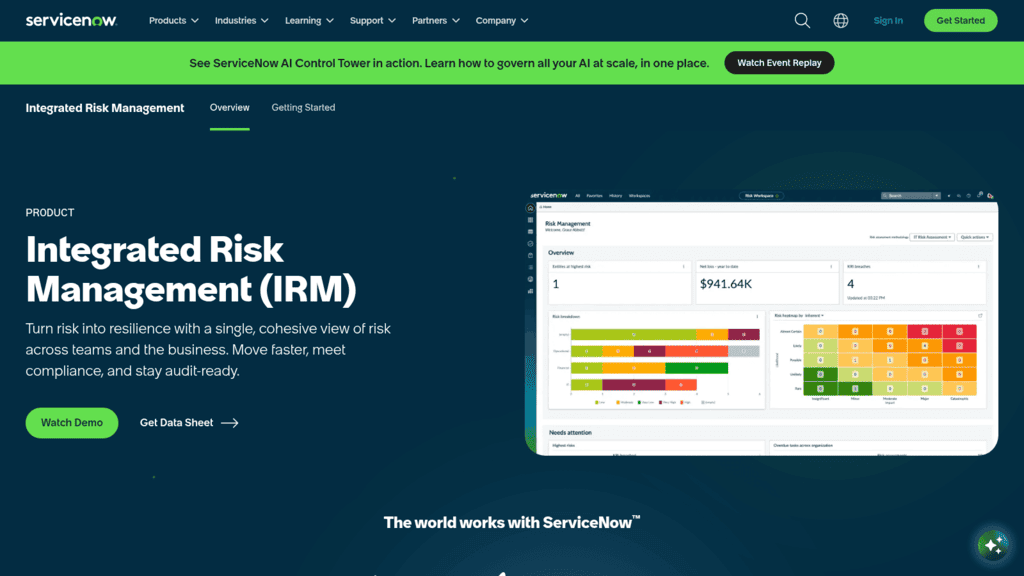
Overview: ServiceNow IRM is the IT risk management platform for teams whose asset data already lives in the ServiceNow CMDB. ServiceNow’s own use-case guide (2024) describes risk scores that combine a failed configuration test with the business importance of the affected CMDB asset.
Key features:
- Scanner results from ServiceNow Vulnerability Response, prioritized by severity, exploit availability, and service impact
- Issues created automatically and assigned to the owner of the affected asset
- Average loss expectancy calculated in dollars against a risk threshold you set
- AI agents that continuously assess controls and watch for emerging risks, then route remediation work to the responsible team, per the IRM product page
- An issue resolution agent that summarizes a failed control test, finds similar past issues, and drafts remediation tasks for a person to approve
Fit and setup: IRM runs on the same ServiceNow AI Platform as ITSM, so the asset records, owners, and change tickets your IT team already keeps become the register’s context. Scanner data arrives through Vulnerability Response, a separate ServiceNow application. Tech and cyber risk is one of six IRM use cases on the product page, beside enterprise risk, compliance, operational risk, resilience, and AI governance, so scope the cyber use case first. Without a maintained CMDB, expect the first months to go on fixing data before the register helps.
Pricing: ServiceNow publishes no price for IRM. Buyers start from a demo request or its “Get Started” form.
Pros: Scores use real asset criticality, remediation lands with the asset owner, dollar-denominated loss figures for the board, agents that draft remediation tasks for approval
Cons: Needs a maintained CMDB, vulnerability data flows through separate ServiceNow applications, quote-only pricing
Where it fits: If ServiceNow already runs your IT operations, scanner findings reach the register score without leaving the platform. ServiceNow’s own guide advises defining “a minimum desired state” for the CMDB first.
Final verdict: Strong if your CMDB is trustworthy, and a long project if it isn’t.
3. MetricStream IT and Cyber Risk Management
Best for: Teams running several scanners at once
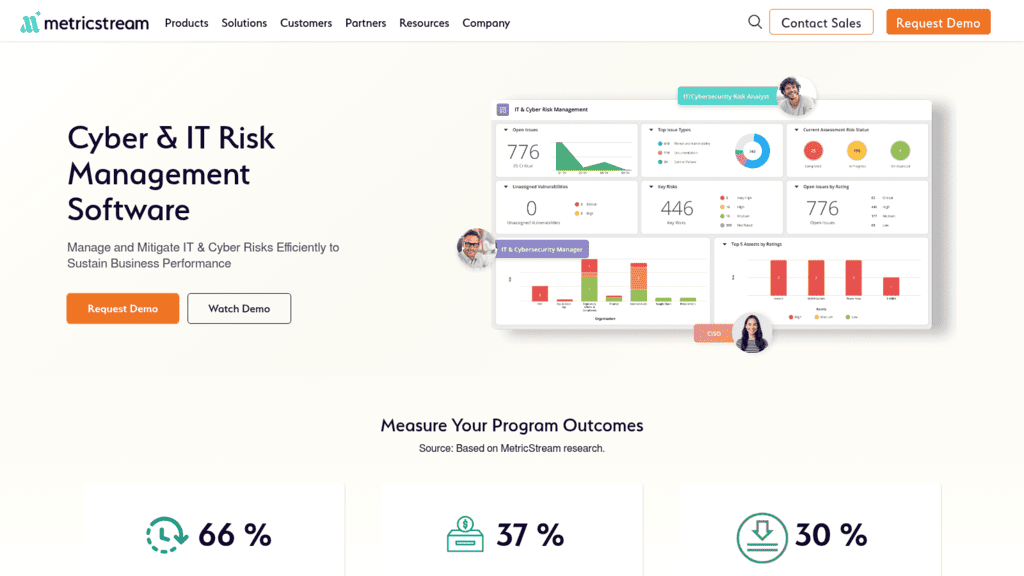
Overview: MetricStream keeps IT assets, threats, vulnerabilities, and controls in one repository and maps each asset to its findings. It’s the only register platform here that quantifies its security-tool connectors on its product page.
Key features:
- Imports findings from “40+ security tools, including vulnerability, endpoint, application, cloud, identity, threat intelligence, and ITSM systems,” per MetricStream
- A combined risk rating per asset from vulnerability severity and business criticality
- Cyber risk quantification in dollars with support for the FAIR model
- Risk Assessment Agents that pre-fill an assessment from prior assessments, controls, KRIs, threats, vulnerabilities, and open issues, with the assessor reviewing before residual risk is set
- No-code connectors for CMDBs, vulnerability scanners, and ticketing, plus 200+ OpenAPI-compliant REST APIs, per its integration page
Fit and setup: MetricStream suits regulated enterprises that already assess against ISO 27001, FAIR, or NIST CSF and want those assessments fed by connected data. Its integrations can run on a schedule, on demand, or on an event, and the integration page gives the example of a new security incident creating a risk review automatically. That’s the event-driven update this list looks for. The product separates first-line and second-line dashboards, so a team without a dedicated risk function will use only part of it.
Pricing: MetricStream doesn’t publish pricing. Plans are quoted through its sales team.
Pros: Prebuilt scanner and CMDB connectors, CMDB assets mapped to business entities, both matrix scoring and FAIR, event-triggered integrations
Cons: No scanner of its own, matrix scoring is the default with FAIR as a separate capability, no published price
Why buyers shortlist it: It turns raw scanner output into asset-level risk ratings through prebuilt connectors. That makes it a natural register for teams running more than one scanner.
Final verdict: The most telemetry-ready of the four register platforms on this list.
4. Archer IT and Security Risk Management
Best for: Enterprise programs on one risk model
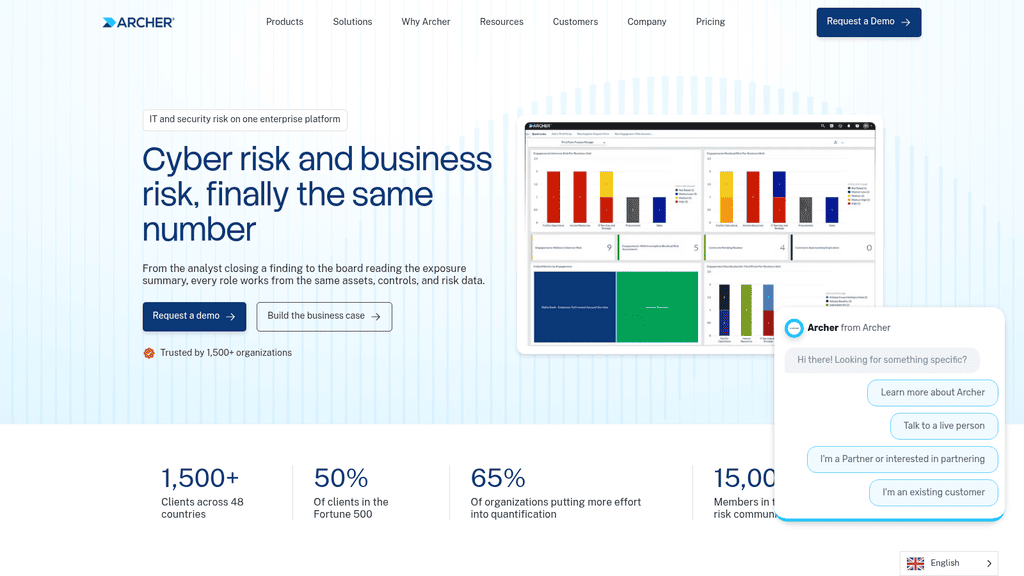
Overview: Archer, owned by private equity firm Cinven, runs IT and security risk on the same data model as the rest of an enterprise risk program. Its IT product page says risks “link to the assets they threaten and the controls meant to hold them.”
Key features:
- A register that logs each IT risk against the systems it touches
- Control test results pulled from automated systems into the same record as manual evidence
- Threats and vulnerabilities ranked by asset context and scan results
- Nine connected use cases in the IT and security risk area, covering the register, controls assurance, vulnerabilities, incidents, policy, and IT regulatory change on the same asset and control records
- A defined workflow to escalate, investigate, and close declared incidents, with the business context that sets which one gets worked first
Fit and setup: Archer’s FAQ says programs usually roll the use cases out in sequence, often starting with IT risk management or controls assurance. Scan results and asset data come in as inputs, and issues route back to the ticketing your teams already use. Archer offers a SaaS edition, and one of its published case studies covers a customer’s migration to it. A team that wants a single IT register and nothing else will use a fraction of the platform.
Pricing: Archer publishes no figures. Its pricing page is a contact form.
Pros: One data model from analyst to board, starts from ISO 27000, COBIT 5, NIST 800, and PCI DSS control catalogs, suited to large multi-unit programs, a staged rollout one use case at a time
Cons: Names no scanner integrations on its IT page, financial quantification sits in a separate product, quote-only pricing
Its real strength: Archer fits when IT risk has to roll up into the same number the enterprise risk committee reads. Ask how scan results arrive before you sign.
Final verdict: Built for scale and consolidation; confirm the telemetry path in the demo.
5. LogicGate Risk Cloud
Best for: NIST-based registers with FAIR modeling
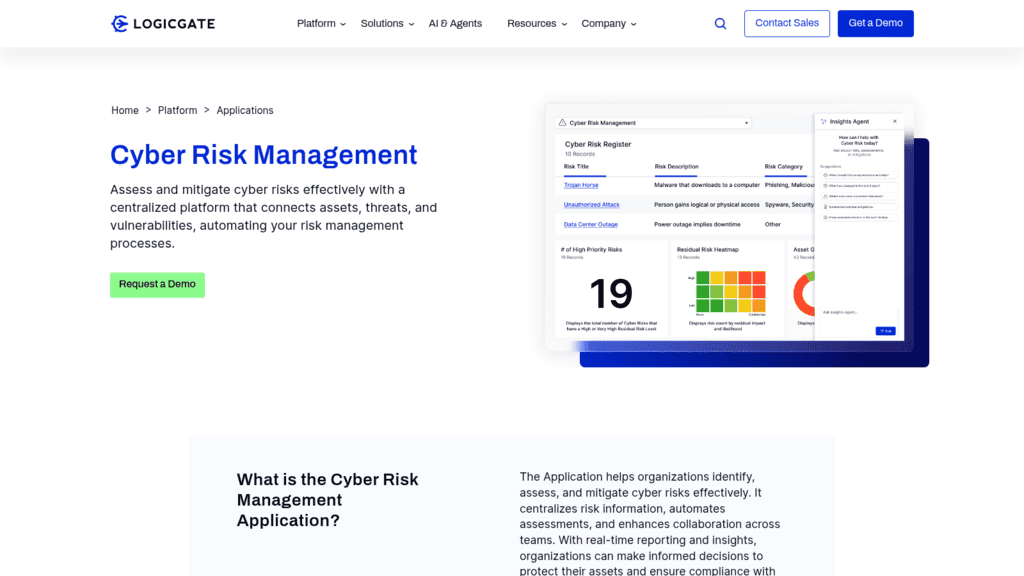
Overview: LogicGate’s Cyber Risk Management application runs a cyber risk register on its Risk Cloud platform. The product page says it can “integrate security tools to connect assets, threats, and vulnerabilities.”
Key features:
- Pre-built assessment workflows based on NIST 800-30
- A control repository mapped to NIST, ISO, CMMC, and SOC 2
- Risk Cloud Quantify for Open FAIR modeling with Monte Carlo simulation
- A Cyber Risk Triage Agent that screens incoming records against your governance definitions and sends misclassified submissions back to the submitter
- A Cyber Risk Agent that proposes risk scores and drafts remediation plans, which your team reviews, refines, and approves
Fit and setup: Quantify runs each scenario through its Monte Carlo simulator 50,000 times and returns an annual loss exceedance curve, and the cyber risk suite reports exposure in US dollars, pounds, or euros. LogicGate’s pricing FAQ says an implementation covers what you need to get the application live, including reporting and dashboards. Because no scanner connector is named, plan engineering time for the Open API or SFTP feed before the agents have vulnerability data to score.
Pricing: LogicGate publishes its model without figures: you buy the applications you need plus Power User licenses. Standard and external users are included at no extra cost.
Pros: Ready-made NIST 800-30 workflows, free licenses for non-admin users, FAIR modeling available from the register, agents that draft first-pass risk scores
Cons: No scanner connectors named on its integrations page (it lists Jira, Slack, Microsoft 365, an Open API, and SFTP), quantification is an add-on, no published figures
Why it made this list: It pairs a ready-made NIST 800-30 register with FAIR modeling in one platform. Plan on the Open API or SFTP to bring scanner data in.
Final verdict: A good register that needs you to build the telemetry feed.
6. SAFE One
Best for: Reporting cyber risk in dollars
Overview: SAFE One from SAFE Security quantifies cyber risk in financial terms using FAIR-based models, and it absorbed Balbix’s exposure management product after SAFE acquired Balbix in November 2025.
Its CTEM AI Co-Worker orchestrates more than 100 AI agents across that data, so treat their output with the same review you’d apply in any AI risk management program before it changes accepted risk.
Key features:
- 100+ out-of-the-box integrations, per its integrations page, including CrowdStrike, Microsoft Defender for Endpoint, Tenable, Qualys VMDR, Rapid7 InsightVM, and ServiceNow CMDB
- Finding scores that combine access, threat activity, exploitability, business impact, and compensating controls
- Remediation tickets synced to ServiceNow and Jira
- Named asset and identity sources beyond the scanners, such as Axonius, Armis, Claroty xDome, Okta, and Microsoft Entra ID
- A ServiceNow IRM connector on its integrations page, so SAFE’s scores can reach one of the register platforms on this list
Fit and setup: SAFE now presents SAFE One as two AI co-workers, one for continuous threat exposure management (CTEM) and one for third-party risk, each orchestrating 100+ specialized agents. The CTEM side is what matters here; third-party risk sits outside this article’s scope. SAFE says its prioritization engine weighs 25+ parameters and that it validates exploitability against 2,000+ active exploits. If ServiceNow IRM already holds your register, SAFE can send its numbers straight into it.
Pricing: SAFE publishes no pricing. Demos and quotes run through its sales team.
Pros: Named telemetry sources, dollar-denominated risk, ticket sync to existing workflows, a direct feed into ServiceNow IRM
Cons: Its product pages describe no risk register workflow, the platform now spans third-party risk as well as exposure, so scope the purchase to CTEM, quote-only pricing
Where it beats the alternatives: It computes dollar-denominated exposure straight from its telemetry feeds. Plan to keep the register in another tool and feed it SAFE’s numbers.
Final verdict: The quantification layer for teams that report cyber risk to a CFO.
7. Tenable One
Best for: Teams already scanning with Tenable
Overview: Tenable One is an exposure management platform built on Tenable’s own scanning, with connectors for other vendors’ data. Its asset inventory covers IT, OT, IoT, cloud, code repositories, and web apps.
Key features:
- Connectors for Qualys, Rapid7, CrowdStrike, Wiz, and ServiceNow CMDB data
- Exposure signals that flag combinations of vulnerabilities, identities, and assets
- Attack path analysis across 150+ supported techniques
- Tenable Hexa AI, an agentic engine that runs multi-step workflows from asset tagging to remediation, with human-in-the-loop controls, per Tenable
- Custom exposure cards with tag performance, which shows how much a tagged group of assets contributes to an exposure score
Fit and setup: Tenable One is mainly cloud-delivered, per its FAQ, while scanning can stay on premises through Tenable Security Center Plus. Its connector categories cover vulnerability management, application security, cloud, endpoint, OT, and asset inventory tools, and ingested data is deduplicated against Tenable’s own sensor data in an exposure data lake. Tag the assets one register entry covers, and the exposure card for that tag becomes a running measure of that entry.
Pricing: The Foundation and Advanced platform packages are quote only. The pricing page lists the Tenable One Vulnerability Management component at $3,700 for 100 assets for one year.
Pros: Native scanning plus third-party connectors, attack path analysis, one published component price, an on-premises scanning option
Cons: No risk register or GRC workflow, platform packages are quote only, the published price covers vulnerability management alone
What it does best: Showing which exposures chain into a path to a critical asset. If Tenable already runs your scanning, the platform tier is a natural upgrade; if it doesn’t, weigh it against other vulnerability exposure platforms first.
Final verdict: A strong exposure feed for any register on this list.
8. Qualys Enterprise TruRisk Management (ETM)
Best for: Qualys shops needing disclosure-day answers
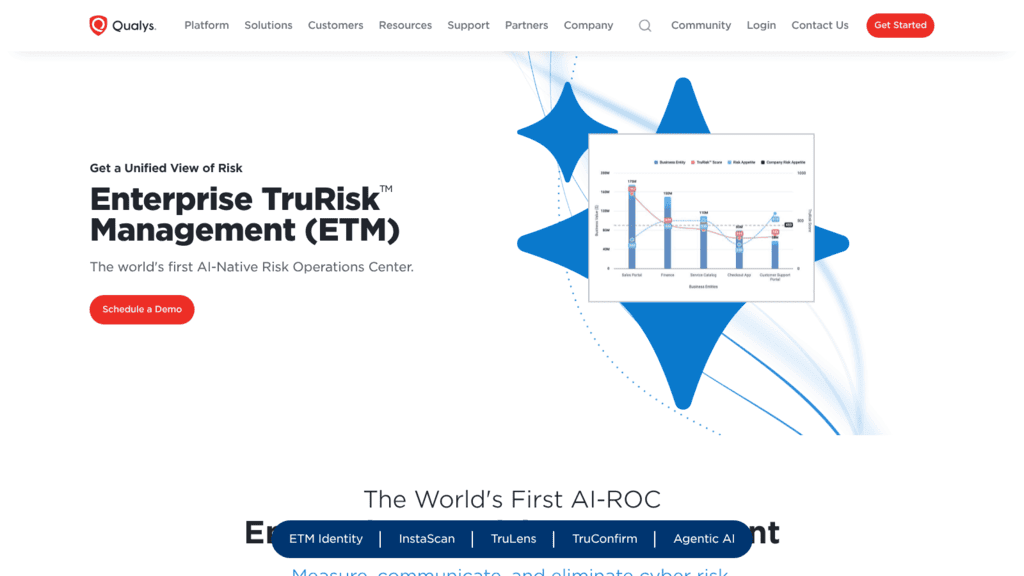
Overview: Qualys ETM unifies asset and identity inventories with risk signals from Qualys and, per Qualys, “100+ third-party connectors,” scored with its TruRisk model.
Key features:
- InstaScan, which checks existing inventory against new advisories within minutes of disclosure with no new scan
- TruConfirm exploit validation, covering “1,800+ CVEs,” per Qualys
- CMDB integration for business context in scoring
- ETM Identity, which extends the same prioritization to human and non-human identity risk
- TruLens threat intelligence with peer benchmarking by geography, industry, and company size
Fit and setup: Qualys places ETM at the center of what it calls a Risk Operations Center (ROC), with a conversational assistant, ROCky, for exposure questions and executive reports. Its agents go past scoring: Agent Val validates exploitability and builds a remediation plan, and Agent Sara executes that plan in waves matched to each asset’s operational risk. Before switching those on, decide which autonomous remediation steps your change process allows and which ones still need a ticket and an approver.
Pricing: Qualys publishes no ETM price, though you can book a demo or start a free trial.
Pros: Fast answers on new CVEs, exploit validation, a free trial, identity risk in the same score
Cons: No register or assessment workflow, its signature features depend on Qualys agents and sensors, the page names no specific third-party connector
Why buyers shortlist it: InstaScan answers “are we affected?” on disclosure day without waiting for the next scan window. That’s usually the first question a register owner fields after a major disclosure.
Final verdict: Best for teams already standardized on Qualys agents.
9. runZero
Best for: Building an inventory from scratch
Overview: runZero, now part of Dragos after an acquisition completed in September 2026, finds assets through agentless active scanning and passive traffic sampling across IT, OT, IoT, cloud, and mobile. It covers the assets no register lists yet.
Key features:
- Inbound integrations with CrowdStrike, SentinelOne, Qualys VMDR, Rapid7, Microsoft Intune, and ServiceNow CMDB
- Contextual risk scoring by exploitability, exposure, location, connectivity, and business criticality
- Attack path mapping that exposes segmentation failures without agents or credentials
- runZero 5.1 AI workflows for natural-language search, report building, and AI-assisted custom integrations that pull in niche or legacy asset sources
- A native Dragos integration for OT context, plus outbound integrations that push asset context back into other tools
Fit and setup: The console runs in runZero’s cloud by default; self-hosting it needs a Platform license plus the runZero Care support package. Projects keep a short-term assessment, such as an acquired company’s network, apart from the main inventory, and passive sniffing finds OT devices without active scans. Point the trial at one site, compare what it finds with your CMDB, and you’ll know how far the register’s asset list has drifted.
Pricing: The Community Edition is free for up to 100 assets with 30 days of data retention. The full platform is priced by contract, after a free 21-day trial.
Pros: Finds unmanaged and shadow assets, no agents to deploy, a free Community Edition, a self-hosted console option
Cons: No register, a new parent company as of September 2026, tight Community Edition limits
Its real strength: It builds the inventory that every other tool here depends on. Run it before a register project, and you start with the estate you actually have.
Final verdict: The best first purchase if your asset inventory is incomplete.
Across the nine, the pattern holds: the register platforms need a feed and the telemetry platforms need a register, so shortlist one from each column.
See how UnderDefense Agentic AI SOC resolves a real incident on your stack.
How to Connect the Register to Asset and Vulnerability Data
The connection is a data pipeline with an owner, and it’s the part most IT risk management solutions leave to you. CISA’s August 2025 asset inventory guidance, written for operational technology owners but true of any estate, puts the premise plainly: “without an inventory, organizations do not know what they have and what should be secured and protected.”
The sequence below works whichever tools you pick:
- Pick one system of record for assets, either the CMDB or the discovery tool, and name the person who owns its accuracy.
- Tag every asset with the business service it supports and the criticality tier your register already uses.
- Import scanner findings at least daily, keyed to the same asset IDs.
- Link each register entry to the assets and controls it covers, so an entry with no linked asset stands out.
- Set a rule that recalculates an entry’s score when a linked asset gets a KEV-listed finding or fails a control test.
- Route that change as a ticket to the asset owner, with the due date your remediation policy sets.
- Review drift monthly: assets with no owner, entries with no assets, findings older than your policy allows.
Step 5 is the hard one, because it needs detection data as well as scan data. A scanner tells you a port is open; only monitoring tells you someone used it.
A credit union case study published by UnderDefense shows the difference. An unauthorized contractor network scan was flagged in real time, traced to a firewall policy that didn’t restrict that activity for VPN-connected users, and fixed before exploitation. Under the credit union’s previous 8×5 coverage, the case study says, the scan “would have completed without generating any record.”
The same case study reports that the credit union’s four-person IT team was redirected from manual monitoring to business-driven projects once coverage went 24×7.
Choose by How Mature Your Asset Inventory Already Is
Your starting point should be the weakest link in the chain above, and CISA’s guidance treats the inventory as the foundation for everything after it. The pairings below are this article’s own judgment from the evaluation, and the “first 30 days” column is a suggested first move for each stage.
| Where you are | What breaks first | Shortlist | First 30 days |
|---|---|---|---|
| No trusted inventory | Register entries point at assets that don’t exist | runZero, Tenable One | Run discovery, reconcile against the CMDB |
| Inventory exists, scanners sit apart | Scores ignore new findings | Qualys ETM, Tenable One, SAFE One | Feed findings daily, keyed to asset IDs |
| CMDB maintained, register in a GRC tool | Findings don’t move register scores | ServiceNow IRM, MetricStream, Archer, LogicGate | Link entries to assets, set recalculation rules |
| Register connected, detection missing | Controls fail silently between scans | UnderDefense with a register platform | Route investigated alerts to register owners |
Each row assumes the one above it is done. Buying a register platform while the inventory is still wrong gives you a precise score for the wrong estate.
Before buying any of these IT risk management tools, list which of your current scanners, EDR, and cloud tools already export data. Matching that list against UnderDefense’s integration catalog and each vendor’s connector page shows how much of the feed you already own.
What IT Risk Software Costs in 2026
Six of the nine vendors publish no figure, so a real IT risk software budget starts with a quote. The published numbers are narrow: runZero’s free Community Edition for up to 100 assets, Tenable’s $3,700 a year for 100 assets of its vulnerability management component, and UnderDefense’s $11 per device per month starting price for 24/7 coverage.
Expect quotes to scale with three things: the number of assets in scope, the number of modules or applications, and the number of licensed administrators. LogicGate is explicit about the last one: only its Power Users need a paid license.
Integration work is the cost that rarely appears on the quote. Budget for connecting scanners and the CMDB, and for the tuning period after go-live. If continuous control monitoring is part of the scope, UnderDefense’s compliance packages start with a free tier, and the top published package begins at $1,899 a month.
How Long Implementation Takes Before a Risk Score Moves
Most of the nine vendors publish no implementation timeline, so the go-live date in a proposal is usually the vendor’s estimate for your scope and nothing more. The table collects what each vendor’s own pages say about setup, as read in October 2026. The last column is this guide’s suggested demo question, chosen to expose the step most likely to stall.
| Tool | What its own pages say about setup | Ask in the demo |
|---|---|---|
| UnderDefense | Deployment in 10 days or less (homepage); reviewers report weeks of detection calibration after | Which register fields its investigation output can fill, and in what format |
| ServiceNow IRM | No timeline on the pages read; its guide advises defining a minimum desired state for the CMDB first | How many CMDB fields must be populated before scores are trusted |
| MetricStream | No timeline; connectors run on a schedule, on demand, or on an event | Which connector opens a risk review from a new finding |
| Archer | One customer spent seven months choosing and six weeks migrating; most programs start with one of nine use cases | Which use case goes first, and when vulnerability data joins it |
| LogicGate | No timeline; implementation services are part of its pricing model | Who builds the Open API or SFTP feed, and in which phase |
| SAFE One | No timeline on the pages read | How long until the first dollar figure reflects your own scanner data |
| Tenable One | No timeline; cloud-delivered, with on-premises scanning through Security Center Plus | Which third-party connectors you need on day one |
| Qualys ETM | No timeline; free trial available | Which autonomous remediation steps can be switched off |
| runZero | Free 21-day full trial; Community Edition for up to 100 assets | How many unknown assets the trial found compared with your CMDB |
Two dates matter more than go-live: the day the first scanner finding lands on a register entry, and the day that entry’s score changes without anyone editing it. Archer’s customer example shows where the calendar really goes, since a six-week migration followed seven months of selection.
Put both dates in the contract’s success criteria. A vendor that can’t commit to the second one is selling a register you’ll still update by hand.
Run a 30-Day Pilot on 20 Critical Assets Before You Sign
Pick the 20 assets your register rates as most critical, connect them to each of the IT risk management tools on your shortlist, and watch one number: how long it takes for a new KEV-listed finding on one of those assets to change the register entry that covers it. If the answer is “until someone updates it,” you’re buying a better spreadsheet.
Ask each vendor to run that test in the demo, with your scanner and your CMDB. The ones that can show a score moving on live data belong on the shortlist.
Bring one register entry and the scanner that feeds it. See it updated live
Frequently Asked Questions
What is the difference between IT risk management software and a vulnerability scanner?
A scanner finds technical weaknesses on assets. IT risk management software records the business risk those weaknesses create, who owns it, and what’s being done about it. The IT risk management solutions on this list differ mainly in how well they connect the two, from MetricStream’s no-code scanner connectors to LogicGate’s Open API.
Which IT risk management framework should the register follow?
A common IT risk management framework pairing is NIST SP 800-30 (Revision 1, 2012) for assessment, with controls mapped to NIST CSF 2.0 (February 2024) or ISO/IEC 27001:2022. LogicGate ships NIST 800-30 workflows, and Archer starts from ISO 27000, COBIT 5, and NIST 800 catalogs. Pick one scoring method and keep it across every entry, so scores stay comparable.
How often should IT risk scores update?
Scores for tier-1 assets should move within a day of a new finding, which is why daily scanner imports matter. Verizon’s 2026 data puts the median time to fully resolve a KEV-listed vulnerability at 43 days. A register reviewed quarterly can be 90 days stale, more than twice that median.
Can AI agents score IT risk on their own?
Several vendors here now use AI agents, including SAFE’s agent workforce and Qualys’s agentic features. They speed up correlation and prioritization, but a person should still approve any change to accepted risk. Keep a record of which agent proposed each score change, so the register shows who, or what, moved it.
Do IT risk management tools replace a compliance platform?
IT risk management tools do a different job. They track technical risk on assets, while compliance platforms collect audit evidence against frameworks such as SOC 2 and ISO 27001. Audit-bundled platforms price on a software-plus-audit model, which Thoropass’s pricing illustrates, and that model sits outside anything on this list.
Book a 30-minute
Agentic AI SOC platform demo
- See AI agents triage and investigate a real alert on your stack
- Check which of the 250+ integrations your SIEM, EDR and cloud need
- Get a rollout plan with triage and containment SLAs for your team