Q1: What is an inherited security stack, and why does sprawl feel like a trap?
An inherited security stack is the pile of tools you gained without choosing them, through acquisitions, leadership changes, or team turnover. Security tool sprawl is when that pile grows faster than your ability to operate it. The average team now runs 76 security tools, and most leaders cannot say which black box is doing critical work and which is a legacy invoice.
The 2 a.m. fear nobody names
I have been a CISO three times. There were stretches where I broke out in hives because I could not keep up with everything popping up across the stack. That is the part the vendor brochures skip.
The real fear when you inherit a stack is not the budget line. It is silent failure. You look at 70 tools and wonder which one is quietly blocking a lateral movement path that an attacker will walk straight through the moment you cancel it.
Just took over a stack of tools someone else chose? Get a vendor-neutral review of what earns its license and what to drop
How the pile gets to 76
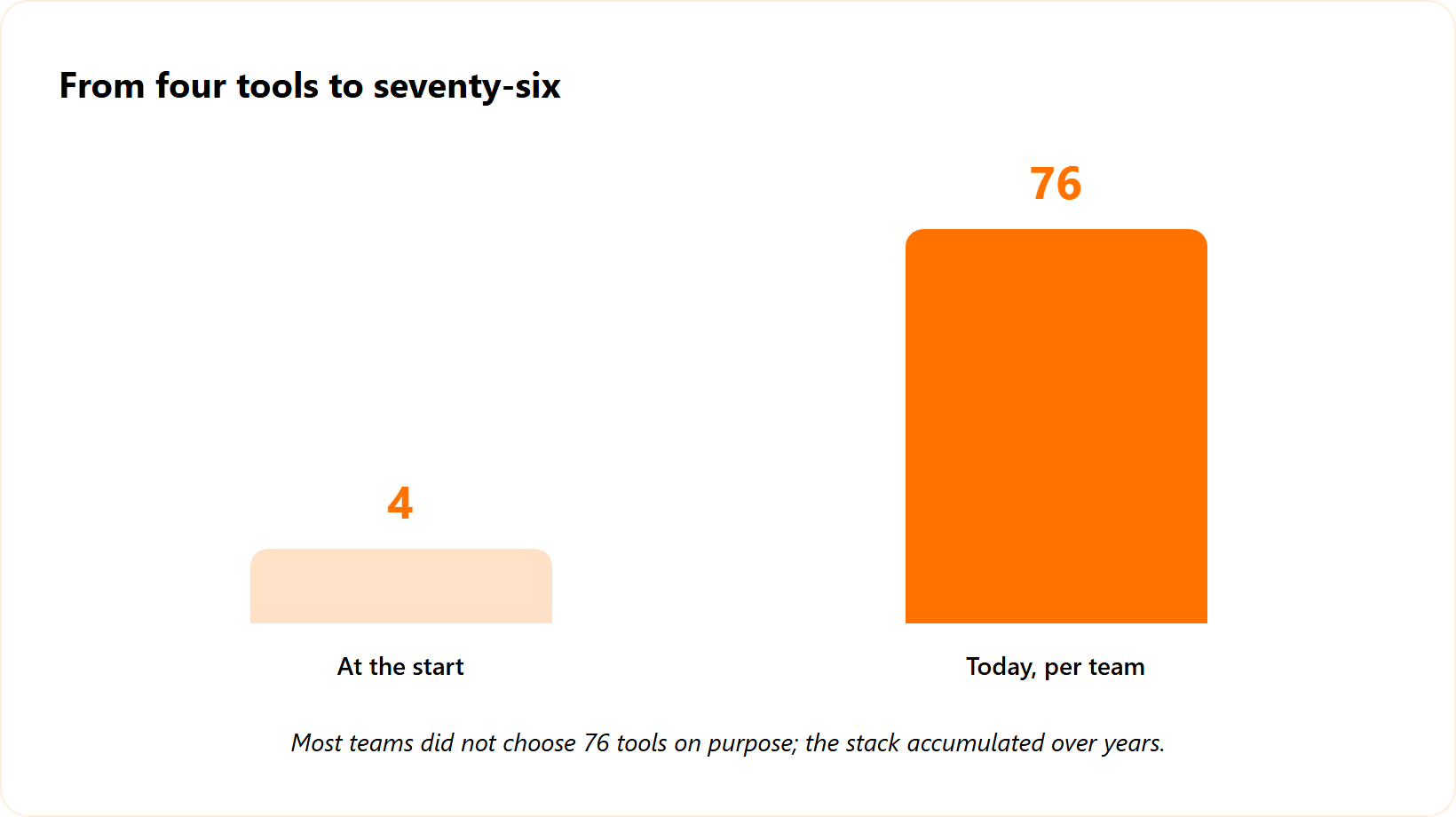
When I started my journey, my team owned four tools. Fast forward to 2025, and the same kind of team owns 70. Going from four to 70 is a mind-boggling number, and almost nobody chose all 70 on purpose.
That number tracks the wider market. GuidePoint Security found the average organization juggles 76 security solutions across 130 products, using only a fraction of their capabilities. So if your stack feels bloated, you are not careless. You are normal, and a clear-eyed security stack guide starts with that honesty.
From dread to a defensible decision
Here is the reframe I want you to hold for the rest of this article. Sprawl is not a moral failing. It is a backlog that nobody has triaged with a clear method.
This guide gives you that method: a worksheet to score every tool as keep, cut, or replace, with evidence you can defend to a board or an auditor. UnderDefense was built by operators who lived this four-to-70 explosion, so the approach comes from running the work, not theorizing about it, the same way our MDR service runs in real environments every day.
Q2: How did you end up with 76 tools and 7 consoles in the first place?
Sprawl is rarely one bad decision. It is the slow compounding of a “more tools equals more security” mantra, point-solution buying cycles, mergers you inherited, and renewals nobody questioned. The operational reality runs the other way. More tools means more drift, more overlap, and consoles whose exact configurations no single person fully understands.
The seven-console problem
Ask yourself a simple question: how many consoles does my team log into in a week? When I count for most mid-market teams, it goes one, two, three, four, five, six, seven different consoles. There is heavy overlap, and you often do not know which exact configuration is live in each one.
Each console came in for a reason that made sense at the time. A point tool solved a real gap. A new hire brought a favorite. An acquisition arrived with its own EDR (endpoint detection and response, the software watching laptops and servers), which is why Managed EDR coverage often arrives already fragmented.
The pendulum that never stops
There is a pattern I have watched for two decades. The industry swings from point solution to platform, then back to point solution, then back to platform, over and over. Every swing adds tools faster than it removes them.
HashiCorp put it plainly in a 2026 analysis: tooling sprawl is killing organizations with risky complexity and high costs. The drift is structural. It is baked into how budgets, vendors, and org charts actually work, which is the same root of cybersecurity technical debt.
This is fixable, and it is not your fault
So no, you did not mismanage your way to 70 tools. The system nudges every busy team toward accumulation.
The good news is that a backlog responds to a method. Once you can see the overlap on one page, the cuts almost suggest themselves. The next sections give you exactly that view.
Q3: Is more security tooling actually making you less secure?
Often it is. Every tool you add belongs to your software supply chain, and all software is vulnerable, so each console widens your attack surface rather than shrinking it. Sprawl also breeds a cottage industry of specialists whose identity is tied to babysitting one console, turning headcount into tuning overhead instead of defense.
The standard read gets this backwards
Most boards still believe tool ownership equals security. My current read is the opposite. Every single thing you add to your environment increases your attack surface, because all software carries its own flaws and its own patch cycle.
That tool you bought to reduce risk is now a new door. It has credentials, an API, and a vendor who can be breached. Security tools are part of your supply chain, full stop, which is why disciplined attack surface management matters more as the stack grows.
The babysitting tax
Here is the part the category avoids saying out loud. We have created a cottage industry of people whose professional identity is running queries against a SIEM (security information and event management, the system that collects and correlates logs) or knowing the inner menus of an EDR console.
Cybersecurity has over-specialized into tool babysitting. When it takes a full-time employee to tune one SaaS product, the tool is consuming labor rather than saving it. Roughly 80% of teams use only 20% of the features in their niche products, so you are paying for capability you never switch on, a recurring theme in the outsourced vs in-house SOC decision.
What good actually looks like
Success is not a bigger stack. It is fewer tools, operated well, by people who are not drowning.
The goal is fewer glasses of pain, which is the operating principle behind the vendor-agnostic approach we run at UnderDefense. We sit on top of the tools you already own and operate them, so your people stop babysitting consoles and start handling real threats with continuous SOC service coverage.
Q4: How do you audit an inherited stack without drowning in manual toil?
Start with a living inventory: every tool, its owner, its cost, its renewal date, and the capability it covers. Then pull hidden vendors from your Google Workspace OAuth consent log to surface shadow IT for free. Map that spend against NIST CSF risk families on one page, and you will often find entire categories with zero proactive investment.
Why the audit feels like a tar pit
The reason nobody audits the stack is that the data lives nowhere clean. I have had to copy and paste names from across a company just to figure out who sits in accounts payable, because there was no single directory and no distribution list.
Tool ownership is the same kind of mess. The knowledge is tribal, scattered, and undocumented. So let us make it mechanical instead, the way a structured MDR buyers guide forces clarity before you spend.
The four-step inventory
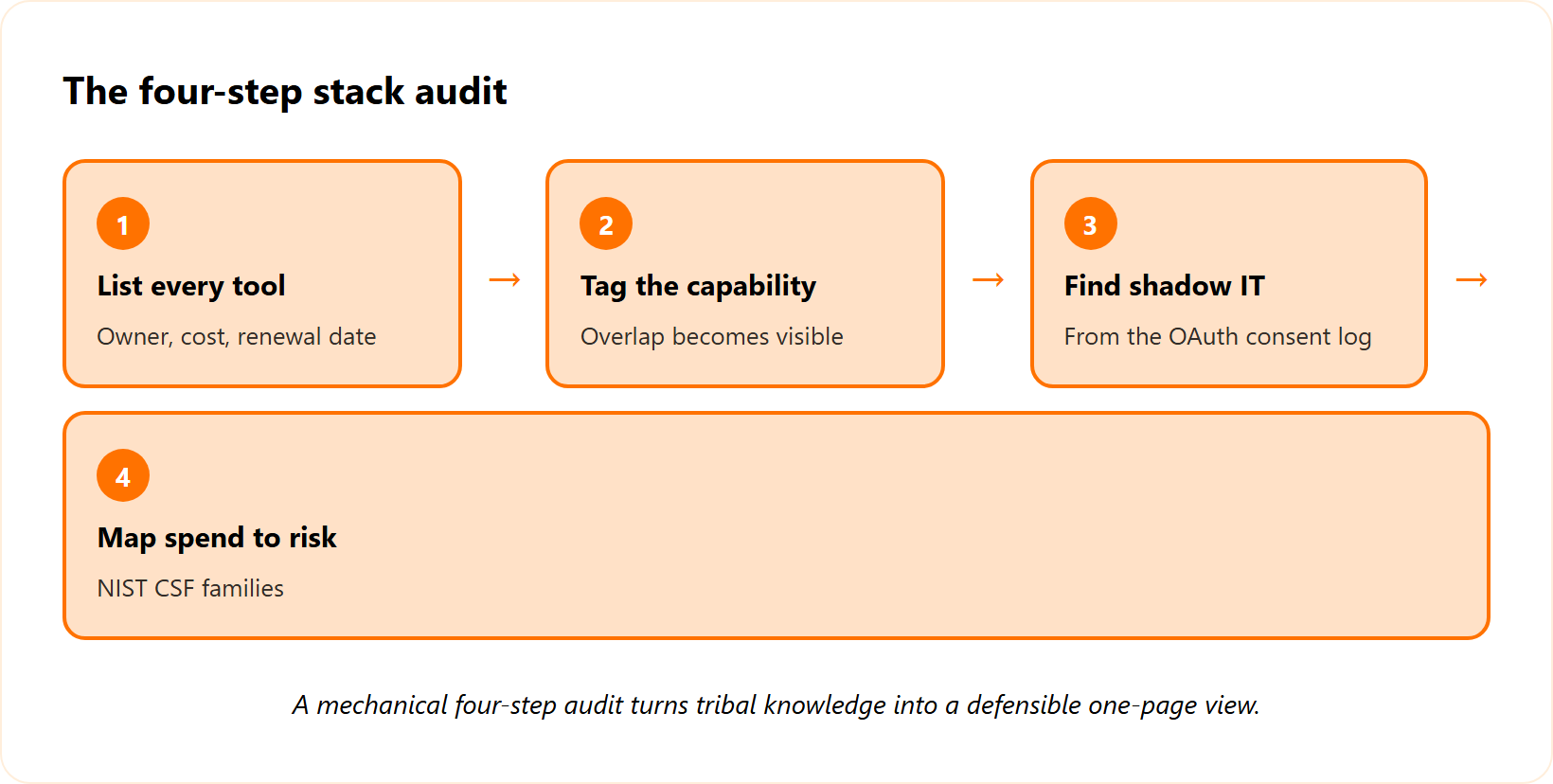
- List every tool with its owner, annual cost, and renewal date in one sheet.
- Tag the capability each tool covers, so overlap becomes visible at a glance.
- Find the shadow IT. As a Google Workspace admin, you can see every site where staff authenticated through OAuth consent (the “Sign in with Google” approval screen). That log is a rich source of vendors you did not know you had.
- Map spend to risk. Verizon’s guidance on tool sprawl recommends mapping tools to the capabilities the business actually requires, not the features a vendor sells.
The NIST one-pager that changes the conversation
Here is the tactic that lands with boards. Take the NIST Cybersecurity Framework risk families (the categories in NIST CSF 2.0 that group your security functions) and allocate your budget dollars into those families on a single page.
That one visual is genuinely enlightening. You might discover you have zero money spent in a proactive capacity, while three tools all cover the same detection slice. We run this exact audit during onboarding at UnderDefense, so the inventory is not one more manual project sitting in your queue, and it feeds straight into smarter cybersecurity budget planning.
What customers describe matches the goal of this step: getting a single, honest view of the stack.
“It pulls in data from all our existing security tools, so we didn’t have to rip and replace anything… we’re not wasting time piecing together what happened from different systems anymore.”
Verified User in Marketing and Advertising, Small-Business UnderDefense G2 Verified Review
“It also solved our problem of having separate security tools that didn’t work well together. Now, everything is connected and easier to manage.”
Inga M., CEO, Mid-Market UnderDefense G2 Verified Review
Q5: How do you map tools to capabilities and MITRE ATT&CK to expose overlap and gaps?
Map every tool to the capability it covers and to the MITRE ATT&CK techniques it detects. (MITRE ATT&CK is a public catalog of attacker tactics, each with a technique ID.) Redundancy shows up where three tools all cover initial access. Gaps show up where lateral movement or data exfiltration has no owner. That map turns “I think we need this” into evidence you can defend to a board or auditor.
Stop justifying tools by gut feel
The standard read on tool value is gut feel. Someone likes a console, so it stays. That habit is how you end up paying for three products that watch the same door, and it is one reason so many teams browse the top threat detection tools without ever cutting one.
A coverage map kills the guessing. You list each tool down one axis and the ATT&CK techniques across the other, then mark what each tool actually detects.
Why broad toolsets miss the specific stuff
Here is the trap. Broad, do-everything tools look like full coverage on a slide, yet they miss narrow, dangerous techniques.
In one case I reviewed, a flaw in Zimbra’s memcache component let an attacker craft a single HTTP request that redirected user logins to a hacker-controlled server. More than ten credential pairs were captured before anyone noticed. A “broad” tool never flagged it, because that exact technique had no owner, the kind of blind spot disciplined attack surface management exists to close.
| Capability area | Tools claiming it | True ATT&CK coverage | Verdict signal |
|---|---|---|---|
| Initial access | 3 tools | Heavy overlap | Cut candidates |
| Lateral movement | 0 tools | Blind spot | Buy or assign |
| Exfiltration | 1 tool | Partial | Tune or replace |
Make the gaps impossible to ignore
Once the map is on one page, the redundancy and the blind spots stop being opinions. They become a picture your CFO and your auditor both understand.
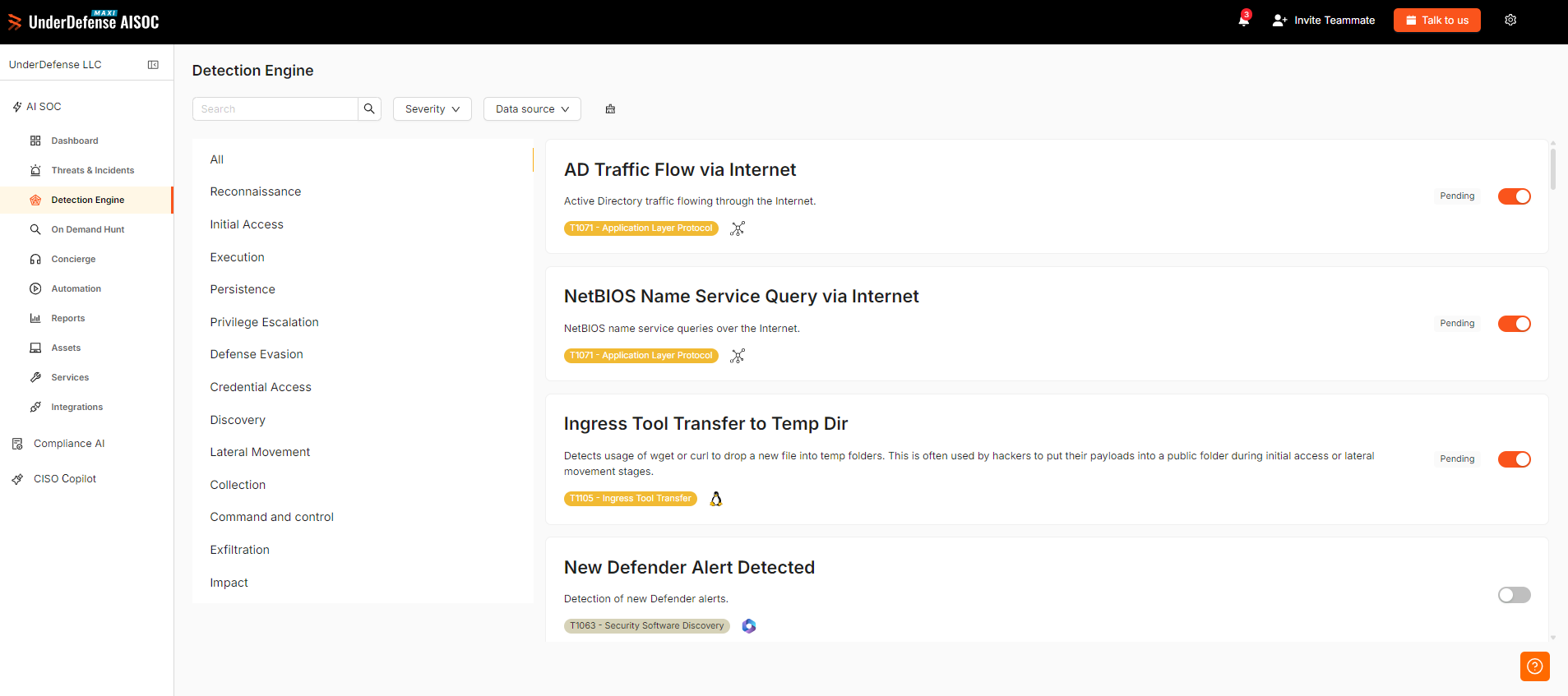
The EY rationalization framework pushes the same discipline: score tools against the capabilities the business requires, not the features a vendor markets. Our UnderDefense Agentic AI SOC platform ships a detection rule library pre-mapped to MITRE ATT&CK technique IDs, so coverage gaps surface without manual cross-referencing.
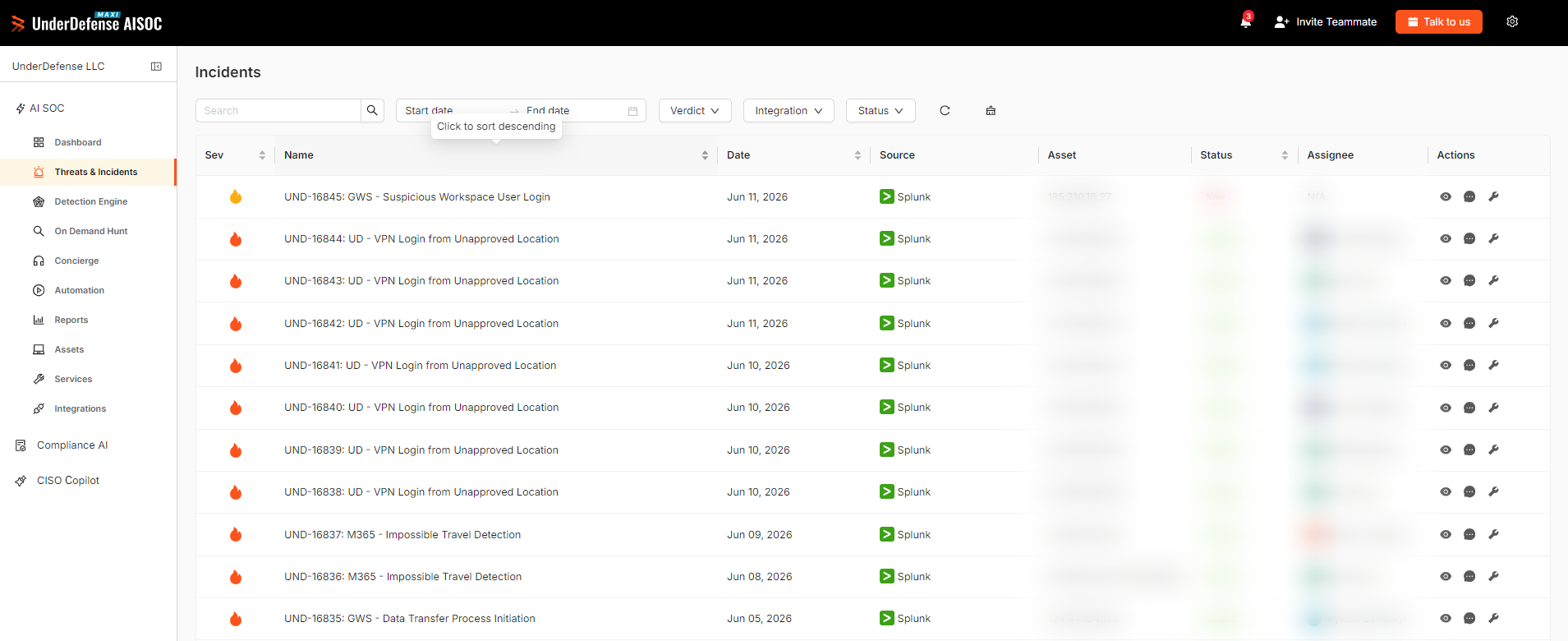
Q6: How do you decide what to keep, cut, or replace? (The decision worksheet)
Score every tool on five axes: the capability it uniquely covers, its real utilization, its integration and API readiness, whether compliance locks it in, and total cost of ownership (TCO, the full yearly cost including labor). Redundant, lightly used tools that no regulation requires are cut candidates. Critical but isolated tools are replace candidates. Anything feeding clean signal into your response layer earns a keep.
The fear that freezes every decision
The reason stacks never shrink is fear. Nobody wants to be the person who cut the one control that was quietly stopping an attack. So the safe move feels like keeping everything, which is often why businesses switch providers long before they ever trim a tool.
That fear is reasonable, but it is not a method. A scoring sheet replaces dread with a defensible call you can show to anyone who asks.
The five axes, scored 1 to 5
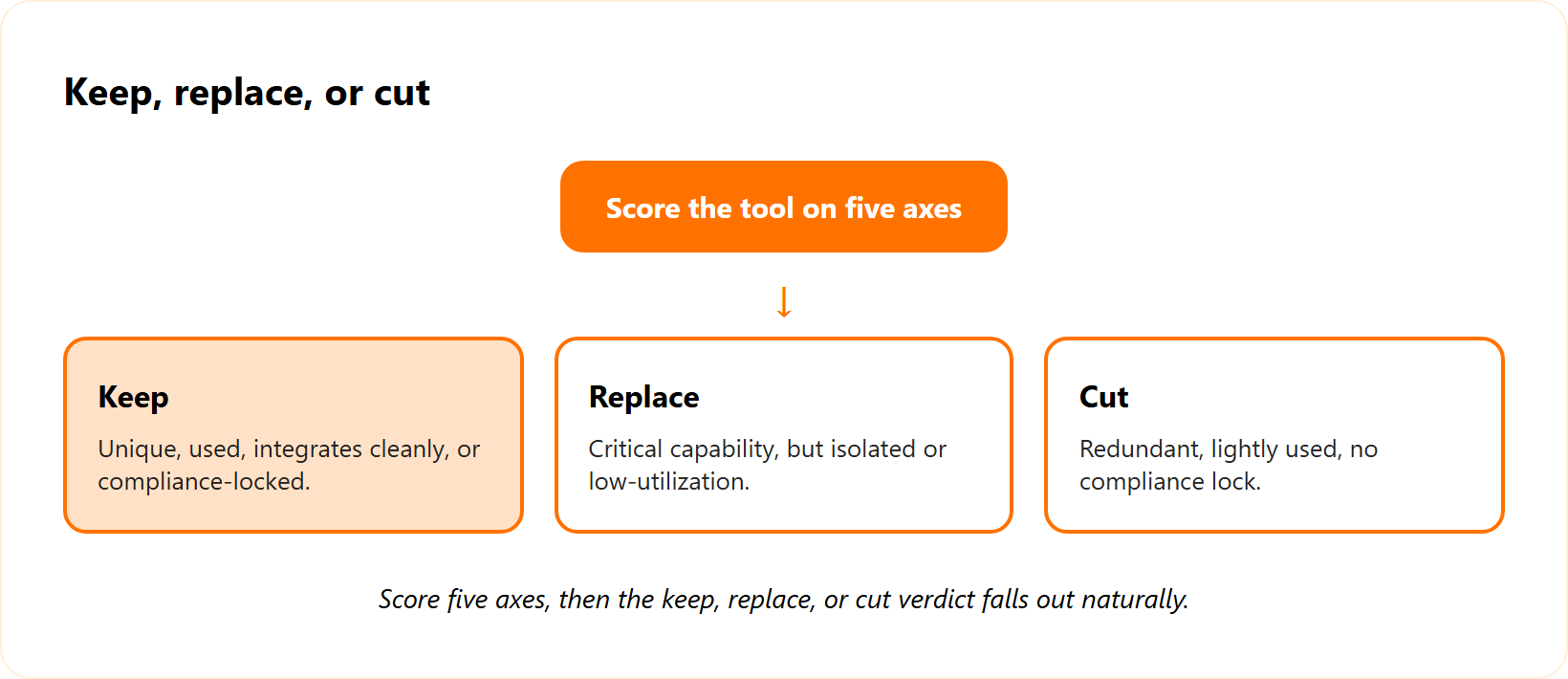
Score each tool low to high on these five questions:
- Capability uniqueness. Is it the only thing covering a real technique?
- Utilization. Are you using more than a fraction of its features?
- Integration readiness. Does it expose clean APIs (the connectors that let tools share data) to your response layer?
- Compliance lock. Does SOC 2, HIPAA, or PCI DSS require this control?
- Total cost of ownership. What does it cost once you count the human tuning hours?
The worksheet
| Verdict | What the scores look like | Action |
|---|---|---|
| Keep | Unique, used, integrates cleanly, or compliance-locked | Operate and tune |
| Replace | Critical capability, but isolated or low-utilization | Swap for a better-integrated option |
| Cut | Redundant, lightly used, no compliance lock | Retire in phases |
A quick caution on automation. AI tools beautifully execute the underlying brokenness of a process, so “it has AI” is never a reason to keep a tool. Score the outcome, not the buzzword, and watch for AI SOC red flags when a vendor leans on the acronym.
Reading the verdict
The replace logic mirrors how I think about my own stack. I am never going to build Okta, but I am open to replacing it with a better version. I am never building my own crypto, yet I stay open to upgrades.
That is the keep-versus-replace mindset in one line. At UnderDefense, we score inherited tools on exactly these axes through our MDR service, and we stay vendor-agnostic, so the verdict is not biased toward replacing everything with our own product.
Q7: Should you platform, consolidate vendors, or keep best-of-breed point tools?
It depends on your team’s depth. Platformization eases the “one neck to choke” problem and cuts integration toil, while locking you into one vendor’s roadmap. Best-of-breed wins on raw capability but multiplies babysitting. The rule of thumb: consolidate where you cannot hire the niche skill to run a tool well, and keep point tools only where they feed your response layer cleanly.
The pendulum you keep paying for
I have watched this swing for two decades. The market moves from point solution to platform, then back again, forever. Each swing sells you something, and neither extreme is the answer for a 500 to 5,000 person team.
So skip the religion. Decide tool by tool, based on who will actually operate it at 2 a.m., a choice that often comes down to outsourced vs in-house SOC economics.
One neck to choke
I am a big believer in having one neck to choke. When a problem area exists, I want one accountable owner thinking about it holistically, not five vendors pointing at each other.
That said, outsourcing does not mean giving up visibility. It means extending your capability. Gartner reports 75% of organizations now pursue a vendor-consolidation strategy, and 65% do it to improve risk posture rather than cut spend, a theme echoed across the MDR vendors list 2025.
A simple decision rule
| Your situation | Better fit |
|---|---|
| Can’t hire the niche skill locally | Platform or managed service |
| Strong in-house specialists | Best-of-breed point tools |
| Clean APIs into response | Keep and integrate |
It becomes genuinely hard to hire a niche skill set in a tier-two or tier-three city market. That hiring reality, more than any feature chart, should drive the call. UnderDefense is built to be that one neck to choke, with vendor-agnostic UnderDefense Agentic AI SOC integrations on top of what you already own, so operations consolidate without ripping out your tools.
“It pulls in data from all our existing security tools, so we didn’t have to rip and replace anything.”
Verified User in Marketing and Advertising, Small-Business UnderDefense G2 Verified Review
“UnderDefense Agentic AI SOC integrates well with our systems, specifically with our SIEM, Splunk.”
Oleg K., Director of Information Security, Mid-Market UnderDefense G2 Verified Review
Q8: What does consolidation actually save, and how do you prove the ROI?
A large share of SIEM data is duplicate, unused, or pure noise. One team ingesting 54 terabytes could safely drop to 20 to 25, and correlation tuning shrinks both the bill and the alert flood by 50 to 90%. The bigger return sits in risk. IBM puts the average breach at $4.88 million, and security AI and automation cut that cost by an average of $2.2 million.
You are paying to store garbage
Here is the part finance never sees. A big chunk of what flows into your SIEM is crap: duplicate, unused, or low-value logs you pay to store and search.
I have seen a team ingesting about 54 terabytes that could come down to 20 to 25 with honest tuning. That is the same data quality problem, billed monthly, and it is exactly what a real managed SIEM pricing guide should expose.
The ingestion diet
After you tune correlation rules (the logic that decides which events become alerts), the volume drops and the cost drops with it. That is a direct, repeatable saving.
| Lever | Typical effect |
|---|---|
| Drop duplicate and unused logs | 50 to 90% less ingestion |
| Tune correlation rules | Fewer alerts, lower spend |
| Retire redundant tools | License plus labor savings |
Frame ROI as risk, not just license cuts
License savings get attention, but the board cares about material loss. IBM’s 2024 research puts the global average breach at $4.88 million, with AI and automation trimming roughly $2.2 million off that figure.
There is an operational cost too. If your operations stop for even half a day, a mid-market company can lose around $20,000 in that window alone. Cynomi makes the same point: real consolidation savings come from removing the manual labor between disconnected tools, not just from canceling software, which is the heart of any honest cybersecurity budget.
Where the savings should go
Reinvest the savings into people and faster response, not a shinier console. That is the version of this story a board approves.
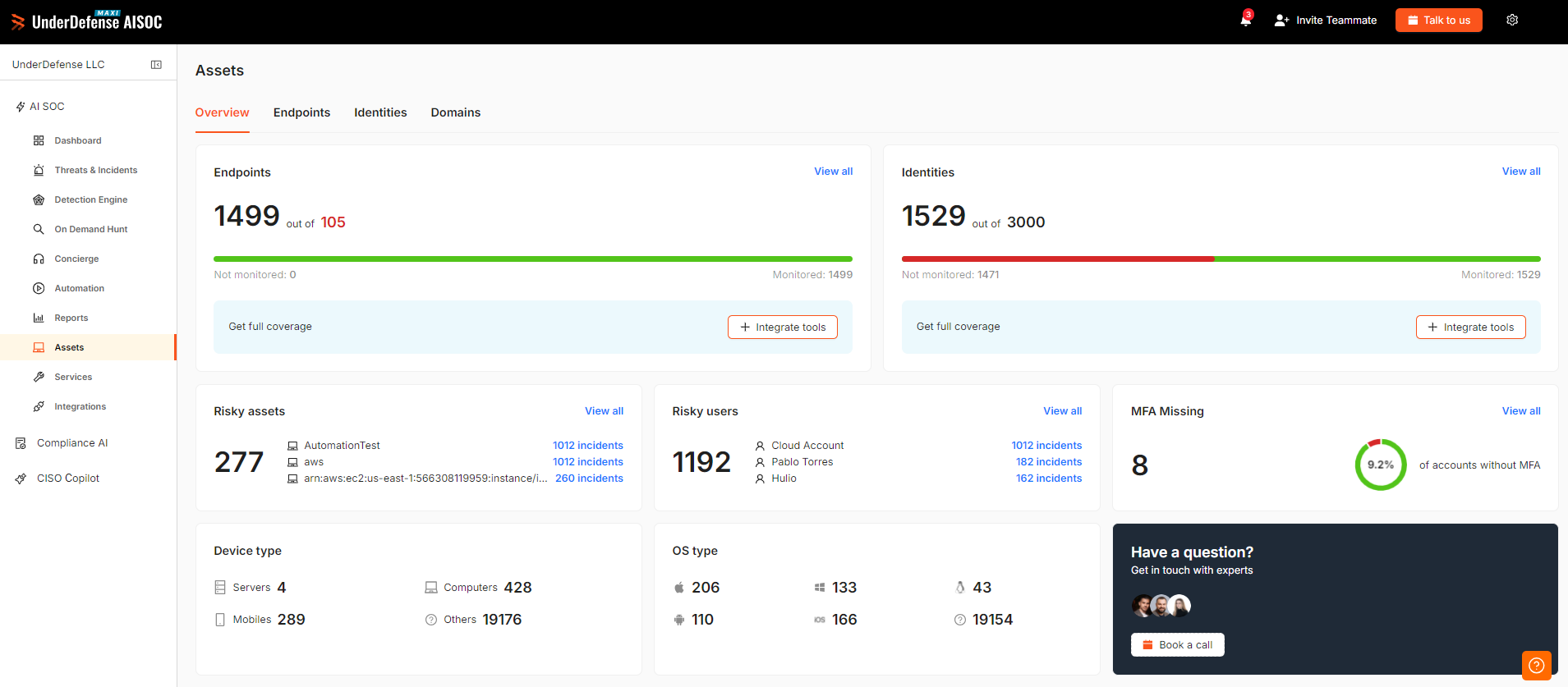
UnderDefense Agentic AI SOC tunes ingestion and correlation as part of our managed SIEM, and its ROI dashboard surfaces analyst hours and dollars saved for executive reporting. You walk into the board meeting with numbers, not vibes.
Q9: How do you retire tools safely, with phasing, parallel runs, and renewal timing?
Never rip everything out at once. Run the outgoing and incoming controls in parallel until you confirm the replacement covers the same techniques, then decommission the old one. Time every keep, cut, or replace decision 6 to 12 months before license renewal, so you negotiate from evidence instead of scrambling against an expiry date.
Where silent failures actually happen
Decommissioning is the scariest moment in this whole process. Cut a tool fast, and you can open a coverage gap nobody notices until an attacker walks through it.
So treat retirement like surgery, not demolition. The goal is to remove the tool without removing the protection it was quietly providing, the same caution behind any sound continuous security monitoring plan.
Run the old and new side by side
The safe move is a parallel run. Keep the outgoing control live while the incoming one proves it covers the same ATT&CK techniques on your coverage map.
Tuning is never instant, either. I have run Carbon Black for four years, and I am still tuning out noise, because detection is an evolving thing. Confirm coverage first, then turn the old tool off, a discipline that protects your SLA in cybersecurity.
Use renewal dates as leverage
Here is the budget trick most teams miss. Map every decision to the renewal calendar, and start 6 to 12 months early.
When you decide ahead of the deadline, you negotiate from evidence and walk away if the price is wrong. When you wait until the contract is expiring, the vendor holds the leverage, which is one reason teams revisit managed SIEM pricing well before renewal. At UnderDefense, we run new detections alongside your existing tooling during onboarding through our MDR service, so nothing is cut before coverage is confirmed.
Q10: Why does monitoring-only fall short, and what does detect-plus-respond look like?
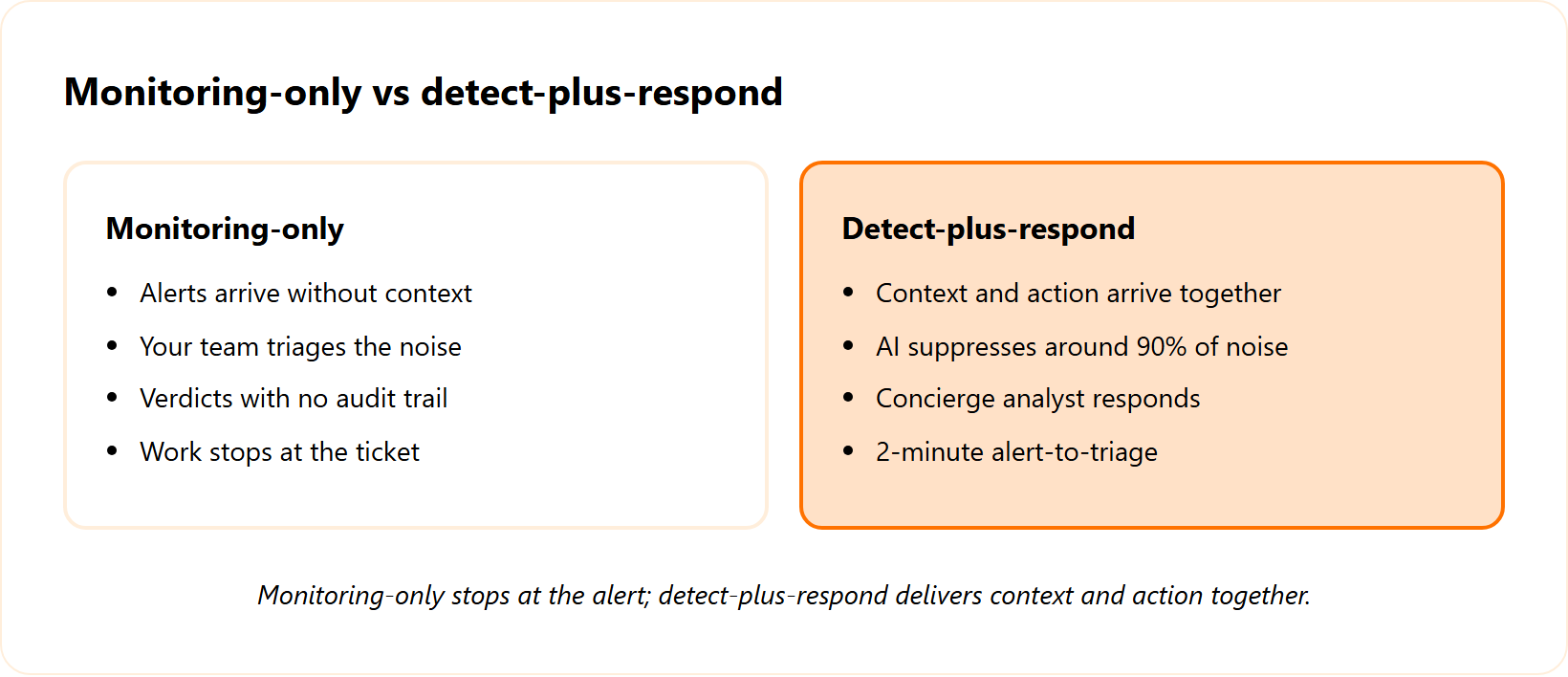
Monitoring-only tools and legacy MSSPs (managed security service providers that watch logs and forward alerts) hand you alerts without context. Your team is left to triage noise that research shows AI contextual filtering can suppress by around 90% before a human ever sees it. Detect-plus-respond means context and action arrive together. UnderDefense delivers 2-minute alert-to-triage and 15-minute escalation for critical incidents.
A pile of alerts is not protection
The standard read says more monitoring equals more safety. From what surfaces when you actually run a SOC, that gets it backwards.
An alert with no context is homework. Your analyst still has to figure out what happened, where, and whether it matters, often at 2 a.m., which is exactly the gap a real SOC service closes.
The speed problem nobody fixes
Here is the operational reality. If it takes you days, weeks, or never to act on an alert because you are mired in a tar pit of manual toil, you are bringing a knife to a gunfight.
A 2023 academic study of an AI-driven SOC found that contextual filtering cut analyst-processed Windows logon alerts by roughly 90%. That is the difference between drowning and responding, the core argument for SOC automation. The tool only matters in the hands of an expert who makes it do exactly what the moment needs.
What detect-plus-respond changes
The structural trade-offs are clear:
- ✅ Vendor-agnostic detection works across the tools you already own.
- ✅ A concierge analyst responds with context, not just a ticket.
- ❌ Monitoring-only tools stop at the alert and leave the work to you.
- ✅ AI suppresses noise, so humans handle the edge cases that matter.
- ❌ Black-box MSSPs give you a verdict with no audit trail.
This is the UnderDefense Agentic AI SOC and Human Ally model: AI suppresses the noise, and a concierge analyst responds with context, at 2-minute alert-to-triage and 15-minute escalation for critical incidents, all visible inside our WarRoom platform.
“When they escalate something, they include the context we need to understand the issue quickly. We’re not wasting time piecing together what happened from different systems anymore.”
Verified User in Marketing and Advertising, Small-Business UnderDefense G2 Verified Review
“With their guidance, we know precisely what steps to take next… the most notable outcome has been the drastic reduction in response time.”
Valeriia D., Marketing Specialist, Mid-Market UnderDefense G2 Verified Review
Q11: Does consolidation make you compliant, and does compliance make you secure?
Before cutting anything, flag the controls locked in place by SOC 2, ISO 27001, HIPAA, PCI DSS, or NIS2 (the EU directive on network and information security). Those stay regardless of utilization. But the checkbox and real safety are different things. Good compliance does not mean you are secure, and that gap is exactly where boards get caught.
The control you are not allowed to cut
Some tools survive the worksheet for one reason only: a regulation requires them. A control mandated by PCI DSS or HIPAA stays, even if its utilization score is low.
So add a compliance-lock column to your worksheet. It keeps you from cutting a control that an auditor expects to see, a check our compliance services run as standard.
The cyber-insurance void
Here is a question I ask boards that lands hard. When did you last hand your cyber-insurance policy to your technology provider and confirm the stack actually meets it?
If nobody has done that check, you may be tearing open a void. You think you are covered, but a missed control could let the insurer deny the claim after a breach, the kind of exposure a virtual CISO is built to catch. UnderDefense maps your kept controls to SOC 2, ISO 27001, and HIPAA evidence, and flags where compliant still falls short of secure.
Compliance and security are different jobs
This is the part executives miss. Good compliance does not mean you are secure, and that disconnect is where real risk hides.
I have watched teams pass an audit while a basic process gap sat wide open. The framework checks that a control exists. It does not check that the control would stop a determined attacker, which is why a real-world attack surface review matters alongside the audit.
“The reports from their platform give us clear evidence of our security controls and incident response capabilities. When auditors or clients ask questions, we can pull up exactly what they need to see.”
Verified User in Marketing and Advertising, Small-Business UnderDefense G2 Verified Review
Q12: What should you do Monday morning to start rationalizing your stack?
Start small and fast. Export your tool inventory with owners, costs, and renewal dates. Pull shadow IT from your OAuth consent log, map spend to NIST CSF risk families, and run the keep, cut, or replace worksheet on your five most expensive tools first. Lead the board conversation with risk posture, which is what 65% of consolidating organizations actually prioritize.
Your Monday checklist
You do not need a quarter-long project to start. You need one focused morning.
- Export every tool with its owner, annual cost, and renewal date.
- Pull the OAuth consent log to surface shadow IT for free.
- Map your spend to NIST CSF risk families on one page.
- Run the worksheet on your five priciest tools first.
- Flag every compliance-locked control before you cut anything.
Lead the board with risk, not invoices
When you brief the board, do not open with license savings. Open with risk posture, because that is the language that wins budget, and it ties directly to your cybersecurity budget for the year.
Gartner found that 65% of organizations consolidating their stack do it to improve risk posture, while only 29% do it mainly to cut spend. Frame your work the same way, and the room leans in, a stance reinforced across the MDR vendors list 2025.
One honest note before you start
I will leave you with the truth I tell every CISO. You do not win in cybersecurity. It is more like a zombie apocalypse, where the job is to reduce the probability of material impact, never to claim you are 100% secure.
So start with five tools, not 70. If you want a second set of eyes, send us your inherited stack through our MDR service, and we will run the keep, cut, or replace worksheet with you, vendor-agnostic, with no console babysitting required. What is the one tool on your list you are most afraid to cut, and why?
Turn the worksheet into a keep-cut-replace decision. UnderDefense Agentic AI SOC runs on top of the tools worth keeping
1. What is security tool sprawl, and why does it happen?
Security tool sprawl is what happens when your stack grows faster than your ability to operate it. We see it constantly: teams that started with four tools now run around 76 across seven consoles, most inherited through acquisitions, leadership changes, and renewals nobody questioned.
It happens for predictable reasons:
- A more tools equals more security mantra that rarely holds up.
- Point-solution buying cycles that solve one gap at a time.
- Mergers that arrive with their own EDR, SIEM, and consoles.
- The industry pendulum swinging between platforms and best-of-breed.
The operational reality runs the other way. More tools mean more drift, more overlap, and consoles whose exact configuration no single person fully understands. It also creates a tax of analysts whose whole job is babysitting one product instead of stopping threats.
This is not a personal failing. The system nudges every busy team toward accumulation. The fix is a method, not guilt. We help teams sit on top of the tools they already own with our MDR service, so the stack gets operated well instead of simply growing larger every renewal cycle.
2. How do I audit my security stack without drowning in manual work?
Start mechanical, not heroic. The reason nobody audits the stack is that ownership data lives nowhere clean, so we make it a repeatable process instead of tribal knowledge.
Our four-step audit:
- List every tool with its owner, annual cost, and renewal date in one sheet.
- Tag the capability each tool covers, so overlap becomes visible at a glance.
- Find shadow IT by pulling your Google Workspace OAuth consent log, a free source of vendors you forgot you had.
- Map spend to risk by allocating budget into NIST CSF risk families on a single page.
That one-page view is genuinely eye-opening. You often discover three tools covering the same detection slice while an entire risk family has zero proactive investment.
The map turns gut feel into evidence your CFO and auditor both understand. We run this exact audit during onboarding, so the inventory is not one more manual project sitting in your queue. If you want a structured starting frame, our MDR buyers guide forces the same clarity before you commit budget to anything.
3. How do I decide whether to keep, cut, or replace a security tool?
We score every tool on five axes, low to high, so the decision is defensible rather than emotional:
- Capability uniqueness: is it the only thing covering a real technique?
- Utilization: are you using more than a fraction of its features?
- Integration readiness: does it expose clean APIs to your response layer?
- Compliance lock: does SOC 2, HIPAA, or PCI DSS require it?
- Total cost of ownership: what does it cost once you count tuning hours?
The verdicts fall out naturally. Redundant, lightly used tools with no compliance lock are cut candidates. Critical but isolated tools are replace candidates. Anything feeding clean signal into response earns a keep.
One caution: AI tools beautifully execute the underlying brokenness of a process, so it has AI is never a reason to keep something. Score the outcome, not the buzzword.
We run this worksheet vendor-agnostically, so the answer is not biased toward replacing everything with our own product. Our MDR service scores inherited tools on exactly these axes and keeps what already works.
4. Does consolidating security tools actually make us more secure?
Often, yes, but not automatically. The honest read is that more tooling can make you less secure. Every tool you add belongs to your software supply chain, carries its own flaws and credentials, and widens your attack surface rather than shrinking it.
Consolidation helps when it does three things:
- Removes redundant tools that watch the same door.
- Closes blind spots where techniques like lateral movement have no owner.
- Frees analysts from babysitting consoles so they handle real threats.
What it should never do is leave a coverage gap. The goal is fewer tools, operated well, by people who are not drowning, not a smaller stack that quietly stops detecting things.
Roughly 80% of teams use only 20% of their tools’ features, so you are usually paying for capability you never switch on. Consolidation done right reinvests those savings into faster response and skilled people. We sit on top of the tools you already own through our SOC service, so consolidation improves posture instead of trading one risk for another.
5. How do I prove the ROI of security tool consolidation to my board?
Lead with risk posture, not license savings. Gartner found 65% of organizations consolidating their stack do it to improve risk posture, while only 29% do it mainly to cut spend. Frame your work the same way and the room leans in.
That said, the hard numbers help:
- A large share of SIEM data is duplicate, unused, or pure noise; one team ingesting 54 terabytes could safely drop to 20 to 25.
- Tuning correlation rules shrinks both the bill and the alert flood.
- Retiring redundant tools saves license cost plus the human labor between disconnected systems.
The bigger return sits in avoided loss. IBM puts the average breach at $4.88 million, with AI and automation trimming roughly $2.2 million off that figure.
Reinvest the savings into people and faster response, not a shinier console. We surface analyst hours and dollars saved for executive reporting through our managed SIEM, so you walk into the board meeting with numbers instead of vibes.
6. How do I retire security tools safely without opening coverage gaps?
Never rip everything out at once. Decommissioning is where silent failures happen, so we treat retirement like surgery, not demolition.
Our approach:
- Run a parallel run. Keep the outgoing control live while the incoming one proves it covers the same ATT&CK techniques on your coverage map.
- Validate before cutting. Tuning is never instant; confirm coverage first, then decommission.
- Time it to renewals. Make every keep, cut, or replace decision 6 to 12 months before license renewal.
Renewal timing is a quiet budget lever. Decide ahead of the deadline and you negotiate from evidence and can walk away if the price is wrong. Wait until the contract is expiring and the vendor holds the leverage.
The point is to remove the tool without removing the protection it was quietly providing. We run new detections alongside your existing tooling during onboarding, so nothing is cut before coverage is confirmed. If you want the broader transition view, our continuous security monitoring guide walks through the same discipline.
7. Should I consolidate onto a platform or keep best-of-breed point tools?
It depends on your team’s depth, and the honest answer rejects both extremes. The market swings between platforms and best-of-breed forever, and neither religion fits a 500 to 5,000 person team perfectly.
Our rule of thumb:
- Consolidate where you cannot hire the niche skill to run a tool well locally.
- Keep point tools where you have strong specialists and the tool feeds your response layer cleanly.
- Integrate anything with clean APIs rather than ripping it out.
We are big believers in one neck to choke: one accountable owner thinking about a problem holistically, instead of five vendors pointing at each other. Outsourcing does not mean giving up visibility; it means extending capability while you keep ownership of your data.
The hiring reality, more than any feature chart, should drive the call, since niche skills are hard to staff in tier-two and tier-three markets. We are built to be that one neck to choke, layering vendor-agnostic MAXI integrations on top of what you already own, so operations consolidate without forcing a rip-and-replace.
8. Does passing a compliance audit mean my security stack is actually secure?
No, and that disconnect is where boards get caught. Good compliance does not mean you are secure. A framework checks that a control exists; it does not check that the control would stop a determined attacker.
Two things matter before you cut anything:
- Flag compliance-locked controls. Anything required by SOC 2, ISO 27001, HIPAA, PCI DSS, or NIS2 stays regardless of utilization.
- Check the cyber-insurance void. Hand your policy to your provider and confirm the stack actually meets it, or a missed control could let the insurer deny a claim.
We have watched teams pass an audit while a basic process gap sat wide open. The checkbox and real safety are different jobs, and treating them as the same is how organizations get surprised after a breach.
So map your kept controls to evidence, then pressure-test whether compliant also means defended. Our compliance services map controls to SOC 2, ISO 27001, and HIPAA evidence and flag where compliant still falls short of secure.