Key takeaways:
- Detection is no longer the differentiator. Most DLP vendors detect violations. What separates them is what happens in the next 2 minutes, and most do not answer that question.
- Vendor GenAI coverage claims are not comparable. Full and Native mean the tool reads prompt content before submission. Most “GenAI-ready” tools block a URL and call it protection.
- The license is rarely the largest cost item. Professional services, policy tuning, and per-alert investigation labor routinely double the effective cost of a DLP deployment. Most teams discover this six months after signing.
- The most useful question to ask any vendor on this list: what are you shipping for agent-layer visibility in the next two quarters? That answer tells you more about fit than any feature comparison.
The best DLP solutions for enterprise data protection in 2026 include UnderDefense, Microsoft Purview, Symantec DLP, Forcepoint, Netskope, CrowdStrike Falcon Data Protection, and Nightfall AI.
Finding the right one is harder than it looks. You’re navigating 30+ vendors with GenAI coverage that ranges from real to marketing slide.
This DLP tools list covers 18 providers that consistently surface in real procurement cycles. UnderDefense’s security operations team deploys these tools daily across 200+ enterprise environments, so the entries below focus on fit.
Who This Guide Is For
This shortlist is designed specifically for:
- CISOs and Security Directors evaluating enterprise DLP platforms or replacing legacy deployments
- IT Directors and CTOs at mid-market organizations (50-1,000 employees) needing data protection across cloud, endpoint, and GenAI tools
- Compliance Officers mapping DLP to GDPR, HIPAA, PCI DSS, or SOC 2 requirements
If your primary concern is investigation capacity after violations fire, the UnderDefense entry and the “Who Investigates” section further in this guide address that directly.
What Are the Best DLP Solutions for Enterprise Data Protection in 2026?
Not all DLP tools protect the same surfaces or cost the same. Here is how all 18 providers compare at a glance before the detailed breakdown.
Three columns drive the shortlisting decision for most organizations:
- Deployment model determines whether the tool fits your infrastructure without replacing what you already have;
- GenAI coverage determines whether it addresses 2026 exposure surfaces;
- The pricing tier determines whether you can model TCO before the first vendor call.
The detailed entries below expand on each.
| Vendor | Deployment | GenAI Coverage | Pricing Tier |
| UnderDefense* | Managed / Cloud | Full – via integrations | Published – from $11/device/mo |
| Microsoft Purview | Cloud (M365-native) | Partial – Copilot only | Bundled – M365 E5 / ~$60/user/mo |
| Cyberhaven | Cloud + endpoint agent | Full – all GenAI tools | Quote-only |
| Symantec DLP | On-prem / Hybrid | Minimal | Quote-only – ~$25–$300K+/yr (est.) |
| Forcepoint DLP | Cloud / Hybrid / On-prem | Partial – browser-based | Quote-only – ~$30–60/user/yr (est.) |
| Proofpoint Enterprise DLP | Cloud / Hybrid | Minimal | Quote-only |
| Fortra’s Digital Guardian | Cloud / Endpoint / Managed | Minimal | Quote-only – ~$25–50/user/yr (est.) |
| CrowdStrike Falcon DP | Cloud (unified agent) | Partial | Quote-only – ~$8–15/endpoint (est.) |
| Teramind | Cloud / On-prem | Partial – browser monitoring | Published – $32/user/mo |
| Netskope DLP | Cloud / SASE | Full – inline inspection | Bundled – ~$9–14/user/mo |
| Zscaler DLP | Cloud / Zero Trust | Partial – proxy + isolation | Bundled – ~$6–10/user/mo |
| Nightfall AI | Cloud / API-first | Full – API-native | Quote-only |
| Trellix DLP | On-prem / Endpoint | Minimal | Quote-only |
| DTEX | Cloud / Endpoint | Partial – shadow AI detection | Quote-only |
| Netwrix Endpoint Protector | Cloud / On-prem / Endpoint | Partial – browser-based | Quote-only |
| Polymer | Cloud / API-first | Native – GenAI-purpose-built | Published – Lite from $95/mo · Enterprise from $33,000/yr |
| Metomic | Cloud / API-first | Native – AI/MCP governance | Quote-only |
| Skyhigh Security | Cloud / SASE | Partial – CASB + inline DLP | Quote-only |
The GenAI Coverage ratings above reflect prompt-level inspection capability. Full and Native mean the tool inspects content before submission. Partial and Minimal mean category controls or no native coverage.
*UnderDefense Agentic AI SOC operates as a managed investigation and response layer on top of the DLP tools in this list. It does not replace detection; it closes the gap between detection and containment.
How Were These DLP Vendors Evaluated?
Each of the 18 providers was scored across four weighted criteria based on hands-on deployment experience across 200+ enterprise environments. The weights reflect what actually drives DLP outcomes in production, prioritizing operational fit over feature counts and vendor positioning.
GenAI and cloud protection carries equal weight to deployment flexibility this year because both now determine whether a tool covers the surfaces where data actually moves in 2026.
| # | Criterion | Weight | What Earns Top Marks |
| 1 | Detection Accuracy and Coverage Depth | 30% | EDM, IDM, ML classification, and OCR across all three data states: in-use, in-motion, at-rest; data lineage tracking for modified or transformed data |
| 2 | GenAI and Cloud Protection | 25% | Prompt-level inspection for ChatGPT, Copilot, and Gemini; shadow AI discovery; coverage across browser, SaaS/API, and agent layers |
| 3 | Deployment Flexibility and Integration | 25% | Cloud-native, hybrid, and on-prem options; vendor-agnostic SIEM, XDR, and SOAR compatibility; agent-based and agentless deployment |
| 4 | Pricing Transparency and TCO | 20% | Published per-user or per-endpoint rates; visible professional services costs; predictable TCO without hidden tuning or integration fees |
These weights reflect UnderDefense’s operational judgment. Feature counts predict demo performance. Detection coverage and pricing transparency predict production outcomes.
Gartner’s last Magic Quadrant for Enterprise DLP was published in 2017. Since then, only a Market Guide exists, covering market direction without head-to-head vendor ranking. This guide weighs what procurement teams actually need: GenAI coverage depth, investigation capacity, and pricing transparency.
Full compliance mapping per vendor (GDPR, HIPAA, PCI DSS, SOC 2, and CCPA coverage) in the detailed entries below.
GenAI DLP Coverage: What Full, Partial, and Native Mean in Practice
Not all GenAI DLP coverage is equal. Most tools block access to AI tools entirely, while a smaller number inspect what actually goes into the prompt.
Every vendor in this guide claims some form of GenAI protection. The difference comes down to which exposure surfaces a tool actually covers and most DLP tools were built before any of them existed: browser prompts, SaaS and API integrations, and AI agents.
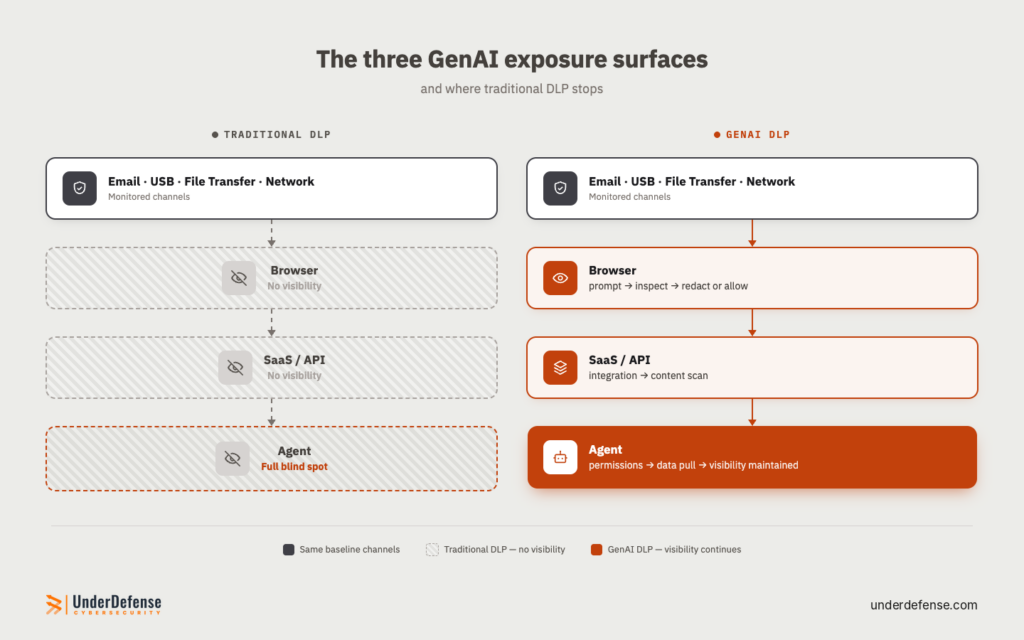
- Browser layer is where employees directly interact with AI tools: typing or pasting into ChatGPT, Copilot, or Gemini. It is also where most documented AI data loss has happened.
In 2023, Samsung’s semiconductor engineers leaked proprietary code through ChatGPT in three incidents within one month: source code, equipment defect detection algorithms, and internal meeting transcripts.
The instinct to respond by blocking chatgpt.com backfires. When Dutch government agencies moved to restrict GenAI tools, the bans applied to managed devices and official systems. Personal device use falls outside those controls entirely. Tools with prompt-level inspection take the opposite approach, reading content before submission and redacting specific sensitive fields without blocking the tool or driving users off managed devices.
- SaaS and API layer covers authorized integrations: a Copilot plugin reading Salesforce, an AI assistant indexing Confluence. Data moves through sanctioned channels that traditional DLP never sees.
- Agent layer is the newest surface. AI agents inherit SaaS permissions and can pull, summarize, and move data at machine speed with no user prompt to inspect. Most tools have no visibility here yet.
The gap between these three layers is where most vendor GenAI claims fall apart under scrutiny. A tool that blocks chatgpt.com addresses none of them. It removes access to one URL while data continues to move through SaaS integrations and agent workflows without any inspection.
The Full, Partial, Native, and Minimal ratings in the comparison table above reflect which of these three surfaces each tool actually covers and which ones it leaves open.
One practical test during vendor POC: paste a text block containing sample PII into a ChatGPT prompt and verify whether the tool intercepts it at the browser layer, flags it via API, or misses it entirely. Vendors with genuine prompt-level inspection will block or redact before submission. Vendors with URL-category controls will not fire at all because the destination is permitted.
Which DLP Solution Is Right for Your Environment?
The right DLP solution depends on where your data lives, who is moving it, and whether your team can investigate violations when they fire. The entries below answer those questions for each of the 18 providers on this list.
1. UnderDefense: Best for Closing the Gap Between DLP Detection and Response
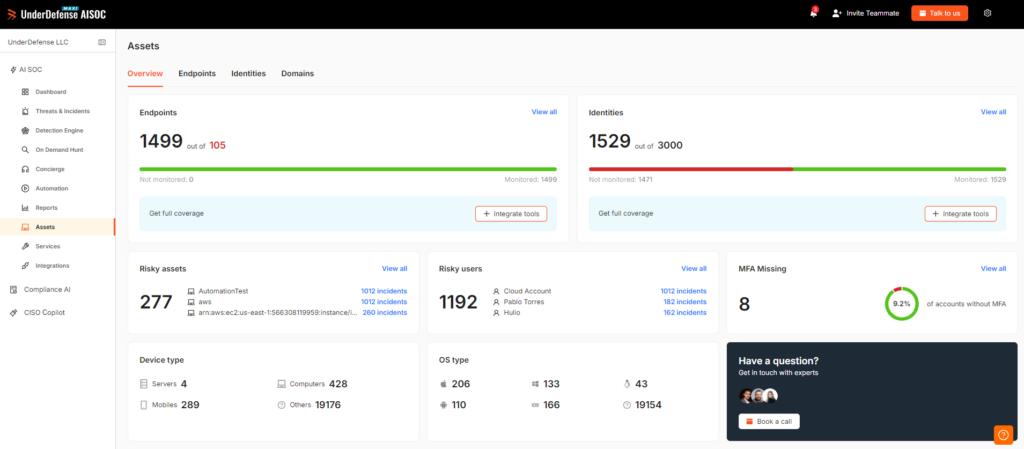
UnderDefense Agentic AI SOC is trusted by 200+ enterprises across the US and EU. Rated 4.8/5 on Gartner Peer Insights (MDR category, 2025) and named G2 High Performer in MDR for Spring 2025. The platform sits on top of any DLP tool on this list and takes over the investigative work that pulls security teams away from decisions: enrichment, correlation, triage, and cross-environment investigation at machine speed with humans in the loop at every decision point.
No rip-and-replace required. Logs stay in your data lake.
| Core Services | • 24/7 DLP incident investigation• Investigation at machine speed with human decision points• ChatOps user verification (Slack, Teams)• 250+ vendor-agnostic integrations• Compliance kits (SOC 2, HIPAA, ISO 27001) |
| Why Consider | Most teams run DLP in monitor-only mode because nobody is available to investigate when violations fire. UnderDefense closes that gap with investigation completing in 2 minutes per alert (SIEM queries, threat intel checks, and cross-system correlations), then routing containment decisions to your team or the 24/7 IR experts. |
| Best For | • Mid-market to enterprise (50–5,000 employees)• Teams with DLP generating more alerts than they can investigate• Security-lean orgs needing 24/7 analyst coverage |
| Pricing | Published – from $11/device/mo; no per-incident fees |
| Shortlist When | • DLP alerts exceed investigation capacity• 24/7 coverage is required• Detection plus response without replacing existing tools |
For regulated industries, UnderDefense offers on-premises deployment: full Agentic AI SOC inside your own infrastructure, no telemetry leaving the environment. Detection calibration typically requires several weeks to months depending on environment complexity.
UnderDefense reports that no client running the Agentic AI SOC has had a ransomware incident reach impact across its client base.
2. Microsoft Purview DLP: Best for Microsoft 365-Centric Organizations
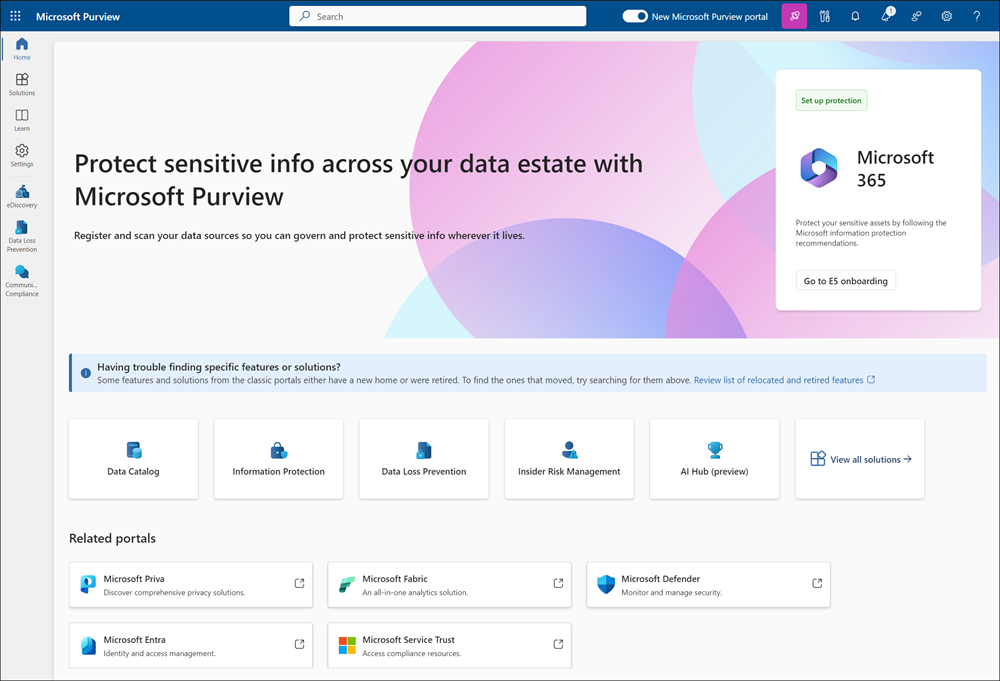
Microsoft Purview DLP provides native data loss prevention across the full M365 ecosystem, including Exchange, OneDrive, SharePoint, Teams, and Windows endpoints with policy creation, sensitivity labels, and compliance reporting built directly into the admin console.
| Core Services | • Exchange, OneDrive, SharePoint, Teams DLP• Endpoint DLP (Windows + macOS)• Sensitivity labels + auto-classification• Insider Risk Management integration• Compliance Manager with pre-built templates |
| Why Consider | Zero deployment friction for M365 environments. IRM adjusts enforcement by user risk score automatically. |
| Best For | • M365 E5 organizations• Compliance teams needing unified DLP + IRM• Mid-market avoiding a separate DLP platform |
| Pricing | Bundled in M365 E5 ($60/user/mo) or ~$12/user/mo standalone |
| Shortlist When | • 80%+ Microsoft infrastructure• DLP + IRM in one console• E5 already covers the cost |
For organizations already standardized on Microsoft infrastructure, Purview is the path of least resistance: no additional agents, no new vendor relationships, no separate platform to operate. The Insider Risk Management module escalates enforcement automatically based on real-time user behavior: departing employees, elevated access patterns, after-hours activity. Where Purview stops is at the boundary of the Microsoft estate: non-Microsoft SaaS apps and GenAI tools require supplemental coverage.
3. Cyberhaven: Best for Data Lineage & Intellectual Property Protection
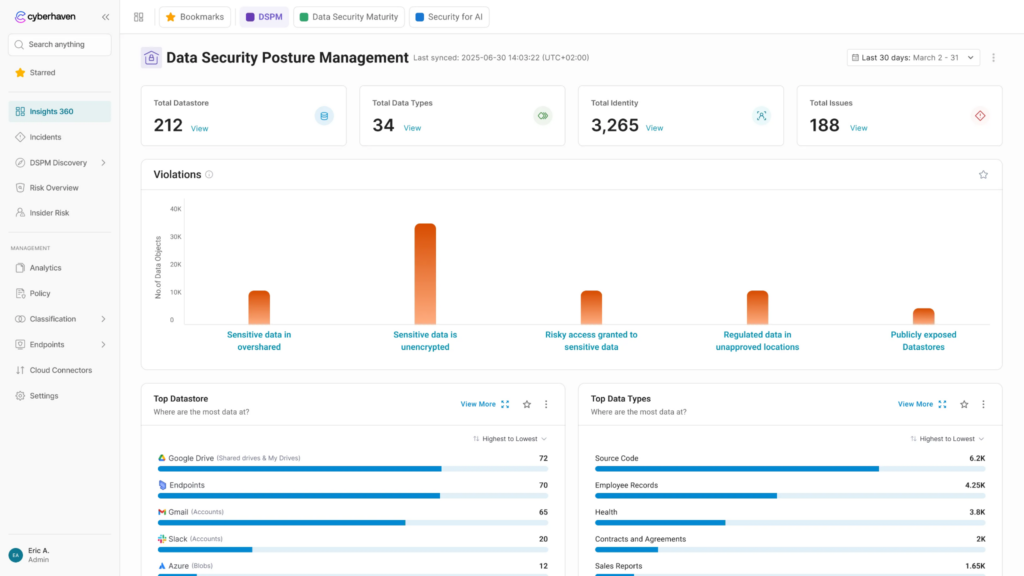
Cyberhaven pioneered the Data Detection and Response (DDR) category, tracking the complete lineage of data: where it originated, who touched it, how it transformed as it moved, going beyond content pattern inspection at a single point in the transfer chain.
| Core Services | • Data lineage tracking across endpoint, cloud, and SaaS• Dynamic data tracing (copied, pasted, modified, shared)• Browser-level GenAI inspection• Insider threat detection via behavioral data flow analysis• Lightweight cloud-native agent |
| Why Consider | Traditional DLP sees content. Cyberhaven sees a journey. Behavioral context around data movement significantly reduces false positives. |
| Best For | • Tech and software companies protecting IP and source code• Organizations with high data transformation volumes• Teams overwhelmed by DLP false positive volumes |
| Pricing | Quote-only (enterprise, per-endpoint) |
| Shortlist When | • IP protection is the primary use case• False positive volumes from traditional DLP are unsustainable• Visibility into how data transforms as it moves is required |
When a developer copies proprietary source code, modifies it, and pastes it into ChatGPT, Cyberhaven traces the lineage back to the original file even after the content has been altered. This behavioral context around data movement reduces false positive volumes significantly: the system understands intent and journey, going beyond data content at a single point in time.
4. Symantec DLP: Best for Large Enterprises with Complex Data Protection Needs
Symantec DLP is one of the most technically mature full-stack DLP platforms on the market, now under Broadcom ownership. The Enforce Platform delivers centralized policy management across endpoint, network, email, storage, and cloud with deep content inspection through Exact Data Matching (EDM), Indexed Document Matching (IDM), OCR, and fingerprinting.
| Core Services | • Network DLP with deep packet inspection• EDM, IDM, OCR, and advanced pattern matching• User and Entity Behavior Analytics• Microsoft Purview Information Protection integration• Unified coverage across endpoint, network, storage, email, and cloud |
| Why Consider | Depth of content inspection across structured and unstructured data is unmatched in the legacy DLP category. Built for regulated enterprises with massive data volumes and complex classification requirements. |
| Best For | • Large enterprises (1,000+ employees) with dedicated DLP teams• Regulated industries (healthcare, financial services, government)• Hybrid on-prem and cloud environments |
| Pricing | Quote-only – $25K–$300K+/yr (est.) depending on scope |
| Shortlist When | • Dedicated DLP operations team is in place• EDM, IDM, and OCR accuracy is required• Coverage across all data channels simultaneously is non-negotiable |
For regulated enterprises with massive structured and unstructured data volumes and dedicated DLP operations teams, the detection accuracy and multi-channel coverage remain a benchmark. Organizations evaluating Symantec in 2026 should model renewal costs carefully: Broadcom’s licensing approach has shifted meaningfully since the acquisition.
5. Forcepoint DLP: Best for Insider Risk-Focused Enterprises
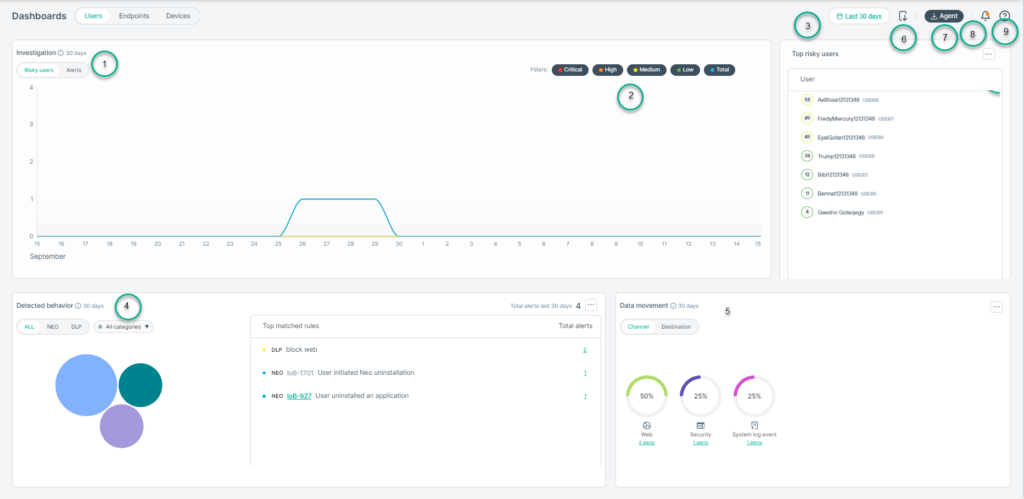
Forcepoint DLP differentiates through its Risk-Adaptive Protection engine, which dynamically adjusts enforcement based on real-time user context: role, device, location, and behavioral risk patterns. Static policies apply uniformly across all users; Forcepoint’s engine escalates or relaxes controls based on actual contextual risk.
| Core Services | • Risk-Adaptive Protection Engine with behavioral analytics• Single policy engine (endpoint, network, cloud, hybrid)• 1,700+ pre-defined classifiers and policy templates• ML-powered data classification (PII, PCI, PHI, IP)• Unified reporting across all DLP channels |
| Why Consider | Static DLP policies either block too much or too little. The risk-adaptive model eliminates that tradeoff: enforcement scales with actual user risk automatically. |
| Best For | • Regulated enterprises needing unified policy across diverse environments• Organizations prioritizing insider risk detection alongside data protection• Mid-market to enterprise with hybrid infrastructure |
| Pricing | Quote-only – ~$30–60/user/yr (est.) |
| Shortlist When | • Insider threat detection is a co-equal priority• Single policy engine across hybrid environments is required• Static rules are generating unsustainable false positive volumes |
A trusted employee performing normal file transfers experiences minimal friction. A departing employee with unusual data access patterns or after-hours behavior faces progressively escalated enforcement without manual policy changes or analyst intervention. The single policy engine spanning endpoint, network, cloud, and email eliminates the operational overhead of coordinating separate DLP tools across a hybrid environment. This is a meaningful argument for organizations running on mixed infrastructure.
6. Proofpoint Enterprise DLP: Best for Email-Centric Data Protection
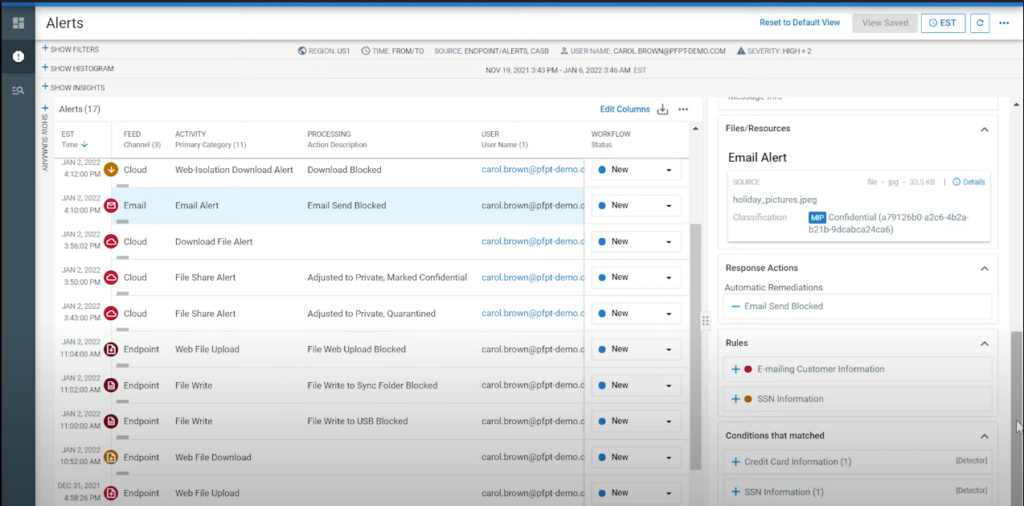
Proofpoint Enterprise DLP takes a people-centric approach to data loss prevention, focusing on who is moving data and why, going beyond what is moving. Built on Proofpoint’s email security heritage, the platform excels at outbound email protection: the most common enterprise data loss vector, surfacing user-level risk patterns beyond generic policy violations.
| Core Services | • Email DLP with outbound content inspection and encryption• People-centric DLP with user risk scoring• Cloud app DLP for SaaS platforms• Endpoint DLP (USB, print, local apps)• Unified alert management with incident workflow |
| Why Consider | Organizations already running Proofpoint for email get DLP without a new platform. The people-centric model surfaces individual risk patterns alongside generic policy violations. |
| Best For | • Organizations where email is the primary exfiltration risk vector• Companies with existing Proofpoint email security deployments• Mid-market to enterprise with compliance-driven email retention requirements |
| Pricing | Quote-only; bundled with Proofpoint email security platform |
| Shortlist When | • Email data loss is your primary concern• Proofpoint is already in your email security stack• Compliance requirements center on outbound communication controls |
For organizations already running Proofpoint for email security, DLP activates within the same platform and admin console, eliminating the deployment overhead of a standalone tool. The people-centric risk scoring also integrates directly with HR workflows for departing employee monitoring.
7. Fortra’s Digital Guardian: Best for IP Protection & Managed DLP
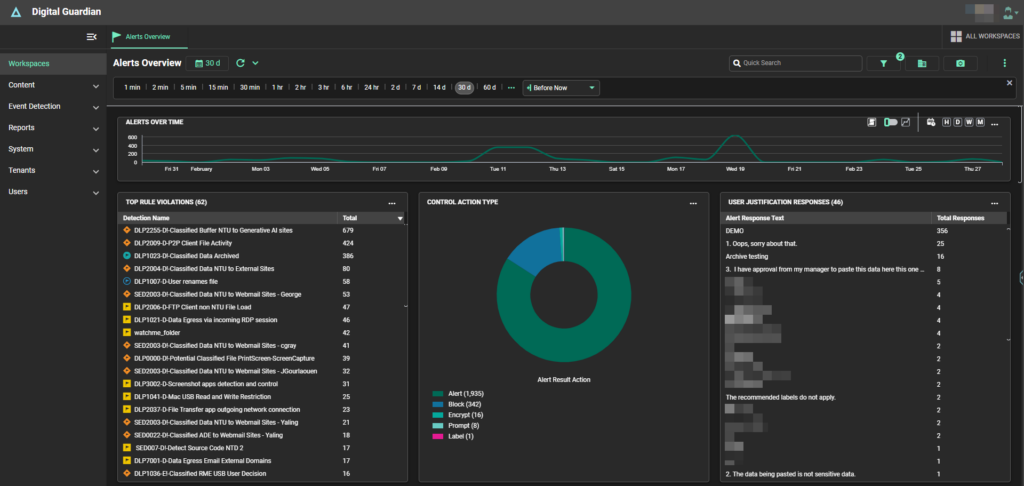
Fortra’s Digital Guardian was built specifically to protect intellectual property, with roots in sectors where source code, research data, and proprietary formulas are the primary attack targets: manufacturing, defense, life sciences.
| Core Services | • Endpoint DLP with deep data activity visibility• Managed DLP service with Fortra-operated SOC• Network and cloud DLP coverage• IP protection with data classification and fingerprinting• Integration with Fortra’s broader security portfolio |
| Why Consider | Most DLP vendors sell a tool and walk away. Fortra’s Digital Guardian managed service model means Fortra operates the DLP environment; practical for teams without dedicated DLP analysts. |
| Best For | • Organizations focused on IP protection (manufacturing, defense, pharma)• Security teams without dedicated DLP analysts• Regulated industries requiring ITAR compliance |
| Pricing | Quote-only – ~$25–50/user/yr (est.); managed service priced separately |
| Shortlist When | • IP protection is the primary use case• Vendor-managed DLP operation is preferred• ITAR compliance is a hard requirement |
The platform provides deep endpoint visibility into how data is accessed, used, and moved, with both self-managed and fully managed deployment models. The managed service option, where Fortra’s own SOC operates the DLP environment, is a meaningful differentiator for organizations that need enterprise-grade data protection coverage but lack the dedicated analysts to run DLP investigations and tuning internally.
8. CrowdStrike Falcon Data Protection: Best for CrowdStrike Ecosystem Customers
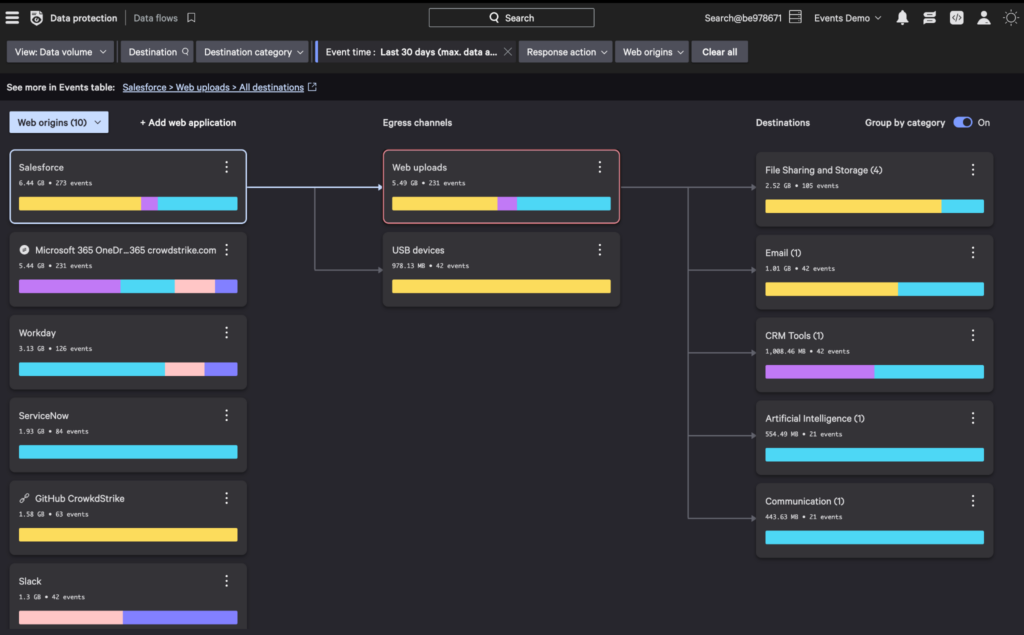
CrowdStrike Falcon Data Protection extends the existing Falcon agent to cover DLP, meaning organizations already running CrowdStrike for EDR or XDR add data protection without deploying a second agent on every endpoint.
| Core Services | • DLP within existing Falcon agent (no separate deployment)• Content inspection with policy-based blocking and monitoring• Integration with CrowdStrike Identity Threat Detection• Cloud-native management via Falcon console• Threat intelligence enrichment of DLP events |
| Why Consider | For CrowdStrike customers, Falcon Data Protection eliminates agent sprawl: one agent, unified visibility across EDR and data protection events in the same console. |
| Best For | • Organizations already running CrowdStrike Falcon for EDR or XDR• Teams wanting DLP without additional endpoint agents• Companies seeking unified endpoint security and data protection |
| Pricing | Quote-only – ~$8–15/endpoint (est.); add-on to existing Falcon licensing |
| Shortlist When | • Already a CrowdStrike customer• Agent sprawl is a concern• EDR and DLP correlation in one platform is a priority |
For security teams managing agent sprawl across large device fleets, the operational argument is direct: one agent, one deployment, one management console. DLP violations and endpoint detection events appear in the same Falcon console with shared context and threat intelligence enrichment, giving analysts a unified view of what happened on the endpoint and what data moved as a result.
9. Teramind: Best for Behavioral DLP & User Activity Monitoring
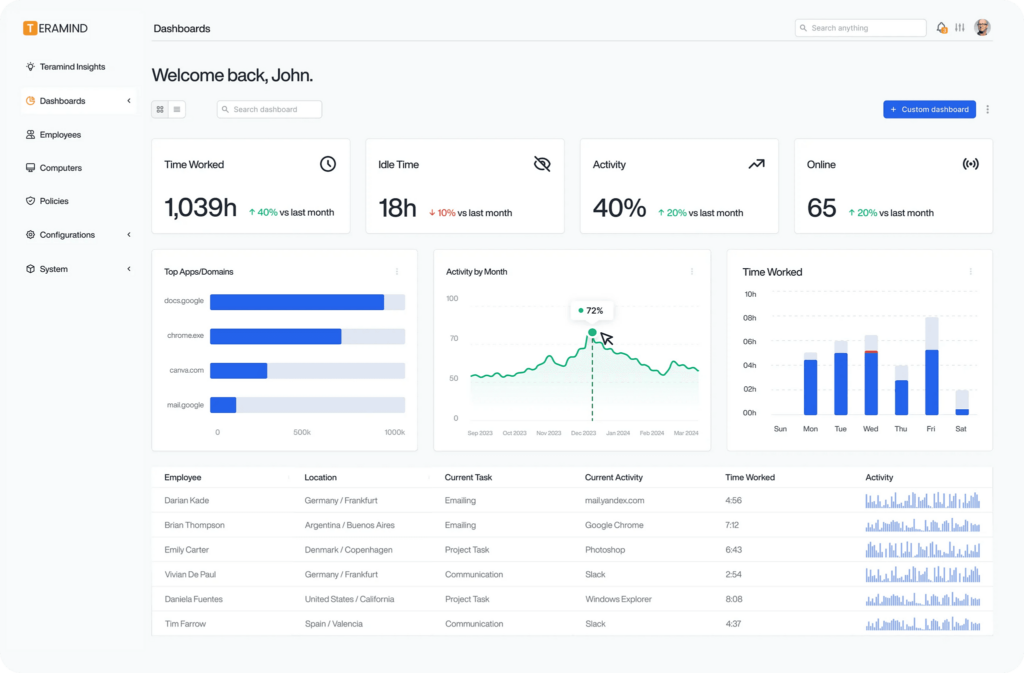
Teramind combines data loss prevention with comprehensive employee activity monitoring in a single platform, behavioral DLP that understands the full behavioral context around how users interact with it throughout the workday.
| Core Services | • Behavioral DLP with user activity monitoring• Screen recording and session playback for investigations• Content-aware DLP policies (clipboard, email, file transfer, web)• Productivity analytics alongside security monitoring• On-prem and cloud deployment options |
| Why Consider | Insider threat investigations require more than a policy violation alert. Session recording gives investigators a verifiable timeline of user actions; evidence for HR, legal, and compliance proceedings. |
| Best For | • Organizations where insider threat and employee monitoring are co-equal priorities• Financial services and healthcare with strict data handling requirements• Teams wanting DLP and productivity analytics in one tool |
| Pricing | Published: $32/user/mo |
| Shortlist When | • Behavioral DLP combined with user activity monitoring is needed• Published pricing and transparent TCO are decision criteria• Insider threat investigations require session recording |
Screen recording and session playback give investigators a verifiable timeline of user actions, in place of a bare policy violation alert with no context. For insider threat investigations that escalate to HR, legal, or compliance proceedings, this evidence trail is often the difference between a documented incident and an unresolvable dispute about what actually happened.
10. Netskope DLP: Best for Cloud-First & SaaS-Heavy Organizations
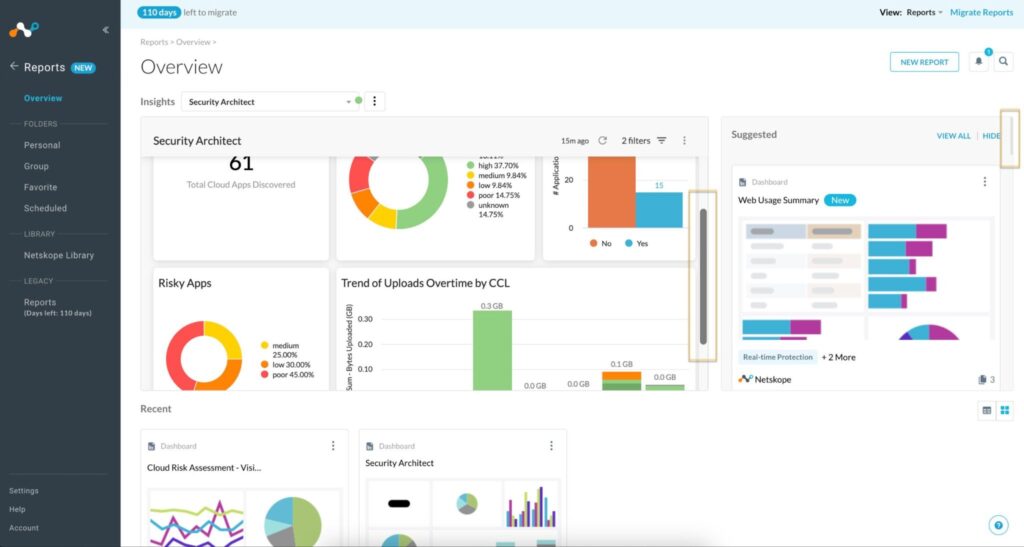
Netskope DLP operates as part of the Netskope Security Service Edge (SSE) platform, providing inline cloud DLP inspection for SaaS applications, IaaS environments, and web traffic without network appliances or endpoint agents.
| Core Services | • Inline cloud DLP with API and proxy-based inspection• SaaS DLP across 85,000+ cloud applications• GenAI data protection (ChatGPT, Copilot, Gemini)• SSPM integration• Real-time user coaching on policy violations |
| Why Consider | API plus proxy dual-mode inspection covers both sanctioned SaaS and shadow apps simultaneously. Real-time user coaching reduces violations through education, lowering hardblock events that require analyst investigation. |
| Best For | • Cloud-first organizations with 80%+ SaaS and IaaS workloads• Companies migrating from on-prem DLP to cloud-native• Teams deploying SSE or SASE |
| Pricing | Bundled with Netskope SSE – $9–14/user/mo |
| Shortlist When | • Data primarily lives in SaaS and cloud• Deploying SSE or SASE architecture• GenAI application visibility is a top priority |
For cloud-first organizations where data lives in SaaS, Netskope puts DLP where the data actually is. The API plus proxy dual-mode approach covers both sanctioned cloud apps and unsanctioned shadow apps simultaneously. This distinction matters for organizations where employees regularly use tools IT has not reviewed or approved, which is most of them in 2026.
11. Zscaler DLP: Best for Zero Trust & SASE-Aligned Architectures
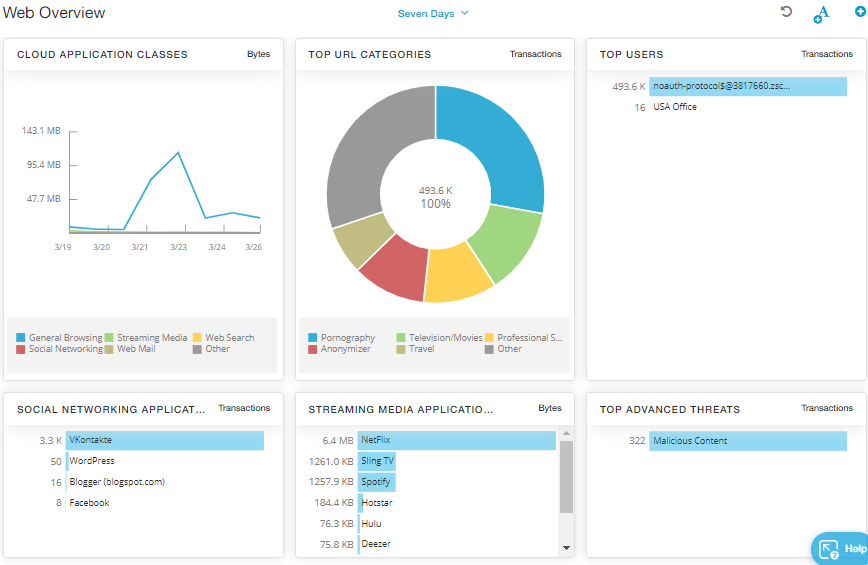
Zscaler DLP is built into Zero Trust Exchange for organizations that already route traffic through Zscaler. Data Protection adds content inspection without creating new infrastructure or deployment projects.
| Core Services | • Inline DLP within the Zero Trust Exchange• SSL/TLS inspection for encrypted traffic• Cloud app DLP with API integration• EDM and IDM for structured data protection• Browser isolation for GenAI tool protection |
| Why Consider | For Zscaler-committed environments, DLP is a configuration change. Inline encrypted traffic inspection without additional infrastructure is the core operational argument. |
| Best For | • Organizations deploying Zscaler for SASE or zero trust• Large enterprises with global distributed workforces• Environments requiring inline encrypted traffic inspection |
| Pricing | Bundled with ZIA or ZPA – $6–10/user/mo |
| Shortlist When | • Already on the Zscaler platform• Zero trust architecture is the strategic direction• Inline encrypted traffic inspection is a hard requirement |
DLP policies apply to all traffic passing through the existing ZIA or ZPA proxy, including SSL/TLS-encrypted traffic that covers the vast majority of modern SaaS and web traffic. The operational argument is direct: for committed Zscaler customers, enabling DLP is a configuration change within an existing platform, with no new vendor evaluation, contract negotiation, or agent deployment required.
12. Nightfall AI: Best for Cloud-Native, API-First DLP
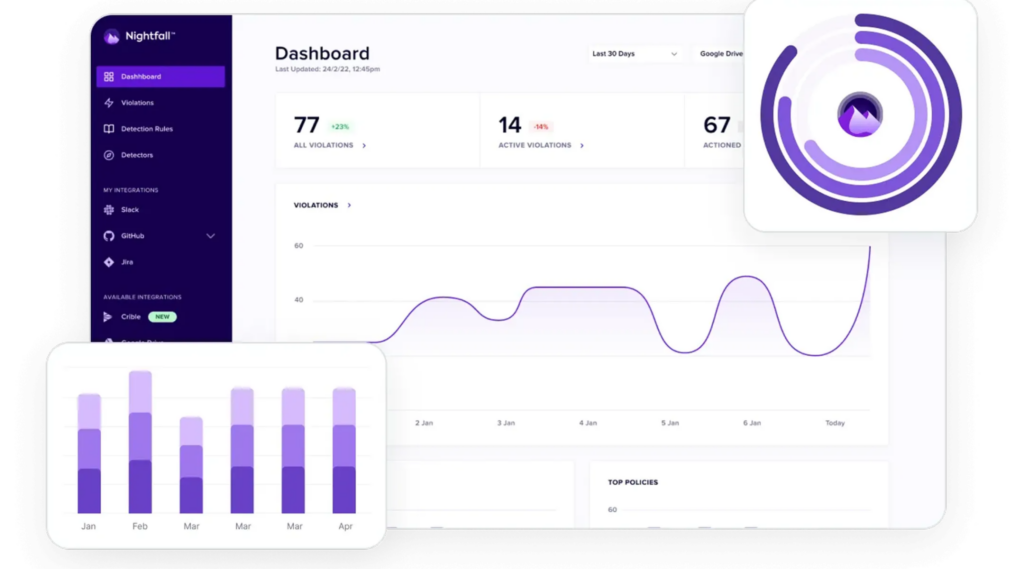
Nightfall AI takes an API-first approach to DLP, connecting directly to SaaS platforms: Slack, GitHub, Google Drive, Jira, Confluence via API to scan content using ML detection models, no agents, no network appliances.
| Core Services | • API-based DLP (Slack, GitHub, Google Drive, Jira, Confluence)• ML detection: PII, PHI, PCI, secrets, credentials• GenAI data protection• Real-time automated remediation |
| Why Consider | No agents, no proxies, no infrastructure. Native secret scanning covers a gap most traditional DLP tools miss entirely. |
| Best For | • Cloud-native companies with data across many SaaS platforms• Dev teams needing secret scanning in GitHub or GitLab• SMB to mid-market avoiding agent deployment |
| Pricing | Quote-only |
| Shortlist When | • Data lives in SaaS and developer tools• No-agent DLP is a hard requirement• Secret scanning in code repos is a priority |
For development-heavy organizations, Nightfall’s native GitHub and GitLab secret scanning covers a use case traditional enterprise DLP tools were not built for: detecting API keys, credentials, and proprietary code committed to repositories, often by developers who do not consider version control an exfiltration risk, but who regularly paste sensitive material into code comments, config files, and READMEs.
13. Trellix DLP: Best for Endpoint-Heavy Legacy Environments
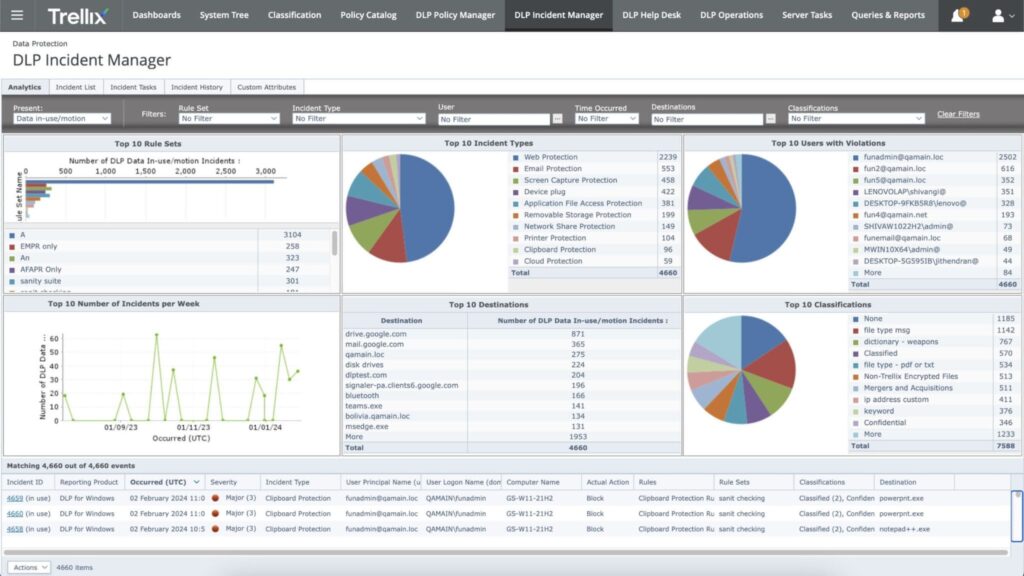
Trellix DLP, the evolution of McAfee DLP following the FireEye and McAfee Enterprise merger, delivers classic endpoint DLP managed through the familiar ePolicy Orchestrator (ePO) console.
| Core Services | • Endpoint DLP with device control (USB, Bluetooth, print)• Network DLP for data-in-motion monitoring• ePO management console for centralized policy administration• Content fingerprinting and classification• Integration with Trellix XDR platform |
| Why Consider | Migration risk and retraining costs are real barriers for legacy DLP environments. Trellix offers a familiar administration model to ensure business continuity for teams running ePO, even during outages. |
| Best For | • Organizations with existing McAfee or Trellix infrastructure• Enterprises with endpoint-heavy, on-prem-leaning environments• Teams comfortable with the ePO administration model |
| Pricing | Quote-only (enterprise) |
| Shortlist When | • Existing McAfee or Trellix infrastructure is in place• Endpoint DLP with device control is the primary use case• Migration risk outweighs the benefits of a newer platform |
For organizations with years of McAfee or Trellix infrastructure investment: established policies, trained administrators, and ePO-dependent workflows, Trellix provides continuity without the migration risk and retraining cost of moving to a new platform. Linux and macOS coverage have documented limitations, and GenAI inspection is minimal, making Trellix the right choice specifically for Windows-dominant, on-premises-leaning environments where ePO administration is already embedded in security operations.
14. DTEX: Best for Insider Threat & Intent Modeling
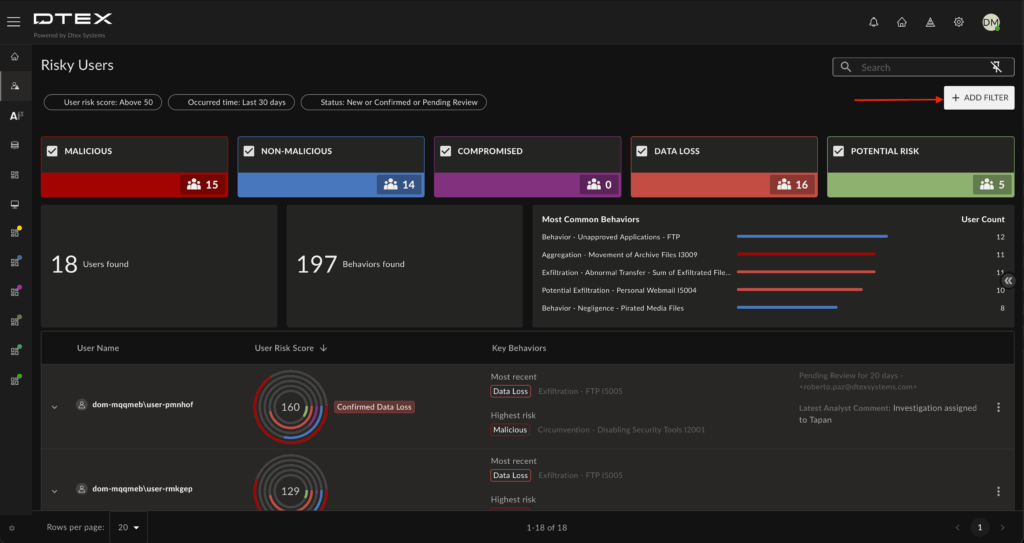
DTEX takes a behavioral-first approach to data protection, using intent modeling to understand why users are accessing and moving data, giving context beyond the data content itself. The platform builds a behavioral baseline for each user: mapping normal work patterns across role, time, device, and data access history, and then flags anomalous activity that signals insider threat, exfiltration preparation, or compromised accounts.
| Core Services | • Intent-based behavioral analytics• Lightweight endpoint telemetry• Insider threat detection and investigation• SIEM and SOAR integration |
| Why Consider | Behavioral baselines mean alerts correlate with actual intent. Content pattern matches fire on legitimate activity as often as real threats; behavioral baselines calibrate to the user. Fewer false positives, less analyst triage time. |
| Best For | • Organizations where insider threat is the primary concern• Companies with sensitive IP and high employee turnover• Teams wanting behavioral context beyond content inspection |
| Pricing | Quote-only |
| Shortlist When | • Insider threat takes priority over content-based DLP• False positives are overwhelming investigation capacity• Behavioral baselines for employee data access are needed |
DTEX’s behavioral approach reduces alert volume by correlating violations with actual user intent. Pattern-based detection flags legitimate activity as often as real threats; behavioral baselines calibrate to the user.
15. Netwrix Endpoint Protector: Best for Multi-OS Endpoint DLP
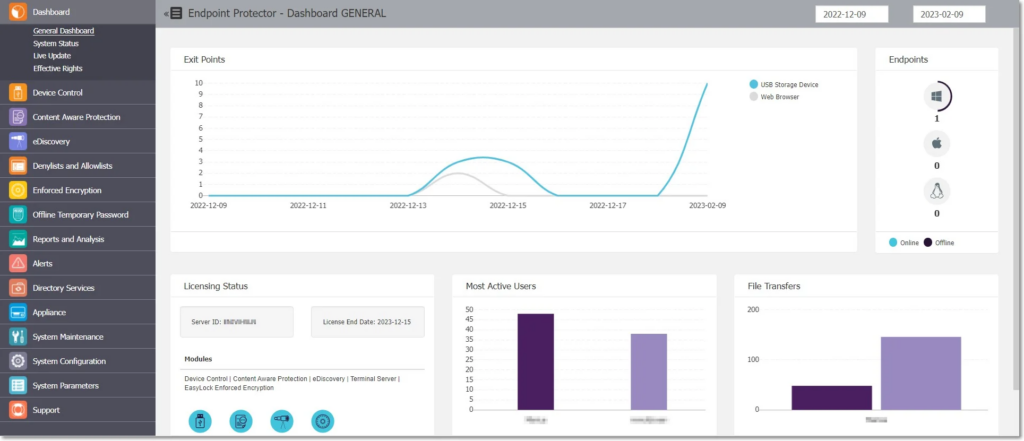
Netwrix Endpoint Protector (formerly CoSoSys) specializes in cross-platform endpoint DLP with native support for Windows, macOS, and Linux, the most comprehensive multi-OS coverage in this list.
| Core Services | • Cross-platform DLP (Windows, macOS, Linux)• Device control (USB, Bluetooth, external storage)• Content-aware scanning (PII, PHI pre-built policies)• Enforced encryption for removable media |
| Why Consider | Linux endpoint DLP is a gap most enterprise platforms leave open. Endpoint Protector covers the full device fleet, including Linux workstations most tools ignore. |
| Best For | • Mixed OS environments (Windows, macOS, Linux)• Dev teams requiring Linux endpoint coverage• Budget-conscious mid-market needing cross-platform endpoint coverage |
| Pricing | Quote-only |
| Shortlist When | • Multi-OS support is non-negotiable• USB and removable media control is the primary use case |
For development teams, mixed-device environments, and regulated organizations running Linux workstations alongside Windows endpoints, this matters: Linux endpoint DLP is a gap most enterprise platforms leave unaddressed, and Endpoint Protector covers it without requiring a separate tool or workaround. Device control for USB, Bluetooth, and external storage rounds out the platform alongside content-aware scanning with pre-built PII and PHI policy templates.
16. Polymer: Best for SaaS and GenAI Pipeline Data Protection
Polymer connects via API to SaaS collaboration tools and GenAI platforms: Slack, Google Workspace, Microsoft 365, Salesforce, classifying and remediating sensitive data without endpoint agents or network proxies. Its SecureRAG module addresses a gap that most DLP vendors have not yet built for: data exposure within internal LLM pipelines, where sensitive information fed into RAG workflows can surface in model outputs to users who were never meant to access it.
| Core Services | • API-based DLP (Slack, Google Workspace, M365, Salesforce)• ML-powered sensitive data detection• SecureRAG for LLM pipeline protection• Insider threat detection + SIEM connectivity (Enterprise) |
| Why Consider | SecureRAG protects data fed into RAG pipelines before it reaches the model, a gap most DLP vendors haven’t built for yet. |
| Best For | • Cloud-native and SaaS-first organizations• Companies deploying internal LLM agents on sensitive data• HIPAA and GDPR-regulated mid-market |
| Pricing | Published – Lite from $95/mo · Enterprise from $33,000/yr |
| Shortlist When | • Data lives across SaaS and GenAI apps• Internal LLM pipelines are in deployment• No-agent DLP is required |
For organizations deploying internal AI agents on top of sensitive business data, this is a material risk that traditional DLP architectures were not designed to prevent.
17. Metomic: Best for SaaS Collaboration and AI-Tool Data Security
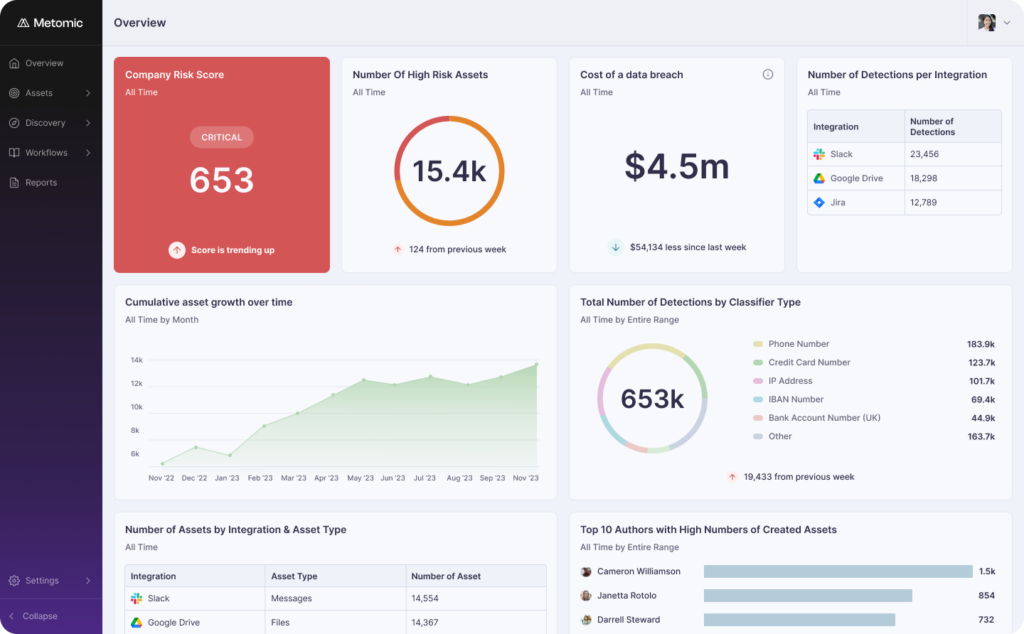
Metomic built its platform classifying sensitive data across SaaS collaboration tools: Slack, Google Drive, Jira, Confluence, Microsoft 365 and has evolved into the data security layer for AI-tool workflows.
Metomic has repositioned around AI and MCP governance, extending beyond SaaS data classification into the controls layer for AI tool workflows. The platform now includes a Browser Extension for real-time data inspection before it reaches AI tools, an MCP Gateway that intercepts and governs data flowing through Model Context Protocol integrations, and Claude Inference Hooks for governing data passed to Claude and other LLM APIs.
| Core Services | • Sensitive data discovery across SaaS (Slack, Google Drive, Jira, Confluence, M365)• AI Data Protection (ChatGPT, Copilot, Gemini, Glean, Notion AI)• Automated remediation (revoke access, redact, bulk cleanup)• DSPM integration |
| Why Consider | Sensitive data already sits in collaboration tools: in channels nobody reviewed in years, in public shared links. Metomic surfaces that exposure before AI agents inherit those permissions. |
| Best For | • Organizations with large SaaS footprints (50+ tools)• Security teams concerned about AI agents inheriting overpermissioned data• Fintech, healthcare, HR under GDPR, HIPAA, ISO 27001 |
| Pricing | Quote-only; three tiers: Discover, Govern, Enterprise |
| Shortlist When | • Large SaaS footprint with uncontrolled sensitive data sharing• AI agents are being deployed with access to SaaS data• Collaboration tool exposure is the primary risk |
For organizations deploying AI agents that inherit SaaS permissions at scale, Metomic addresses the exposure that accumulates before those agents ever run.
18. Skyhigh Security: Best for CASB-First Organizations Needing Unified DLP
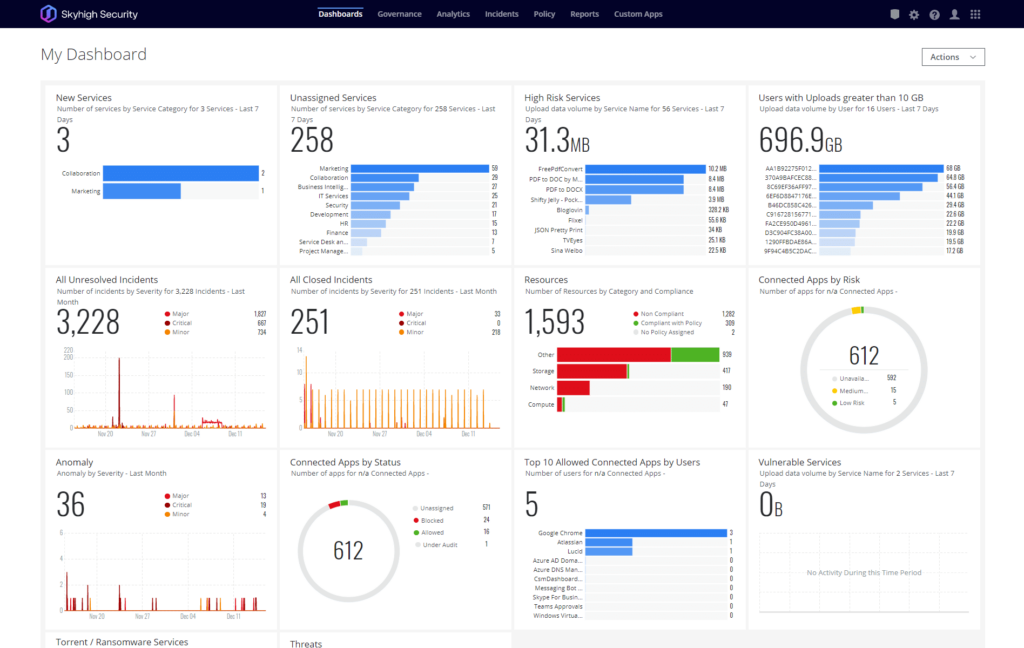
Skyhigh Security is the renamed McAfee MVISION Cloud, now operating independently. It combines CASB, SWG, ZTNA, DLP, and DSPM in a unified SSE platform tracking over 700 AI cloud services through its Cloud Registry.
| Core Services | • Unified SSE platform (CASB, SWG, ZTNA, DLP, RBI, DSPM)• Inline DLP via client proxy and agentless options• 700+ AI cloud services tracked in Cloud Registry• Enterprise Browser Controls for GenAI DLP |
| Why Consider | Existing McAfee MVISION Cloud customers inherit a decade of CASB and data classification investment. The 2026 RSAC additions bring GenAI coverage without replatforming. |
| Best For | • Enterprises with existing Skyhigh or McAfee MVISION Cloud deployments• Regulated industries needing CASB and DLP in one platform• Organizations with data sovereignty requirements |
| Pricing | Quote-only (SSE platform, DLP bundled) |
| Shortlist When | • Existing Skyhigh or McAfee MVISION Cloud deployment is in place• CASB and DLP unification is a priority• Data sovereignty and hybrid deployment options are required |
For organizations that have been running MVISION Cloud for years, Skyhigh represents continuity with a modernized platform, with no migration required. The 2026 RSAC additions: Enterprise Browser Controls for GenAI traffic inspection and a DSPM posture layer extend coverage without requiring existing customers to replatform, renegotiate contracts, or retrain security teams on a new console.
Who Investigates When Your DLP Fires at 2 AM?
Detection tools were built for a different threat model. Email attachments, USB drives, FTP uploads, channels where data moved slowly enough that a next-day review still had value. GenAI changed that. A developer debugging a production issue at 11 PM can paste proprietary source code into ChatGPT and close the tab before anyone on the security team starts their morning.
Three scenarios that happen in real organizations every week:
Scenario 1:
A software engineer pastes proprietary source code into ChatGPT at 11 PM to debug a production issue. DLP fires 47 “sensitive data to unauthorized destination” alerts overnight and none of them triaged, none of them investigated, because nobody is watching the queue at that hour. By morning the developer has closed the tab, the session has ended, and the code has been processed by an external model with no organizational visibility into what happened to it.
The cost of that gap is not hypothetical: source code exfiltrated through GenAI tools has been used to accelerate competitive products, reconstruct proprietary algorithms, and in regulated industries, trigger breach notification obligations.
Scenario 2:
A departing sales director copies 12,000 customer records to a personal USB drive on their last Friday. Endpoint DLP logs the event at 4:47 PM; the alert lands in a queue of 500+ daily violations that the security team triages on a first-in, first-out basis during business hours.
Nobody investigates until Monday morning, 60 hours after the data left the building. By then the employee has been offboarded, their access revoked, and legal has been notified, but the data is already wherever it is going. Under GDPR, a 60-hour investigation delay on a confirmed personal data breach can trigger reporting obligation violations on top of the breach itself.
Scenario 3:
A marketing analyst accidentally shares an M&A board deck via a public Google Drive link, the wrong sharing setting, visible to anyone with the link. Cloud DLP detects the exposure three hours after the link goes live, which means three hours of potential access by anyone the link was forwarded to.
Remediation requires an IT ticket, which means someone has to file it, someone has to approve it, and someone has to revoke the link, a process that adds another hour minimum in most organizations.
A four-hour window of M&A document exposure is a material event for any publicly traded company, and the downstream consequences: regulatory inquiry, legal liability, deal collapse are not proportional to the simplicity of the mistake.
The root cause in all three is not detection. Every DLP tool caught the violation. The root cause is response or the absence of it.
The pattern holds across environments:
- Alert queues accumulate overnight.
- Violations that fire on Friday reach an investigator on Monday.
DLP tools built for detection without managed response coverage operate in permanent triage mode, moving violations from “unreviewed” to “aged out” without ever producing a containment decision.
When a violation fires, UnderDefense investigates within 2 minutes, completing SIEM queries, threat intel checks, and cross-system correlations. Analysts then verify with the affected user via Slack or Teams. Every investigation step is fully observable and auditable, with a complete evidence trail available for HR, legal, or compliance review.
UnderDefense integrates with the detection tools on this list through 250+ vendor-agnostic integrations, no tool replacement required.
How does UnderDefense investigate a DLP alert? See the 2-minute walkthrough.
How Do You Evaluate and Choose the Right DLP Solution?
Selecting a DLP solution means committing to a data protection architecture that will govern your security posture for years. Pick wrong, and you are either locked into a vendor-specific ecosystem that cannot cover GenAI tools or drowning in false positives your team cannot investigate.
Three questions determine which DLP tool fits before feature counts become relevant: where sensitive data actually lives in your environment, which channel carries the highest exfiltration risk, and whether your team can investigate violations internally when they fire.
Step 1: Map Your Data Landscape
Identify where sensitive data exists: endpoints, SaaS apps, cloud storage, email, and GenAI tools. In 2026 this includes every platform where employees interact with ChatGPT, Copilot, Gemini, or internal LLM agents. Start by listing the top 10 applications where sensitive data is created, stored, or shared. Most organizations discover that the majority of their data risk is concentrated in 3-4 systems.
This mapping exercise also surfaces shadow apps your IT team has no visibility into, which immediately shapes which DLP architecture you need.
Step 2: Define Your Primary Use Case
Compliance, insider threat, IP protection, and GenAI exposure each point to different tools. Trying to solve all four with one platform typically means solving none of them well. Be specific: a healthcare organization mapping DLP to HIPAA audit evidence needs different capabilities than a software company trying to stop source code from leaving through ChatGPT.
Your primary use case determines which evaluation criteria carry the most weight and which vendors you should eliminate from the shortlist before the first demo.
Step 3: Set Integration Requirements
List the SIEM, XDR, SOAR, and Zero Trust tools already in your stack. A DLP tool that cannot feed alerts into your existing detection pipeline adds a console. Ask each vendor specifically which integrations are native versus API-based versus professional-services-required. The distinction matters for deployment timeline and ongoing operational cost.
Vendor-agnostic platforms that ingest DLP alerts alongside endpoint, identity, and cloud telemetry give security teams unified context in place of siloed violation logs.
One question most teams forget to ask: what is the contractual response time from alert to first analyst action? For GenAI violations where data has already left the environment before anyone investigates, a 4-hour SLA means the tool documented what happened. It did not stop it.
Step 4: Assess Deployment Complexity
The deployment model decision breaks down across two axes: infrastructure fit (cloud-native, hybrid, or on-prem) and endpoint coverage approach (agent-based or agentless).
Deployment timelines differ significantly: cloud DLP deploys in 2–4 weeks; endpoint DLP takes 4–8 weeks; enterprise hybrid deployments run 3–6 months including monitor-mode tuning. Ask vendors for reference customer deployment timelines at your organization size. The P50 from their last 10 enterprise deployments is the number worth modeling. Sales deck best-case scenarios reflect vendor ambition; median deployment outcomes reflect reality.
Agent-based platforms introduce endpoint management overhead that compound at scale; agentless platforms trade deployment simplicity for coverage gaps on offline devices.
Step 5: Run a Proof of Concept in Monitor Mode
Never enable enforcement before understanding your false positive volume. Most DLP projects stall not during deployment but during the transition from monitor mode to enforcement. Teams see alert volumes they cannot investigate and freeze the rollout indefinitely.
Run monitor mode for a minimum of four weeks across your highest-risk data channels before setting enforcement policy. Use that period to tune classifiers against your actual data patterns. Document the false positive rate and investigation time per alert before signing off on a platform. These numbers become your operational baseline and your business case for managed response coverage.
Across UnderDefense deployments, false positive rates vary significantly by channel:
- email DLP typically runs 5-15% with default classifiers;
- endpoint DLP on untuned deployments can exceed 40%.
These figures shift substantially once classifiers are tuned to an organization’s actual data patterns.
Track this number during POC and negotiate it into the vendor SLA before signing.
Step 6: Calculate Total Cost of Ownership
License price is rarely the real cost. Factor in professional services for deployment ($20K–$100K+), policy tuning labor (1–2 FTE-months), SIEM integration, and per-violation investigation time (15–45 minutes average per alert). For a 1,000-seat deployment generating 200 alerts per day, at 20 minutes of analyst time per alert, that is over 16,000 analyst hours per year. This is without taking into account false positives, which further increase this figure.
Model three scenarios: self-managed with in-house analysts, self-managed with an MSSP for overflow, and fully managed response. The TCO difference between scenarios often exceeds the license cost difference between vendors.
Step 7: Check the GenAI Roadmap: Present and Future Coverage
Browser-layer and SaaS/API protection are available today from several vendors. Agent-layer protection, visibility into what AI agents do with the data they access, is where the market is moving and where current coverage gaps are widest.
Ask vendors specifically what they are shipping for agent-layer visibility in the next two quarters. A 12-month roadmap slide is a plan. A shipping commitment comes with a date and a release note. The DLP vendor you select today will be protecting your environment when your organization has deployed five times as many internal AI agents as it has today. Current GenAI coverage matters; roadmap credibility matters more.
Use this as a starting point for your shortlist:
| Use Case | SMB (50–500) | Mid-market (500–2,000) | Enterprise (2,000+) |
| Compliance-first | Netwrix Endpoint Protector | Microsoft Purview | Symantec DLP |
| Insider threat | Teramind | DTEX | DTEX, Fortra’s Digital Guardian |
| IP protection | Nightfall AI | Cyberhaven | Cyberhaven, Fortra’s Digital Guardian |
| GenAI exposure | Polymer, Metomic | Netskope, Nightfall AI | Netskope, Zscaler, Skyhigh Security |
| Microsoft stack | Microsoft Purview | Microsoft Purview | Microsoft Purview |
| SASE / Zero Trust | Zscaler | Netskope, Zscaler | Netskope, Zscaler, Skyhigh |
| Legacy endpoint | Netwrix Endpoint Protector | Trellix | Symantec, Trellix |
| 24/7 investigation | UnderDefense | UnderDefense | UnderDefense |
The matrix above is a starting point. The seven steps earlier in this section are the framework for stress-testing any vendor against your specific environment before the first demo.
Which DLP Providers Cover Your Compliance Requirements?
Once you have narrowed the field by use case and environment, the next filter for regulated organizations is compliance framework coverage.
The table below maps which of the 18 providers on this list support the most common regulatory requirements. Coverage depth varies significantly between vendors. The difference between a checkbox and a defensible compliance posture often comes down to whether the tool generates audit-ready evidence automatically or leaves that work to your team.
A note on terminology:
- “Pre-built” Pre-built means the vendor ships ready-to-use policy templates and automated audit trail generation for that framework. This is the highest tier: auditors can be handed system-generated reports, no manual reconstruction required.
- “✅” means the framework is supported but requires configuration before it produces audit-ready output. Coverage exists; effort is required to operationalize it.
- “Partial” means incomplete coverage. Typically the tool detects relevant data types but lacks automated evidence generation, reporting templates, or specific technical controls the framework requires.
- Custom means Cyberhaven compliance is custom-configured per deployment. Cyberhaven’s data lineage model does not map neatly to pre-built framework templates; organizations with strict automated evidence requirements should verify framework support directly before shortlisting.
- “–“ means the vendor does not publish documentation for that framework, or the framework falls outside the product’s design scope.
Before shortlisting any provider for a compliance-driven deployment, ask specifically: does the tool generate audit-ready reports automatically, or does your team reconstruct the evidence manually for each review cycle?
| Vendor | GDPR | HIPAA | PCI DSS | SOC 2 | CCPA |
| UnderDefense | ✅ | ✅ | ✅ | ✅ | ✅ |
| Microsoft Purview | Pre-built | Pre-built | Pre-built | ✅ | ✅ |
| Cyberhaven | Custom | Custom | Custom | Custom | Custom |
| Symantec DLP | Pre-built | Pre-built | Pre-built | ✅ | ✅ |
| Forcepoint | Pre-built | ✅ | ✅ | Partial | ✅ |
| Proofpoint | ✅ | Pre-built | ✅ | ✅ | ✅ |
| Fortra’s Digital Guardian | ✅ | ✅ | ✅ | ✅ | ✅ |
| CrowdStrike Falcon DP | ✅ | ✅ | ✅ | ✅ | ✅ |
| Teramind | ✅ | ✅ | ✅ | ✅ | ✅ |
| Netskope | ✅ | ✅ | ✅ | ✅ | ✅ |
| Zscaler | ✅ | ✅ | ✅ | ✅ | ✅ |
| Nightfall AI | ✅ | ✅ | ✅ | ✅ | ✅ |
| Trellix DLP | ✅ | ✅ | ✅ | ✅ | ✅ |
| DTEX | ✅ | ✅ | ✅ | ✅ | ✅ |
| Netwrix Endpoint Protector | ✅ | ✅ | ✅ | Partial | ✅ |
| Polymer | ✅ | ✅ | ✅ | ✅ | ✅ |
| Metomic | ✅ | ✅ | ✅ | ✅ | ✅ |
| Skyhigh Security | ✅ | ✅ | ✅ | ✅ | ✅ |
Framework coverage maps the regulatory surface. What it does not map is how that coverage holds up between audits. A tool that produces a clean SOC 2 report in March tells you nothing about your posture in September. For most regulated organizations, the difference between continuous monitoring and pre-audit reconstruction determines whether compliance is a program or a deadline.
How Helpware cut compliance audit time in half with UnderDefense MAXI Compliance AI.
What Does DLP Cost to Own and Operate in 2026?
Enterprise DLP costs between $15,000 and $500,000+ per year. The range is wide because the cost drivers differ at each scale: at SMB level, operational labor dominates; at enterprise level, multi-region deployment and dedicated DLP staff push totals well above license price.
Published license pricing is only part of that number. Most organizations discover the real figure six to twelve months after deployment, when analyst hours and professional services invoices have accumulated.
*Pricing table covers vendors with published or estimated figures. Seven vendors (Cyberhaven, Nightfall AI, Trellix, DTEX, Netwrix Endpoint Protector, Metomic, Skyhigh Security) are quote-only with no published or reliably estimated per-seat figures and are excluded from this comparison.
| Vendor | Published Pricing | Per-user/mo equivalent |
| UnderDefense | from $11/device/mo | from $11 |
| Microsoft Purview | M365 E5: ~$60/user/mo · Standalone: ~$12/user/mo | ~$12 standalone |
| Netskope DLP | Bundled with SSE – quote-only | ~$9–14 (mid-bundle, est.) |
| Zscaler DLP | Bundled with ZIA – quote-only | ~$6–10 (by tier, est.) |
| Teramind | $32/user/mo | ~$32 |
| CrowdStrike Falcon DP | ~$8–15/endpoint (est.) | $8–15/endpoint |
| Forcepoint | ~$30–60/user/yr (est.) | ~$2.50–5 |
| Fortra’s Digital Guardian | ~$25–50/user/yr (est.) | ~$2–4 |
| Symantec DLP | $25K–$300K+/yr (est.) | varies |
| Polymer | Lite from $95/mo · Enterprise from $33,000/yr | varies |
| Metomic | Quote-only | Quote-only |
For organizations that want to avoid building a dedicated DLP operations function, managed response is an alternative worth modeling in the TCO calculation.
The build-vs-buy question here is about the analyst capacity to run it. For mid-market organizations where one analyst covers DLP alongside other responsibilities, the effective investigation capacity is a fraction of what a dedicated 24/7 managed service provides. The all-in cost of building that capacity internally is rarely lower than the managed alternative once hiring, benefits, and ramp time are factored in.
TCO by Company Size
The cost profile shifts substantially with organization size. Here is what to budget at each tier.
- SMB (50–500 employees): $15K–50K/yr total. At this scale, the license is often the smaller line item. Policy tuning and false-positive triage consume more budget than the tool itself, and without a dedicated security analyst to manage both, enforcement rarely moves out of monitor mode.
For SMB organizations, the operational cost of running DLP internally often exceeds the license cost, which is why managed response is worth modeling as an alternative to self-managed deployment.
- Mid-market (500–2,000 employees): $50K–150K/yr total. SIEM integration and custom connector development become significant, particularly for organizations running hybrid environments. Multi-channel coverage (endpoint, network, and cloud) typically requires separate policy management efforts that compound analyst hours.
Professional services typically add 30–50% on top of the license cost in year one. Budget for these costs before vendor negotiations begin.
- Enterprise (2,000+ employees): $150K–500K+/yr total. Compliance reporting customization, multi-region deployment, and dedicated DLP operations staff drive costs well above license price. At enterprise scale, the hidden cost that most organizations underestimate is investigation capacity: a deployment generating 200+ alerts per day at 20 minutes per investigation consumes over 16,000 analyst hours annually, the equivalent of 8 full-time staff dedicated to triage alone, before any confirmed incidents are investigated and contained.
Organizations at this scale that run DLP without managed response coverage typically operate in permanent monitor-only mode, detecting violations but not acting on them.
Hidden Costs That Inflate TCO by 40–60%
Six cost categories consistently appear outside the license line item in enterprise DLP deployments.
- Professional services for initial deployment: $20K–$100K+.
Most enterprise DLP vendors require professional services engagement for initial deployment: policy migration from legacy platforms, identity integration, SIEM connector configuration, and custom classifier development.
For hybrid environments spanning endpoint, network, and cloud, professional services engagements routinely run 8–16 weeks and cost more than the first year of licensing for mid-market organizations.
- Policy tuning and false-positive reduction labor: 1–2 FTE-months.
A DLP tool deployed with default policies generates alert volumes that are operationally unmanageable. Tuning classifiers to your organization’s actual data patterns: distinguishing legitimate business transfers from genuine violations, requires dedicated analyst time before enforcement goes live. Most organizations underestimate this by 50%, planning for two weeks and spending two months.
- SIEM integration and custom connector development.
Native integrations exist for major SIEMs but rarely work out of the box at the fidelity security teams need. Custom alert schemas, correlation rule development, and dashboard configuration add 2–6 weeks of engineering time per integration, and that cost repeats when either platform updates its API.
- Per-violation investigation: 15–45 minutes average analyst time per alert.
A deployment generating 100 alerts per day at 20 minutes per investigation consumes over 8,000 analyst hours per year before accounting for escalations. This hidden labor cost is rarely modeled in TCO calculations but consistently exceeds license cost for organizations running DLP without managed response coverage.
- Agent deployment and endpoint management overhead.
Agent-based DLP requires deployment across every managed endpoint, compatibility testing with OS updates, and ongoing version management. For fleets of 5,000+ endpoints, this overhead can consume 0.5–1 FTE annually, a recurring cost that compounds with device fleet growth.
- Compliance reporting customization.
Pre-built compliance templates rarely produce audit-ready output without customization. Mapping DLP data to specific regulatory evidence requirements (audit trails, incident reports, access logs) typically requires 2–4 weeks of configuration work per framework and repeats with each major platform update.
For budget-constrained teams, open-source DLP options exist but require significant in-house expertise and provide no GenAI coverage.
Ready to Pick a Tool But Not Sure How to Operationalize It?
Whether you are replacing a legacy DLP deployment or implementing data protection for the first time, the gap between choosing a tool and operationalizing it determines success or failure.
Deploying a DLP tool is the easy part. Moving it from monitor mode to enforcement is where programs stall. The operational questions that govern enforcement were never answered before deployment started.
The questions that derail DLP operationalization are predictable:
- Who owns alert triage?
- What is the escalation path for a confirmed violation at 2 AM?
- What false positive rate is acceptable before enforcement goes live? How do we handle violations by executives or privileged users? Which violations go to HR, which go to legal, and which get contained immediately?
These are not product questions. They are operational questions, and they need answers before the first policy moves from monitor to enforce.
The hidden cost is time. Every month a DLP deployment stays in monitor-only mode is a month of data moving without enforcement and a month of analysts building the backlog of unreviewed violations that makes enforcement feel even riskier to enable.
UnderDefense built the vendor-neutral security assessment to solve exactly this problem. It evaluates your current data protection posture, maps gaps across all three DLP architectures (endpoint, network, and cloud), and provides a deployment roadmap, including TCO modeling based on your specific environment.
Most teams discover the real DLP cost six months after signing. Model it before the conversation starts.
This analysis is based on documented deployment outcomes, Fortinet 2025 Data Security Report (Fortinet and Cybersecurity Insiders), published vendor pricing, Gartner Market Guide for Data Loss Prevention, and operational experience across 500+ security environments.
1. What is a DLP solution?
Data Loss Prevention is a category of security tools designed to detect and prevent unauthorized transmission of sensitive data across three states: data in use (endpoints and applications), data in motion (network traffic), and data at rest (storage and databases).
Endpoint DLP monitors devices, network DLP inspects traffic in transit, and cloud DLP protects data flowing through SaaS and IaaS platforms. Modern DLP solutions unify endpoint, network, and cloud coverage under a single policy engine.
2. Which is the best DLP solution in 2026?
It depends on your environment. For Microsoft-heavy organizations: Microsoft Purview. For GenAI exposure: Nightfall AI, Polymer, or Netskope. For IP protection: Cyberhaven or Fortra’s Digital Guardian. For insider threat: DTEX or Teramind. For 24/7 investigation coverage on top of any detection tool: UnderDefense.
There is no single answer because the right tool depends on where your data lives, what your primary risk vector is, and whether your team has capacity to investigate violations when they fire. The decision matrix earlier in this guide maps use case to company size across all 18 providers.
3. How do DLP solutions protect against GenAI data leakage from ChatGPT and Copilot?
DLP solutions protect against GenAI leakage via browser-based prompt inspection, URL-category controls, API-level enterprise AI integration, and clipboard monitoring. The most effective approach combines prompt-level content inspection with user education and acceptable-use policies. Blocking GenAI tools entirely backfires: employees switch to personal devices, eliminating all organizational visibility.
The GenAI DLP Coverage section earlier in this guide maps which of the 18 providers cover browser, SaaS/API, and agent layers.
4. What is DDR (Data Detection and Response) and how does it differ from traditional DLP?
DDR, pioneered by Cyberhaven, tracks data lineage: where data originated, who handled it, and how it flows through the organization. Traditional DLP matches content patterns using regex, keywords, and fingerprinting. DDR adds behavioral context beyond content classification, understanding the full data journey, going beyond the data at a single point in time.
The practical difference: if an analyst copies a proprietary financial model into Claude or Gemini for formatting help, traditional DLP sees unfamiliar content and fires no alert. The original fingerprint is gone. DDR traces the file back to its source regardless of how the content changed before it left.
5. How much does enterprise DLP cost, including hidden fees?
Enterprise DLP solutions range from $6–10/user/mo for cloud add-ons to $500,000+/yr for full-stack enterprise platforms. Endpoint DLP tools: $6–32/user/mo depending on platform. Enterprise unified platforms: $25K–$300K+/yr. Hidden costs are professional services, policy tuning labor, SIEM integration, and per-violation investigation time, adding 40–60% on top of the license price.
The cost section earlier in this guide breaks down TCO by company size with a full hidden cost breakdown.