DragonForce decryptor
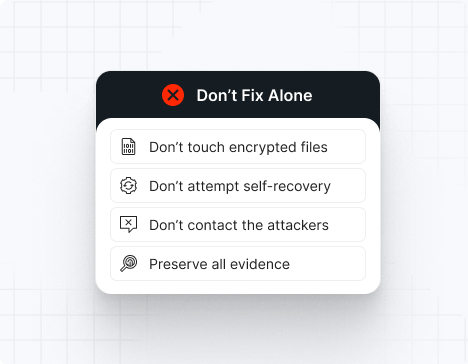
Currently, there is no publicly available universal decryptor for DragonForce ransomware. However, UnderDefense’s incident response team stands ready to contain the attack, eliminate the malware, prevent reinfection, and restore your systems using verified, uncompromised backups so you can safely resume operations.
DragonForce IOCs
Important note: IOCs frequently change as DragonForce continuously updates its tools and infrastructure. This list includes recurring, widely confirmed indicators based on Trend Micro, S2W TALON, Group-IB, Cyble, CSIS, and incident response case data.
File extensions
The most common extension is .dragonforce_encrypted. Other variants include .RNP (Windows), .RNP_esxi (ESXi), and .locked. Some samples encode the original filename using Base32 before appending the extension.
Ransom note filenames
The primary ransom note is readme.txt. Some affiliate variations include:
Contact Us.txt
readme.txt
Instruction.txt
recovery_readme.txt
*The exact filenames vary by affiliate and campaign.
DragonForce hashes
These are SHA256 hashes used for encrypting payloads in known attacks:
451a42db9c514514ab71218033967554507b59a60ee1fc3d88cbeb39eec99f20
410db536a57c511b0ccac2639e0eb3320f303fc5c90242379ab43364c51ef321
1250ba6f25fd60077f698a2617c15f89d58c1867339bfd9ee8ab19ce9943304b
dc7e706587d4897789cc4a5f7cccbb539646b58aa9c86272728c8c1e6ec2a529
These vulnerable driver variants were used to disable EDR or kill monitoring services before deployment:
truesight.sys (control code: 0x22E044)
rentdrv2.sys (control code: 0x22E010)
DragonForce tools
For EDR disabling:
BYOVD technique (truesight.sys, rentdrv2.sys)
PCHunter
ProcessHacker
For credential dumping:
Mimikatz
LaZagne
PassView
Registry Hive Dumping
For reconnaissance:
AdFind
Netscanold.exe
Advanced IP Scanner
FileSeek
For data exfiltration:
MEGA.nz
FTP/SFTP servers
HTTP servers
Custom web servers
For lateral movement:
PsExec
RDP
WMI (Windows Management Instrumentation)
SimpleHelp RMM (exploiting CVE-2024-57727, CVE-2024-57728, CVE-2024-57726)
Malware:
Cobalt Strike
SystemBC
DevMan ransomware variant
Most common red flag
DragonForce almost always runs these commands:
vssadmin.exe Delete Shadows /all /quiet
wmic shadowcopy delete
bcdedit.exe /set {default} bootstatuspolicy ignoreallfailures
bcdedit.exe /set {default} recoveryenabled No
wbadmin delete catalog -quiet
wbadmin delete systemstatebackup
*If you detect these commands, data encryption is moments away.
DragonForce attack vectors
| % of DragonForce incidents | |
Exploited vulnerabilities | | Ivanti Connect Secure (CVE-2023-46805, CVE-2024-21887, CVE-2024-21893), Log4Shell (CVE-2021-44228), SimpleHelp RMM vulnerabilities |
Initial Access Broker (IAB) partnerships | | Scattered Spider, The Com collective |
| | Brute-force or purchased credentials |
| | Crack software, keygens, malicious downloads |
| | RMM compromise, trusted relationship abuse |
| | |
Case outcomes
DragonForce operates as a ransomware cartel, encouraging affiliates to build their own brands while using DragonForce’s tools and infrastructure. This makes outcomes highly variable.
Some affiliates provide decryptors after payment, but decryptors may be slow, unstable, or incomplete—especially on ESXi systems. Victims often experience repeated extortion attempts, even after paying. Partial data recovery failures are common when backups were destroyed or tampered with.
DragonForce is known to publish stolen data within days if negotiations stall or if victims refuse to engage. The group’s double-extortion model means organizations face both encryption and data leak threats simultaneously.
How to remove DragonForce ransomware?
Note: Attempting to remove DragonForce ransomware without expert guidance may lead to greater data loss and incomplete eradication.
To remove DragonForce ransomware, immediately engage DragonForce ransomware removal experts to guide your response and ensure no critical steps are missed. Then, begin by isolating all affected systems: disconnect compromised machines from the network (disable Wi-Fi, unplug Ethernet cables, and block their IPs at the firewall).
Next, perform a comprehensive forensic analysis to uncover the depth of the breach. Use endpoint detection and response (EDR) tools to trace the attacker’s path. Collect and review file-hash indicators of compromise (IOCs), registry changes, deleted Volume Shadow Copies, and any tampering with event logs. Check for BYOVD artifacts (truesight.sys, rentdrv2.sys), credential dumping tools (Mimikatz, LaZagne), and lateral movement evidence (PsExec, RDP logs, SimpleHelp RMM exploitation). After mapping the intrusion, reimage all infected devices using clean, verified system images.
Finally, rely on DragonForce ransomware removal and recovery experts to validate the cleanup, conducting rootkit scans, reviewing system configurations, rotating compromised credentials, and reinforcing your security posture. Their specialized knowledge ensures thorough removal and helps prevent future incidents through strategic hardening and lessons learned.
How to recover from DragonForce ransomware?
To recover from DragonForce ransomware, follow these essential steps:
Immediately isolate affected machines to stop any further malicious activity, then only reintroduce them into production once you’ve verified clean restorations and confirmed there’s no lingering malware.
Recover your data exclusively from offline, write-protected backups, and validate their integrity by checking checksums and performing test restores in a controlled environment.
Perform a thorough post-incident review to map the attack chain and identify root causes—check for exploited vulnerabilities (Ivanti, SimpleHelp RMM, Log4Shell), compromised RDP access, or IAB involvement—then harden or rotate all credentials (especially admin/service accounts) to eliminate any leftover access points.
Bring in external IR specialists to audit your environment, ensure complete ransomware eradication, and help update your incident-response and business-continuity plans.
Ransom amounts
DragonForce ransom demands vary tremendously depending on the size of the victim organization, the amount of data stolen, and the affiliate conducting the attack. Demands typically range from several hundred thousand to multiple millions of dollars. Ransoms are almost always demanded in Bitcoin or other cryptocurrencies.
Because DragonForce conducts double-extortion attacks, victims face two simultaneous financial threats:
The ransom itself
The cost of leaked, stolen, or destroyed data
Organizations should never attempt ransom negotiation alone—DragonForce affiliates are known to escalate threats quickly, publish data when provoked, or disappear after receiving payment if communication is mishandled. The group’s cartel structure means each affiliate may have different negotiation styles and reliability.
Average ransom estimates:
Small business: $200,000 – $500,000
Medium business: $600,000 – $1,500,000
Large enterprise: $2,000,000 – $5,000,000+
Note: Median ransom demands across the ransomware ecosystem fell 56% year-over-year in 2025, but DragonForce’s affiliate-driven model means individual demands remain unpredictable and can still reach extreme highs for lucrative targets.
 Platform
 UnderDefense Secures Top Honor at the 2025 Global Infosec Awards
Read More
UnderDefense Secures Top Honor at the 2025 Global Infosec Awards
Read More Our AI
 Anti-Phishing Playbook
Download the Playbook
Anti-Phishing Playbook
Download the Playbook Calculate your MDR price
Estimate MDR Cost
Calculate your MDR price
Estimate MDR Cost Company
 UnderDefense is an AWS Partner
Read More
UnderDefense is an AWS Partner
Read More